
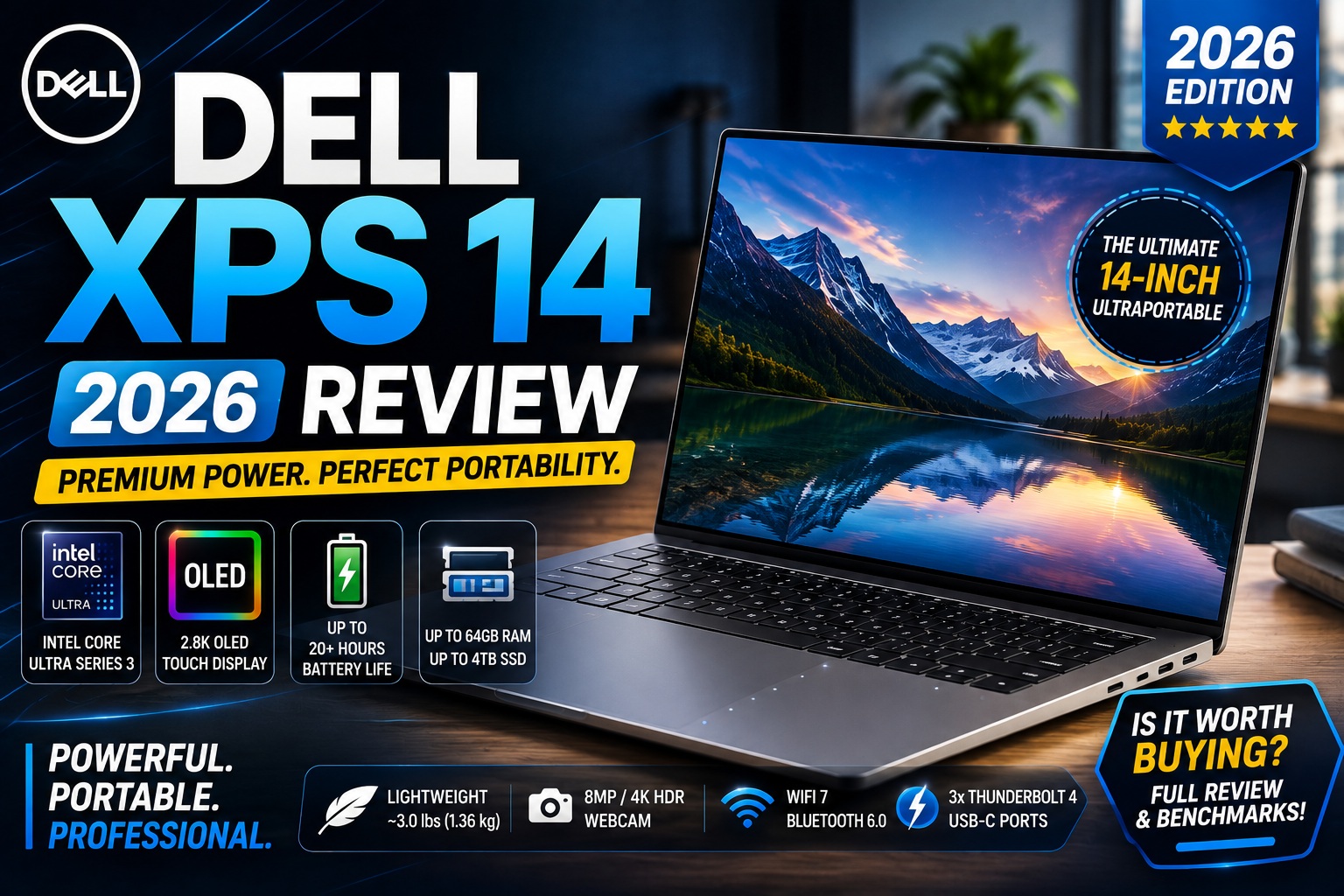

Dell XPS 14 (2026) Review: A Premium Windows Laptop That Finally Gets It Right
The Dell XPS 14 (2026) is one of the most interesting premium Windows laptops of the year. After Dell briefly moved away from the XPS branding, the company has brought the name back with a redesigned 14-inch model that addresses several of the biggest complaints about the previous generation.
The new XPS 14 keeps the premium aluminum construction and minimalist aesthetic that made the XPS family popular, but it takes a more practical approach to usability. Most notably, Dell has brought back a physical function-key row, added clearer boundaries around the haptic touchpad, and introduced Intel's latest Panther Lake processor platform.
The other major change is under the hood: there is no discrete GPU option on the 2026 model. Instead, Dell relies on integrated Intel graphics, including the higher-end Intel Arc B390 in certain configurations. Current testing suggests that the higher-end integrated graphics can be surprisingly capable, although the XPS 14 remains more of a premium productivity and creative laptop than a dedicated gaming machine.
The display lineup is also important. Dell offers either a 14-inch 1920 × 1200 IPS panel or a 14-inch 2880 × 1800 OLED touchscreen, with refresh rates reaching 120Hz. The OLED model is particularly attractive for users who care about movies, photo editing, creative work, and overall visual quality.
But there's a catch: the XPS 14 remains an expensive laptop, and its limited port selection and soldered memory mean you need to choose your configuration carefully before buying.
So, is the Dell XPS 14 (2026) worth buying?
Let's find out.
Dell XPS 14 2026 Review
Dell XPS 14 (2026): Quick Verdict
Our verdict: ⭐⭐⭐⭐½
The Dell XPS 14 (2026) is a strong premium Windows laptop for professionals, students, creators, programmers, and anyone who wants a thin 14-inch machine with a gorgeous display and high-end build quality.
What We Like
- Excellent premium aluminum construction
- Thin and relatively lightweight
- Gorgeous 2.8K OLED touchscreen option
- Up to 64GB of RAM
- Up to 4TB SSD storage
- New Intel Panther Lake processors
- Surprisingly capable integrated Intel Arc graphics
- Excellent 4K webcam
- Physical function keys return
- Large, responsive haptic touchpad
- Wi-Fi 7
- Thunderbolt 4 connectivity
- Windows and Ubuntu options
- Strong battery efficiency
What We Don't Like
- Expensive compared with mainstream laptops
- No discrete NVIDIA GPU option
- No USB-A port
- No HDMI port
- RAM is soldered
- Keyboard remains relatively shallow
- OLED model can exhibit flicker
- Heavy sustained workloads can reduce performance
- Base configuration isn't particularly compelling
RTINGS' current testing similarly highlights the XPS 14's excellent build quality, high-resolution webcam, OLED display and productivity performance, while pointing to its limited ports, soldered RAM and lack of discrete graphics as important drawbacks.
Dell XPS 14 2026 Review
Dell XPS 14 (2026) Specifications
Here are the key specifications you should know before buying.
| Specification | Dell XPS 14 (2026) |
|---|---|
| Display | 14-inch IPS or 2.8K OLED |
| IPS Resolution | 1920 × 1200 |
| OLED Resolution | 2880 × 1800 |
| Refresh Rate | Up to 120Hz |
| Processor Options | Intel Core Ultra 5 / 7 / X7 / X9 |
| Graphics | Intel Graphics or Intel Arc B390 |
| RAM | 16GB / 32GB / 64GB |
| Storage | 512GB / 1TB / 2TB / 4TB |
| Webcam | 4K |
| Wireless | Wi-Fi 7 |
| Ports | 3 × USB-C / Thunderbolt 4 + 3.5mm audio |
| Battery | 70Wh |
| Operating System | Windows / Ubuntu |
| Starting Weight | Around 3.0 lbs / 1.36 kg |
| Thickness | 0.58–0.60 inches |
| Chassis | CNC-machined aluminum |
Dell's official product documentation lists four processor tiers, 16GB to 64GB of LPDDR5x memory, 512GB to 4TB SSD configurations, a 70Wh integrated battery, and both IPS and 2.8K OLED display options.
Dell XPS 14 2026 Review
Design and Build Quality
The XPS 14 has always been a laptop where design is part of the product, and the 2026 model continues that philosophy.
The chassis uses CNC-machined aluminum, giving the laptop a rigid and premium feel without making it excessively heavy.
The 2026 version is also thinner than the previous XPS 14 generation. Dell lists the OLED model at approximately 0.58 inches thick, while the LCD configuration measures around 0.60 inches. Starting weight is approximately 3 pounds (1.36 kg).
That makes it an attractive option for people who want a premium 14-inch Windows laptop that can easily move between a home office, classroom, coffee shop, or business trip.
The Biggest Design Improvement
The biggest improvement isn't actually something Dell added.
It's something Dell removed.
The controversial touch-sensitive function row from the previous generation is gone.
Instead, Dell has returned to a conventional physical function-key row.
That's a much more practical solution for everyday use.
WIRED described the 2026 model as a more refined version of the previous XPS design, noting that Dell retained its minimalist aesthetic while reversing some of the less practical design decisions.
Dell XPS 14 2026 Review
The Touchpad Is Still Special
The XPS 14 retains Dell's large haptic touchpad integrated into the glass palm rest.
Unlike a conventional mechanical touchpad, the haptic system uses vibration to simulate the sensation of clicking.
The result is a very clean-looking surface with no traditional visible touchpad border.
However, Dell made an important usability change for 2026.
The touchpad now has subtle physical markings around its edges, making it easier to understand where the usable touch surface begins and ends.
That's a small change, but it addresses one of the biggest complaints about previous XPS designs.
RTINGS describes the touchpad as fairly large and responsive, while WIRED also found the redesigned implementation smoother and more practical than the previous generation.
Dell XPS 14 2026 Review
Dell XPS 14 Display: IPS vs 2.8K OLED
The display is arguably the most important decision you'll make when configuring the XPS 14.
Dell offers two primary options:
14-inch IPS
- 1920 × 1200 resolution
- Up to 120Hz
- Non-touch
- Up to around 500 nits
- 100% sRGB
14-inch OLED
- 2880 × 1800 resolution
- Touchscreen
- 20–120Hz variable refresh
- 100% DCI-P3
- Much deeper blacks
- Higher contrast
- Faster response
- More vibrant colors
RTINGS confirms these two display configurations and notes that the OLED version provides a significantly sharper and more vibrant viewing experience.
Is the OLED Display Worth It?
For most buyers who can comfortably afford it, yes.
The 2880 × 1800 OLED panel is particularly useful for:
- Photo editing
- Video editing
- Graphic design
- Watching movies
- YouTube
- Gaming
- Creative work
- Reading and productivity
- Color-sensitive applications
The combination of high resolution, OLED contrast and 120Hz refresh makes the screen one of the XPS 14's strongest features.
Stuff's review similarly describes the 2.8K OLED as a major upgrade over the base LCD option, particularly because of its color, contrast and smooth 120Hz refresh rate.
Dell XPS 14 2026 Review
Is the Dell XPS 14 Good for Productivity?
Absolutely.
Productivity is where the XPS 14 makes the most sense.
The 14-inch form factor gives you enough screen real estate for:
- Microsoft Office
- Google Workspace
- Web browsing
- Research
- Programming
- Video calls
- Photo editing
- Multitasking
And the higher-end configurations provide up to 64GB of soldered LPDDR5x RAM, which gives power users considerable headroom.
RTINGS rates the XPS 14 highly for general productivity and notes its combination of build quality, keyboard, touchpad, webcam and battery life.
Best Configuration for Productivity
For most users, I would target:
Intel Core Ultra 7 + 32GB RAM + 1TB SSD + OLED
This configuration gives you enough performance and memory for years of demanding everyday work without going completely overboard on the price.
Dell XPS 14 2026 Review
Is the Dell XPS 14 Good for Programming?
Yes, but configuration matters.
The XPS 14 is an excellent programming laptop for developers who value:
- A high-resolution display
- Large RAM capacity
- Portable design
- Linux compatibility
- Strong CPU performance
- Thunderbolt 4
- Long battery life
The ability to configure the laptop with Ubuntu Linux is another advantage for developers who prefer a Linux environment. Dell lists Ubuntu among the supported operating-system options.
For programming, I'd recommend at least:
16GB RAM + 512GB SSD
But if you're working with:
- Docker
- Virtual machines
- Android Studio
- Large codebases
- Local AI models
- Multiple IDEs
- Databases
then 32GB RAM is the better choice.
Because the memory is soldered, you cannot simply upgrade it later. That makes buying enough RAM from the beginning especially important.
Dell XPS 14 2026 Review
Is the Dell XPS 14 Good for Gaming?
This is where things become complicated.
The 2026 XPS 14 does not offer a discrete GPU.
Instead, Dell uses integrated Intel graphics, with higher-end configurations offering Intel Arc B390.
That's a major departure from the previous XPS 14 generation, which offered a discrete NVIDIA GPU option.
RTINGS found that the higher-end Intel Arc B390 configuration can handle some moderately demanding games and less demanding titles, but modern graphically intensive games can still require low settings and upscaling.
Good For
- Indie games
- Older games
- Esports titles
- Casual gaming
- Strategy games
- Lightweight gaming
Not Ideal For
- AAA gaming
- Ray tracing
- High-refresh competitive gaming
- Heavy 3D workloads
- Professional GPU rendering
If gaming is your primary goal, a dedicated gaming laptop remains the better choice.
Dell XPS 14 2026 Review
Dell XPS 14 (2026) Performance
Performance is one of the most interesting parts of the new Dell XPS 14.
The 2026 model moves to Intel's newer Core Ultra Series 3 / Panther Lake platform, with configurations ranging from Core Ultra 5 models to higher-end Core Ultra X7 and X9 options. Graphics are integrated rather than discrete, with higher-end configurations using Intel Arc B390.
This is an important change from the previous XPS 14 generation because Dell no longer offers a dedicated NVIDIA GPU.
For everyday productivity, however, the XPS 14 has more than enough performance.
It handles tasks such as:
- Chrome and Edge with many tabs
- Microsoft Office
- Google Workspace
- Video conferencing
- Programming
- Photo editing
- 4K video playback
- Multitasking
- Light creative work
RTINGS rates the XPS 14 highly for general productivity and notes that the higher-end configuration provides reasonable performance for multitasking and creative workloads. However, sustained heavy workloads can cause CPU performance to decline over time.
Dell XPS 14 2026 Review
Intel Core Ultra 5 vs Ultra 7 vs X7 vs X9
One of the most important decisions when buying the XPS 14 is choosing the processor.
Dell offers several performance levels, and spending more doesn't necessarily make sense for every user.
Core Ultra 5
Best for:
- Students
- Office work
- Web browsing
- Streaming
- Basic programming
- Everyday productivity
This is the configuration to consider if you want an XPS 14 primarily as a premium productivity laptop.
Core Ultra 7
This is the configuration I would recommend for most power users.
It's better suited for:
- Heavy multitasking
- Programming
- Photoshop
- Lightroom
- Moderate video editing
- Development environments
- Large browser workloads
Core Ultra X7
The X7 configuration makes more sense for users who regularly perform demanding CPU and graphics workloads.
Combined with higher memory and Intel Arc graphics, it provides significantly more headroom for creative applications.
Core Ultra X9
The X9 is aimed at buyers who want the highest performance available in the XPS 14.
However, you should consider whether you actually need it before paying the premium.
For most people, Core Ultra 7 + 32GB RAM is a better balance.
Intel Arc B390 Graphics Performance
The lack of a dedicated GPU might initially look like a major weakness.
Surprisingly, it isn't as bad as you might expect.
The higher-end XPS 14 configurations use Intel Arc B390 integrated graphics, which can deliver respectable performance for an ultraportable laptop.
RTINGS found the Arc B390 capable of handling moderately demanding games at reduced settings and resolutions, as well as less demanding titles, indie games and older games.
That means the XPS 14 can handle considerably more than basic integrated graphics would suggest.
However...
It is still not a gaming laptop.
Don't buy the XPS 14 expecting:
- Maximum AAA gaming performance
- High-end ray tracing
- Professional 3D rendering
- GPU-intensive AI workloads
- Sustained workstation graphics performance
If those are your priorities, a laptop with a dedicated NVIDIA or AMD GPU remains the better option.
Dell XPS 14 2026 Review
Dell XPS 14 Battery Life
Battery life is one of the XPS 14's biggest strengths.
And this is where configuration matters considerably.
The LCD version has demonstrated exceptional endurance. Tom's Hardware recorded 20 hours and 41 minutes on its battery test, making it one of the longest-running x86 Windows laptops they've tested.
The OLED model consumes more power, but endurance remains impressive.
Tom's Guide recorded an average of 12 hours and 23 minutes for its OLED-equipped XPS 14 in a continuous Wi-Fi web-browsing test at 150 nits.
RTINGS' testing was lower depending on workload, reporting approximately 11 hours of light use and around 8 hours of media playback.
The differences demonstrate an important point:
Battery results depend heavily on display configuration, brightness, workload and testing methodology.
LCD vs OLED Battery
| Display | Battery Expectation |
|---|---|
| 2K IPS | ⭐⭐⭐⭐⭐ |
| 2.8K OLED | ⭐⭐⭐⭐ |
| High brightness OLED | Higher power consumption |
| Productivity / web | Excellent |
| Video playback | Good to excellent |
If battery life is your absolute priority, the IPS model is the better choice.
If you care more about display quality, the OLED model is worth the trade-off.
Dell XPS 14 2026 Review
Thermal Performance and Fan Noise
The XPS 14's thin chassis creates an unavoidable compromise.
There's only so much cooling hardware that can fit inside a chassis measuring roughly 0.6 inches thick.
During normal workloads, the laptop remains comfortable enough for productivity.
But sustained heavy workloads are a different story.
RTINGS reports that CPU performance can decline significantly over time under sustained load.
That makes the XPS 14 better suited to short bursts of demanding performance than hours of continuous rendering.
For example:
Good:
Edit a photo → export → return to normal work.
Less ideal:
Render complex 3D scenes continuously for several hours.
This distinction is important when deciding between an XPS 14 and a thicker workstation or gaming laptop.
Dell XPS 14 2026 Review
Dell XPS 14 Keyboard
The keyboard is one of the areas where Dell made a welcome correction.
The controversial capacitive function row from previous XPS models has been replaced with physical function keys.
That means:
- Physical Escape key
- Physical function keys
- Easier blind typing
- Better tactile feedback
- More conventional controls
Tom's Guide praised the return of physical function keys and described the 0.8mm key travel as surprisingly satisfying for such a thin laptop.
Stuff also highlighted the physical function row and improved key travel as major improvements over the previous design.
Is the Keyboard Good for Programming?
Yes.
The physical function row is particularly useful for developers who frequently use:
- F5
- F10
- F11
- F12
- Escape
- Function shortcuts
The keyboard isn't as deep as that of a thicker business laptop, but it is considerably more practical than Dell's previous touch-based implementation.
Dell XPS 14 Touchpad
The XPS 14 continues to use a large haptic touchpad integrated into the glass palm rest.
The 2026 model improves usability by adding subtle tactile boundaries around the touchpad.
That's important because previous XPS laptops could make it difficult to determine where the touchpad ended without looking.
The result is still extremely clean visually, but more practical in everyday use.
RTINGS describes the touchpad as large and responsive.
Dell XPS 14 2026 Review
Dell XPS 14 Webcam
The webcam is another major strength.
Dell equips the XPS 14 with an 8MP / 4K HDR webcam with Windows Hello support.
That's considerably better than the low-resolution webcams still found on many laptops.
For:
- Zoom
- Microsoft Teams
- Google Meet
- Online classes
- Remote work
- Business meetings
the XPS 14 is a strong option.
The higher-resolution camera is particularly useful if you frequently work remotely.
RTINGS also rates the webcam as one of the laptop's strongest features.
Dell XPS 14 2026 Review
Dell XPS 14 Speakers
The XPS 14 has a quad-speaker system consisting of two 3W main speakers and two 2W tweeters, for a listed 10W total peak output. Dell also supports Dolby Atmos and Waves MaxxAudio.
The speakers are surprisingly capable for a thin 14-inch laptop.
RTINGS found them loud and good overall, although low-end performance is naturally limited by the thin chassis.
Stuff similarly found the speakers loud and clear but noted that bass lacks the physical impact of a larger laptop or external speaker system.
For movies, YouTube and video calls, they're more than adequate.
For serious music listening, I'd still recommend external speakers or headphones.
Dell XPS 14 2026 Review
Dell XPS 14 Ports
This is probably the laptop's biggest practical weakness.
The XPS 14 provides:
- 3 × Thunderbolt 4 / USB-C
- DisplayPort 2.1
- USB Power Delivery
- 3.5mm universal audio jack
There is:
❌ No USB-A
❌ No HDMI
❌ No dedicated SD card reader
Dell officially lists three Thunderbolt 4 ports and a universal audio jack.
For a modern USB-C workstation, this isn't necessarily a problem.
But if you frequently connect:
- USB flash drives
- Older keyboards
- External hard drives
- HDMI monitors
- SD cards
- USB-A accessories
you will probably need a USB-C hub or Thunderbolt dock.
This is particularly important for photographers and video creators.
Dell XPS 14 Connectivity
Wireless connectivity is much better.
The XPS 14 supports Wi-Fi 7, giving it access to the latest wireless standard when paired with a compatible router. Dell also lists Bluetooth connectivity alongside its modern wireless platform.
For a modern workstation, this means you can connect:
- Wireless headphones
- Bluetooth mouse
- Bluetooth keyboard
- Smartphone
- Wireless accessories
without filling the limited physical ports.
Dell XPS 14 2026 Review
Dell XPS 14 SSD and Storage
Storage configurations range from 512GB to 4TB, depending on configuration.
For most users:
512GB
Good for:
- Office work
- Students
- Web browsing
- General use
1TB
Best choice for most buyers.
It's enough for:
- Applications
- Documents
- Photos
- Games
- Development tools
- Creative projects
2TB–4TB
Best for:
- Video editors
- Photographers
- Developers with large environments
- Large media libraries
- Professional workloads
If your budget allows it, I'd choose 1TB rather than 512GB for a premium laptop like this.
Dell XPS 14 2026 Review
Dell XPS 14 vs XPS 13
This is one of the most important comparisons for Dell buyers.
| Feature | XPS 14 (2026) | XPS 13 (2026) |
|---|---|---|
| Size | 14-inch | 13.4-inch |
| Display | Up to 2.8K OLED | Up to 2560 × 1600 |
| RAM | Up to 64GB | Up to 32GB |
| Storage | Up to 4TB | Up to 1TB |
| GPU | Up to Arc B390 | Integrated Intel graphics |
| Webcam | 4K | 1080p-class |
| Ports | 3 × TB4 + audio | 2 × USB-C + audio |
| Portability | Excellent | Better |
| Performance ceiling | Higher | Lower |
| Best for | Power users | Maximum portability |
Choose the XPS 13 if:
You prioritize:
- Smaller size
- Lower weight
- Maximum portability
- Simple productivity
- Travel
Choose the XPS 14 if:
You need:
- Larger display
- More RAM
- More storage
- Higher performance
- Better graphics
- More workstation capability
For serious productivity, I'd choose the XPS 14.
For frequent travel, I'd choose the XPS 13.
You can also link this comparison naturally to your existing Dell XPS 13 Review article
That internal link should be placed directly in this section.
Dell XPS 14 2026 Review
Dell XPS 14 vs MacBook Pro
The XPS 14 is one of the strongest Windows alternatives to Apple's MacBook Pro, but the two laptops have different strengths.
Dell XPS 14 Advantages
- Windows 11
- Linux option
- 2.8K OLED touchscreen
- Intel Arc graphics
- Up to 64GB RAM
- Touchscreen
- More hardware configuration flexibility
MacBook Pro Advantages
- Excellent battery efficiency
- Powerful Apple silicon
- Excellent sustained performance
- Strong speaker system
- Excellent macOS ecosystem
If you already use iPhone, iPad and other Apple devices, the MacBook Pro may make more sense.
If you prefer Windows, Linux compatibility and an OLED touchscreen, the XPS 14 is much more compelling.
Dell XPS 14 vs Lenovo Yoga 9i
The Lenovo Yoga 9i is another premium Windows alternative.
The XPS 14 has the edge if you prioritize:
- Minimalist design
- Linux support
- Large RAM configurations
- Professional productivity
- OLED display
- Premium aluminum construction
The Yoga 9i is more attractive if you want:
- 2-in-1 functionality
- Tablet mode
- Pen support
- Flexible hinge
- More versatile physical design
This makes the comparison less about which laptop is objectively better and more about what type of laptop you need.
Your existing Lenovo Yoga 9i review
Best Dell XPS 14 Configuration to Buy
If I were configuring an XPS 14 for most buyers, I wouldn't choose the cheapest model.
The base configuration can undermine the whole point of buying a premium XPS laptop.
🏆 Best Overall Configuration
Core Ultra 7 + 32GB RAM + 1TB SSD + 2.8K OLED
This is the sweet spot.
It gives you:
- High CPU performance
- Plenty of RAM
- Fast storage
- Excellent display
- Strong integrated graphics
- Better long-term usability
💰 Best Value Configuration
Core Ultra 5 + 16GB RAM + 512GB SSD + IPS
Choose this if you mainly use:
- Microsoft Office
- Browsing
- Streaming
- Schoolwork
- Basic programming
🚀 Power User Configuration
Core Ultra X7/X9 + 64GB RAM + 2TB/4TB SSD + OLED
This is for professionals who genuinely need the additional performance and memory.
For most people, however, it is difficult to justify the additional cost.
Dell XPS 14 2026 Review
Who Should Buy the Dell XPS 14 (2026)?
The XPS 14 is an excellent choice if you are:
👨💻 A Programmer
You get a high-resolution display, plenty of RAM and Linux support.
🧑💼 A Professional
The premium design, excellent webcam and strong battery life make it ideal for business use.
🎨 A Content Creator
The OLED display and Arc graphics are useful for photo and light-to-moderate video work.
🎓 A Student
The compact 14-inch design, battery life and excellent screen make it a premium student laptop.
🖥️ A Home Office User
The webcam, keyboard, display and battery life make it particularly suitable for remote work.
Dell XPS 14 2026 Review
Who Should NOT Buy the Dell XPS 14?
Consider another laptop if you need:
- A discrete GPU
- Serious AAA gaming
- Upgradeable RAM
- Many physical ports
- Built-in HDMI
- USB-A
- SD card reader
- Maximum sustained workstation performance
In those cases, a thicker performance laptop may provide significantly better value.
Dell XPS 14 (2026) Price and Value
Price is one of the most important considerations with the Dell XPS 14.
Dell lists the XPS 14 (2026) starting at $1,599, with the base configuration using a Core Ultra 5 325 processor, 16GB of memory, 512GB SSD storage and a 14-inch 1920 × 1200 display.
However, premium configurations can become considerably more expensive.
For example, Dell's current U.S. store listing shows a configuration with an Intel Core Ultra X7 358H, 32GB RAM, 1TB SSD and 2K display at $2,549.99 at the time of checking. Prices and promotions can change frequently.
That means the XPS 14 isn't really competing with mainstream $800–$1,000 laptops.
It's competing with premium machines such as the:
- MacBook Pro
- Lenovo Yoga
- HP Spectre
- Microsoft Surface Laptop
- ASUS Zenbook
- Other high-end Windows ultraportables
Is the Dell XPS 14 Worth the Price?
Yes, if you value premium design, display quality, portability and Windows performance.
But the value becomes harder to justify if you configure it with every available upgrade.
For most buyers, I would avoid paying a huge premium for the highest-end processor unless you actually need it.
Dell XPS 14 2026 Review
Is the Dell XPS 14 OLED Upgrade Worth It?
This is one of the easiest questions to answer.
For most premium XPS 14 buyers: yes.
The 2.8K tandem OLED panel is one of the laptop's standout features.
It offers:
- 2880 × 1800 resolution
- OLED contrast
- Excellent black levels
- Touch support
- Up to 120Hz refresh
- Wide color gamut
- Excellent HDR presentation
Tom's Guide measured the OLED panel at 355 nits in SDR and 381 nits in HDR in its testing. It also recorded 126.6% sRGB coverage and 89.7% DCI-P3 coverage.
The important thing is that the OLED panel isn't simply about higher resolution.
It's about the overall viewing experience.
Movies, photos, games and dark interfaces look substantially more impressive on OLED.
Choose IPS Instead If:
You prioritize:
- Maximum battery life
- Lower purchase price
- Long office sessions
- Mostly static productivity applications
- Less concern about contrast
Tom's Guide's testing is particularly interesting here: its 1200p LED-equipped XPS 14 lasted 20 hours and 41 minutes, compared with 12 hours and 23 minutes for its OLED configuration.
So the decision is simple:
OLED for the best display experience. IPS for maximum battery life and value.
Dell XPS 14 2026 Review
Is 32GB RAM Worth It?
For a premium laptop like the XPS 14, I think 32GB is the sweet spot.
The laptop's RAM is soldered, so you can't simply buy 16GB now and upgrade later.
That's especially important because modern workloads increasingly consume memory.
16GB Is Enough For:
- Microsoft Office
- Web browsing
- Streaming
- Schoolwork
- Basic programming
- Light photo editing
32GB Is Better For:
- Programming
- Docker
- Virtual machines
- Adobe applications
- Video editing
- Large spreadsheets
- Heavy multitasking
- Local AI applications
64GB Is For:
- Professional development
- Large virtual machines
- Advanced content creation
- Heavy multitasking
- Specialized professional workloads
For most users, 32GB provides the best long-term balance.
Dell XPS 14 2026 Review
Dell XPS 14 for Students
The XPS 14 can be an excellent student laptop, but it's definitely a premium option.
Its combination of portability, battery life, display quality and build quality makes it particularly attractive for students who want one machine for several years.
Why Students May Like It
- Around 3 pounds
- Excellent display
- Long battery life
- Comfortable keyboard
- Excellent webcam
- Strong multitasking
- Premium construction
- Windows compatibility
- Optional Ubuntu support
RTINGS describes the XPS 14 as a strong general productivity machine with a lightweight, sturdy chassis and battery life capable of covering a typical school or workday.
Dell XPS 14 2026 Review
But Is It Too Expensive?
For students on a strict budget, yes.
A less expensive laptop can handle basic schoolwork just as well.
The XPS 14 makes sense when you want a premium long-term laptop, rather than simply the cheapest machine that can run Microsoft Word and Chrome.
Dell XPS 14 2026 Review
Dell XPS 14 for Business
The XPS 14 is particularly strong for professionals.
The combination of:
premium design + excellent webcam + physical keyboard + long battery life + Windows
makes it a compelling business laptop.
The 4K webcam is especially useful for professionals who frequently attend video meetings. RTINGS rates the webcam as one of the laptop's strongest features.
Best Business Configuration
I'd choose:
Core Ultra 7 + 32GB RAM + 1TB SSD + IPS
if battery life is more important.
Or:
Core Ultra 7 + 32GB RAM + 1TB SSD + OLED
if display quality is a priority.
Dell XPS 14 2026 Review
Dell XPS 14 for Video Editing
The XPS 14 can handle video editing, but there is an important limitation.
The 2026 model no longer offers a discrete GPU.
That means you shouldn't compare it directly with powerful creator laptops equipped with NVIDIA GPUs.
Good For:
- 1080p editing
- Light 4K editing
- Premiere Pro
- DaVinci Resolve for moderate projects
- Photoshop
- Lightroom
- YouTube content
- Short-form video
Less Ideal For:
- Heavy 4K timelines
- 8K editing
- Complex effects
- 3D rendering
- Long exports
- CUDA-dependent workflows
RTINGS describes the XPS 14 as reasonably capable for creative work in higher-end configurations but notes that its lack of discrete graphics limits GPU-heavy workloads.
For professional video editors, a laptop with a dedicated GPU is still the safer choice.
Dell XPS 14 2026 Review
Dell XPS 14 for AI Work
AI is becoming an increasingly important laptop buying consideration.
The XPS 14 benefits from Intel's newer processor platform and its integrated AI capabilities, but it's important to distinguish AI-assisted productivity from serious local AI model development.
Good For:
- AI-powered Windows features
- Copilot+ experiences
- AI-assisted productivity
- Photo enhancement
- Background removal
- Small local AI experiments
Not Ideal For:
- Large local language models
- GPU-intensive AI training
- Large-scale machine learning
- Professional AI development requiring CUDA
If your goal is to run large AI models locally, a laptop with a powerful discrete GPU and substantial VRAM is generally a better option.
Dell XPS 14 2026 Review
Dell XPS 14 for Photoshop and Creative Work
Photoshop is a good match for the XPS 14.
The OLED display gives creators:
- Excellent contrast
- Rich colors
- High resolution
- Sharp text
- Smooth scrolling
However, there's one important caveat.
RTINGS found the OLED display's out-of-the-box color accuracy to be only satisfactory, meaning professionals doing color-critical work may want to calibrate the display.
For casual creators, this shouldn't be a major concern.
For professional photography or color grading, calibration is recommended.
Dell XPS 14 2026 Review
Dell XPS 14 Gaming Performance
The XPS 14 isn't designed primarily as a gaming laptop.
The integrated Intel Arc B390 graphics in higher-end configurations are surprisingly capable, but there are still limitations.
RTINGS found that some moderately demanding games can run at lower resolutions and settings, while newer graphically intensive games may require low settings and upscaling.
Best Gaming Scenario
The XPS 14 is suitable for:
- Indie games
- Older AAA games
- Esports
- Strategy games
- Casual gaming
- Lightweight titles
If you want:
- RTX graphics
- Ray tracing
- High-refresh AAA gaming
- Maximum GPU performance
look at a dedicated gaming laptop instead.
Dell XPS 14 2026 Review
Dell XPS 14 Upgradeability
This is an important weakness.
The RAM is soldered.
That means you cannot upgrade the memory later.
So if you're deciding between:
16GB vs 32GB
choose carefully.
For a laptop that could cost well over $1,500, I would strongly prefer 32GB if your budget allows it.
Storage is a different matter, but because laptop configurations and serviceability can vary, buyers should choose their SSD capacity carefully rather than assuming every component will be easily upgradeable.
Dell XPS 14 2026 Review
Dell XPS 14 Repairability
The XPS 14's thin design comes with trade-offs.
Its compact construction and integrated components help Dell achieve a premium chassis, but they also make user upgrades less flexible.
This isn't unusual for modern premium ultraportables.
If repairability and upgradeability are among your top priorities, consider a laptop designed around modular components instead.
That's one reason a model such as the Framework Laptop can appeal to a very different type of buyer.
Dell XPS 14 2026 Review
Dell XPS 14 Security Features
For business users, security is another consideration.
The XPS 14 includes:
- Windows Hello support
- IR camera
- Fingerprint-related security options depending on configuration
- TPM security
- Modern Windows security features
The IR camera is particularly useful because it allows convenient biometric authentication through Windows Hello.
For professionals working with sensitive files, enabling Windows security features and keeping firmware and Windows updates current is essential.
Dell XPS 14 2026 Review
Dell XPS 14: Pros and Cons
Pros
Premium design
The aluminum chassis looks and feels significantly more expensive than typical mainstream laptops.
Excellent OLED option
The 2.8K tandem OLED display is one of the laptop's biggest attractions.
Physical function keys
A major improvement over previous XPS designs.
Excellent webcam
The 4K webcam is particularly useful for remote workers.
Strong battery life
The IPS configuration can deliver exceptional endurance, while the OLED model remains competitive.
High RAM ceiling
Up to 64GB gives professionals plenty of headroom.
Compact design
At around 3 pounds, it's substantially more portable than many performance-oriented laptops.
Dell XPS 14 2026 Review
Cons
Expensive
Higher configurations can become very costly.
No discrete GPU
This limits serious gaming and GPU-intensive creative workloads.
Soldered RAM
Memory upgrades aren't possible after purchase.
Limited ports
Three Thunderbolt 4/USB-C ports plus the headphone jack means dongles may be necessary.
OLED flicker
RTINGS notes that the OLED panel uses PWM/flicker that may bother some sensitive users.
No SD card slot
This is particularly inconvenient for photographers and video creators.
Dell XPS 14 2026 Review
Best Alternatives to the Dell XPS 14
The XPS 14 isn't the right laptop for everyone.
Here are some alternatives worth considering.
MacBook Pro 14
The MacBook Pro is arguably the strongest alternative if you're comfortable with macOS.
RTINGS' comparison found that the MacBook Pro 14 M5 offers longer battery life, a broader port selection and stronger sustained performance, while the XPS 14 offers Windows/Ubuntu, touchscreen OLED and up to 64GB RAM.
Choose MacBook Pro if: battery life and sustained performance matter most.
Choose XPS 14 if: you prefer Windows, Linux or a touchscreen OLED.
Lenovo Yoga 9i
The Yoga 9i is a strong alternative for users who want a flexible premium Windows laptop.
Choose Yoga 9i if: you want a 2-in-1 design.
Choose XPS 14 if: you prefer a conventional premium laptop with a minimalist design.
Dell XPS 13
If portability is your biggest priority, the XPS 13 makes more sense.
Your existing Dell XPS 13 Review can be linked here:
The XPS 13 is smaller and lighter, while the XPS 14 provides a higher performance ceiling and more memory/storage capacity.
Dell XPS 14 2026 Review
Dell XPS 14 vs Dell XPS 13: Which Should You Buy?
Choose XPS 13
If you want:
- Maximum portability
- Smaller footprint
- Lower weight
- Travel-friendly design
- Basic to moderate productivity
Choose XPS 14
If you want:
- Larger display
- OLED option
- Up to 64GB RAM
- Up to 4TB storage
- More performance
- Better graphics capability
For a professional workstation that still needs to be portable, XPS 14 is the better choice.
For frequent travelers, XPS 13 is more practical.
Dell XPS 14 2026 Review
Final Buying Advice
Before buying the Dell XPS 14 (2026), ask yourself three questions.
1. Do I Need OLED?
If you watch movies, edit photos or simply want the best display experience:
Yes.
If battery life and price are more important:
Choose IPS.
2. Do I Need 32GB RAM?
If you're doing programming, content creation, development or heavy multitasking:
Yes.
If you're primarily browsing and using Office:
16GB is enough.
3. Do I Need a Dedicated GPU?
If you're gaming seriously, editing complex video or doing 3D work:
Yes — choose another laptop.
If you're mostly working, coding, browsing, editing photos and occasionally gaming:
The XPS 14 is sufficient.
Dell XPS 14 2026 Review
Our Recommended Dell XPS 14 Configuration
For the majority of GearChoiceLab readers, the configuration I'd recommend is:
🏆 Best Overall
Intel Core Ultra 7 + 32GB RAM + 1TB SSD + 2.8K OLED
Why?
Because it balances:
- Performance
- Battery life
- Display quality
- Storage
- Long-term usability
- Portability
If that configuration becomes too expensive, step down to 16GB + 512GB + IPS rather than overspending on the processor.
Dell XPS 14 2026 Review
Dell XPS 14 (2026): Final Verdict
The Dell XPS 14 (2026) is a much-needed course correction for Dell's premium laptop lineup.
After the controversial design choices of previous XPS models, Dell has brought back several features users actually wanted: physical function keys, a more practical touchpad, a lighter chassis, a high-resolution webcam, and substantially better battery efficiency.
At the same time, Dell has embraced Intel's new Panther Lake platform and its integrated Arc graphics instead of offering a discrete GPU.
The result is a laptop that feels more focused.
It's not trying to be a gaming laptop.
It's not trying to replace a workstation.
Instead, the XPS 14 is designed to be a premium Windows laptop for productivity, business, programming, creative work and entertainment.
RTINGS rates it particularly highly for general productivity and multimedia, while WIRED calls it a return to form for the XPS brand.
Dell XPS 14 2026 Review
Dell XPS 14 (2026) Final Rating
| Category | Rating |
|---|---|
| Design | ⭐⭐⭐⭐⭐ |
| Build Quality | ⭐⭐⭐⭐⭐ |
| Display | ⭐⭐⭐⭐⭐ |
| Performance | ⭐⭐⭐⭐½ |
| Battery Life | ⭐⭐⭐⭐⭐ |
| Keyboard | ⭐⭐⭐⭐ |
| Touchpad | ⭐⭐⭐⭐½ |
| Webcam | ⭐⭐⭐⭐⭐ |
| Speakers | ⭐⭐⭐⭐ |
| Port Selection | ⭐⭐⭐ |
| Gaming | ⭐⭐⭐½ |
| Upgradeability | ⭐⭐⭐ |
| Value | ⭐⭐⭐½ |
| Overall | 4.5/5 |
Dell XPS 14 (2026) Pros and Cons
Pros
- Premium aluminum construction
- Thin and lightweight
- Excellent 2.8K OLED display option
- Physical function keys return
- Large haptic touchpad
- Excellent 4K webcam
- Strong battery life
- Up to 64GB RAM
- Up to 4TB storage
- Impressive integrated Intel Arc graphics
- Wi-Fi 7
- Thunderbolt 4 connectivity
- Windows and Ubuntu options
Cons
- Expensive
- Only three USB-C/Thunderbolt ports
- No USB-A
- No HDMI
- No SD card slot
- RAM is soldered
- No discrete GPU
- OLED display can exhibit flicker
- Sustained performance can be limited by the thin chassis
- Base configuration isn't the best value
The limited port selection and soldered memory are two of the biggest compromises highlighted by current independent testing.
Dell XPS 14 2026 Review
Dell XPS 14 vs the Competition
Before buying the XPS 14, it's worth looking at the alternatives.
Dell XPS 14 vs MacBook Pro 14
The MacBook Pro remains one of the strongest competitors.
The MacBook Pro generally has advantages in:
- Sustained performance
- Battery life
- Port selection
- Speaker quality
- macOS optimization
The XPS 14 counters with:
- Windows 11
- Ubuntu compatibility
- OLED touchscreen
- Up to 64GB RAM
- Intel Arc graphics
- Familiar Windows software ecosystem
WIRED notes that the XPS 14 still doesn't quite match the performance of Apple's MacBook Pro in some configurations, despite its strong battery improvements.
Choose MacBook Pro: if you want maximum sustained performance and already prefer macOS.
Choose XPS 14: if Windows, Linux, touchscreen functionality and OLED are more important.
Dell XPS 14 2026 Review
Dell XPS 14 vs Dell XPS 13
This is the most logical comparison within Dell's lineup.
XPS 13
Better for:
- Travel
- Portability
- Students
- Smaller desks
- Everyday productivity
XPS 14
Better for:
- Programming
- Creative work
- Multitasking
- Larger displays
- Higher memory configurations
- More demanding workloads
If you already have our Dell XPS 13 Review, this is an excellent place to add an internal link:
Related: Dell XPS 13 Review
This helps Google understand that the two pages belong to the same Dell XPS topical cluster.
Dell XPS 14 2026 Review
Dell XPS 14 vs Lenovo Yoga 9i
The Lenovo Yoga 9i is another strong premium Windows alternative.
The biggest difference is the form factor.
The Yoga 9i is designed around flexibility and 2-in-1 functionality, while the XPS 14 focuses on a conventional premium laptop experience.
Choose Yoga 9i if:
- You want a 2-in-1
- You use tablet mode
- You want pen support
- You value flexibility
Choose XPS 14 if:
- You prefer a traditional laptop
- You want higher memory capacity
- You want Linux support
- You prefer Dell's minimalist design
Link this section to:
Dell XPS 14 vs ASUS Zenbook
Dell XPS 14 2026 ReviewThe ASUS Zenbook lineup is another major competitor because it offers premium materials, OLED displays and competitive pricing.
The Zenbook can provide better value in some configurations, while the XPS 14 focuses more heavily on premium design, Windows productivity and higher-end configuration options.
If display quality and portability are your biggest priorities, compare the exact OLED specifications before buying.
Dell XPS 14 2026 Review
Dell XPS 14 vs ThinkPad
Dell XPS 14 2026 ReviewA ThinkPad is a better choice if your priorities are:
- Business durability
- Keyboard comfort
- Port selection
- Enterprise features
- Serviceability
The XPS 14 is more attractive if you prioritize:
- Design
- OLED
- Thinness
- Entertainment
- Premium aesthetics
This is an important distinction.
ThinkPad = business-first.
XPS 14 = premium consumer/professional experience.
Dell XPS 14 2026 Review
Best Dell XPS 14 Configuration by User
Choosing the correct configuration is more important than simply buying the most expensive version.
Best for Students
Core Ultra 5 + 16GB RAM + 512GB SSD + IPS
This is sufficient for:
- Office
- Browsing
- Research
- Online classes
- Streaming
- Basic programming
You don't need 64GB RAM for normal schoolwork.
Dell XPS 14 2026 Review
Best for Office Work
Core Ultra 7 + 16GB/32GB RAM + 1TB SSD + IPS
Choose this if battery life is more important than OLED image quality.
Dell XPS 14 2026 Review
Best for Programmers
Core Ultra 7 + 32GB RAM + 1TB SSD + OLED
This is our preferred configuration for developers.
The additional RAM becomes useful for:
- Docker
- Virtual machines
- IDEs
- Databases
- Local development environments
- Browser-heavy workflows
Best for Creators
Core Ultra X7 + 32GB RAM + 1TB/2TB SSD + OLED
The OLED panel is the biggest reason to choose this configuration.
However, professional GPU-heavy workflows may still benefit more from a laptop with a dedicated GPU.
Dell XPS 14 2026 Review
Best for Business
Core Ultra 7 + 32GB RAM + 1TB SSD
Choose IPS for maximum battery efficiency.
Choose OLED if display quality is more important.
Dell XPS 14 2026 Review
Best for Gaming
The XPS 14 isn't our first choice.
If you mainly play games, choose a laptop with a dedicated NVIDIA or AMD GPU.
The XPS 14 is better suited to casual gaming and lighter titles.
Dell XPS 14 2026 Review
Is the Dell XPS 14 Worth Buying in 2026?
Yes — if you want a premium Windows laptop.
The XPS 14 is particularly compelling if you want:
Premium design + OLED + portability + strong battery life + high-end Windows performance
The 2026 redesign fixes several of the usability complaints surrounding the previous generation.
Tom's Hardware describes the return of the physical function row as a major improvement and recommends the new XPS 14, while its testing found exceptional battery life on the 1200p model.
Dell XPS 14 2026 Review
When You Should Skip the XPS 14
Dell XPS 14 2026 ReviewThere are several situations where another laptop would make more sense.
Skip it if you need a dedicated GPU
Choose a gaming or workstation laptop instead.
Skip it if you need lots of ports
A laptop with USB-A, HDMI and SD card connectivity will be more convenient.
Skip it if upgradeability matters
The RAM is soldered.
Skip it if you're looking for maximum value
There are cheaper laptops with similar CPU, RAM and SSD specifications.
Skip it if you want maximum sustained performance
A thicker laptop with better cooling may outperform the XPS 14 during long workloads.
Dell XPS 14 2026 Review
5 Reasons to Buy the Dell XPS 14
1. Excellent OLED Display
The 2.8K OLED panel is one of the best reasons to choose this laptop.
Dell XPS 14 2026 Review
2. Premium Build Quality
The aluminum chassis feels considerably more premium than mainstream Windows laptops.
Dell XPS 14 2026 Review
3. Excellent Battery Life
The 2026 XPS 14 represents a huge improvement over previous generations.
Dell XPS 14 2026 Review
4. Physical Function Keys
This seemingly small change dramatically improves everyday usability.
Dell XPS 14 2026 Review
5. Strong Integrated Graphics
Intel Arc B390 is much more capable than traditional integrated graphics.
WIRED specifically praised the XPS 14's integrated GPU performance, while Notebookcheck found graphics performance approaching low-end discrete GPU territory in some scenarios.
Dell XPS 14 2026 Review
5 Reasons Not to Buy the Dell XPS 14
1. Expensive
The base model starts at a premium price, and upgraded configurations can quickly exceed $2,000. Current reviews have tested configurations around $2,200 and above.
2. Limited Ports
Three USB-C/Thunderbolt ports aren't enough for everyone.
3. Soldered RAM
You must choose your memory configuration carefully.
4. No Discrete GPU
It's not a serious gaming or workstation laptop.
5. Thin Chassis Limits Sustained Performance
For long rendering or computational workloads, a thicker laptop can be better.
Dell XPS 14 2026 Review
Dell XPS 14 Buying Checklist
Before clicking the buy button, check these items:
Display
☐ Do you want OLED?
☐ Is 120Hz important?
☐ Do you need touchscreen functionality?
Memory
☐ 16GB for normal work
☐ 32GB for power users
☐ 64GB for professional workloads
Storage
☐ 512GB for basic use
☐ 1TB for most users
☐ 2TB+ for creators
Graphics
☐ Integrated graphics is enough?
☐ Do you actually need a discrete GPU?
Connectivity
☐ Do you need USB-A?
☐ Do you need HDMI?
☐ Do you need an SD card reader?
If you answered yes to several of these, remember to budget for a USB-C hub or Thunderbolt dock.
Dell XPS 14 2026 Review
Dell XPS 14 Frequently Asked Questions
Is the Dell XPS 14 (2026) worth it?
Yes, particularly for users looking for a premium Windows laptop with an excellent OLED display, strong battery life, high memory capacity and a thin aluminum design. Its value becomes less attractive at the highest configuration levels.
What is the best Dell XPS 14 configuration?
For most power users, we recommend Core Ultra 7, 32GB RAM, 1TB SSD and the 2.8K OLED display.
Dell XPS 14 2026 Review
Is Dell XPS 14 good for programming?
Yes. Its high-resolution display, strong processor options, 32GB memory option and Ubuntu support make it an excellent development laptop.
Dell XPS 14 2026 Review
Is Dell XPS 14 good for gaming?
It's good for casual gaming and less demanding titles, especially with the higher-end Intel Arc graphics. However, it isn't a replacement for a dedicated gaming laptop.
Dell XPS 14 2026 Review
Does Dell XPS 14 have an OLED display?
Yes. Dell offers a 14-inch 2880 × 1800 OLED touchscreen with a refresh rate up to 120Hz.
Dell XPS 14 2026 Review
How much RAM does the Dell XPS 14 support?
The 2026 model can be configured with up to 64GB of soldered RAM.
Dell XPS 14 2026 Review
Can you upgrade the RAM on the Dell XPS 14?
No. The RAM is soldered to the motherboard, so you should choose the appropriate capacity when purchasing.
Dell XPS 14 2026 Review
Does the Dell XPS 14 have USB-A?
No. It uses USB-C/Thunderbolt 4 ports instead.
Dell XPS 14 2026 Review
Does the Dell XPS 14 have HDMI?
No dedicated HDMI port is included. You can use compatible USB-C/Thunderbolt adapters or docks for external displays.
Dell XPS 14 2026 Review
Does Dell XPS 14 have an SD card reader?
No. The 2026 model does not include a dedicated SD or microSD card slot.
Dell XPS 14 2026 Review
How long does the Dell XPS 14 battery last?
Battery life depends heavily on configuration. Tom's Hardware measured 20 hours and 41 minutes on the 1200p model and 12 hours and 23 minutes on its OLED configuration.
Dell XPS 14 2026 Review
Is Dell XPS 14 better than XPS 13?
The XPS 14 is better for performance, larger-screen productivity and higher memory/storage configurations. The XPS 13 is better when portability and compact size are the priorities.
Dell XPS 14 2026 Review
Final Verdict
The Dell XPS 14 (2026) is one of the better premium Windows laptops to come out of Dell's recent lineup.
More importantly, it feels like Dell listened to its customers.
The physical function row is back.
The touchpad is easier to use.
The chassis is thinner and lighter.
The webcam is excellent.
Battery life has improved dramatically.
And Intel's new Arc graphics make the lack of a discrete GPU less problematic than it initially appears.
The biggest question is price.
At the base price, the XPS 14 isn't an obvious value winner. Current reviews consistently point out that the entry-level configuration can be difficult to justify, while higher-end versions quickly become expensive.
But if you configure it intelligently, the story changes.
🏆 Our Recommended Configuration
Intel Core Ultra 7 + 32GB RAM + 1TB SSD + 2.8K OLED
That's the configuration we'd recommend for the majority of power users.
Overall Rating: 4.5/5
Best for: professionals, programmers, students with higher budgets, business users, content creators and premium Windows buyers.
Not ideal for: serious gamers, GPU-heavy professionals, users who need extensive ports, or buyers looking for maximum value.
Dell XPS 14 2026 Review
Link Recomended
- Dell XPS 13 Review
- ASUS Zenbook Review
- Lenovo Yoga 9i Review
- Apple MacBook Air M4 Review
- Best Laptops Under $1,000
- Best Computer Speakers
- Best Lightweight Laptops
- Best OLED Laptops
- Best Laptops for Programming
- Best Video Editing Laptops
- Best Laptops Under $1,000
- Home Office Setup Guide
- Best USB-C Hubs and Docking Stations