gearchoi@gearchoicelab.com
Follow Us On :


Let's Go
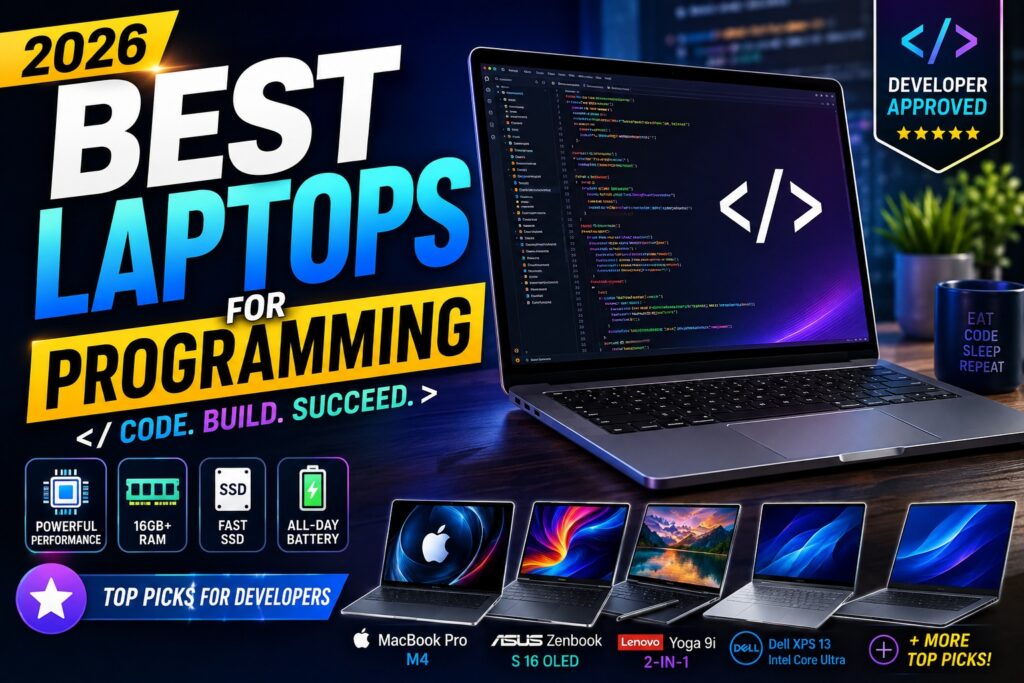
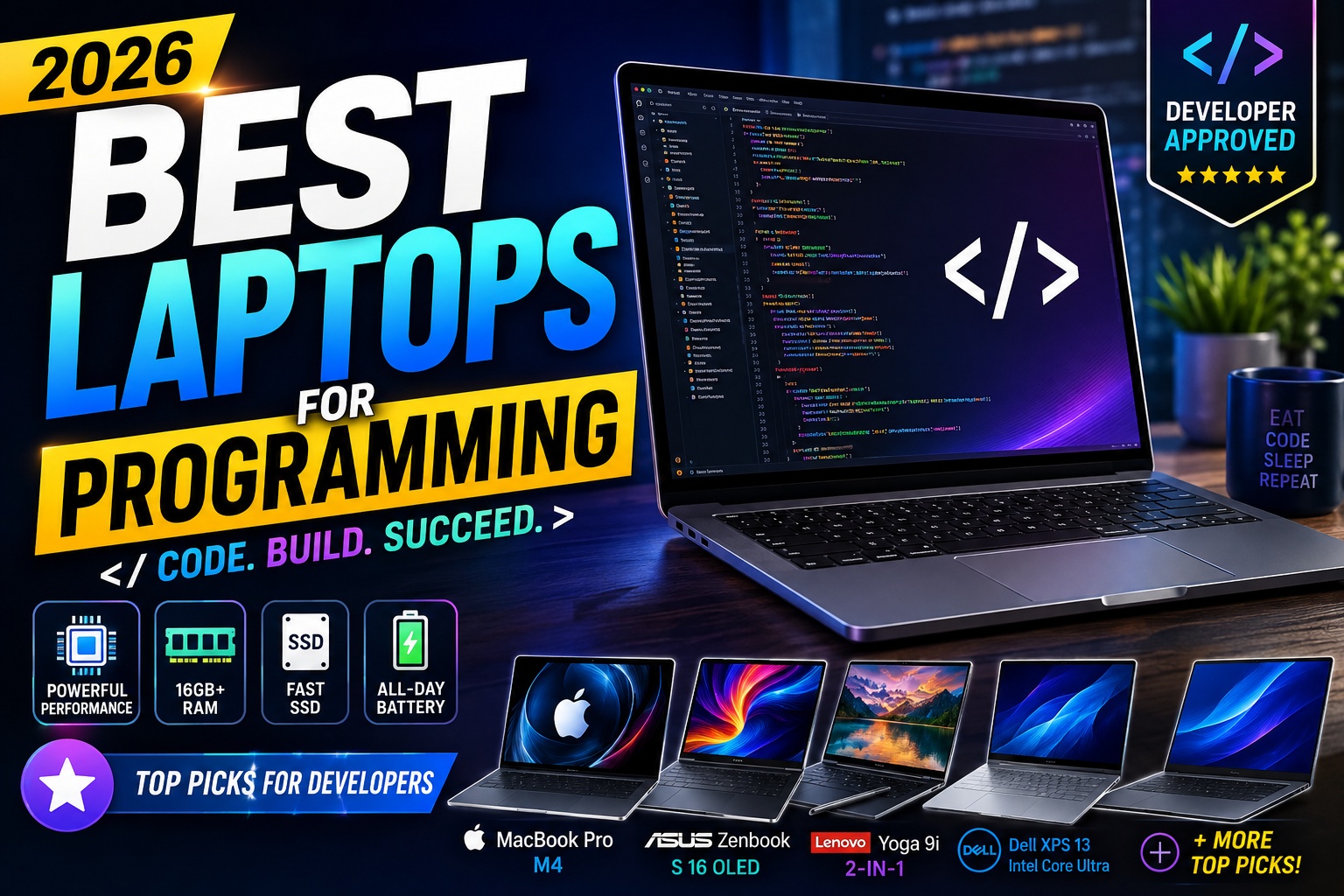
Best Laptops for Programming in 2026: Top Picks for Developers

Best Laptops for Programming in 2026

Choosing the best laptop for programming is very different from choosing a laptop for browsing, streaming, or basic office work.

Developers need a machine that can handle a code editor, browser tabs, terminals, local servers, databases, containers, and development tools at the same time. Depending on your field, you may also need virtual machines, Android Studio, Xcode, Docker, WSL, or even GPU acceleration for AI and machine learning.

The good news is that you don't necessarily need to spend thousands of dollars.

The best programming laptops in 2026 cover a wide range of budgets and workflows, from lightweight machines for web development to powerful laptops designed for software engineering, AI development, game development, and professional workloads.

For most developers, however, the priorities are surprisingly consistent:

a capable processor, at least 16GB of RAM, fast SSD storage, a comfortable keyboard, a good display, reliable battery life, and enough ports for your workflow.

Current programming-laptop recommendations from TechRadar, RTINGS, and other technology publications similarly emphasize CPU performance, memory, keyboard quality, screen space, portability, and battery life rather than simply chasing the highest benchmark score.


Quick Answer: What Is the Best Laptop for Programming?

For most programmers, I recommend looking for a laptop with:

  • 16GB RAM minimum
  • 512GB SSD minimum
  • A modern Intel Core Ultra, AMD Ryzen, or Apple silicon processor
  • A comfortable keyboard
  • A 14-inch or larger display
  • Good battery life
  • USB-C connectivity
  • Wi-Fi 6E or newer
  • Good Linux, Windows, or macOS compatibility depending on your development environment

If you work with Docker, virtual machines, Android Studio, large codebases, or local AI models, 32GB RAM is a much better target.

A fast processor matters, but programming is rarely just about CPU speed. Developers routinely multitask across an IDE, browser, terminal, documentation, communication apps, local servers, and other tools. That's why memory capacity can make a bigger difference to the everyday experience than moving from one high-end processor to another.

Best Laptops for Programming


Best Laptops for Programming in 2026

Laptop Best For Why We Recommend It
MacBook Pro 14 Professional development Excellent performance and battery life
MacBook Air Students & web developers Lightweight, quiet, efficient
Dell XPS 13 Windows developers Premium design and portability
Lenovo ThinkPad T16 Software engineering Excellent keyboard and large display
ASUS Zenbook Portable programming OLED display and strong performance
Framework Laptop Upgradeability & Linux Modular and repairable design
HP Spectre x360 Flexible development Premium 2-in-1 design
Lenovo Yoga 9i Developers who want flexibility Premium convertible experience
ASUS Vivobook Budget programming Strong value
Gaming/Creator Laptop AI & game development Dedicated GPU performance

The exact ranking depends heavily on your programming workload. A web developer doesn't necessarily need the same hardware as someone developing games, training machine-learning models, or running multiple virtual machines.

Best Laptops for Programming

Best Laptops for Programming

1. MacBook Pro 14 — Best Overall for Professional Programmers

The MacBook Pro 14 is one of the strongest choices for professional developers who want high performance without moving to a large desktop replacement.

RTINGS currently ranks the 14-inch MacBook Pro among its strongest programming laptops, highlighting its processing performance and overall developer experience.

For developers working with:

  • Xcode
  • Swift
  • SwiftUI
  • Python
  • JavaScript
  • TypeScript
  • React
  • Node.js
  • Docker
  • Git
  • Unix-based development tools

macOS provides a particularly mature development environment.

Why programmers like it

The biggest advantage isn't simply the processor.

It's the combination of:

performance + battery life + display + keyboard + Unix-based environment.

You can work on a large project, run an IDE, keep multiple browser tabs open, use a terminal, and still have a machine that is relatively portable.

The display is also excellent for developers who spend many hours looking at code.

Text is sharp, contrast is excellent, and the 14-inch form factor provides a useful balance between workspace and portability.

Who should buy it?

The MacBook Pro 14 makes the most sense for:

  • Professional software engineers
  • iOS developers
  • Full-stack developers
  • Backend developers
  • Developers using Docker
  • Developers working with large codebases
  • Creators who also program
  • Developers who want macOS

Who should skip it?

You may want a Windows laptop instead if your workflow depends heavily on:

  • Windows-only software
  • Certain enterprise applications
  • Specific GPU tooling
  • Specialized hardware
  • Native Windows development environments
Best Laptops for Programming

2. MacBook Air — Best Lightweight Laptop for Programming

If you don't need the sustained performance of a MacBook Pro, the MacBook Air can be a better choice.

This is particularly true for students, web developers, writers who code, and professionals who spend more time traveling than compiling enormous projects.

Recent programming recommendations continue to highlight the MacBook Air as a strong option for students and developers who prioritize portability and battery life.

The biggest attraction is simplicity.

You get:

  • Excellent battery efficiency
  • Silent operation
  • Lightweight design
  • Strong CPU performance
  • High-quality display
  • Excellent trackpad
  • macOS development environment

For web development, scripting, Python, JavaScript, TypeScript, and many everyday software-development workloads, the Air can be surprisingly capable.

The RAM decision matters

If you plan to keep the laptop for several years, I would prioritize:

16GB RAM

over buying a more expensive processor configuration with less memory.

If your budget allows 24GB or more and you regularly run demanding development environments, that can provide additional headroom.

Best Laptops for Programming


3. Dell XPS 13 — Best Windows Programming Laptop

The Dell XPS 13 is particularly important for GearChoiceLab because your Search Console data already shows strong interest in the XPS family.

Your Dell XPS 13 Review page generated:

1,835 impressions and 21 clicks

during the 28-day period we analyzed.

That makes the XPS cluster one of the strongest areas of your website.

The current XPS 13 offers a compact premium Windows experience, with configurations that include modern Intel processors, LPDDR5X memory, SSD storage, and a high-resolution display. Dell's current US configuration includes a 13.4-inch 2.5K touchscreen option with a 30–120Hz refresh rate.

Why it works for programming

The XPS 13 is particularly attractive to developers who want:

  • Windows 11
  • Premium build quality
  • Small footprint
  • Good keyboard
  • High-resolution display
  • USB-C connectivity
  • Good portability

The compact design also makes it easy to carry between:

home → office → university → coffee shop.

Best configuration for developers

If you can choose between configurations, I'd prioritize:

16GB RAM + 512GB SSD

as the starting point.

For heavier development:

32GB RAM + 1TB SSD

is preferable when available.

A particularly important point

Don't buy the XPS 13 simply because the processor has a higher model number.

For programming, I'd rather have:

Core 5 + 16GB RAM + 512GB SSD

than:

Core 7 + 8GB RAM + 256GB SSD

for many real-world workflows.

Best Laptops for Programming


4. Lenovo ThinkPad T16 — Best Keyboard and Large Workspace

Programming means typing.

A lot.

That's why keyboard quality should be treated as a major hardware specification rather than an afterthought.

TechRadar currently recommends the Lenovo ThinkPad T16 as its overall programming pick, emphasizing its large 16-inch display, battery life, and keyboard.

The T16 makes sense for developers who don't mind carrying a larger laptop.

Why the larger display helps

A 16-inch screen gives you more room to arrange:

VS Code + browser + terminal

without constantly switching windows.

It is especially useful for:

  • Software engineering
  • Backend development
  • Data analysis
  • SQL development
  • Enterprise applications
  • Documentation-heavy workflows

The ThinkPad's keyboard is another major reason developers consider the line.

Best for

Professional developers who prioritize typing comfort and screen space over minimum weight.

Best Laptops for Programming


5. ASUS Zenbook — Best Portable OLED Programming Laptop

The ASUS Zenbook family is another excellent choice for programmers who want a combination of portability and display quality.

This is particularly relevant to GearChoiceLab because you already have an ASUS Zenbook Review article.

The Zenbook family includes configurations with modern Intel and AMD processors, high-resolution OLED displays, and generous memory/storage options. ASUS's current software-development guidance recommends configurations such as 16GB RAM and 512GB–1TB SSD depending on the workload.

Why developers may prefer it

The OLED display can make code look particularly sharp and attractive, while the compact design makes the laptop easy to travel with.

It's a strong choice for:

  • Web development
  • Front-end development
  • Python
  • JavaScript
  • TypeScript
  • Programming students
  • Remote developers

One thing to remember

OLED is not automatically better for every developer.

If you spend 8–10 hours per day staring at a screen, consider:

  • Brightness
  • PWM/flicker behavior
  • Matte vs glossy finish
  • Text clarity
  • Battery impact

The display should fit your eyes and working environment, not just your specification sheet.

Best Laptops for Programming


6. Framework Laptop — Best for Upgradeability

The Framework Laptop is one of the most interesting choices for programmers who value repairability, upgradeability, and control over their hardware.

Instead of treating the laptop as a sealed appliance, Framework's approach makes components and ports more modular.

That is particularly attractive for developers who:

  • Run Linux
  • Upgrade hardware
  • Experiment with operating systems
  • Want long-term repairability
  • Prefer modular technology

The Framework concept also fits developers particularly well because programmers are often more comfortable modifying their machines than the average consumer.

Why it matters

A laptop that can be repaired or upgraded can potentially stay useful for longer.

That doesn't automatically make Framework the fastest laptop.

Its appeal is different:

Control over your hardware.

Best for

Linux users, developers, technical enthusiasts, and people who prioritize repairability.


7. HP Spectre x360 — Best 2-in-1 Programming Laptop

The HP Spectre x360 is worth considering if you want a laptop that can switch between traditional laptop and tablet modes.

This is especially useful for students and developers who also use their computer for:

  • Presentations
  • Note-taking
  • Reading
  • Drawing
  • Media consumption
  • Travel

For pure programming, the convertible design isn't essential.

But for someone who wants one machine for both development and everyday personal use, it can be attractive.

Best for

Students and developers who value flexibility more than maximum performance.

Best Laptops for Programming


8. Lenovo Yoga 9i — Best Premium Convertible

The Lenovo Yoga 9i sits in a similar category.

It combines:

  • Premium construction
  • Convertible design
  • Touchscreen
  • Strong processors
  • High-quality display
  • Portable form factor

The Yoga 9i is particularly useful if you frequently switch between:

coding → presentation → tablet → media consumption.

For developers who primarily sit at a desk, however, a conventional laptop may offer better value.

Best Laptops for Programming


9. ASUS Vivobook — Best Budget Programming Laptop

Not every developer needs a $2,000 workstation.

The ASUS Vivobook family includes several configurations that provide good programming capability at lower prices.

RTINGS has previously identified the ASUS Vivobook 16 as a budget programming option, particularly because of its keyboard, large display, and upgradeable memory on the tested configuration.

Recommended configuration

For programming, target:

16GB RAM + 512GB SSD

if possible.

If you're buying an 8GB model because it's cheaper, check whether the memory is upgradeable.

That's an important distinction.

An inexpensive laptop with upgradeable RAM can sometimes be a better long-term programming machine than a slightly faster laptop with soldered 8GB memory.

Best Laptops for Programming


10. Dedicated-GPU Laptop — Best for AI and Game Development

Programming isn't limited to websites and business applications.

If you develop:

  • Games
  • 3D applications
  • Machine-learning models
  • Computer vision
  • CUDA applications
  • GPU-accelerated software

then your requirements change significantly.

A laptop with a dedicated GPU may be far more useful than a thin ultrabook.

For these users, prioritize:

GPU

First.

RAM

16GB minimum, preferably 32GB+.

CPU

Modern high-performance processor.

Storage

1TB SSD if possible.

Cooling

Very important for sustained workloads.

A gaming laptop can therefore be a better programming laptop than an expensive ultrabook for the right developer.

The trade-off is obvious:

more performance → more weight, heat, noise, and power consumption.

Best Laptops for Programming


What Makes a Good Programming Laptop?

This is one of the sections I would strongly add to the upgraded article, because it captures several long-tail search queries and gives Google more context around the main keyword.

1. CPU Performance

The processor is one of the most important components for development.

Compilation, code analysis, package installation, emulation, and some development tools can all benefit from a faster CPU.

But don't obsess over benchmark scores.

A developer's workload is usually a combination of:

  • CPU performance
  • RAM
  • SSD speed
  • thermals
  • software compatibility
  • battery efficiency

A balanced laptop often feels better than a machine with an extremely powerful processor but insufficient memory.

Best Laptops for Programming


2. RAM: 16GB Is the New Starting Point

For a modern programming laptop, I recommend:

8GB

Basic coding only

16GB

Recommended for most developers

32GB

Best for serious development

64GB+

Professional workloads, VMs, containers, AI, and large projects

Why?

Because your development environment may look something like this:

VS Code

Chrome with 20 tabs

Terminal

Docker

local database

Slack/Teams

Figma

local server

Suddenly 8GB doesn't look very generous.

Current programming recommendations similarly identify 16GB as a realistic starting point for modern development workloads.

Best Laptops for Programming


3. SSD Storage

I recommend:

512GB minimum

for most programmers.

Choose:

1TB

if you work with:

  • Docker images
  • Virtual machines
  • Android Studio
  • Game development
  • Large datasets
  • Video
  • Multiple repositories

Modern PCIe NVMe SSDs make application loading and project access considerably faster than older storage technologies.

Best Laptops for Programming


4. Keyboard

Never underestimate the keyboard.

Programmers may type thousands of lines of code over the course of a project.

Look for:

  • Comfortable key travel
  • Good spacing
  • Reliable key switches
  • Backlighting
  • Full-size arrow keys
  • Good palm rest
  • Minimal keyboard flex

This is one reason ThinkPads continue to be popular among developers. TechRadar specifically highlights the ThinkPad T16's keyboard as one of its strongest qualities.

Best Laptops for Programming


5. Display

A good programming display should have:

  • At least Full HD+
  • Preferably 1920 × 1200 or better
  • Good brightness
  • Sharp text
  • Comfortable viewing angles
  • 16:10 aspect ratio where possible

Why 16:10?

Because programming involves a lot of vertical scrolling.

A taller display lets you see more:

code + functions + documentation

at once.

That can make a noticeable difference during long development sessions.

Best Laptop for Different Types of Programming

There is no single laptop that is perfect for every programmer.

A web developer, iOS developer, data scientist, and game developer can have completely different hardware requirements.

Before buying a laptop, identify the type of programming you do most often. This will help you spend your budget on the components that actually improve your workflow.

Best Laptops for Programming


Best Laptop for Web Development

Web development is generally less demanding than game development, machine learning, or large-scale virtual-machine workloads.

A good web-development laptop should prioritize:

  • 16GB RAM
  • 512GB SSD
  • Modern Core Ultra, Ryzen, or Apple silicon processor
  • Comfortable keyboard
  • Good display
  • Long battery life
  • Reliable Wi-Fi
  • USB-C connectivity

For most front-end and full-stack developers, laptops such as the MacBook Air, Dell XPS 13, ASUS Zenbook, and Acer Swift Go provide more than enough performance.

Typical workloads include:

  • HTML
  • CSS
  • JavaScript
  • TypeScript
  • React
  • Vue
  • Angular
  • Node.js
  • Next.js
  • Git
  • Docker
  • VS Code

You don't necessarily need a dedicated GPU.

Recommended specification

16GB RAM + 512GB SSD + modern mid-range processor

is an excellent starting point.

If you regularly run Docker containers, local databases, and multiple development environments simultaneously, consider moving to 32GB RAM.

Best Laptops for Programming


Best Laptop for Python Programming

Python itself is relatively lightweight.

The hardware requirements become more demanding depending on what you're using Python for.

A developer working with:

Django + VS Code + Chrome

has very different requirements from someone using:

Python + Jupyter + PyTorch + large datasets.

For general Python development, a laptop with 16GB RAM and a modern processor is sufficient.

For data science and machine learning, however, more memory and potentially a dedicated GPU can be valuable.

For general Python

Look for:

  • 16GB RAM
  • 512GB SSD
  • Modern CPU
  • Good keyboard
  • Good battery life

For data science

Consider:

  • 32GB RAM
  • 1TB SSD
  • High-performance CPU
  • Dedicated GPU when needed
  • Excellent cooling

If you're working with cloud-based machine learning platforms, you may not need a powerful local GPU.

Best Laptops for Programming


Best Laptop for Software Engineering

Software engineering can involve much heavier multitasking than basic programming.

A professional developer might simultaneously run:

  • IDE
  • Browser
  • Docker
  • Database
  • API server
  • Front-end server
  • Backend server
  • Git
  • Slack
  • Teams
  • Testing tools
  • Virtual machines

That's where RAM becomes especially important.

For professional software engineering, I'd recommend:

Minimum

16GB RAM + 512GB SSD

Preferred

32GB RAM + 1TB SSD

Heavy workloads

32–64GB RAM + 1TB–2TB SSD

You don't necessarily need a workstation-class processor.

A balanced laptop with enough memory can often provide a better experience.

Best Laptops for Programming


Best Laptop for Computer Science Students

Students have a slightly different set of priorities.

You probably need your laptop for:

  • Programming assignments
  • Web browsing
  • Research
  • Microsoft Office or Google Workspace
  • Video calls
  • Online classes
  • Presentations
  • Entertainment

That means portability and battery life can be just as important as raw performance.

A 14-inch laptop is an excellent size for university.

It's large enough for programming while remaining easy to carry around campus.

Recommended student configuration

16GB RAM

512GB SSD

14-inch display

Good battery life

Under 4 lbs if possible

A MacBook Air, Dell XPS 13, Acer Swift Go, or similar thin-and-light Windows laptop can be an excellent fit.

If your university requires Windows-specific applications, however, check software compatibility before choosing macOS.

Best Laptops for Programming


Best Laptop for AI and Machine Learning

This is where laptop selection changes significantly.

Machine learning developers may need considerably more hardware than web developers.

Depending on the workflow, you may benefit from:

  • 32GB RAM
  • 64GB RAM
  • Dedicated NVIDIA GPU
  • Large SSD
  • Powerful CPU
  • Good cooling

The GPU is especially important if you're running models locally.

Local AI development

If you're experimenting with:

  • PyTorch
  • TensorFlow
  • CUDA
  • LLMs
  • Computer vision
  • Stable Diffusion
  • Local inference

then GPU memory becomes extremely important.

In many cases, however, developers use:

  • Google Colab
  • AWS
  • Azure
  • Google Cloud
  • RunPod
  • Other cloud GPU platforms

If your workflow is primarily cloud-based, you don't necessarily need to purchase an expensive gaming laptop.

Important buying rule

Don't buy a $2,000+ GPU laptop just because you're learning AI.

If you're primarily learning Python and machine learning concepts, a normal 16GB laptop combined with cloud computing can be a much more economical solution.

Best Laptops for Programming


Best Laptop for Android Development

Android Studio can be considerably more demanding than lightweight code editors.

Developers may need to run:

Android Studio + emulator + browser + database + backend

at the same time.

For that reason, I recommend:

Minimum

16GB RAM

Preferred

32GB RAM

Storage

512GB minimum

1TB preferred

The SSD is particularly important because Android SDKs, emulators, Gradle caches, projects, and dependencies can consume a surprising amount of storage.

Processor

A modern mid-range or high-performance processor is recommended.

Display

A 14-inch 16:10 display can work well, but developers who spend all day inside Android Studio may prefer a 15- or 16-inch laptop.

Best Laptops for Programming


Best Laptop for iOS Development

If you're developing native iPhone or iPad applications, macOS is generally the natural choice because Apple's Xcode development environment runs on Mac.

For iOS development, consider:

  • MacBook Air for lighter workloads
  • MacBook Pro for professional development
  • 16GB RAM minimum
  • 512GB SSD minimum
  • 1TB SSD for larger projects

If you work with multiple simulators, large projects, Docker, databases, and other development tools simultaneously, 24GB or 32GB RAM can provide considerably more headroom.

Recommended workflow

For a student learning Swift:

MacBook Air + 16GB RAM

is usually enough.

For professional Xcode development:

MacBook Pro + 24GB/32GB+ RAM

is a more comfortable long-term configuration.

Best Laptops for Programming


Best Laptop for Game Development

Game development is one of the areas where a dedicated GPU can make a major difference.

If you're using:

  • Unreal Engine
  • Unity
  • Godot
  • Blender
  • Substance 3D
  • 3D rendering tools

you should pay much more attention to GPU performance.

Recommended specification

CPU: Modern Core Ultra / Ryzen 7-class or better

RAM: 32GB preferred

GPU: Dedicated GPU

Storage: 1TB SSD

Display: 15–16 inches

Cooling: High priority

A gaming laptop can therefore be a surprisingly good development machine.

The downside is that gaming laptops are usually:

  • Heavier
  • Louder
  • Less efficient on battery
  • Larger
  • More expensive

But if your development workflow includes 3D graphics, that trade-off can be worth it.

Best Laptops for Programming


Windows vs macOS vs Linux for Programming

One of the biggest decisions isn't actually about hardware.

It's the operating system.

The best programming laptop for you depends partly on which development environment you prefer.

Best Laptops for Programming


Windows

Windows remains one of the most versatile choices.

Advantages

  • Excellent hardware selection
  • Huge range of prices
  • Strong gaming support
  • Great software compatibility
  • WSL for Linux development
  • Excellent hardware variety
  • Wide selection of ports

Windows is particularly useful if you're working with:

  • .NET
  • C#
  • Windows applications
  • Game development
  • Enterprise software
  • Microsoft technologies

The Windows Subsystem for Linux (WSL) is also extremely useful for developers who want Linux-style tools without completely abandoning Windows.

Best Laptops for Programming


macOS

macOS is especially attractive for developers who want a Unix-based environment combined with excellent hardware efficiency.

Advantages

  • Unix-based environment
  • Excellent terminal experience
  • Strong battery life on Apple silicon
  • Excellent build quality
  • Great developer ecosystem
  • Required for native Apple development

macOS is particularly compelling for:

  • iOS developers
  • macOS developers
  • Web developers
  • Full-stack developers
  • Python developers
  • Software engineers

The major limitation is hardware flexibility.

You have far fewer choices than you do with Windows.

Best Laptops for Programming


Linux

Linux remains extremely popular among developers who want maximum control.

Ubuntu, Fedora, Debian, Arch, and other distributions provide powerful development environments.

Advantages

  • Excellent developer tools
  • Highly customizable
  • Strong terminal environment
  • Open-source ecosystem
  • Excellent server compatibility
  • Low software overhead

Linux can be particularly attractive for:

  • Backend developers
  • DevOps engineers
  • Cybersecurity professionals
  • Systems programmers
  • Software engineers

But hardware compatibility matters

Not every laptop works perfectly with every Linux distribution.

Before purchasing a laptop specifically for Linux, check:

  • Wi-Fi compatibility
  • GPU drivers
  • Sleep/wake behavior
  • Webcam support
  • Fingerprint reader
  • Touchscreen
  • Bluetooth
  • Power management

This is another reason the Framework Laptop is attractive to technical users who want Linux flexibility.

Best Laptops for Programming


How Much RAM Does a Programmer Need?

This is one of the most important buying questions.

8GB RAM

8GB can work for:

  • HTML/CSS
  • Basic JavaScript
  • Beginner Python
  • Simple coding projects

But I would not recommend 8GB for a new programming laptop unless your budget is extremely tight.

Best Laptops for Programming


16GB RAM

16GB is the sweet spot for most programmers.

It works well for:

  • VS Code
  • IntelliJ IDEA
  • PyCharm
  • Web development
  • Python
  • Java
  • C#
  • JavaScript
  • React
  • Node.js
  • Docker
  • General multitasking

For a laptop you're planning to use for several years, 16GB is the configuration I'd recommend most often.

Best Laptops for Programming


32GB RAM

32GB becomes increasingly useful when you run:

  • Docker
  • Virtual machines
  • Android Studio
  • Multiple IDEs
  • Large databases
  • AI development
  • Game engines
  • Large projects

If you're a professional developer and the price difference isn't excessive, 32GB is a smart long-term investment.

Best Laptops for Programming


64GB RAM

64GB is usually unnecessary for beginners.

But it can make sense for:

  • Multiple virtual machines
  • Large-scale software projects
  • Local AI models
  • Heavy data workloads
  • Professional development environments

Don't buy 64GB simply because the number sounds impressive.

Buy it when your workflow actually needs it.


512GB vs 1TB SSD for Programming

Storage is another area where developers should avoid going too cheap.

A development environment can consume more storage than expected.

Consider the space used by:

  • Operating system
  • IDEs
  • SDKs
  • Docker images
  • Virtual machines
  • Git repositories
  • Node modules
  • Android emulators
  • Databases
  • Development tools

512GB

Good for:

Students + web developers + general programming

1TB

Better for:

Professional developers + Android + game development + AI

2TB+

Useful for:

Large datasets + VMs + game development + local AI

For most users, 512GB is the minimum I'd recommend, while 1TB is ideal if your budget allows it.


Do Programmers Need a Dedicated GPU?

Usually, no.

For traditional software development, integrated graphics are completely adequate.

You don't need a dedicated GPU for:

  • HTML
  • CSS
  • JavaScript
  • Python
  • Java
  • C#
  • PHP
  • SQL
  • React
  • Node.js

A dedicated GPU becomes useful for:

  • Machine learning
  • AI
  • Game development
  • 3D rendering
  • Computer vision
  • GPU programming
  • CUDA
  • Video editing

So don't spend hundreds of extra dollars on a GPU if you're simply building websites.

Best Laptops for Programming


How Important Is Battery Life for Programmers?

Very important—especially if you're a student or remote developer.

A programmer may spend several hours working away from a power outlet.

A laptop with excellent performance but poor battery life can become frustrating.

For mobile programming, prioritize efficient processors and a reasonably sized battery.

Thin-and-light machines such as the MacBook Air, Dell XPS 13, and ASUS Zenbook can be particularly attractive here.

For more demanding gaming or workstation laptops, expect battery life to be more limited.

Best Laptops for Programming


What Screen Size Is Best for Programming?

There isn't one perfect answer.

13–14 inches

Best for:

  • Students
  • Travelers
  • Remote workers
  • Developers who use external monitors

15–16 inches

Best for:

  • Professional developers
  • Large codebases
  • Data science
  • Game development
  • Developers who don't use an external monitor

Our recommendation

For most programmers:

14 inches is the sweet spot.

You get enough workspace while keeping the laptop portable.

If you spend most of your day at a desk, however, a 16-inch model can be more comfortable.

Best Laptops for Programming


16:10 vs 16:9 for Programming

A 16:10 display is becoming increasingly popular among productivity laptops.

Why?

Because it gives you more vertical screen space.

That means you can see more lines of code without scrolling.

For programming, this is a meaningful advantage.

If two laptops have similar hardware and one offers a good 16:10 display, I'd generally favor the 16:10 option.

Best Laptops for Programming


Do Programmers Need an External Monitor?

Not necessarily.

But an external monitor can dramatically improve productivity.

A common setup is:

Laptop + 27-inch monitor

This gives you:

Monitor: Code editor

Laptop: Browser + documentation + terminal

Alternatively:

Monitor: Browser/documentation

Laptop: IDE

For developers who work from home, this can be a much better investment than spending hundreds more on a slightly faster laptop.

This also connects naturally to your GearChoiceLab article:

Home Office Setup Guide

and your newer:

How to Build a Productive Workspace

Those should be internally linked from this programming article because they serve a related productivity intent.

Best Laptops for Programming


What Ports Should a Programming Laptop Have?

Port selection is often overlooked.

Ideally, look for:

  • USB-C
  • USB-A
  • HDMI or DisplayPort support
  • Headphone jack
  • Wi-Fi 6E or newer
  • Bluetooth

USB-C is particularly important because it can handle:

  • Charging
  • External displays
  • Docking stations
  • External SSDs
  • Peripherals

If your laptop has only USB-C ports, consider the cost of a good USB-C hub or dock.

Your GearChoiceLab article on Best USB-C Hubs and Docking Stations would be a natural internal link here.

Best Laptops for Programming


Best Programming Laptop Specifications at Different Budgets

Budget Recommended Specs Ideal User
Under $600 8–16GB RAM, 256–512GB SSD Beginners
$600–$800 16GB RAM, 512GB SSD Students
$800–$1,000 16GB RAM, 512GB–1TB SSD Serious students/developers
$1,000–$1,500 16–32GB RAM, 1TB SSD Professionals
$1,500+ 32GB+, powerful CPU/GPU Heavy development

These aren't strict rules.

Sales can dramatically change the value proposition of individual models.

Best Laptops for Programming


Should You Buy a Gaming Laptop for Programming?

Only if you actually need the additional hardware.

Gaming laptops offer powerful processors and dedicated GPUs, which can be useful for:

  • Game development
  • AI
  • 3D rendering
  • CUDA
  • Video editing

But if you're doing web development, a gaming laptop may be unnecessary.

A lightweight laptop can provide:

better battery life + lower weight + quieter operation + easier travel

for a similar price.

Best Laptops for Programming


Should You Buy a Laptop With a Touchscreen?

A touchscreen isn't necessary for programming.

It can be useful if you also:

  • Take handwritten notes
  • Draw
  • Use tablet mode
  • Present
  • Read documents
  • Use a convertible laptop

For pure coding, however, I'd prioritize:

keyboard + display + battery + RAM

over touchscreen functionality.

Best Laptops for Programming


Should You Choose a 2-in-1 Laptop?

A 2-in-1 can be a great option for students.

You get:

Laptop mode → coding

Tent mode → presentation

Tablet mode → reading/notes

But there are compromises.

A traditional laptop can often offer:

  • Better cooling
  • Better keyboard
  • Lower weight
  • Better performance per dollar

If programming is your number-one priority, don't choose a 2-in-1 unless you actually want its flexibility.

Best Laptops for Programming


The Most Important Rule When Buying a Programming Laptop

Don't buy based on the processor name alone.

Instead, evaluate the entire configuration.

For example:

Laptop A

Core Ultra 7
8GB RAM
256GB SSD

Laptop B

Core Ultra 5
16GB RAM
512GB SSD

For many developers, Laptop B is the better choice.

Why?

Because programming involves constant multitasking.

RAM and storage capacity can have a much bigger impact on your workflow than moving up one processor tier.

How to Choose the Best Programming Laptop

Choosing a programming laptop can feel complicated because manufacturers advertise dozens of specifications.

You will see terms such as Core Ultra, Ryzen AI, Apple silicon, OLED, LPDDR5X, PCIe 4.0, Thunderbolt, and dedicated graphics.

But you don't need to understand every specification to make a good decision.

For most programmers, focus on these priorities:

  1. RAM
  2. Processor
  3. SSD storage
  4. Keyboard
  5. Display
  6. Battery life
  7. Port selection
  8. Operating system
  9. Upgradeability
  10. Cooling

The importance of each category depends on your workload.

Best Laptops for Programming


Programming Laptop Buying Guide

1. Start With Your Programming Workload

Before looking at laptop specifications, ask yourself:

What am I actually going to build?

If you're learning HTML and JavaScript, you don't need a workstation.

If you're developing Android applications, your requirements are higher.

If you're running multiple virtual machines and Docker containers, you'll benefit from significantly more RAM.

If you're training AI models locally, GPU performance becomes important.

Basic programming

For:

  • HTML
  • CSS
  • JavaScript
  • PHP
  • Basic Python
  • SQL

a mid-range laptop is enough.

Professional development

For:

  • Full-stack development
  • Backend development
  • Enterprise applications
  • Docker
  • Databases
  • Multiple IDEs

look for 16–32GB RAM and a strong modern processor.

Advanced development

For:

  • AI
  • Machine learning
  • Game development
  • 3D
  • Computer vision
  • Virtual machines

consider 32GB+ RAM, a powerful CPU, and potentially a dedicated GPU.

Best Laptops for Programming


2. Don't Sacrifice RAM for a Faster Processor

This is one of the most common mistakes people make when buying a programming laptop.

Manufacturers often advertise the processor prominently.

For example:

"Intel Core Ultra 7"

sounds more impressive than:

"Intel Core Ultra 5."

But if the Core Ultra 7 configuration only has 8GB RAM while the Core Ultra 5 version has 16GB, the second laptop may be the better choice for development.

Your IDE, browser, terminal, Docker, database, and background applications all compete for memory.

Our recommendation

For a new programming laptop:

16GB = minimum target

32GB = preferred

64GB = specialized workloads

Best Laptops for Programming


3. Think About Future Software Requirements

A laptop that feels fast today may not feel as fast several years from now.

Development environments tend to become larger and more demanding.

IDE features become more sophisticated.

Browsers consume more memory.

Frameworks become heavier.

Containers and virtual machines can multiply resource requirements.

That's why buying slightly more RAM and storage today can extend the useful life of your laptop.

If you're spending $1,000 or more, I would strongly consider 32GB RAM if the upgrade cost is reasonable.

Best Laptops for Programming


4. Check Whether the RAM Is Upgradeable

This is particularly important with Windows and Linux laptops.

Some laptops allow you to replace or add memory.

Others use soldered RAM.

If you're choosing between two otherwise similar machines, upgradeable RAM can be a significant advantage.

For example:

Laptop A: 16GB soldered RAM

Laptop B: 16GB + upgradeable RAM

Laptop B may have a better long-term value.

You could potentially upgrade it later instead of replacing the entire computer.

However, many thin premium laptops use soldered memory to save space and improve efficiency.

Always check the exact model rather than assuming the RAM can be upgraded.

Best Laptops for Programming


5. Don't Underestimate Cooling

Programming doesn't always push a CPU to 100%.

But some development tasks can produce sustained workloads.

Examples include:

  • Compiling large projects
  • Building applications
  • Running multiple containers
  • Running virtual machines
  • Android builds
  • Game development
  • 3D rendering

A laptop with poor thermal management can reduce processor performance under sustained load.

That's why a slightly thicker laptop can sometimes outperform a very thin laptop during long workloads.

Thin laptop

Better portability

Performance laptop

Better sustained performance

Choose based on your priorities.

Best Laptops for Programming


6. Keyboard Quality Matters More Than You Think

For programmers, the keyboard is one of the most important physical components.

You'll spend hours typing:

function()
{
    return value;
}

and thousands of similar characters.

A poor keyboard can become frustrating very quickly.

Look for:

  • Comfortable key travel
  • Good spacing
  • Responsive keys
  • Reliable arrow keys
  • Backlighting
  • Comfortable palm rest
  • Minimal keyboard flex

ThinkPads remain particularly popular among developers partly because of their keyboard experience.

Best Laptops for Programming


7. Pay Attention to the Arrow Keys

This sounds like a small detail.

It isn't.

Developers frequently use:

  • Arrow keys
  • Home
  • End
  • Page Up
  • Page Down
  • Delete
  • Function keys

A cramped keyboard can slow down navigation.

If possible, test the keyboard before purchasing.

Best Laptops for Programming


8. Choose a Display That Works for Long Coding Sessions

Programming involves staring at text for hours.

You don't necessarily need the most expensive display available.

But you do want:

  • Sharp text
  • Good brightness
  • Comfortable viewing
  • Good contrast
  • Minimal distracting reflections
  • Appropriate scaling

A 1920 × 1200 or higher resolution display is a good target for modern productivity laptops.

Best Laptops for Programming


OLED vs IPS for Programming

OLED displays look fantastic.

They provide:

  • Excellent contrast
  • Deep blacks
  • Vibrant colors
  • Excellent media performance

That's why laptops such as the ASUS Zenbook are attractive.

However, OLED isn't automatically the best option for every programmer.

Depending on the specific panel, some users may notice:

  • PWM/flicker
  • Glossy reflections
  • Higher power consumption in certain scenarios
  • Potential long-term image-retention concerns

An IPS display can still be an excellent choice for someone whose priority is comfortable long-duration coding.

Our recommendation

Don't choose OLED simply because it's marketed as "premium."

Choose the display that is most comfortable for your eyes and environment.

Best Laptops for Programming


9. 16:10 Is Excellent for Coding

If you have a choice between:

16:9

and

16:10

I generally prefer 16:10 for programming.

The extra vertical space allows you to see more lines of code.

That means less scrolling.

For example, a 16:10 display can make it easier to keep:

function definitions + variables + surrounding code

visible at the same time.

This is a small hardware difference that can have a surprisingly large impact on productivity.

Best Laptops for Programming


10. Don't Ignore Port Selection

Modern thin laptops increasingly remove traditional ports.

That can be convenient for manufacturers but inconvenient for developers.

You may eventually need to connect:

  • External monitor
  • Keyboard
  • Mouse
  • Ethernet
  • External SSD
  • USB flash drive
  • Smartphone
  • Camera
  • Development hardware

USB-C is extremely useful because one connection can support charging, data, and external displays.

But having at least one or two additional ports can make daily life easier.

Best Laptops for Programming


11. Thunderbolt and USB4

If you frequently use:

  • External GPUs
  • High-speed storage
  • Docking stations
  • Multiple displays

look closely at the USB-C specifications.

Not every USB-C port is equally capable.

A USB-C connector may support different combinations of:

  • Charging
  • Data transfer
  • Display output
  • Thunderbolt
  • USB4

Don't assume every USB-C port has identical capabilities.

Best Laptops for Programming


12. Linux Compatibility Should Be Checked Before Buying

If you're planning to install Linux, don't buy a laptop based solely on its Windows specifications.

Hardware compatibility can vary.

Check community reports and manufacturer support for your specific model.

Pay attention to:

  • Wi-Fi
  • Bluetooth
  • GPU
  • Webcam
  • Audio
  • Suspend/resume
  • Fingerprint reader
  • Battery management

A laptop can have excellent hardware but still provide a frustrating Linux experience if critical components aren't properly supported.

Best Laptops for Programming


13. Mac vs Windows vs Linux: Which Is Best?

There isn't a universal winner.

Choose macOS if:

  • You develop for Apple platforms
  • You want excellent battery efficiency
  • You like Unix-based development
  • You value premium hardware

Choose Windows if:

  • You want maximum hardware choice
  • You use Microsoft technologies
  • You need Windows-specific software
  • You also want to game

Choose Linux if:

  • You want maximum customization
  • You work heavily with servers
  • You prefer open-source tools
  • You enjoy controlling your environment

The best operating system is ultimately the one that fits your toolchain.

Best Laptops for Programming


14. Consider External Monitor Support

A laptop doesn't have to provide your entire workspace.

Many programmers use:

Laptop + external monitor

This can significantly improve productivity.

For example:

External monitor

Code editor

Laptop

Browser + documentation + terminal

Or:

External monitor

Browser + database

Laptop

IDE

This is especially useful if you choose a lightweight 13- or 14-inch laptop.

For a home office, a good monitor can sometimes provide more productivity value than spending several hundred dollars on a higher-end laptop configuration.

Best Laptops for Programming


15. Use a USB-C Dock for a Permanent Desk Setup

If your laptop travels with you but you also work at a desk, a USB-C dock can simplify your setup.

Instead of connecting five different devices individually, you can potentially connect:

one USB-C cable

and get access to:

  • Monitor
  • Keyboard
  • Mouse
  • Ethernet
  • External storage
  • Power

This is particularly useful for remote developers.

It also creates a natural connection to the Best USB-C Hubs and Docking Stations article on GearChoiceLab.

Best Laptops for Programming


16. External SSDs Can Extend Your Storage

If your laptop has only 512GB storage, you don't necessarily need to replace it immediately.

An external SSD can be useful for:

  • Project backups
  • Large datasets
  • Video files
  • Game-development assets
  • Archived repositories
  • Virtual machine storage

However, don't treat an external drive as your only backup.

For important programming projects, maintain multiple copies.

Best Laptops for Programming


17. Git Is Not a Backup

This is an important distinction for developers.

Git tracks changes to code.

It doesn't automatically protect you from:

  • Drive failure
  • Laptop theft
  • Accidental deletion
  • Corrupted repositories
  • Lost credentials
  • Other local disasters

Use a proper backup strategy.

For important projects, consider maintaining copies through:

  • GitHub
  • GitLab
  • Bitbucket
  • Cloud storage
  • External drives

Your code should never exist in only one physical location.

Best Laptops for Programming


Common Mistakes When Buying a Programming Laptop

Mistake #1: Buying Based on CPU Branding

A higher CPU tier doesn't automatically make a laptop better.

Always evaluate the entire configuration.


Mistake #2: Buying Only 8GB RAM

8GB may be enough for basic coding, but it limits multitasking.

For a new laptop, 16GB is the safer baseline.


Mistake #3: Buying Too Much GPU

A powerful GPU is unnecessary for most web developers.

Spend that money on:

RAM + SSD + display + battery

unless you actually need GPU acceleration.


Mistake #4: Ignoring the Keyboard

Specifications don't tell you whether a keyboard feels comfortable.

For programmers, this can be a major quality-of-life issue.


Mistake #5: Buying the Smallest SSD Available

A 256GB SSD may look attractive because it lowers the purchase price.

But development environments can quickly consume storage.

I'd strongly prefer:

512GB minimum

for a modern programming laptop.


Mistake #6: Choosing a Laptop That's Too Heavy

A 7-pound laptop may have excellent performance.

But if you carry it to class every day, you may regret that decision.

Think about how you'll actually use the laptop.


Mistake #7: Ignoring Upgradeability

Check whether:

  • RAM can be upgraded
  • SSD can be replaced
  • Wi-Fi can be replaced
  • Battery can be serviced

This can affect long-term ownership.

Best Laptops for Programming


How Long Should a Programming Laptop Last?

A good programming laptop can remain useful for several years.

However, lifespan depends on:

  • Hardware configuration
  • Build quality
  • Cooling
  • Battery health
  • Software requirements
  • Your workload

A lightweight student laptop may remain perfectly adequate for years if your programming requirements stay relatively simple.

Professional developers with demanding workloads may upgrade more frequently.

How to maximize laptop lifespan

Keep the machine clean.

Avoid excessive heat.

Maintain sufficient free storage.

Keep the operating system updated.

Use a quality charger.

Don't constantly run demanding workloads in extremely hot environments.

And most importantly:

buy enough RAM from the beginning.

Best Laptops for Programming


Is a $500 Laptop Good Enough for Programming?

Yes—for the right type of programming.

A $500 laptop can be perfectly capable of:

  • HTML
  • CSS
  • JavaScript
  • Python
  • PHP
  • SQL
  • Basic web development

But compromises become more noticeable.

You may get:

  • Lower-quality display
  • Less powerful processor
  • 8GB RAM
  • Smaller SSD
  • Weaker build quality
  • Shorter battery life

If possible, moving toward the $700–$1,000 range can provide a much better balance.

Best Laptops for Programming


Is a $1,000 Laptop Good Enough for Programming?

Absolutely.

In fact, around $1,000 is one of the most interesting price points for programming laptops.

You can often find:

  • 16GB RAM
  • 512GB or 1TB SSD
  • Modern processor
  • Good display
  • Strong battery life
  • Premium or near-premium build quality

This is also why our Best Laptops Under $1,000 article is an important internal link for this topic.

Readers who aren't sure which programming laptop to buy can move from this guide into a budget-focused buying guide.

Best Laptops for Programming


Should You Buy a Used Laptop for Programming?

A used laptop can offer excellent value.

For example, an older premium ThinkPad or MacBook may provide better build quality than a brand-new entry-level machine.

But check:

  • Battery health
  • Keyboard condition
  • Screen
  • SSD health
  • RAM
  • Charger
  • Ports
  • Warranty
  • BIOS/firmware status

Avoid buying an old laptop simply because the processor name sounds familiar.

Technology generations matter.

Best Laptops for Programming


Laptop Accessories Every Programmer Should Consider

The laptop itself is only part of a productive development environment.

Useful accessories include:

External monitor

Ideal for multitasking.

Mechanical or ergonomic keyboard

Useful if you prefer a desktop typing experience.

External mouse

Can be more comfortable than a trackpad for long sessions.

USB-C dock

Useful for connecting multiple peripherals.

External SSD

Useful for storage and backups.

Laptop stand

Improves screen positioning.

Webcam

Useful for remote meetings.

Headphones

Useful when working in shared environments.

These accessories can transform a basic laptop into a much more capable workstation.


Best Programming Setup for Students

A simple student setup could look like:

14-inch laptop

16GB RAM

512GB SSD

wireless mouse

USB-C hub

That's enough for most computer science courses.

You don't need a huge gaming laptop unless your coursework specifically involves GPU-heavy development.


Best Programming Setup for Remote Developers

A remote developer can benefit from a larger desktop workspace.

A practical setup is:

14-inch laptop

27-inch external monitor

USB-C dock

comfortable keyboard

ergonomic mouse

laptop stand

This creates a flexible environment where you can disconnect one cable and take the laptop with you.

It also fits naturally with the productivity principles discussed in your How to Build a Productive Workspace article.


Best Programming Setup for Professional Developers

For heavier workloads:

32GB RAM

1TB SSD

14–16 inch display

high-performance CPU

external monitor

USB-C/Thunderbolt dock

is a strong starting point.

Developers who use AI, game engines, or virtual machines should consider additional GPU and memory requirements.


Programming Laptop vs Desktop PC

Should programmers buy a laptop at all?

It depends.

Laptop advantages

  • Portable
  • Battery-powered
  • Built-in display
  • Built-in keyboard
  • Easy to work anywhere

Desktop advantages

  • More performance per dollar
  • Easier upgrades
  • Better cooling
  • More storage options
  • Larger displays
  • Better GPU options

If you never travel, a desktop may provide better value.

If you study, work remotely, or move between locations, a laptop is far more flexible.


Final Buying Checklist

Before buying your programming laptop, use this checklist.

Performance

☐ Modern processor
☐ 16GB RAM or more
☐ 512GB SSD or more

Display

☐ Full HD+ or better
☐ Comfortable brightness
☐ Sharp text
☐ 16:10 preferred

Productivity

☐ Comfortable keyboard
☐ Good trackpad
☐ Good webcam
☐ Reliable Wi-Fi

Connectivity

☐ USB-C
☐ USB-A if needed
☐ External display support
☐ Headphone jack if required

Portability

☐ Reasonable weight
☐ Good battery life
☐ Appropriate charger size

Long-term ownership

☐ Warranty
☐ Upgradeability
☐ Repairability
☐ Good thermal management


Bottom Line

The best laptop for programming isn't necessarily the most expensive model.

For most developers, a balanced machine with 16GB RAM, a modern processor, a 512GB SSD, a comfortable keyboard, and a good 14-inch display is a better investment than a laptop that puts all of its budget into an ultra-powerful CPU or GPU.

If you're a professional developer, stepping up to 32GB RAM and 1TB storage can make the laptop much more comfortable for multitasking, Docker, virtual machines, Android Studio, and larger projects.

And if you're working with AI, game development, or 3D applications, prioritize the GPU and cooling system as well.

The key is to buy for your actual development workload rather than buying specifications you don't need.

Frequently Asked Questions About Programming Laptops

Choosing a programming laptop can be confusing, especially if you're buying your first machine for software development. Below are answers to some of the most common questions programmers, students, and developers ask before buying a laptop.

Best Laptops for Programming


Is 8GB RAM Enough for Programming?

8GB RAM is enough for basic programming, but it is no longer my recommended configuration for a new laptop.

You can comfortably learn:

  • HTML
  • CSS
  • Basic JavaScript
  • Python
  • PHP
  • SQL
  • Basic C++

with 8GB RAM.

The problem appears when you start multitasking.

For example, you may have VS Code, Chrome, Docker, a local server, Spotify, Slack, and a database running simultaneously.

At that point, 8GB can become restrictive.

For a new programming laptop, 16GB RAM is the better minimum target.

Best Laptops for Programming


Is 16GB RAM Enough for Coding?

Yes.

For most programmers, 16GB is the sweet spot.

It is enough for:

  • VS Code
  • IntelliJ IDEA
  • PyCharm
  • JavaScript
  • TypeScript
  • Python
  • Java
  • C#
  • React
  • Node.js
  • Web development
  • Database development
  • General software engineering

If you regularly use virtual machines, Docker, Android Studio, or local AI tools, consider upgrading to 32GB.

Best Laptops for Programming


Is 32GB RAM Overkill for Programming?

For basic coding, yes.

For professional development, not necessarily.

32GB is useful when you're running multiple resource-intensive applications simultaneously.

It is particularly useful for:

  • Docker
  • Virtual machines
  • Android Studio
  • Unreal Engine
  • Large software projects
  • Data science
  • AI development
  • Multiple IDEs
  • Large databases

If you plan to keep your laptop for several years, 32GB can also provide additional headroom as software requirements increase.

Best Laptops for Programming


How Much SSD Storage Does a Programmer Need?

I recommend at least 512GB for most programmers.

256GB

Acceptable for basic coding, but restrictive.

512GB

The best starting point for most developers.

1TB

Ideal for professional developers.

2TB+

Useful for game development, AI, video, datasets, and virtual machines.

Development environments can consume significant storage because of SDKs, dependencies, Docker images, virtual machines, and project files.

Best Laptops for Programming


Is a MacBook Good for Programming?

Yes.

MacBooks are particularly popular among developers because macOS provides a Unix-based environment, excellent terminal tools, strong battery efficiency, and high-quality hardware.

They're especially attractive for:

  • iOS development
  • macOS development
  • Web development
  • Python
  • Full-stack development
  • Software engineering

However, macOS isn't ideal for everyone.

If your work requires Windows-only software or specific GPU technologies, a Windows laptop may be more appropriate.

Best Laptops for Programming


Is Windows Good for Programming?

Absolutely.

Windows provides one of the broadest selections of programming laptops.

You can choose from:

  • Budget laptops
  • Ultrabooks
  • Business laptops
  • Gaming laptops
  • Mobile workstations

Windows is particularly useful for developers working with Microsoft's ecosystem, .NET, C#, Windows applications, and many game-development environments.

WSL also provides access to a Linux-style development environment while remaining on Windows.

Best Laptops for Programming


Is Linux Good for Programming?

Linux is an excellent operating system for developers who want control and customization.

It's particularly popular among:

  • Backend developers
  • DevOps engineers
  • Systems programmers
  • Security professionals
  • Open-source developers

Linux distributions such as Ubuntu and Fedora provide powerful developer tools and package managers.

However, always check hardware compatibility before purchasing a laptop specifically for Linux.

Best Laptops for Programming


MacBook vs Windows Laptop for Programming: Which Is Better?

There is no universal winner.

Feature MacBook Windows Laptop
Web Development Excellent Excellent
Python Excellent Excellent
Full-Stack Excellent Excellent
iOS Development Best choice Not suitable for native Xcode development
.NET Development Good Excellent
Gaming Limited Excellent
Hardware Choice Limited Excellent
Linux Good Excellent
Battery Efficiency Excellent Depends on model
Price Range Higher starting point Very broad

Choose the platform that supports the software you need.

Best Laptops for Programming


What Is the Best Laptop for Coding Beginners?

Beginners don't need an expensive laptop.

A good starting configuration is:

16GB RAM + 512GB SSD + modern processor.

You can use this setup for years while learning:

  • HTML
  • CSS
  • JavaScript
  • Python
  • Java
  • C++
  • SQL

If you're a student on a limited budget, check our Best Laptops Under $1,000 guide before spending more.

Best Laptops for Programming


What Is the Best Laptop for Computer Science Students?

For most computer science students, portability is extremely important.

You'll probably carry the laptop between:

  • Home
  • Classroom
  • Library
  • Study groups
  • Cafeteria

A 13- or 14-inch laptop is therefore a great choice.

I'd recommend:

16GB RAM

512GB SSD

Good battery life

Comfortable keyboard

14-inch display

A lightweight laptop is usually preferable to a powerful gaming machine unless your coursework specifically requires GPU-intensive applications.

Best Laptops for Programming


Can You Program on a Chromebook?

Yes, but there are limitations.

Chromebooks can be useful for:

  • HTML
  • CSS
  • JavaScript
  • Basic Python
  • Cloud development
  • Web development

However, they aren't the best choice for every programming workflow.

Some professional development tools may require Windows, macOS, or Linux.

If you're studying computer science, check your course requirements before purchasing a Chromebook.

Best Laptops for Programming


Can You Program on an iPad?

You can write code on an iPad, especially using browser-based development environments and coding applications.

However, an iPad generally isn't a replacement for a full development laptop.

Professional development often requires:

  • Full IDEs
  • Local servers
  • Package managers
  • Docker
  • Virtual machines
  • Command-line tools
  • Development SDKs

For serious programming, a MacBook, Windows laptop, or Linux laptop remains the safer choice.

Best Laptops for Programming


Does a Programmer Need a Gaming Laptop?

Not usually.

Gaming laptops make sense when you're developing:

  • Games
  • 3D applications
  • AI
  • Machine-learning applications
  • GPU-accelerated software

For web development or general software engineering, a lightweight laptop is usually a better choice.

Gaming laptops are often:

  • Heavier
  • Louder
  • Less portable
  • Less efficient on battery

Don't pay for a dedicated GPU if your programming workload doesn't need one.

Best Laptops for Programming


Is a Touchscreen Important for Programming?

No.

A touchscreen can be useful for general productivity, note-taking, drawing, and tablet-mode use.

But for programming, I'd prioritize:

  1. Keyboard
  2. RAM
  3. Processor
  4. SSD
  5. Display
  6. Battery life

before touchscreen functionality.

Best Laptops for Programming


Is a Mechanical Keyboard Useful for Programming?

It can be.

A mechanical keyboard isn't required, but many developers prefer one because of:

  • Tactile feedback
  • Key travel
  • Typing comfort
  • Customization
  • Durability

However, the best keyboard is subjective.

If you're comfortable with your laptop's built-in keyboard, you don't need to purchase an external one.

Best Laptops for Programming


Should Programmers Use an External Monitor?

Yes, if you work at a desk regularly.

An external monitor can significantly increase your available workspace.

For example:

Laptop → VS Code

Monitor → Browser + Documentation

Or:

Monitor → Code

Laptop → Terminal + Browser

A 27-inch monitor is a popular choice for home development setups.

For more information, readers can also explore our Home Office Setup Guide and How to Build a Productive Workspace articles.

Best Laptops for Programming


Is a 4K Display Necessary for Programming?

No.

4K looks excellent, but it isn't essential.

A good 1920 × 1200 or 2560 × 1600 display is already excellent for coding.

Higher resolution can also consume more power and may require interface scaling.

For programming, text clarity and comfortable viewing are more important than simply having the highest resolution.

Best Laptops for Programming


Is 120Hz Useful for Programming?

A high refresh rate isn't essential, but it can make scrolling and general interface movement feel smoother.

A 90Hz or 120Hz display can be pleasant if you also use the laptop for:

  • Gaming
  • Video
  • Browsing
  • General productivity

However, don't sacrifice RAM, CPU performance, or battery life just to get a higher refresh rate.

Best Laptops for Programming


What Processor Is Best for Programming?

There isn't one universal processor.

Modern processors from:

  • Intel
  • AMD
  • Apple

can all provide excellent programming performance.

Instead of focusing only on the processor brand, evaluate:

CPU + RAM + cooling + battery efficiency

as a complete system.

For most programmers, a modern mid-range processor is already more than capable.

Best Laptops for Programming


Should Programmers Buy an ARM Laptop?

ARM-based laptops can offer excellent efficiency and battery life.

Apple silicon is a prominent example.

Windows on ARM has also continued to evolve.

However, compatibility should be considered if your workflow depends on:

  • Specialized developer tools
  • Older software
  • Specific drivers
  • Virtualization
  • x86-only applications

For mainstream web and software development, ARM can be an excellent option, but verify compatibility with your specific toolchain.

Best Laptops for Programming


Best Programming Laptop by User Type

Here's a simple way to narrow down the choices.

User Recommended Laptop Type RAM
Beginner Budget laptop 16GB
Student Lightweight 13–14" 16GB
Web Developer Ultrabook 16GB
Full-Stack Developer Performance ultrabook 16–32GB
Professional Developer Premium laptop 32GB
iOS Developer MacBook 16–32GB
Android Developer Windows/Mac 16–32GB
AI Developer GPU laptop/workstation 32GB+
Game Developer Gaming laptop 32GB+
Linux Developer Compatible modular/business laptop 16–32GB
Best Laptops for Programming

Our Programming Laptop Buying Recommendations

If you're still unsure what to buy, use these simple recommendations.

Best Overall

MacBook Pro 14

Best for professional developers who want performance, battery life, and a high-quality development environment.

Best Lightweight

MacBook Air

Excellent for students, web developers, and people who prioritize portability.

Best Windows Option

Dell XPS 13

A premium compact Windows laptop with strong portability.

Best Keyboard

Lenovo ThinkPad T16

Excellent for developers who spend most of their day typing.

Best OLED Option

ASUS Zenbook

A strong combination of portability, performance, and display quality.

Best Upgradeable Option

Framework Laptop

Excellent for developers who value modularity and repairability.

Best 2-in-1

HP Spectre x360

Ideal if you want coding plus tablet and presentation functionality.

Best Budget Approach

ASUS Vivobook or a similar 16GB/512GB configuration

A sensible choice for students and beginner programmers.

Best for AI/Game Development

A laptop with a dedicated GPU

Prioritize GPU memory, 32GB RAM, SSD capacity, and cooling.

Best Laptops for Programming


Final Verdict: What Is the Best Laptop for Programming?

The best programming laptop isn't necessarily the laptop with the most powerful processor or the most expensive graphics card.

For the majority of developers, the ideal machine is balanced.

A modern processor, 16GB of RAM, 512GB SSD storage, a comfortable keyboard, a sharp 14-inch display, and strong battery life will handle most programming tasks extremely well.

If you're a professional developer, I recommend stepping up to 32GB RAM and 1TB storage when your budget allows.

For AI, machine learning, game development, and 3D workloads, prioritize a dedicated GPU and stronger cooling.

Most importantly, choose a laptop based on what you actually develop.

A web developer doesn't need the same computer as a game developer. An iOS developer has different requirements from a Linux backend engineer. And a computer science student usually benefits more from portability and battery life than extreme performance.

The best purchase is therefore the laptop that gives you the right combination of performance, memory, storage, portability, comfort, and operating-system compatibility for your development workflow.

Best Laptops for Programming


Final Programming Laptop Checklist

Before clicking the Buy button, check these specifications:

Essential

  • ✅ 16GB RAM
  • ✅ 512GB SSD
  • ✅ Modern processor
  • ✅ Comfortable keyboard
  • ✅ Full HD+ display
  • ✅ Good battery life
  • ✅ USB-C

Recommended

  • ✅ 32GB RAM
  • ✅ 1TB SSD
  • ✅ 16:10 display
  • ✅ Wi-Fi 6E or newer
  • ✅ Multiple display support
  • ✅ Good thermal management

For advanced developers

  • ✅ 32–64GB RAM
  • ✅ 1–2TB SSD
  • ✅ Dedicated GPU when required
  • ✅ Excellent cooling
  • ✅ Upgradeable/repairable components where possible

Best Laptops for Programming

Recommended Links

Leave a Reply

Your email address will not be published. Required fields are marked *