
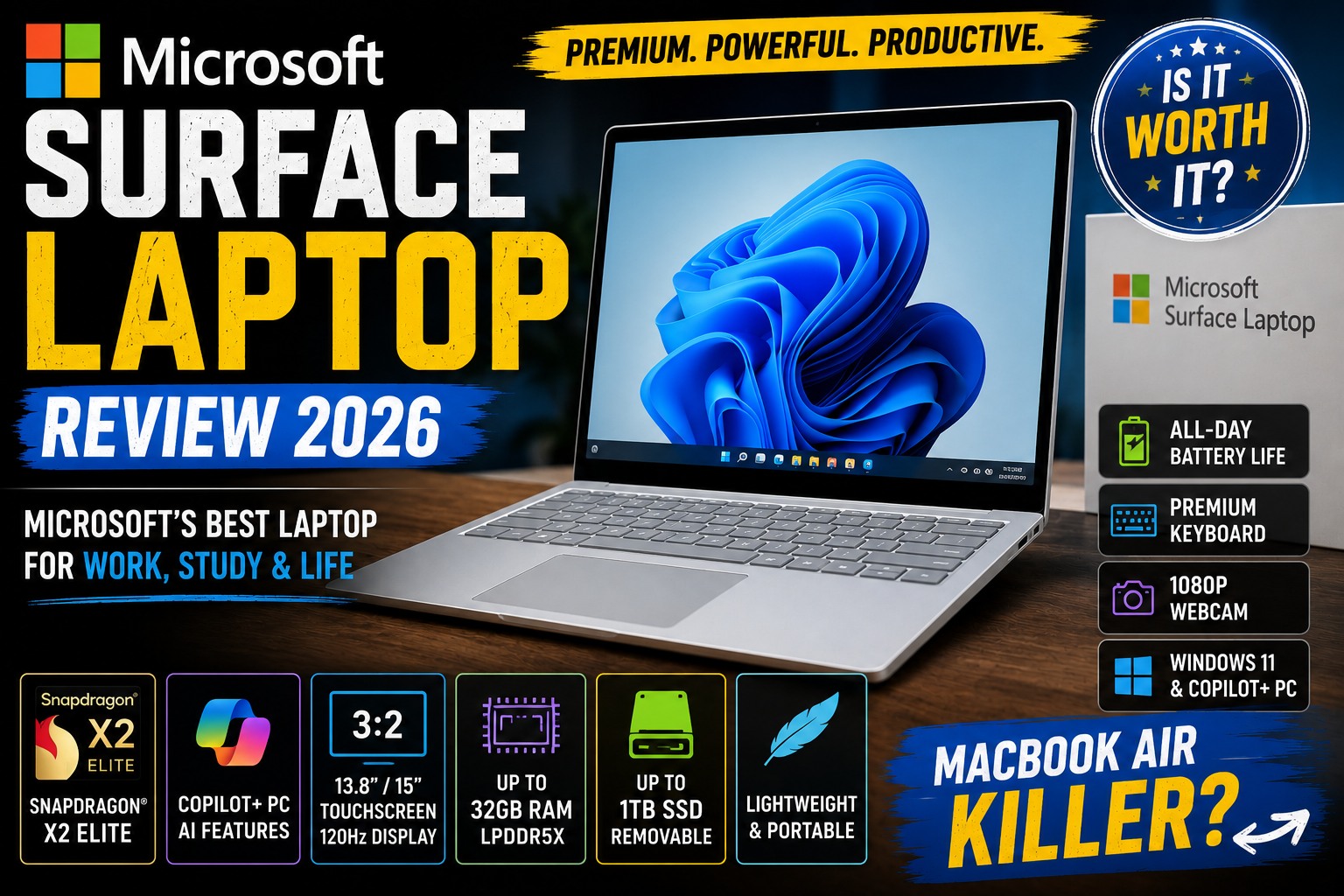

Microsoft Surface Laptop Review (2026): Is It Still Worth Buying?
Microsoft Surface Laptop Review — The Surface Laptop has evolved into one of Microsoft's strongest answers to Apple's MacBook Air. With a premium design, excellent keyboard, high-quality display, long battery life, and modern Copilot+ features, Microsoft's laptop is designed primarily for productivity and portability.
But is the Surface Laptop actually worth buying in 2026?
The answer isn't quite as simple as looking at its processor or price.
Microsoft now has several Surface Laptop configurations, including Snapdragon-based consumer models and Intel-based business versions. The latest generation introduced in June 2026 moves to Snapdragon X2 processors, while the previous 7th Edition uses Snapdragon X Plus/X Elite chips.
In this Microsoft Surface Laptop Review, we'll examine the design, display, performance, battery life, keyboard, webcam, ports, Windows on Arm compatibility, AI features, upgradeability, and overall value.
Microsoft Surface Laptop Review
Microsoft Surface Laptop Review: Quick Verdict
Before going into the details, here's our quick assessment.
| Category | Rating |
|---|---|
| Design | 9.5/10 |
| Build Quality | 9.5/10 |
| Display | 9.2/10 |
| Keyboard | 9.3/10 |
| Trackpad | 9.5/10 |
| Performance | 9.0/10 |
| Battery Life | 9.5/10 |
| Webcam | 9.0/10 |
| Port Selection | 8.0/10 |
| Repairability | 8.0/10 |
| AI Features | 9.0/10 |
| Gaming | 6.5/10 |
| Value | 8.5/10 |
Overall Rating: 9.1/10
The Surface Laptop is one of the best Windows laptops for users who prioritize portability, battery life, build quality, and productivity.
However, buyers need to be careful about choosing the right RAM configuration and understanding the limitations of Snapdragon-based Windows.
Microsoft Surface Laptop Review
What Is the Microsoft Surface Laptop?
The Surface Laptop is Microsoft's traditional clamshell laptop.
Unlike the Surface Pro, it isn't primarily designed as a tablet.
Instead, it competes directly with premium ultraportables such as:
Microsoft's goal is straightforward:
Build a premium Windows laptop that combines excellent hardware with the company's own operating system and AI ecosystem.
That approach has worked surprisingly well.
Microsoft Surface Laptop Review
Surface Laptop Design
The Surface Laptop has one of the cleanest designs in the Windows laptop market.
Microsoft doesn't try to make the device look aggressive or flashy.
Instead, the design is minimalist.
The result is a laptop that looks appropriate in:
- An office
- University
- Coffee shop
- Home office
- Meeting room
- Business environment
Premium Aluminum Construction
The Surface Laptop's metal chassis gives it a premium feel.
There are no unnecessary visual distractions.
The design is simple, clean, and professional.
This is one area where Microsoft competes very effectively against Apple.
The Surface Laptop doesn't feel like a cheaper Windows alternative to a MacBook.
It feels like a premium computer in its own right.
Microsoft Surface Laptop Review
Surface Laptop 13.8 vs 15 Inch
The Surface Laptop has traditionally been available in two primary sizes:
13.8-inch
Best for:
- Students
- Travelers
- Remote workers
- Programmers
- Everyday users
15-inch
Best for:
- Multitasking
- Office work
- Large spreadsheets
- Content consumption
- Users who want a larger workspace
The 13.8-inch model is the better choice if portability is important.
The 15-inch version makes more sense if you spend most of your time working at a desk.
Microsoft Surface Laptop Review
The New 2026 Surface Laptop
Microsoft introduced new Surface Laptop models in June 2026, including 13.8-inch and 15-inch versions powered by Snapdragon X2 processors. Microsoft positions these models around performance, battery life, and everyday productivity.
This makes the Surface Laptop lineup more interesting than simply buying an older 7th Edition model.
However, availability and exact configurations can vary by market.
For that reason, buyers should always verify the exact processor, RAM, storage, and display before purchasing.
Microsoft Surface Laptop Review
Surface Laptop Display
The display is one of the Surface Laptop's strongest features.
Microsoft has traditionally used a 3:2 aspect ratio for Surface Laptop models.
This is an excellent choice for productivity.
Why?
Because the taller screen provides more vertical space.
That means you can see more:
- Lines of code
- Text
- Spreadsheet rows
- Web content
- Documents
without scrolling as frequently.
Microsoft Surface Laptop Review
Why 3:2 Is Great for Productivity
Most laptops use:
16:9
or:
16:10
The Surface Laptop's taller design feels different.
For example, when editing a Word document, you can see more of the page at once.
For programming, you can see more lines of code.
For browsing, you can see more content vertically.
This makes the Surface Laptop particularly appealing to productivity-focused users.
Microsoft Surface Laptop Review
Touchscreen
The Surface Laptop also provides touchscreen functionality.
This can be useful for:
- Scrolling
- Zooming
- Presentations
- Casual browsing
- Creative applications
However, the Surface Laptop isn't a 360-degree convertible like the HP Spectre x360 or Lenovo Yoga.
If you want a tablet-like experience, a Surface Pro is a better fit.
Microsoft Surface Laptop Review
Refresh Rate
The 7th Edition Surface Laptop features a 120Hz touchscreen with a 2304 × 1536 resolution on the 13.8-inch model, according to Microsoft's specifications.
The higher refresh rate makes:
- Scrolling
- Window animations
- Cursor movement
- General interaction
feel noticeably smoother.
Microsoft Surface Laptop Review
Surface Laptop Keyboard
The keyboard is one of the Surface Laptop's underrated strengths.
The keys provide a comfortable typing experience without feeling excessively shallow.
For someone writing articles for hours every day, this matters.
It's also excellent for programmers.
Microsoft Surface Laptop Review
Surface Laptop for Writers
If you're a:
- Blogger
- Journalist
- Student
- Copywriter
- Author
- Content creator
the keyboard should be more than sufficient for long writing sessions.
Combined with the 3:2 display, the Surface Laptop becomes particularly comfortable for text-heavy work.
Microsoft Surface Laptop Review
Surface Laptop Trackpad
Microsoft has also done an excellent job with the trackpad.
Modern Surface Laptop models provide a large, responsive touchpad.
It's suitable for:
- Multi-finger gestures
- Scrolling
- Precise cursor control
- Editing documents
- Navigation
The trackpad experience is one of the areas where the Surface Laptop feels particularly close to a MacBook.
Microsoft Surface Laptop Review
Surface Laptop Performance
Now we get to one of the most important parts of the review.
How fast is it?
The answer depends heavily on which Surface Laptop you're buying.
The 7th Edition consumer model was available with Snapdragon X Plus and Snapdragon X Elite, while Microsoft's business lineup also offered Intel Core Ultra processors.
The newest 2026 generation moves to Snapdragon X2.
Microsoft Surface Laptop Review
Snapdragon Performance
Qualcomm's Snapdragon X processors changed the Windows laptop market.
They brought much stronger ARM performance and efficiency to Windows PCs.
The result is a laptop that can deliver:
- Fast startup
- Excellent standby
- Strong everyday performance
- Low power consumption
- Long battery life
For ordinary productivity, the Surface Laptop feels fast.
Microsoft Surface Laptop Review
Everyday Productivity
The Surface Laptop handles common tasks very well.
You can comfortably use:
- Microsoft Word
- Excel
- PowerPoint
- Outlook
- Edge
- Chrome
- Teams
- Slack
- Spotify
- Zoom
and other productivity applications.
For most users, performance isn't going to be a problem.
Microsoft Surface Laptop Review
Multitasking
This is where RAM becomes important.
A Surface Laptop with 16GB RAM is much more attractive than an 8GB configuration.
With 16GB, you can comfortably work with:
- Multiple browser tabs
- Microsoft Office
- Teams
- Slack
- File Explorer
- Background applications
At the same time.
For heavier multitasking, 32GB is preferable where available.
Microsoft Surface Laptop Review
Avoid the 8GB Configuration
This is one of the most important recommendations in this review.
In 2026, Microsoft introduced a 13-inch Surface Laptop configuration with only 8GB RAM, and testing found that the limited memory could cause noticeable slowdowns and hangs during relatively ordinary multitasking. The Verge gave that configuration a score of 6/10 and recommended at least 16GB.
For a laptop intended to last several years:
16GB should be your minimum target.
If your budget permits:
32GB is even better.
Surface Laptop for Programming
The Surface Laptop can be an excellent programming machine.
The 3:2 display is particularly useful.
You can see more code vertically.
The keyboard is comfortable.
The processor provides plenty of performance for development.
And Windows 11 offers a huge software ecosystem.
Microsoft Surface Laptop Review
Windows ARM and Programming
There is one important consideration.
Snapdragon models use ARM architecture.
Most modern applications work well, but not every application behaves identically to an Intel or AMD laptop.
For developers, this means checking compatibility for:
- Docker
- Virtual machines
- Compilers
- Development frameworks
- Drivers
- Specialized tools
before buying.
For general web development, ARM Windows is increasingly viable.
For specialized development environments, Intel/AMD remains the safer choice.
Microsoft Surface Laptop Review
Surface Laptop for Office Work
This is probably the Surface Laptop's ideal use case.
It's excellent for:
- Microsoft 365
- Excel
- Word
- PowerPoint
- Outlook
- Teams
- OneDrive
- Edge
- Business communication
Microsoft has clearly designed the Surface Laptop around this type of workflow.
Microsoft Surface Laptop Review
Surface Laptop for Students
The Surface Laptop is also a strong student laptop.
The combination of:
lightweight design + long battery life + excellent keyboard + touchscreen
makes it useful for university.
It's particularly good for:
- Research
- Writing
- Online classes
- Presentations
- Programming
- Microsoft Office
However, students should avoid choosing an 8GB model simply to save money.
A laptop with 16GB RAM is a much safer long-term purchase.
Microsoft Surface Laptop Review
Surface Laptop Battery Life
Battery life is one of the Surface Laptop's biggest strengths.
The combination of an efficient ARM processor and Microsoft's software optimization allows the laptop to run for long periods away from a charger.
Microsoft's Windows Performance Lab has recorded particularly strong battery results for Snapdragon-based Surface Laptop systems, including substantially longer web-browsing and local-video-playback results than older Intel Surface models.
Independent testing has also found the Surface Laptop 13-inch capable of exceeding 10–12 hours in practical use depending on configuration and workload.
Microsoft Surface Laptop Review
Surface Laptop for Travel
This is where the Surface Laptop becomes especially attractive.
If you travel frequently, you want:
- Low weight
- Long battery life
- Fast wake
- Good keyboard
- Bright display
- Reliable Wi-Fi
- Compact charger
The Surface Laptop checks most of those boxes.
Microsoft Surface Laptop Review
Surface Laptop vs MacBook Air
This is probably the comparison readers will care about most.
MacBook Air
Excellent battery + Apple Silicon + macOS
Surface Laptop
Windows + excellent battery + touchscreen + Microsoft ecosystem
The Surface Laptop is one of the strongest Windows alternatives to the MacBook Air.
The Verge described the 7th Edition as Microsoft's answer to the MacBook Air, praising its combination of performance, battery life, display, keyboard, webcam, and trackpad.
Microsoft Surface Laptop Review
Surface Laptop vs Framework Laptop
This comparison is especially useful for your existing Framework Laptop Review article.
Surface Laptop
Best for:
- Premium design
- Battery life
- Windows productivity
- Microsoft ecosystem
- Quiet operation
- Mainstream users
Framework Laptop
Best for:
- Repairability
- Upgradeability
- Linux
- DIY enthusiasts
- Long-term hardware flexibility
If you want a laptop that simply works with minimal maintenance:
Surface Laptop
If you want maximum control over the hardware:
Framework Laptop
Surface Laptop Review:
The Microsoft Surface Laptop is an excellent premium Windows laptop.
Its strongest characteristics are:
⭐ Premium design
⭐ Excellent keyboard
⭐ Excellent trackpad
⭐ Productivity-friendly 3:2 display
⭐ Strong battery life
⭐ Good everyday performance
⭐ Excellent portability
⭐ Strong webcam
Its biggest concerns are:
⚠️ ARM application compatibility
⚠️ Limited gaming potential
⚠️ Expensive higher-end configurations
⚠️ 8GB RAM models should be avoided
Recommended Configuration
For most GearChoiceLab readers, I'd recommend:
16GB RAM minimum
512GB SSD or 1TB SSD
Snapdragon X Plus/X Elite or newer Snapdragon X2
For developers and heavy multitaskers:
32GB RAM
is preferable where available.
For businesses running specialized x86 software:
Intel Core Ultra Surface Laptop
may be the safer choice.
Performance, Battery, AI, Gaming & Real-World Experience
Welcome to Part 2 of our Microsoft Surface Laptop Review (2026).
In Part 1, we covered the design, display, keyboard, trackpad, processors, and general productivity experience. Now we'll go deeper into the areas that matter most when actually using the laptop every day.
One important update for this 2026 review: Microsoft's lineup has moved beyond the Surface Laptop 7th Edition. The newer Surface Laptop 8th Edition is available with Snapdragon X2 processors, while the 7th Edition remains relevant as a comparison and potentially a lower-cost option. Microsoft lists the 8th Edition's tested configurations with Snapdragon X2 Plus and X2 Elite processors.
Microsoft Surface Laptop Review
Surface Laptop Performance
Performance is one of the Surface Laptop's strongest characteristics, particularly for everyday productivity.
The 7th Edition introduced Microsoft's move to Qualcomm Snapdragon X processors, with options including:
- Snapdragon X Plus
- Snapdragon X Elite
Microsoft's specifications list the X Plus as a 10-core processor and the X Elite as a 12-core processor.
The newer 8th Edition moves to the Snapdragon X2 family.
That means buyers in 2026 have an important choice:
Buy the newer X2-based Surface Laptop or save money on a previous-generation Snapdragon X model.
Snapdragon X2 vs Snapdragon X
For everyday users, both generations can feel extremely fast.
The newer X2 platform is more attractive if you:
- Keep your laptop for several years
- Want newer hardware
- Run heavier workloads
- Want the latest AI capabilities
- Prefer buying the newest generation
The previous Snapdragon X models can still make sense if they're substantially cheaper.
This is particularly important because laptop performance has reached the point where spending more doesn't always produce a dramatic difference in everyday tasks.
Opening Word doesn't suddenly become five times faster because you purchased a more expensive processor.
Microsoft Surface Laptop Review
Everyday Performance
For normal productivity, the Surface Laptop is excellent.
You can comfortably use:
- Microsoft Word
- Excel
- PowerPoint
- Outlook
- Microsoft Teams
- Edge
- Chrome
- Spotify
- OneDrive
- Slack
- Zoom
- Notion
The system generally feels responsive and quiet.
For the typical office worker, student, or writer, there is very little to complain about.
Microsoft Surface Laptop Review
Multitasking Performance
This is where RAM becomes extremely important.
And in 2026, this is something buyers should pay close attention to.
Avoid 8GB RAM
The new entry-level 13-inch Surface Laptop has been criticized for its 8GB configuration.
In testing, The Verge found that the 8GB model could experience freezes during relatively normal multitasking, such as Teams calls, multiple Chrome tabs, Slack, Signal, and document editing.
The reviewer also reported that Windows 11 could consume a large portion of the available memory before heavier applications were even opened.
That's a serious consideration for anyone planning to keep the laptop for several years.
Our recommendation:
16GB RAM → Minimum
32GB RAM → Recommended for heavy users
64GB RAM → Enthusiasts/professionals where available
Is 16GB Enough?
For most people, yes.
A 16GB Surface Laptop is suitable for:
- Office work
- Research
- Web browsing
- Programming
- Video calls
- Streaming
- Light photo editing
- Multiple applications
For typical productivity, 16GB is the sweet spot.
Microsoft Surface Laptop Review
Is 32GB Worth It?
If you regularly use:
- Dozens of browser tabs
- Virtual machines
- Docker
- Large spreadsheets
- Adobe applications
- Development environments
- Local AI tools
- Multiple external displays
then 32GB is worth considering.
The 7th Edition Snapdragon models were offered with 16GB, 32GB and 64GB LPDDR5x memory in consumer configurations, depending on model.
Microsoft Surface Laptop Review
Surface Laptop for Programming
The Surface Laptop is an excellent programming machine for many developers.
The biggest advantage isn't raw CPU performance.
It's the combination of:
3:2 display + excellent keyboard + portability + battery life.
Why the 3:2 Display Matters for Developers
Programming involves reading a lot of text.
A taller display means you can see more lines of code.
For example, a developer working in VS Code can benefit from the additional vertical space when navigating:
- Functions
- Classes
- Documentation
- Terminal output
- Logs
- Configuration files
This is one reason the Surface Laptop can be more comfortable for programming than some wider 16:9 laptops.
Microsoft Surface Laptop Review
Windows ARM Compatibility
There is, however, one important issue.
Snapdragon Surface Laptop models use ARM architecture.
Windows 11 has improved considerably on ARM, and many mainstream applications now work well.
However, developers should still check compatibility with specialized software.
Potential areas to investigate include:
- Older development tools
- Certain drivers
- Virtualization software
- Specialized engineering applications
- Older plugins
- Legacy x86 applications
For ordinary web development, ARM Windows is increasingly practical.
For highly specialized development environments, an Intel or AMD laptop may still be the safer choice.
Microsoft Surface Laptop Review
Surface Laptop for Video Editing
The Surface Laptop can handle light to moderate video editing.
It's suitable for:
- YouTube videos
- TikTok
- Instagram Reels
- Short-form content
- Basic 1080p editing
- Simple 4K projects
However, this isn't primarily a professional workstation.
If you're editing large 4K projects with multiple effects, heavy color grading, or complex timelines, you should consider a laptop with a more powerful dedicated GPU.
Microsoft Surface Laptop Review
Surface Laptop for Photoshop
For basic and moderate photo editing, the Surface Laptop performs well.
It's suitable for:
- Photoshop
- Lightroom
- Canva
- Affinity Photo
- Web design
- Thumbnail creation
The high-quality display is also useful for visual work.
However, professional photographers should consider color requirements carefully and use a properly calibrated external monitor when color accuracy is critical.
Microsoft Surface Laptop Review
Surface Laptop for AI
AI is one of the biggest reasons Microsoft has been promoting Copilot+ PCs.
The Snapdragon platform includes a dedicated NPU.
The 7th Edition Snapdragon models feature a Qualcomm Hexagon NPU rated at 45 TOPS.
The newer X2 generation continues this AI-focused approach.
Microsoft Surface Laptop Review
What Does the NPU Actually Do?
The NPU is designed to handle certain AI workloads more efficiently than relying entirely on the CPU.
Potential applications include:
- Windows Studio Effects
- Background blur
- Eye-contact effects
- Voice processing
- AI-assisted applications
- Local AI features
The advantage is that these workloads can be handled efficiently without putting as much pressure on the CPU.
Microsoft Surface Laptop Review
Is Copilot+ a Reason to Buy Surface Laptop?
Not by itself.
AI features can be useful, but you shouldn't buy a laptop purely because it has an NPU.
Your main priorities should still be:
- RAM
- Processor
- Battery
- Display
- Storage
- Software compatibility
- Price
AI capabilities are an additional benefit.
Microsoft Surface Laptop Review
Webcam and Video Calls
The Surface Laptop performs well for video conferencing.
Microsoft includes a front-facing camera and Windows Hello functionality, while the system also features Studio microphones.
That's useful for:
- Microsoft Teams
- Zoom
- Google Meet
- Skype
- Online classes
- Remote work
The camera is particularly important in 2026 because video calls have become a standard part of many people's workdays.
Microsoft Surface Laptop Review
Surface Laptop for Remote Work
This is one of the laptop's strongest use cases.
Imagine a typical remote-work setup:
Surface Laptop + external monitor + webcam + wireless keyboard + mouse
The laptop itself can handle:
- Teams
- Slack
- Browser tabs
- Documents
- Spreadsheets
- Video calls
without difficulty when configured with sufficient RAM.
Microsoft Surface Laptop Review
Studio Microphones
The integrated microphones are another nice feature for remote workers.
They are designed to provide clearer voice capture during meetings.
This reduces the need to immediately purchase a dedicated microphone.
For professional podcasting or streaming, however, an external microphone is still preferable.
Microsoft Surface Laptop Review
Surface Laptop Speakers
The Surface Laptop has good built-in speakers.
They're perfectly suitable for:
- YouTube
- Netflix
- Music
- Video calls
- Online classes
- Casual gaming
But if audio quality is a major priority, dedicated computer speakers or headphones will still provide a better experience.
For your GearChoiceLab audience, readers looking for desktop audio can also be directed to your Best Computer Speakers article.
Microsoft Surface Laptop Review
Surface Laptop Ports
The Surface Laptop provides a reasonable selection of ports.
The 7th Edition includes:
- 1 × USB-A
- 2 × USB-C / USB4
- 3.5mm headphone jack
- Surface Connect port
Microsoft lists these ports directly in its official specifications.
Microsoft Surface Laptop Review
Is the Port Selection Good Enough?
For most people:
Yes.
But it's not exceptional.
If you regularly use:
- SD cards
- Ethernet
- Multiple monitors
- Many USB-A devices
- HDMI
you may eventually want a USB-C hub or docking station.
That's especially relevant for professional users.
Microsoft Surface Laptop Review
Surface Laptop vs MacBook Air
The MacBook Air remains the obvious competitor.
Here's the basic comparison:
| Feature | Surface Laptop | MacBook Air |
|---|---|---|
| Windows | ✅ | ❌ |
| macOS | ❌ | ✅ |
| Touchscreen | ✅ | ❌ |
| 3:2 display | ✅ | ❌ |
| Battery | Excellent | Excellent |
| Keyboard | Excellent | Excellent |
| Trackpad | Excellent | Excellent |
| ARM processor | ✅ | Apple Silicon |
| Gaming | Limited | Limited |
| Repairability | Better than many premium laptops | More limited |
| Microsoft ecosystem | Excellent | Good |
| Apple ecosystem | Limited | Excellent |
Choose Surface Laptop if:
You prefer Windows.
Choose MacBook Air if:
You prefer macOS.
Neither is universally better.
Microsoft Surface Laptop Review
Surface Laptop vs Dell XPS
The Dell XPS is another premium Windows competitor.
Surface Laptop advantages:
- 3:2 display
- Touchscreen
- Excellent battery efficiency
- Clean Windows experience
- Excellent keyboard
- Strong portability
Dell XPS advantages:
- More configuration options
- More traditional x86 compatibility
- Premium display options
- Strong performance configurations
For general productivity:
Surface Laptop
For specialized Windows software:
Dell XPS with Intel/AMD
may be the safer option.
This also creates a natural internal link to your existing Dell XPS 14 2026 Review.
Microsoft Surface Laptop Review
Surface Laptop vs ASUS Zenbook
The ASUS Zenbook is another strong alternative.
Zenbook models are particularly attractive if you prioritize:
- OLED
- Multimedia
- High display quality
- Premium design
- Broad hardware options
The Surface Laptop's advantage is its overall Windows experience and battery efficiency.
Best for OLED:
ASUS Zenbook
Best for Microsoft ecosystem:
Surface Laptop
Best for portability:
Surface Laptop
Surface Laptop vs Framework Laptop
This is a fascinating comparison because the two products have completely different philosophies.
Surface Laptop
Premium appliance
Framework Laptop
Modular computer platform
Framework's advantage is repairability and upgradeability.
Microsoft's advantage is a more conventional polished laptop experience.
The 7th Edition is designed to be more repairable than previous Surface generations, with many components replaceable by authorized service providers or skilled technicians.
However, Framework remains the stronger choice for users who specifically prioritize DIY upgrades and modularity..
Microsoft Surface Laptop Review
Surface Laptop Gaming Performance
Gaming isn't the Surface Laptop's main purpose.
Integrated graphics can handle casual gaming, especially older or less demanding titles.
But you shouldn't buy the Surface Laptop expecting desktop-class gaming performance.
It's not a replacement for:
- ROG Zephyrus
- Lenovo Legion
- Alienware
- Razer Blade
- High-end gaming PCs
For gaming, a dedicated GPU remains much more important.
Microsoft Surface Laptop Review
Casual Gaming
The Surface Laptop can be used for:
- Indie games
- Older games
- Casual games
- Cloud gaming
- Browser games
- Some esports titles
Performance will depend heavily on the specific processor and game.
Microsoft Surface Laptop Review
Battery Life
Battery life is one of the Surface Laptop's biggest advantages.
For the 7th Edition, Microsoft rated the 13.8-inch Snapdragon X Plus model for up to 20 hours of local video playback, while the Snapdragon X Elite configuration was rated for up to 22 hours under Microsoft's test conditions. Microsoft also lists up to 15 hours of active web usage for the X Elite configuration.
Real-world battery life will naturally be lower or higher depending on:
- Screen brightness
- Browser
- Wi-Fi
- Number of applications
- Video calls
- Display refresh rate
- Processor
- Workload
New Surface Laptop 8th Edition Battery
The newer 2026 Surface Laptop 8th Edition pushes battery claims even further.
Microsoft reports up to:
20 hours
of local video playback for the 13.8-inch Snapdragon X2 Plus model.
And up to:
19 hours
for the 15-inch Snapdragon X2 Elite model.
For web browsing, Microsoft reports up to:
16 hours
on the 13.8-inch model and:
14 hours
on the 15-inch model.
These are Microsoft's controlled test results, so they shouldn't be interpreted as guaranteed everyday battery life.
Microsoft Surface Laptop Review
Charging
The Surface Laptop uses Microsoft's Surface Connect charging system while also supporting USB-C connectivity.
The advantage is flexibility.
You can use the standard charger at home and potentially charge through USB-C when traveling.
Microsoft Surface Laptop Review
Surface Laptop for Travelers
This is one of the strongest reasons to consider it.
A good travel laptop needs:
- Excellent battery
- Lightweight construction
- Comfortable keyboard
- Good webcam
- Reliable wireless
- Good standby
- Bright display
The Surface Laptop checks almost all of these boxes.
Microsoft Surface Laptop Review
Is Surface Laptop Good for College?
Absolutely.
The 13.8-inch model is particularly attractive for students.
It's portable enough to carry around campus while still offering a productive 3:2 display.
Recommended configuration:
16GB RAM + 512GB SSD
If your budget allows:
32GB RAM + 1TB SSD
is an excellent long-term configuration.
Microsoft Surface Laptop Review
Is Surface Laptop Good for Business?
Yes.
The Surface Laptop is particularly strong for Microsoft 365 environments.
It integrates naturally with:
- Microsoft Teams
- OneDrive
- Microsoft 365
- Outlook
- Edge
- Windows Hello
- Copilot
Businesses should still check whether their specialized applications are compatible with ARM before purchasing Snapdragon models.
For organizations dependent on legacy Windows applications, Intel-based Surface Laptop business models may be the safer option. Microsoft lists Intel Core Ultra configurations in its Surface Laptop for Business lineup.
Microsoft Surface Laptop Review
Repairability and Upgrades
The Surface Laptop has improved considerably in this area.
Microsoft describes the 7th Edition as having a more repairable device design, with many components replaceable through authorized service providers or skilled technicians.
However, this isn't the same philosophy as Framework.
Framework is designed around user-driven modular upgrades.
Surface is designed around a more serviceable conventional laptop.
That's an important distinction.
Microsoft Surface Laptop Review
Surface Laptop Storage
The 7th Edition supports removable Gen 4 SSD configurations, with Microsoft listing options including:
- 256GB
- 512GB
- 1TB
depending on model.
That is a welcome improvement for long-term ownership.
However, buyers should verify the exact configuration before purchase because specifications can differ between consumer and business models.
Microsoft Surface Laptop Review
Who Should Buy the Surface Laptop?
The Surface Laptop is particularly well suited to:
👨💼 Office Professionals
Excellent Microsoft 365 integration.
🎓 Students
Lightweight, long battery life and excellent keyboard.
👨💻 Programmers
Great display and keyboard, provided your development tools are ARM-compatible.
✍️ Writers
Excellent typing experience and 3:2 display.
✈️ Travelers
Strong battery life and portability.
🏠 Remote Workers
Excellent webcam, microphones and productivity performance.
Microsoft Surface Laptop Review
Who Should Avoid It?
You may want another laptop if you:
- Need maximum gaming performance
- Require specialized x86-only software
- Need a dedicated GPU
- Want an OLED display above all else
- Need many physical ports
- Want extensive DIY hardware upgrades
Recommended Surface Laptop Configurations
🥇 Best Overall
Snapdragon X2 / X Plus-class processor
16GB RAM
512GB SSD
13.8-inch display
Best for most users.
🏆 Best for Power Users
Snapdragon X2 / X Elite-class processor
32GB RAM
1TB SSD
Best for developers and heavy multitaskers.
💼 Best for Business
Intel Core Ultra
16GB–32GB RAM
512GB–1TB SSD
Best if compatibility with traditional Windows software is important.
💰 Best Value
Previous-generation Surface Laptop 7th Edition
16GB RAM
512GB SSD
Choose this if the price is substantially lower than the newest generation.
Comparisons, Buying Guide & Who Should Buy It
In Parts 1 and 2, we covered the Surface Laptop's design, display, keyboard, performance, Snapdragon processors, battery life, AI features, ports, and everyday experience.
Now let's answer the questions most buyers actually want to know:
Which Surface Laptop should you buy?
Should you choose Snapdragon or Intel?
How does it compare with the MacBook Air, Dell XPS, ASUS Zenbook, and Framework Laptop?
And most importantly:
Is the Microsoft Surface Laptop worth buying in 2026?
Surface Laptop 13.8-inch vs 15-inch
The current 8th Edition is available in both 13.8-inch and 15-inch versions. Microsoft's specifications list the 13.8-inch model at around 1.36 kg, while the 15-inch version weighs around 1.66 kg.
The difference isn't simply screen size.
Your choice should depend on how you work.
Surface Laptop 13.8-inch
Best for:
- Students
- Travelers
- Programmers
- Remote workers
- Writers
- Office workers
- People who work in coffee shops
- People who carry their laptop every day
The smaller model is easier to transport while still providing a relatively large productivity-focused display.
Our choice: 🏆 13.8-inch
For most people, this is the Surface Laptop we'd recommend.
Microsoft Surface Laptop Review
Surface Laptop 15-inch
The 15-inch version is better for people who prioritize screen real estate.
It's particularly useful for:
- Excel
- Large spreadsheets
- Video editing
- Multitasking
- Business applications
- Research
- Split-screen workflows
The 15-inch model also adds a MicroSDXC Express card reader, which is useful for photographers and creators.
Our choice: 🏆 15-inch for productivity
If the laptop spends most of its life on a desk, the larger display is worth considering.
Microsoft Surface Laptop Review
Surface Laptop Snapdragon vs Intel
This is one of the most important decisions.
The consumer Surface Laptop 8th Edition uses Snapdragon X2 processors, including:
- Snapdragon X2 Plus
- Snapdragon X2 Elite
Microsoft lists an 80-TOPS Qualcomm Hexagon NPU for the new generation.
Microsoft also offers Surface Laptop for Business with Intel Core Ultra Series 3 processors.
So which should you choose?
Microsoft Surface Laptop Review
Choose Snapdragon If You Want:
🔋 Excellent efficiency
Snapdragon is one of the major reasons modern Surface laptops can achieve impressive battery-life figures.
Microsoft rates the 13.8-inch 8th Edition at up to 20 hours of local video playback and up to 16 hours of active web use under its test conditions.
🤖 AI acceleration
The X2 platform includes a powerful NPU designed for local AI workloads.
🤫 Quiet everyday computing
ARM-based systems can be extremely efficient during light workloads.
💼 Office productivity
For Microsoft 365, web browsing, email, Teams, and general productivity, Snapdragon is an excellent fit..
Microsoft Surface Laptop Review
Choose Intel If You Need:
🧩 Maximum traditional Windows compatibility
Intel remains a safer option if your work depends on:
- Legacy applications
- Specialized business software
- Older drivers
- Certain engineering tools
- Specialized peripherals
🏢 Enterprise deployment
If you're purchasing hundreds of laptops for a business, compatibility can matter more than theoretical efficiency.
Microsoft's business Surface Laptop lineup includes Intel configurations specifically aimed at professional workloads.
Microsoft Surface Laptop Review
Surface Laptop vs MacBook Air
This is the most obvious comparison.
The MacBook Air is Apple's premium lightweight productivity laptop.
The Surface Laptop is Microsoft's premium lightweight Windows alternative.
Surface Laptop advantages
- Windows 11
- Touchscreen
- 3:2 display
- Excellent keyboard
- Strong battery life
- Microsoft ecosystem
- More traditional Windows software compatibility than macOS
- USB-A port
- Excellent webcam
MacBook Air advantages
- macOS
- Apple Silicon
- Excellent efficiency
- Strong application optimization
- Excellent trackpad
- Apple ecosystem
- Strong creative software ecosystem
Winner for Windows:
🏆 Surface Laptop
Winner for macOS:
🏆 MacBook Air
There's no universal winner here.
The operating system is probably the biggest deciding factor.
Microsoft Surface Laptop Review
Surface Laptop vs Dell XPS 14
This is an especially useful comparison for GearChoiceLab because you already have a Dell XPS 14 2026 Review.
The Dell XPS is designed as a premium Windows laptop with a strong emphasis on performance and high-end configurations.
The Surface Laptop takes a more balanced approach.
| Category | Surface Laptop | Dell XPS 14 |
|---|---|---|
| Portability | ⭐⭐⭐⭐⭐ | ⭐⭐⭐⭐ |
| Battery efficiency | ⭐⭐⭐⭐⭐ | ⭐⭐⭐⭐ |
| Display | ⭐⭐⭐⭐½ | ⭐⭐⭐⭐⭐ |
| Keyboard | ⭐⭐⭐⭐⭐ | ⭐⭐⭐⭐ |
| Touchscreen | ✅ | Configuration dependent |
| GPU performance | ⭐⭐⭐ | ⭐⭐⭐⭐½ |
| Gaming | ⭐⭐⭐ | ⭐⭐⭐⭐ |
| Business use | ⭐⭐⭐⭐⭐ | ⭐⭐⭐⭐⭐ |
| ARM efficiency | ⭐⭐⭐⭐⭐ | N/A on Intel models |
| Traditional x86 compatibility | ⭐⭐⭐⭐ | ⭐⭐⭐⭐⭐ |
Choose Surface Laptop:
If you prioritize portability, battery life, and everyday productivity.
Choose Dell XPS:
If you need higher-end performance or a dedicated GPU.
Microsoft Surface Laptop Review
Surface Laptop vs ASUS Zenbook
ASUS Zenbook is another strong competitor.
Zenbook's biggest advantage is its display technology.
Many Zenbook configurations emphasize:
- OLED
- High resolution
- Vibrant colors
- Excellent contrast
- Multimedia
The Surface Laptop's display is excellent for productivity, but Microsoft doesn't position it primarily as an OLED multimedia machine.
Winner for OLED:
🏆 ASUS Zenbook
Winner for Microsoft ecosystem:
🏆 Surface Laptop
Winner for portability:
🏆 Surface Laptop
Winner for multimedia:
🏆 ASUS Zenbook
Surface Laptop vs Framework Laptop
This is perhaps the most interesting comparison in your laptop review cluster.
The two laptops have completely different philosophies.
Microsoft Surface Laptop
Premium appliance
Framework Laptop
Modular computer
Framework focuses heavily on repairability and upgradeability.
Surface focuses more heavily on:
- Design
- Battery life
- Integration
- Simplicity
- Mainstream Windows experience
Framework remains the better option if hardware ownership and DIY upgrades are your top priorities.
Surface is the better option if you simply want a polished Windows laptop.
Microsoft Surface Laptop Review
Surface Laptop vs HP Spectre x360
Your existing HP Spectre x360 Review also makes an excellent internal comparison.
The Spectre x360 is designed around its convertible form factor.
You can fold the display backward and use it as a tablet.
The Surface Laptop isn't designed around that experience.
HP Spectre x360 wins:
- 2-in-1 functionality
- Tablet mode
- Stylus-focused workflows
- OLED configurations
- Creative touchscreen use
Surface Laptop wins:
- Traditional laptop experience
- Portability
- Microsoft integration
- Simple clamshell design
- Excellent productivity
Surface Laptop vs Lenovo Yoga 9i
The Lenovo Yoga 9i is another excellent alternative.
Yoga's main advantages include:
- Convertible design
- OLED displays
- Premium speakers
- Touchscreen
- Stylus support
The Surface Laptop is simpler.
If you don't need a 360-degree hinge, the Surface Laptop's traditional clamshell design can actually be preferable.
Which Surface Laptop Should You Buy?
Here's our recommendation for different users.
| User | Recommended Surface |
|---|---|
| Student | 13.8-inch |
| Programmer | 13.8-inch |
| Writer | 13.8-inch |
| Traveler | 13.8-inch |
| Remote worker | 13.8-inch |
| Office professional | 13.8-inch |
| Photographer | 15-inch |
| Excel-heavy user | 15-inch |
| Video editor | 15-inch |
| Multitasker | 15-inch |
| Business/enterprise | Intel model |
| General consumer | Snapdragon 13.8-inch |
Best Surface Laptop Configuration
For most people, our recommended configuration is:
13.8-inch
Snapdragon X2 Plus
16GB RAM
512GB SSD
This provides a good balance between:
- Performance
- Battery life
- Portability
- Storage
- Price
Microsoft's current 13.8-inch 8th Edition configuration includes 16GB options and up to 64GB memory depending on configuration.
Microsoft Surface Laptop Review
Best Surface Laptop for Power Users
If you regularly use heavy applications:
Snapdragon X2 Elite
32GB RAM
1TB SSD
This is the configuration we'd recommend for:
- Developers
- Engineers
- Professionals
- Heavy multitaskers
- Content creators
Best Surface Laptop for Students
You don't need the most expensive processor.
Instead, prioritize:
16GB RAM
512GB SSD
13.8-inch display
This gives students plenty of performance without paying for specifications they may never use.
Microsoft Surface Laptop Review
Best Surface Laptop for Programming
For programmers:
13.8-inch
Snapdragon X2 Plus or better
32GB RAM
1TB SSD
The 3:2 display is especially useful for code.
However, developers should confirm that their specific tools are ARM-compatible before purchasing.
Microsoft Surface Laptop Review
Best Surface Laptop for Business
For businesses, the decision is slightly different.
If your company relies heavily on:
- Legacy applications
- Specialized Windows software
- Enterprise drivers
- Older peripherals
consider an Intel Core Ultra Surface Laptop for Business.
Microsoft currently offers business Surface Laptop models with Intel Core Ultra processors and configurations designed for professional use.
Microsoft Surface Laptop Review
Best Surface Laptop for Travel
13.8-inch Snapdragon
This is our clear choice.
The smaller model weighs approximately 1.36 kg, making it very portable.
The combination of low weight and strong battery performance makes it excellent for:
- Air travel
- Business trips
- University
- Cafés
- Coworking spaces
Best Surface Laptop for Content Creators
For content creators, we'd choose:
15-inch
32GB RAM
1TB SSD
The larger screen is more comfortable for editing timelines and working with multiple applications.
However, if you're doing professional 4K video editing or 3D rendering, a laptop with a dedicated GPU may still be the better choice..
Microsoft Surface Laptop Review
Surface Laptop Pros and Cons
Pros
✅ Excellent premium design
✅ Excellent keyboard
✅ Excellent trackpad
✅ Sharp 3:2 touchscreen
✅ Excellent battery efficiency
✅ Strong Snapdragon performance
✅ Excellent portability
✅ 1080p webcam
✅ Wi-Fi 7 on current models
✅ USB4 connectivity
✅ Strong Microsoft 365 integration
✅ Excellent Windows productivity experience
Microsoft Surface Laptop Review
Cons
❌ Base 8GB configurations are difficult to recommend
❌ Snapdragon ARM compatibility still requires consideration
❌ Limited gaming performance
❌ No dedicated GPU in standard Surface Laptop models
❌ OLED isn't available on the standard 8th Edition Surface Laptop
❌ Limited physical ports compared with some competitors
❌ Premium configurations can become expensive
❌ Not as modular as Framework
Microsoft Surface Laptop Review
Is the Surface Laptop Worth Buying in 2026?
Yes—but choose the configuration carefully.
The Surface Laptop remains one of the best Windows laptops for people who want:
Premium hardware + excellent battery life + Windows + portability.
But the buying decision is more complicated than it was previously.
The 2026 lineup has seen significant pricing and configuration changes.
The new 8th Edition starts at a higher price than its predecessors, while Microsoft also introduced lower-cost 8GB configurations. Recent testing found that the 8GB model can struggle with normal multitasking.
Therefore:
16GB is the sweet spot.
Don't sacrifice RAM simply to get a lower purchase price.
Microsoft Surface Laptop Review
Should You Buy Surface Laptop 7th Edition or 8th Edition?
This depends on the price difference.
Buy the 8th Edition if:
- You want the newest Snapdragon X2 platform
- You plan to keep the laptop for many years
- You want newer AI hardware
- The price difference is relatively small
Buy the 7th Edition if:
- You find a substantial discount
- 16GB or 32GB is available
- You don't need the newest processor
- You want maximum value
The 7th Edition remains a capable machine.
Microsoft still lists Snapdragon X Plus and X Elite versions of the 7th Edition.
Microsoft Surface Laptop Review
Is 8GB RAM Ever Worth Buying?
For a Surface Laptop in 2026:
We don't recommend it.
The problem isn't that 8GB can never run Windows.
It can.
The problem is headroom.
Windows, browsers, Teams, messaging apps, and background services can quickly consume available memory.
Recent testing of Microsoft's 8GB 2026 Surface Laptop found memory usage around 6.7GB during ordinary use and occasional system freezes.
For a laptop you expect to use for four or five years, that isn't a good tradeoff.
Microsoft Surface Laptop Review
Surface Laptop: Long-Term Ownership
One of the biggest questions is:
Can this laptop still feel good several years from now?
The answer depends on configuration.
A:
16GB + 512GB
machine has a much better chance of remaining comfortable than:
8GB + 256GB.
That's because modern software continues to become more demanding.
Your browser alone can consume several gigabytes of RAM.
Add:
- Teams
- Slack
- Office
- OneDrive
- Antivirus
- Background services
and the memory requirement grows quickly.
Microsoft Surface Laptop Review
Our Ideal Surface Laptop
If we were buying one for GearChoiceLab's typical reader, we'd choose:
💻 Surface Laptop 13.8-inch
Snapdragon X2 Plus
16GB RAM
512GB SSD
120Hz HDR touchscreen
Wi-Fi 7
This is the configuration that makes the most sense for everyday users.
Microsoft Surface Laptop Review
For Heavy Users
We'd step up to:
💻 Surface Laptop 13.8-inch
Snapdragon X2 Elite
32GB RAM
1TB SSD
This configuration makes more sense for:
- Programming
- Development
- Heavy multitasking
- Large projects
- Professional workloads
For Large-Screen Users
Choose:
💻 Surface Laptop 15-inch
Snapdragon X2 Elite
32GB RAM
1TB SSD
The 15-inch model is especially attractive if you don't travel frequently.
Its larger display and MicroSDXC Express reader also make it more useful for certain creative workflows.
Microsoft Surface Laptop Review
Final Recommendation by User Type
🎓 Students
Buy: 13.8-inch, 16GB
Rating: ⭐⭐⭐⭐⭐
👨💻 Programmers
Buy: 13.8-inch, 32GB
Rating: ⭐⭐⭐⭐⭐
Check ARM compatibility first.
💼 Office Workers
Buy: 13.8-inch, 16GB
Rating: ⭐⭐⭐⭐⭐
✈️ Travelers
Buy: 13.8-inch Snapdragon
Rating: ⭐⭐⭐⭐⭐
🎨 Content Creators
Buy: 15-inch, 32GB
Rating: ⭐⭐⭐⭐
Consider a dedicated-GPU laptop for heavy editing.
🏢 Business Users
Buy: Intel model if legacy compatibility is important.
Rating: ⭐⭐⭐⭐⭐
🎮 Gamers
Buy: Something else.
Rating: ⭐⭐⭐
The Surface Laptop isn't designed to be a gaming machine.
Final Score
| Category | Score |
|---|---|
| Design | 9.5/10 |
| Build Quality | 9.5/10 |
| Display | 9.2/10 |
| Keyboard | 9.3/10 |
| Trackpad | 9.5/10 |
| Performance | 9.0/10 |
| Battery Life | 9.5/10 |
| Webcam | 9.0/10 |
| Ports | 8.0/10 |
| Portability | 9.5/10 |
| Repairability | 8.0/10 |
| Value | 8.5/10 |
⭐ Overall: 9.1/10
Microsoft Surface Laptop ReviewFinal Verdict
The Microsoft Surface Laptop remains one of the best premium Windows laptops in 2026.
It doesn't try to be everything.
It's not a gaming laptop.
It's not a workstation.
It's not a modular DIY machine.
Instead, it's an exceptionally polished productivity laptop.
Its strongest combination is:
Premium design + excellent keyboard + great display + strong battery life + Windows.
For students, professionals, programmers, writers, and frequent travelers, that's a very compelling package.
The biggest warning is simple:
Don't buy the 8GB version just because it's cheaper.
For 2026, 16GB should be your minimum, while 32GB makes sense for demanding users. Recent testing of the 8GB model showed that ordinary multitasking can already push the machine too hard.
If you're comfortable with Windows on ARM, the Snapdragon Surface Laptop is one of the strongest choices in its class.
If you depend on specialized x86 Windows software, consider an Intel-based Surface Laptop for Business instead.
Our verdict: 9.1/10
Best for: Students, office workers, programmers, remote workers, writers, and travelers.
Best configuration: 13.8-inch + Snapdragon X2 Plus + 16GB RAM + 512GB SSD.
Best for power users: Snapdragon X2 Elite + 32GB RAM + 1TB SSD.
Best alternative: MacBook Air for macOS, ASUS Zenbook for OLED, Framework for repairability, Dell XPS for higher-end performance.
Bottom line: The Surface Laptop is an excellent Windows ultraportable, but its value depends heavily on choosing the right memory configuration.
Microsoft Surface Laptop Review
Link Recomended :
- ASUS Zenbook Review
- Dell XPS 14 2026 Review
- Lenovo Yoga 9i Review
- Acer Swift Go Review
- MacBook Air M4 Review
- Best OLED Laptops
- Best Lightweight Laptops
- Best Laptops for Programming
- Best Video Editing Laptops
- Best Laptops Under $1,000
- Home Office Setup Guide
- Best USB-C Hubs and Docking Stations
- Best Webcams for Streaming
- Best Computer Speakers
- HP Spectre x360 Review
- Framework Laptop Review
Hi there, i read your blog occasionally and i own a similar one and i was just curious if you get a lot of spam feedback?
If so how do you reduce it, any plugin or anything you can advise?
I get so much lately it’s driving me mad so any support is very much appreciated.
Helpful info. Lucky me I discovered your website accidentally,
and I am stunned why this twist of fate did not came about in advance!
I bookmarked it.
Heya i am for the primary time here. I came across this board and I find It really helpful
and it helped me out much. I am hoping to present something again and help others like you aided
me.
I blog frequently and I genuinely appreciate your content.
This article has truly peaked my interest.
I will book mark your website and keep checking for new information about once per week.
I opted in for your RSS feed too.