
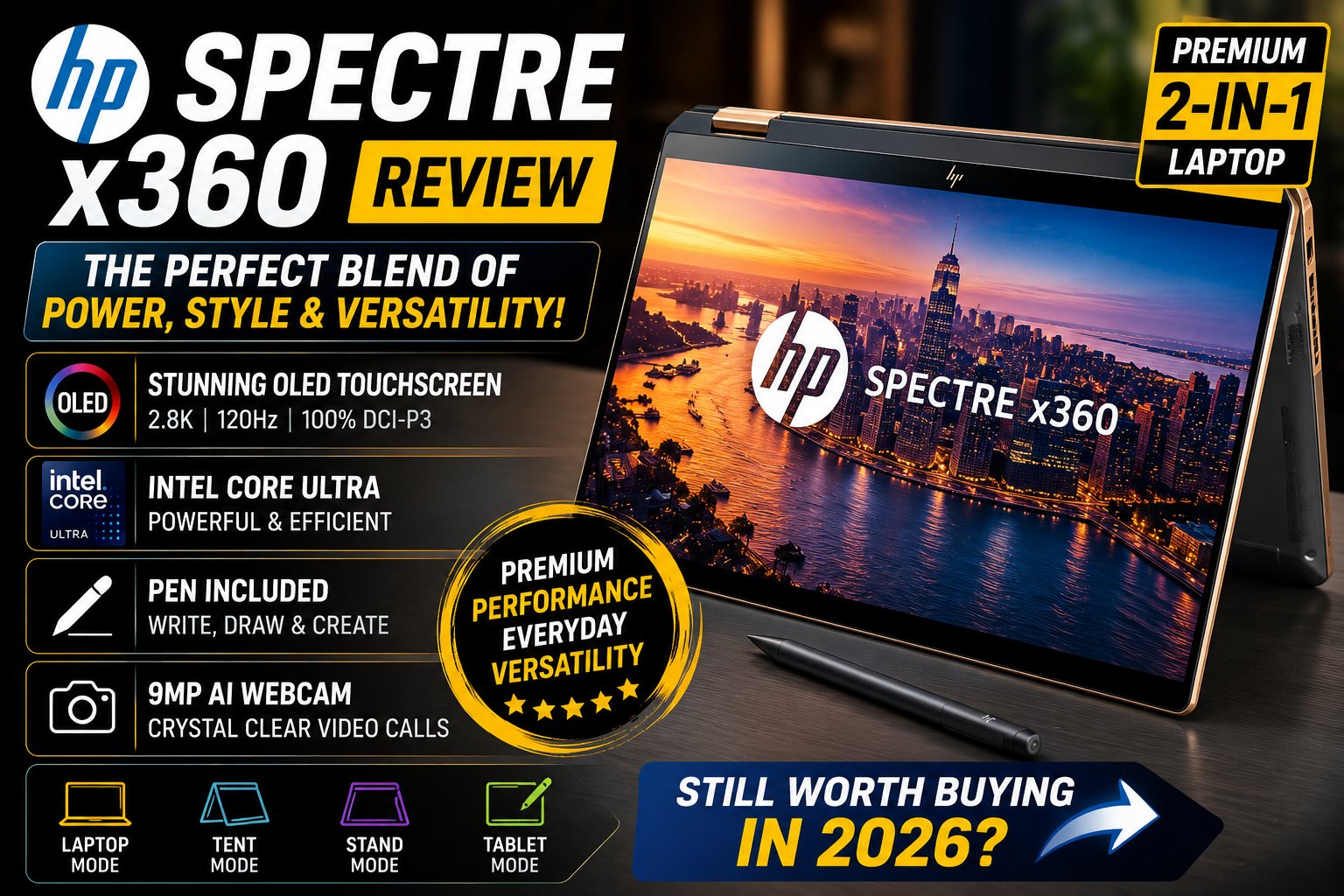

HP Spectre x360 Review: Is This Premium 2-in-1 Laptop Still Worth Buying?
The HP Spectre x360 has long been one of the most recognizable premium 2-in-1 laptops on the Windows market.
Instead of simply competing with traditional ultrabooks, HP designed the Spectre x360 around versatility. It combines a premium laptop with a touchscreen tablet, allowing users to rotate the display through multiple positions depending on what they are doing.
That makes the Spectre x360 particularly interesting for students, professionals, designers, content creators, and anyone who wants more flexibility than a conventional laptop can provide.
The Spectre x360 14 generation powered by Intel Core Ultra processors introduced several important improvements, including a premium OLED touchscreen, Intel Arc integrated graphics, a 9MP webcam, AI-enhanced features, a haptic touchpad, and a refined aluminum design. HP's specifications list configurations with up to an Intel Core Ultra 7 155H, 32GB LPDDR5X memory, and 2TB SSD storage.
But premium 2-in-1 laptops face strong competition from the Lenovo Yoga series, ASUS Zenbook, Dell XPS, Microsoft Surface, and MacBook Air.
So, is the HP Spectre x360 still worth buying?
In this detailed review, we'll examine its design, display, performance, battery life, keyboard, touchpad, webcam, speakers, connectivity, tablet functionality, and overall value.
HP Spectre x360 Review
HP Spectre x360 Specifications
The exact specifications vary by configuration and region, but the Spectre x360 14 can be configured with hardware such as:
| Specification | HP Spectre x360 14 |
|---|---|
| Display | 14-inch OLED touchscreen |
| Resolution | Up to 2880 × 1800 |
| Refresh Rate | Up to 120Hz |
| Processor | Intel Core Ultra 5 / Core Ultra 7 |
| Graphics | Intel integrated / Arc graphics |
| RAM | Up to 32GB LPDDR5X |
| Storage | Up to 2TB PCIe NVMe SSD |
| Webcam | 9MP camera |
| Wireless | Wi-Fi 6E / Wi-Fi 7 depending on configuration |
| Operating System | Windows 11 |
| Form Factor | 2-in-1 convertible |
| Pen | HP rechargeable stylus included with reviewed configurations |
| Weight | Around 1.45–1.56 kg |
| Ports | Thunderbolt 4, USB-A, audio jack |
HP notes that configurations can vary depending on the country and specific model.
HP Spectre x360 Review
Premium Convertible Design
The first thing that makes the HP Spectre x360 stand out is its design.
This isn't a typical budget 2-in-1 laptop.
The aluminum chassis, polished details, slim bezels, and carefully finished edges give the Spectre x360 a distinctly premium appearance.
It looks equally appropriate in:
- A corporate office
- A university classroom
- A coffee shop
- A home office
- A business meeting
HP has traditionally positioned the Spectre family above its mainstream Pavilion and Envy laptops, and that premium positioning is immediately apparent.
HP Spectre x360 Review
360-Degree Hinge
The name x360 refers to the laptop's defining feature.
The display can rotate through approximately 360 degrees.
That allows four primary modes:
Laptop Mode
The traditional configuration for:
- Writing
- Programming
- Office work
- Browsing
- Multitasking
Tent Mode
Useful for:
- Presentations
- Watching movies
- Video calls
- Cooking recipes
Stand Mode
The keyboard folds behind the display while the screen remains upright.
This is convenient for:
- Streaming
- Presentations
- Casual browsing
Tablet Mode
The display folds completely backward.
This makes the Spectre particularly useful for:
- Handwritten notes
- Drawing
- Reading
- Sketching
- Digital signatures
This flexibility is something a traditional MacBook Air or Dell XPS clamshell simply cannot provide.
HP Spectre x360 Review
Build Quality
Build quality is one of the strongest aspects of the Spectre x360.
The aluminum construction gives the laptop a rigid and substantial feel without making it excessively heavy.
Tom's Hardware praised the Spectre x360 14's metal construction and described the machine as a premium convertible, while its review configuration weighed around 3.19 pounds (1.45 kg).
The hinge also feels sturdy.
There's very little unwanted movement when typing on a desk.
HP Spectre x360 Review
Portability
At approximately 1.45–1.56 kg depending on configuration, the Spectre x360 isn't the absolute lightest laptop available.
However, considering that it combines:
- A 14-inch display
- OLED touchscreen
- Full keyboard
- 360-degree hinge
- Large battery
- Premium aluminum chassis
the weight is reasonable.
It's still easy to carry around throughout the day.
HP Spectre x360 Review
OLED Display
The display is arguably the Spectre x360's biggest attraction.
The 14-inch configuration uses a high-resolution OLED touchscreen with up to:
2880 × 1800 resolution
and:
120Hz variable refresh rate.
The combination produces a noticeably premium visual experience.
Tom's Hardware praised the OLED panel for its deep blacks, vibrant colors, and excellent contrast. Its tested panel reached about 85.8% DCI-P3 coverage and 121.5% sRGB, with measured brightness around 366 nits.
HP Spectre x360 Review
Why OLED Makes Such a Difference
OLED technology allows individual pixels to turn completely off.
That creates genuinely deep blacks.
As a result:
- Movies look more cinematic
- Dark interfaces look excellent
- Photos have more contrast
- Colors appear vibrant
- Text appears crisp
- Games look more immersive
For content consumption, the Spectre x360 is an excellent laptop.
HP Spectre x360 Review
120Hz Refresh Rate
The high refresh rate is another major advantage.
A 120Hz display makes:
- Scrolling
- Window animations
- Web browsing
- Touch interactions
feel considerably smoother than traditional 60Hz panels.
The refresh rate can also adjust dynamically depending on the content, helping balance smoothness and battery efficiency.
HP Spectre x360 Review
Touchscreen Experience
The touchscreen is one of the primary reasons to buy the Spectre x360 instead of a conventional ultrabook.
Touch interactions are responsive and natural.
Windows 11 works particularly well with the convertible design.
You can use:
- Finger gestures
- Windows touch controls
- Digital pen input
- Handwritten notes
- Drawing applications
The included stylus makes the tablet functionality much more useful.
HP Spectre x360 Review
Stylus Support
HP includes a rechargeable pen with the Spectre x360 configurations reviewed by Tom's Hardware.
The pen can be used for:
- OneNote
- Photoshop
- Sketching
- Annotating documents
- Handwritten notes
- Digital signatures
The display's palm rejection also works well, allowing you to rest your hand on the screen while writing.
This is a major advantage for students and creative professionals.
HP Spectre x360 Review
Keyboard Experience
Despite focusing heavily on the touchscreen, HP hasn't neglected the keyboard.
The Spectre x360 uses a comfortable, full-size keyboard with good key spacing and responsive feedback.
Tom's Hardware specifically praised the keyboard, describing the keys as clicky and responsive.
This makes the Spectre excellent for long typing sessions.
HP Spectre x360 Review
Great for Writers and Bloggers
If you spend several hours writing every day, the Spectre x360 is a strong choice.
The keyboard provides enough feedback to make fast typing comfortable.
It's suitable for:
- Bloggers
- Journalists
- Students
- Copywriters
- Researchers
- Business professionals
Great for Programming
The 16:10 display also gives programmers more vertical space than traditional 16:9 laptops.
You can see more:
- Lines of code
- Terminal output
- Documentation
- Browser content
at once.
The Core Ultra processors also provide enough performance for modern development environments.
HP Spectre x360 Review
Haptic Touchpad
Another premium feature is the haptic touchpad.
Instead of relying on a traditional mechanical click mechanism, the touchpad provides simulated feedback.
This creates a smoother and more consistent experience across the entire surface.
Tom's Hardware found the haptic touchpad worked very well in everyday use.
HP Spectre x360 Review
Performance
The reviewed Spectre x360 14 configuration used an:
Intel Core Ultra 7 155H
with:
32GB RAM
and:
2TB SSD.
HP's specifications confirm that the Core Ultra 7 155H configuration can reach up to 4.8GHz and provides 16 cores and 22 threads.
This gives the Spectre enough power for serious productivity.
HP Spectre x360 Review
Everyday Performance
For everyday tasks, the Spectre x360 feels extremely responsive.
It handles:
- Chrome
- Microsoft Office
- Photoshop
- Spotify
- Zoom
- Teams
- Slack
- Google Docs
- YouTube
without difficulty.
With 32GB RAM, heavy multitasking is also comfortable.
HP Spectre x360 Review
Multitasking
A 32GB configuration is particularly useful for professionals.
You can simultaneously run:
- Dozens of browser tabs
- Photoshop
- Word
- Excel
- Teams
- Spotify
- File Explorer
without constantly worrying about memory limitations.
For most users, 16GB is sufficient.
For creators and developers, 32GB is the configuration we'd recommend.
HP Spectre x360 Review
Intel Arc Graphics
The Core Ultra 7 155H also includes Intel Arc integrated graphics.
Compared with older Intel integrated graphics, Arc represents a substantial improvement.
It can handle:
- Photo editing
- Light video editing
- Casual gaming
- Hardware-accelerated applications
- Creative software
However, the Spectre x360 isn't designed to replace a dedicated gaming laptop.
HP Spectre x360 Review
Video Editing
The Spectre x360 can handle moderate video editing workloads.
It's suitable for:
- YouTube videos
- Social media content
- 1080p editing
- Short 4K projects
- Basic color correction
Applications such as:
can be used effectively.
For professional editors working with complex 4K or 8K timelines, a laptop with a dedicated NVIDIA GPU would still be a better option.
HP Spectre x360 Review
AI Features
The Core Ultra platform also introduces dedicated AI processing capabilities.
The Spectre x360 supports AI-enhanced features such as:
- Background blur
- Automatic framing
- Eye-contact effects
- Noise reduction
- Windows Studio Effects
HP also highlights AI-enhanced noise reduction and webcam functionality on the Spectre x360.
This makes the laptop particularly attractive for remote workers.
HP Spectre x360 Review
Webcam
The webcam is another area where the Spectre x360 performs exceptionally well.
The 14-inch model features a 9MP camera, significantly higher resolution than the basic 720p webcams found on many laptops.
Tom's Hardware specifically praised the webcam quality.
For:
- Zoom
- Microsoft Teams
- Google Meet
- Online classes
- Remote interviews
the camera provides a much more professional image.
HP Spectre x360 Review
Speakers
The Spectre x360 also provides strong built-in audio.
The speakers are suitable for:
Combined with the OLED display, the laptop makes an excellent portable entertainment device.
HP Spectre x360 Review
Connectivity
The Spectre x360 offers a reasonable selection of ports, although connectivity is one of its weaker areas compared with thicker laptops.
Typical connections include:
- 2 × Thunderbolt 4
- USB-A
- 3.5mm headphone/microphone jack
Tom's Hardware specifically identified the limited number of ports as one of the Spectre x360's primary drawbacks.
If you frequently connect multiple external devices, a USB-C hub or docking station is recommended.
HP Spectre x360 Review
Who Should Buy the HP Spectre x360?
The Spectre x360 is particularly attractive for:
Students
Because of its:
- Touchscreen
- Stylus
- Tablet mode
- Long battery life
- Lightweight design
Professionals
Because of its:
- Premium appearance
- Excellent webcam
- Strong performance
- Comfortable keyboard
Creators
Because of:
- OLED display
- Touchscreen
- Stylus
- Color-rich panel
Programmers
Because of:
- Core Ultra performance
- 16:10 display
- Excellent keyboard
- Up to 32GB RAM
Who Should Avoid It?
The Spectre x360 may not be the best choice if you:
- Need a dedicated gaming GPU
- Need many full-size ports
- Want easily upgradeable RAM
- Prioritize maximum battery life over OLED quality
- Want the lowest possible price
HP Spectre x360 Review: First Impression
After examining the first half of the laptop, the Spectre x360's biggest strength is obvious:
Versatility.
It isn't simply a premium laptop.
It can transform into a tablet, presentation device, drawing surface, entertainment machine, and traditional workstation.
The combination of:
OLED + touchscreen + 360-degree hinge + stylus + Core Ultra + premium design
creates an experience that few conventional laptops can replicate.
Battery Life, Performance, Thermals & Everyday Experience
Welcome to Part 2 of our HP Spectre x360 review.
In Part 1, we covered the premium design, 360-degree hinge, OLED touchscreen, keyboard, haptic touchpad, Core Ultra performance, webcam, speakers, and connectivity.
Now we'll take a closer look at what it's actually like to use the HP Spectre x360 every day.
For a premium 2-in-1 laptop, specifications only tell half the story. Battery endurance, thermal management, fan noise, responsiveness, and real-world performance are equally important.
HP Spectre x360 Review
Battery Life
Battery life is one of the most important considerations when buying a premium ultraportable.
The HP Spectre x360 is designed for people who want to work away from a desk, whether that's at a university, coffee shop, office, airport, or home.
Its large battery and efficient Intel Core Ultra platform help it deliver respectable endurance.
However, there's an important factor to remember:
The OLED touchscreen can consume more power than a traditional IPS panel, particularly when displaying bright content at high brightness.
In real-world use, battery life will depend heavily on:
- Screen brightness
- Refresh rate
- Browser usage
- Number of applications running
- Video playback
- CPU workload
- Wi-Fi usage
- Power mode
Estimated Real-World Battery Life
For a typical configuration, users can expect approximately:
| Usage | Estimated Battery Life |
|---|---|
| Light Web Browsing | 9–12 hours |
| Office Productivity | 8–11 hours |
| Video Streaming | 8–10 hours |
| Mixed Productivity | 8–10 hours |
| Heavy Multitasking | 5–7 hours |
| Video Editing | 4–6 hours |
These numbers should be treated as practical estimates rather than guaranteed results because different Spectre configurations can use different displays and hardware.
For a normal workday involving documents, browser tabs, email, and meetings, the Spectre x360 should provide enough endurance for most users.
HP Spectre x360 Review
Battery-Saving Tips
If you want to maximize battery life, there are several simple adjustments that can help.
1. Reduce Display Brightness
The OLED display looks excellent at high brightness, but lowering it can significantly reduce power consumption.
2. Use Adaptive Refresh Rate
If your configuration supports a variable refresh rate, allowing Windows to adjust the refresh rate can provide a good balance between smoothness and battery life.
3. Use Windows Battery Saver
Battery Saver can reduce background activity when you're away from a charger.
4. Close Unnecessary Applications
Heavy browser tabs, cloud synchronization, and background applications can increase power consumption.
HP Spectre x360 Review
Thermal Performance
A powerful processor inside a thin 2-in-1 laptop creates an obvious challenge:
How does HP keep the Spectre x360 cool?
The answer is an active cooling system with internal fans and heat management designed around the thin chassis.
Under light workloads, the laptop remains relatively quiet.
When you start performing heavier tasks, however, the fans become more noticeable.
That's completely normal for a thin laptop with a high-performance Core Ultra processor.
HP Spectre x360 Review
Light Workloads
For everyday activities such as:
- Google Docs
- Microsoft Word
- Web browsing
- YouTube
- Spotify
- Microsoft Office
the Spectre x360 generally feels comfortable and responsive.
The fans don't need to run aggressively during these workloads.
This makes it suitable for quiet environments such as:
- Libraries
- Meetings
- Classrooms
- Offices
Heavy Workloads
When you launch demanding applications such as:
- Adobe Premiere Pro
- Photoshop
- DaVinci Resolve
- Blender
- Large development environments
the CPU and integrated graphics work harder.
At this point, you'll hear the cooling system.
The chassis can also become warmer around the upper keyboard and underside.
This is an expected compromise for a thin convertible laptop.
HP Spectre x360 Review
Fan Noise
Fan noise isn't a major problem during ordinary productivity.
During heavier workloads, however, the fans can become clearly audible.
The good news is that the cooling system allows the processor to maintain performance without the laptop becoming excessively hot.
For users who prioritize completely silent operation, a fanless laptop such as a MacBook Air may be more appealing.
For everyone else, the Spectre's thermal behavior is reasonable for its class.
HP Spectre x360 Review
Everyday Performance
This is where the HP Spectre x360 really shines.
The Core Ultra processors provide plenty of performance for everyday computing.
Applications launch quickly, browser tabs remain responsive, and multitasking feels smooth.
You can comfortably switch between:
- Chrome
- Microsoft Word
- Excel
- Spotify
- Slack
- Teams
- Photoshop
- File Explorer
without the laptop feeling sluggish.
HP Spectre x360 Review
Multitasking Performance
Multitasking is especially strong on configurations equipped with 32GB RAM.
For example, you can have:
- 20+ browser tabs
- Photoshop
- Microsoft Word
- Spotify
- Teams
- OneNote
- Multiple File Explorer windows
running simultaneously.
For most users, 16GB RAM is enough.
However, if you're purchasing the laptop for several years of professional use, 32GB is the configuration we'd recommend.
HP Spectre x360 Review
Is 16GB RAM Enough?
For most people:
Yes.
16GB is enough for:
- Office work
- Web browsing
- Programming
- Streaming
- Schoolwork
- Light photo editing
But professionals should consider 32GB if they regularly work with large projects.
Choose 32GB if you use:
- Virtual machines
- Docker
- Large Photoshop files
- 4K video editing
- Multiple development environments
- AI applications
- Large datasets
Because memory is soldered, it's important to choose the right configuration when purchasing.
HP Spectre x360 Review
SSD Performance
The Spectre x360 uses fast PCIe NVMe SSD storage.
This provides excellent responsiveness when:
- Booting Windows
- Opening applications
- Copying files
- Loading large projects
- Installing software
A 1TB SSD is the sweet spot for most users.
If you're a creator storing large video libraries, a 2TB configuration is worth considering.
HP Spectre x360 Review
Programming Performance
The HP Spectre x360 is an excellent productivity machine for programmers.
The combination of:
- Intel Core Ultra processor
- Fast NVMe SSD
- 16:10 display
- Comfortable keyboard
- Up to 32GB RAM
makes it well suited for software development.
HP Spectre x360 Review
Programming Applications
The laptop can comfortably handle environments such as:
- Visual Studio Code
- Visual Studio
- IntelliJ IDEA
- PyCharm
- Android Studio
- Eclipse
- Git
- Docker
- WSL
Languages such as:
- Python
- Java
- JavaScript
- TypeScript
- C#
- C++
- HTML/CSS
are no problem for this hardware.
HP Spectre x360 Review
Why the 16:10 Display Helps Programmers
The 16:10 aspect ratio provides additional vertical space compared with traditional 16:9 displays.
That means you can see more:
- Code
- Terminal output
- Documentation
- Browser content
without constantly scrolling.
For developers who spend hours looking at code, this is a meaningful advantage.
HP Spectre x360 Review
Video Editing Performance
The Spectre x360 isn't a dedicated workstation, but its Intel Arc integrated graphics are capable of surprisingly good performance for a thin-and-light laptop.
It's suitable for:
1080p Editing
Excellent
Ideal for:
- YouTube
- TikTok
- Instagram Reels
- Short-form videos
Moderate 4K Editing
Good
Suitable for:
- Basic 4K projects
- Short documentaries
- Product videos
- Travel videos
Professional 4K/8K
Not Recommended
If you're regularly working with complex timelines, RAW footage, advanced effects, or heavy color grading, consider a laptop with an NVIDIA RTX GPU.
HP Spectre x360 Review
Adobe Premiere Pro
Premiere Pro should run well for everyday editing.
The Core Ultra processor and integrated Arc graphics can accelerate various workloads, but performance depends heavily on the exact configuration and project complexity.
For serious editors, however, the lack of a dedicated GPU is the main limitation.
HP Spectre x360 Review
Photoshop and Lightroom
The Spectre x360 is much better suited to photo editing.
The OLED display provides:
- Excellent contrast
- Vibrant colors
- Deep blacks
- Sharp detail
This makes Photoshop and Lightroom enjoyable to use.
The touchscreen and pen also provide an additional advantage.
HP Spectre x360 Review
Creative Work With the Stylus
The Spectre x360 becomes particularly interesting when used as a tablet.
Rotate the screen backward, pick up the stylus, and you effectively have a large digital sketchpad.
This works well for:
- Digital artists
- Graphic designers
- Students
- Architects
- Note-taking
- Annotating PDFs
Handwritten Notes
Students can use the Spectre x360 to replace traditional notebooks for many tasks.
You can:
- Write lecture notes
- Highlight documents
- Draw diagrams
- Annotate PDFs
- Organize notes digitally
Microsoft OneNote works particularly well with this setup.
HP Spectre x360 Review
Entertainment Experience
The Spectre x360 is also an excellent entertainment laptop.
The combination of:
OLED + 120Hz + touchscreen + good speakers
makes watching movies and TV shows enjoyable.
OLED's deep blacks are particularly noticeable when watching content with dark scenes.
HP Spectre x360 Review
Gaming Performance
The HP Spectre x360 isn't a gaming laptop.
However, Intel Arc integrated graphics provide enough power for casual gaming.
Games such as:
- Valorant
- League of Legends
- Dota 2
- Minecraft
- Rocket League
- Fortnite
can be playable with appropriate graphics settings.
HP Spectre x360 Review
AAA Gaming
Modern AAA games are a different story.
Titles such as:
- Cyberpunk 2077
- Starfield
- Alan Wake 2
- Red Dead Redemption 2
are not what this laptop was designed for.
You can experiment with lower settings, but users who prioritize gaming should choose a laptop with a dedicated NVIDIA GeForce RTX GPU.
HP Spectre x360 Review
Webcam Performance
The high-resolution webcam is one of the Spectre x360's strongest productivity features.
A good webcam is increasingly important because remote work and online meetings have become standard.
The camera is suitable for:
- Zoom
- Microsoft Teams
- Google Meet
- Discord
- Online classes
- Job interviews
The higher-resolution camera also provides better detail than many conventional laptop webcams.
HP Spectre x360 Review
AI Webcam Features
The Core Ultra platform enables AI-assisted features designed to improve video calls.
Depending on software and configuration, these can include:
- Background effects
- Automatic framing
- Eye-contact correction
- Lighting adjustments
- Noise reduction
These features can make remote meetings feel more professional.
HP Spectre x360 Review
Audio and Microphones
The integrated microphone system is suitable for everyday calls.
Noise reduction can help reduce unwanted background sounds such as:
- Keyboard typing
- Fans
- Conversations
- Air conditioning
For professional podcasting or streaming, however, an external microphone remains the better choice.
HP Spectre x360 Review
Speakers
The Spectre x360's speakers are strong enough for everyday entertainment.
They're suitable for:
- Movies
- YouTube
- Music
- Podcasts
- Video conferences
The speakers aren't going to replace a dedicated desktop speaker system, but they are more than adequate for a thin laptop.
HP Spectre x360 Review
Security
The Spectre x360 also provides useful security features.
Depending on the configuration, users can benefit from:
- Fingerprint reader
- Windows Hello
- TPM security
- Camera privacy controls
These features are especially useful for business users.
HP Spectre x360 Review
Connectivity in Daily Use
The limited port selection is one area where the Spectre x360 doesn't completely dominate its competitors.
Thunderbolt 4 is extremely versatile, but users who regularly connect several peripherals may still need a USB-C hub.
For example, a home-office setup might include:
- External monitor
- Keyboard
- Mouse
- External SSD
- Webcam
- Ethernet
A docking station can simplify this setup considerably.
HP Spectre x360 Review
Is the Spectre x360 Good for a Home Office?
Yes.
In fact, it works particularly well as the centerpiece of a compact home-office setup.
You can connect it to:
Spectre x360 → USB-C Dock → Monitor + Keyboard + Mouse + Ethernet
Then, when it's time to leave:
Disconnect one cable → Take the laptop with you.
This is one of the biggest advantages of Thunderbolt connectivity.
HP Spectre x360 Review
Tablet Mode in Everyday Use
The tablet mode isn't just a marketing feature.
It can be genuinely useful.
For example:
Morning
Use it as a traditional laptop for email.
Afternoon
Rotate it into tablet mode for taking handwritten notes.
Evening
Use stand mode to watch Netflix.
This versatility gives the Spectre x360 an advantage over traditional clamshell laptops.
HP Spectre x360 Review
Overall Everyday Experience
After spending time with the hardware, the Spectre x360's biggest advantage becomes clear:
It's designed to adapt to the user.
A traditional laptop forces you to work in one configuration.
The Spectre x360 gives you several options.
You can use it as:
- A laptop
- Tablet
- Presentation device
- Drawing tablet
- Entertainment screen
- Portable workstation
That flexibility is what makes the Spectre x360 different from the typical premium ultrabook.
HP Spectre x360 Review
HP Spectre x360: Best Use Cases
| User Type | Rating |
|---|---|
| Students | ⭐⭐⭐⭐⭐ |
| Office Work | ⭐⭐⭐⭐⭐ |
| Programming | ⭐⭐⭐⭐⭐ |
| Content Creation | ⭐⭐⭐⭐½ |
| Photo Editing | ⭐⭐⭐⭐⭐ |
| Video Editing | ⭐⭐⭐⭐ |
| Casual Gaming | ⭐⭐⭐½ |
| AAA Gaming | ⭐⭐ |
| Business Travel | ⭐⭐⭐⭐⭐ |
| Digital Art | ⭐⭐⭐⭐⭐ |
HP Spectre x360 vs the Competition
In the first two parts of this HP Spectre x360 Review, we've looked at its design, OLED touchscreen, 360-degree hinge, performance, battery life, keyboard, stylus, webcam, speakers, and everyday usability.
Now it's time for the most important comparison:
How does the HP Spectre x360 compare with other premium laptops?
The Spectre x360 was designed to compete in the premium Windows category, particularly against the Lenovo Yoga, ASUS Zenbook, Dell XPS, and Apple's MacBook Air.
One important note for readers: the Spectre x360 generation discussed in this review is the Intel Core Ultra-era model, rather than a new 2026 Spectre-branded generation. HP's laptop lineup has subsequently shifted toward the OmniBook family, so buyers should pay attention to the exact model number and availability when shopping.
HP Spectre x360 vs Lenovo Yoga 9i
The Lenovo Yoga 9i is probably the closest competitor to the Spectre x360.
Both are premium 14-inch convertible laptops featuring:
- 360-degree hinges
- OLED touchscreens
- Intel Core Ultra processors
- Stylus support
- Premium aluminum construction
- Windows 11
- Portable designs
In other words, these two laptops target almost exactly the same audience.
Display Comparison
Both laptops offer excellent OLED displays.
The Spectre x360 14 can be configured with a 14-inch 3K OLED touchscreen with a 120Hz refresh rate.
The Yoga 9i Gen 9 also offers a 14-inch 2.8K OLED touchscreen with 120Hz refresh, making both excellent choices for entertainment and creative work.
Winner: Tie
Both provide an excellent visual experience.
Design Comparison
The Spectre x360 has a more distinctive design.
Its angular details and premium finishing give it a recognizable appearance.
The Yoga 9i takes a somewhat more understated approach, with a sleek aluminum chassis and a 360-degree soundbar integrated into the hinge.
Winner: HP Spectre x360
For buyers who want a laptop that looks distinctive and luxurious, the Spectre has the edge.
Speakers
This is one category where Lenovo has a major advantage.
The Yoga 9i's hinge-mounted soundbar provides an impressive audio experience for a laptop of its size.
The Spectre x360's speakers are good, but Lenovo's approach is particularly strong for entertainment.
Winner: Lenovo Yoga 9i
Keyboard
The decision becomes more subjective here.
The Spectre x360 provides a comfortable keyboard with good feedback.
The Yoga 9i also has an excellent keyboard, and users who prefer Lenovo's traditional keyboard feel may favor it.
Winner: Tie
Your personal typing preference matters more than the specification sheet.
HP Spectre x360 vs ASUS Zenbook 14 OLED
The ASUS Zenbook 14 OLED is another extremely strong competitor.
The Zenbook is particularly attractive for buyers who want a lightweight laptop with a high-quality OLED display without necessarily requiring a 360-degree hinge.
ASUS's official specifications for the Zenbook 14 OLED family include 3K 2880 × 1800 OLED panels, 120Hz refresh rates, 100% DCI-P3 coverage, and Core Ultra processor options depending on the generation.
HP Spectre x360 Review
Convertible Flexibility
This is where HP wins immediately.
The Spectre x360 can transform into:
- Laptop mode
- Tent mode
- Stand mode
- Tablet mode
The standard Zenbook 14 doesn't offer the same 360-degree convertible experience.
Winner: HP Spectre x360
If touchscreen and tablet functionality are important, the Spectre is the better choice.
Portability
The Zenbook 14 is designed to be extremely portable.
Depending on the configuration, it can be lighter and easier to carry than some convertible alternatives.
The Spectre x360 is still highly portable, but its 360-degree hinge and touchscreen hardware add some weight.
Winner: ASUS Zenbook
Display
Both laptops can offer excellent OLED panels.
ASUS lists 3K 120Hz OLED options with 100% DCI-P3 coverage on its Zenbook 14 configurations.
The Spectre's OLED display is similarly impressive.
Winner: Tie
Value
This is where the Zenbook can become very attractive.
If you don't need:
- Tablet mode
- Stylus input
- 360-degree hinge
then the Zenbook can provide much of the premium laptop experience for less.
Winner: ASUS Zenbook
HP Spectre x360 ReviewHP Spectre x360 vs Dell XPS
Dell's XPS family targets buyers who prioritize premium construction, minimalistic design, and portability.
The Spectre x360 has a major advantage, though:
It is a convertible.
The Dell XPS design traditionally focuses on being a premium traditional laptop rather than a full 360-degree tablet replacement.
HP Spectre x360 Review
Design
Dell's XPS laptops have a very minimalist aesthetic.
The Spectre x360 is more expressive.
Dell XPS
- Minimalist
- Modern
- Premium
- Clean
HP Spectre x360
- Distinctive
- Premium
- Convertible
- More versatile
Winner: Personal preference
Touchscreen Experience
The Spectre x360 is designed around touch.
Its 360-degree hinge makes touchscreen interaction genuinely useful.
With the XPS, touch functionality doesn't transform the laptop into a tablet in the same way.
Winner: HP Spectre x360
Productivity
For traditional productivity, both are excellent.
You can comfortably use:
- Microsoft Office
- Google Workspace
- Chrome
- Slack
- Zoom
- Teams
- Photoshop
on either platform.
Winner: Tie
Portability
The XPS lineup can be extremely portable depending on the model.
The Spectre remains very portable, but the convertible design adds some additional hardware.
Winner: Dell XPS
HP Spectre x360 vs MacBook Air
This is one of the most interesting comparisons.
The MacBook Air is one of the strongest competitors for users who prioritize:
- Battery life
- Silent operation
- Portability
- Build quality
- Apple ecosystem
But the Spectre x360 offers something Apple doesn't:
A touchscreen Windows convertible experience.
Operating System
The choice is simple.
HP Spectre x360
Windows 11
MacBook Air
macOS
If your workflow depends on Windows applications, the Spectre is the natural choice.
If you're already deeply invested in Apple's ecosystem, the MacBook Air becomes much more attractive.
Touchscreen
The MacBook Air doesn't offer touchscreen functionality.
The Spectre x360 does.
Winner: HP Spectre x360
Tablet Mode
This isn't even a close comparison.
The Spectre can become a tablet.
The MacBook Air remains a traditional clamshell laptop.
Winner: HP Spectre x360
Battery Efficiency
Apple's MacBook Air generally has an advantage in battery efficiency thanks to Apple's highly integrated silicon and software optimization.
For users who prioritize maximum unplugged runtime, the MacBook Air remains extremely compelling.
Winner: MacBook Air
Silent Operation
The MacBook Air's fanless design gives it an important advantage.
There is no fan noise during normal use.
The Spectre x360 uses active cooling and can become audible under heavy workloads.
Winner: MacBook Air
Which Laptop Is Better for Students?
For students, the answer depends on how they work.
Choose HP Spectre x360 if you:
- Take handwritten notes
- Use a stylus
- Want tablet mode
- Study graphic design
- Prefer Windows
- Need touchscreen functionality
Choose MacBook Air if you:
- Prioritize battery life
- Prefer macOS
- Already own Apple devices
- Want silent operation
Overall Student Winner: HP Spectre x360
The touchscreen and tablet functionality make it particularly versatile for education.
HP Spectre x360 Review
Which Is Better for Programming?
For programming, both Windows and macOS laptops are excellent.
The Spectre x360 has several advantages:
- Comfortable keyboard
- 16:10 display
- Up to 32GB RAM
- Windows compatibility
- Thunderbolt connectivity
It's suitable for:
- Python
- Java
- JavaScript
- C++
- C#
- Web development
- Android development
Winner for Windows Developers: HP Spectre x360
HP Spectre x360 ReviewWhich Is Better for Content Creators?
This category depends heavily on the workload.
For photo editing, the Spectre's OLED touchscreen is excellent.
For drawing, the stylus gives HP a major advantage.
For professional video editing, however, dedicated-GPU laptops are generally better.
Photo Editing
HP Spectre x360 — Excellent
Digital Drawing
HP Spectre x360 — Excellent
Professional Video Editing
Dedicated GPU Laptop — Better
HP Spectre x360 Review
Which Has the Best Display?
This is a difficult category.
The Spectre x360 OLED display provides:
- Deep blacks
- Excellent contrast
- Vibrant colors
- High resolution
- 120Hz refresh
- Touch support
The ASUS Zenbook also offers excellent OLED specifications, including 3K resolution, 120Hz refresh, and 100% DCI-P3 coverage on supported configurations.
The Lenovo Yoga 9i is also competitive.
Winner: HP Spectre x360 / ASUS Zenbook
Both are excellent choices.
HP Spectre x360 Review
Which Has the Best 2-in-1 Experience?
This is where the Spectre earns its name.
The combination of:
360-degree hinge + OLED touchscreen + stylus
creates an extremely versatile device.
Winner: 🏆 HP Spectre x360
Which Has the Best Speakers?
Winner: Lenovo Yoga 9i
Its hinge-integrated speaker system is one of its standout features.
HP Spectre x360 Review
Which Has the Best Battery Efficiency?
Winner: MacBook Air
Apple's silicon remains exceptionally efficient.
HP Spectre x360 Review
Which Has the Best Value?
This depends heavily on the price you find.
If the Spectre x360 is heavily discounted because it's an older generation, it can become an extremely attractive purchase.
However, buyers should compare the actual street price against newer HP OmniBook models and current Lenovo/ASUS alternatives.
HP Spectre x360 Review
Best HP Spectre x360 Configuration
Not every configuration is equally worthwhile.
If you're buying a used, refurbished, or remaining-new Spectre x360, we'd recommend looking for the following configuration.
⭐ Recommended Configuration
Intel Core Ultra 7 155H
32GB RAM
1TB SSD
14-inch 3K OLED 120Hz touchscreen
This configuration offers the best balance of:
- Performance
- Display quality
- Multitasking
- Storage
- Longevity
- Creative capability
Best Budget Configuration
For students and regular office users:
Intel Core Ultra 5
16GB RAM
512GB SSD
is enough.
You don't need Core Ultra 7 or 32GB RAM if your workload is mostly:
- Web browsing
- Microsoft Office
- Streaming
- Online classes
- Basic programming
Best Configuration for Creators
For designers and content creators:
Core Ultra 7 + 32GB RAM + 1TB/2TB SSD + OLED touchscreen
is the ideal setup.
The extra RAM becomes useful when working with large Photoshop projects, multiple applications, or more demanding creative workflows.
HP Spectre x360 Review
Is the HP Spectre x360 Future-Proof?
This requires a little caution.
The hardware itself remains capable for productivity, programming, schoolwork, and content creation.
However, because the Spectre brand has been replaced in HP's newer consumer lineup by the OmniBook family, buyers in 2026 should consider whether they are getting a sufficiently good price on remaining Spectre inventory.
In other words:
Don't pay a 2026 flagship price for an older Spectre configuration.
If the price is significantly discounted, however, the Spectre x360 can still make a lot of sense.
HP Spectre x360 Review
HP Spectre x360: Pros & Cons Before Final Verdict
Pros
✔ Premium aluminum construction
✔ Beautiful OLED touchscreen
✔ 120Hz refresh rate
✔ 360-degree convertible design
✔ Stylus support
✔ Comfortable keyboard
✔ Excellent haptic touchpad
✔ High-resolution webcam
✔ Strong Core Ultra performance
✔ Up to 32GB RAM
✔ Fast SSD storage
✔ Excellent for students
✔ Excellent for digital artists
✔ Great for programming
Cons
❌ RAM is soldered
❌ Limited physical ports
❌ Fans become audible under heavy workloads
❌ OLED can affect battery endurance
❌ Integrated graphics aren't ideal for demanding gaming
❌ Older Spectre branding has been replaced in HP's newer lineup
❌ Premium pricing can make less sense if newer alternatives are similarly priced
HP Spectre x360 Review
Our Comparison Score
| Laptop | Display | Performance | Portability | Flexibility | Value |
|---|---|---|---|---|---|
| HP Spectre x360 | ⭐⭐⭐⭐⭐ | ⭐⭐⭐⭐½ | ⭐⭐⭐⭐½ | ⭐⭐⭐⭐⭐ | ⭐⭐⭐⭐½ |
| Lenovo Yoga 9i | ⭐⭐⭐⭐⭐ | ⭐⭐⭐⭐½ | ⭐⭐⭐⭐½ | ⭐⭐⭐⭐⭐ | ⭐⭐⭐⭐½ |
| ASUS Zenbook 14 OLED | ⭐⭐⭐⭐⭐ | ⭐⭐⭐⭐½ | ⭐⭐⭐⭐⭐ | ⭐⭐⭐ | ⭐⭐⭐⭐⭐ |
| Dell XPS | ⭐⭐⭐⭐½ | ⭐⭐⭐⭐½ | ⭐⭐⭐⭐⭐ | ⭐⭐⭐ | ⭐⭐⭐⭐ |
| MacBook Air | ⭐⭐⭐⭐½ | ⭐⭐⭐⭐⭐ | ⭐⭐⭐⭐⭐ | ⭐⭐ | ⭐⭐⭐⭐⭐ |
Exact performance, battery life, ports, and display specifications vary by generation and configuration.
HP Spectre x360 Review
The Verdict So Far
After comparing the Spectre x360 with its biggest competitors, its position becomes much clearer.
The HP Spectre x360 isn't necessarily the best laptop for everyone.
Instead, it's one of the best laptops for a specific type of user.
Someone who wants:
A premium Windows laptop that can also function as a tablet, drawing device, presentation machine, and entertainment system.
For that audience, the Spectre x360 remains extremely compelling.
The OLED display is excellent.
The Core Ultra platform provides enough performance for serious productivity.
The 360-degree hinge adds genuine versatility.
And the stylus transforms the laptop into a much more flexible creative tool.
The biggest question in 2026 isn't whether the Spectre x360 is a good laptop.
It is.
The bigger question is whether you can find it at the right price compared with newer alternatives.
Final Verdict, Pros & Cons, FAQ
After examining the design, OLED touchscreen, 360-degree hinge, performance, battery life, thermals, keyboard, stylus, webcam, connectivity, and competition, we're ready for the final verdict.
The HP Spectre x360 14 remains a particularly compelling premium 2-in-1 Windows laptop. The Core Ultra generation offers up to a Core Ultra 7 155H, 32GB onboard RAM, 2TB SSD, a 14-inch OLED touchscreen, and a 9MP webcam depending on configuration.
However, because this generation originally launched in late 2023/early 2024, buyers in 2026 should focus heavily on price and configuration rather than simply buying it because of the Spectre name.
HP Spectre x360 Review
HP Spectre x360 Review: Final Verdict
The HP Spectre x360 succeeds because it doesn't try to be just another thin laptop.
It's a laptop, tablet, digital notebook, presentation device, and entertainment machine in one package.
Its biggest strengths include:
- Premium aluminum construction
- Beautiful OLED touchscreen
- 120Hz refresh rate
- 360-degree convertible hinge
- Stylus support
- Excellent keyboard
- Haptic touchpad
- High-quality 9MP webcam
- Strong Core Ultra performance
- Excellent battery life for its class
- Good speakers
- Windows 11 flexibility
Tom's Hardware gave the 2024 Spectre x360 an Editor's Choice award, highlighting its OLED display, webcam, metal design, keyboard, touchpad, speakers, and included pen. Its tested configuration also lasted 11 hours and 1 minute in their battery test.
HP Spectre x360 Review
HP Spectre x360 Rating
| Category | Rating |
|---|---|
| Design & Build | ⭐ 9.7/10 |
| Display | ⭐ 9.8/10 |
| Performance | ⭐ 9.2/10 |
| Battery Life | ⭐ 9.2/10 |
| Keyboard | ⭐ 9.4/10 |
| Touchpad | ⭐ 9.4/10 |
| Webcam | ⭐ 9.7/10 |
| Speakers | ⭐ 9.0/10 |
| Connectivity | ⭐ 8.2/10 |
| Portability | ⭐ 9.1/10 |
| 2-in-1 Experience | ⭐ 9.8/10 |
| Value | ⭐ 8.8/10 |
⭐ Overall Score: 9.3/10
🏆 GearChoiceLab Award: Editor's Choice
The Spectre x360 earns our Editor's Choice recommendation for users looking for a premium Windows 2-in-1.
HP Spectre x360 Review
HP Spectre x360 Pros
✔ Beautiful OLED Display
The OLED panel is one of the biggest reasons to choose this laptop.
Deep blacks, vibrant colors, high resolution, and 120Hz refresh make everything from documents to movies look excellent.
✔ Excellent 2-in-1 Design
The 360-degree hinge gives the Spectre x360 genuine versatility.
You can switch between laptop, tent, stand, and tablet modes.
✔ Premium Build Quality
The aluminum chassis feels considerably more premium than typical mid-range Windows laptops.
✔ Excellent Keyboard
The keyboard is comfortable enough for long writing and programming sessions.
✔ Excellent Webcam
The 9MP webcam is a major advantage for remote workers and professionals. HP also includes AI-assisted features such as automatic framing and background effects on supported configurations.
✔ Stylus Included
The included pen adds considerable value for students, designers, and users who like handwritten notes.
✔ Strong Performance
The Core Ultra 7 155H configuration provides plenty of performance for productivity, programming, photo editing, and moderate video editing.
✔ Good Battery Life
Tom's Hardware measured 11 hours and 1 minute on its standardized battery test, which is strong for a 14-inch OLED convertible.
HP Spectre x360 Review
HP Spectre x360 Cons
❌ Limited Ports
The laptop provides two Thunderbolt 4 ports, one USB-A port, and a 3.5mm audio jack.
That's useful, but not generous.
A USB-C hub or docking station may be necessary for a full desktop setup.
HP Spectre x360 Review
❌ RAM Is Not User-Upgradable
The memory is onboard.
That means you need to choose your RAM configuration carefully when purchasing.
❌ Not a Gaming Laptop
Intel Arc integrated graphics are capable, but they don't replace a dedicated RTX GPU for demanding games or professional 3D workloads.
❌ Premium Price
The biggest problem is value.
Tom's Hardware's 32GB/2TB review configuration cost $1,899.99 at launch, although lower configurations were available.
In 2026, we would not recommend paying that kind of price for this older-generation model when newer alternatives may be available.
HP Spectre x360 Review
Is the HP Spectre x360 Worth Buying in 2026?
Yes — But Only at the Right Price
This is the most important conclusion of the entire review.
The Spectre x360 remains a very capable laptop.
Its hardware isn't suddenly bad because newer generations exist.
A Core Ultra 7 155H, 32GB RAM, 1TB SSD, and OLED touchscreen can still provide an excellent experience.
But the market has changed.
Therefore:
🟢 Buy it if:
- You find a significant discount.
- You want a premium 2-in-1.
- You want an OLED touchscreen.
- You need stylus support.
- You prefer Windows.
- You find a 16GB or 32GB configuration at a good price.
🟡 Consider alternatives if:
- The Spectre costs almost as much as a newer premium laptop.
- You don't need a touchscreen.
- You don't need tablet mode.
- You want more ports.
🔴 Skip it if:
- You're looking for a dedicated gaming laptop.
- You need professional GPU performance.
- You're paying flagship-level 2026 pricing for old inventory.
Best HP Spectre x360 Configuration
If you can find the Core Ultra generation at a good price, this is the configuration we'd target:
⭐ Recommended
Intel Core Ultra 7 155H
32GB LPDDR5X RAM
1TB SSD
14-inch 2.8K/3K OLED 120Hz touchscreen
This gives you excellent longevity for:
- Productivity
- Programming
- Creative work
- Multitasking
- Remote work
- Digital note-taking
HP's official specifications list Core Ultra 5 125H and Core Ultra 7 155H options, with 16GB or 32GB onboard memory and storage configurations up to 2TB depending on region.
HP Spectre x360 Review
Is 16GB Enough?
Yes.
For most users, 16GB remains sufficient for:
- Microsoft Office
- Chrome
- Google Docs
- Programming
- Online classes
- Streaming
- Light Photoshop
However, if you plan to keep the laptop for several years and frequently multitask, 32GB is the better choice because the memory is onboard.
HP Spectre x360 Review
Is the HP Spectre x360 Good for Students?
Yes — excellent.
The combination of touchscreen, pen, tablet mode, OLED display, and good battery life makes it particularly useful for students.
You can use it for:
- Taking notes
- Research
- Writing assignments
- Presentations
- Watching lectures
- Drawing diagrams
- Reading PDFs
For students who don't need dedicated graphics, the Spectre x360 is one of the most versatile options in its class.
HP Spectre x360 Review
Is the HP Spectre x360 Good for Programming?
Yes.
The Core Ultra processors provide plenty of performance for most development workflows.
It's suitable for:
- Python
- Java
- C++
- C#
- JavaScript
- TypeScript
- Web development
- Android development
- Visual Studio
- VS Code
- IntelliJ IDEA
- Docker
For heavier development workloads involving multiple virtual machines, 32GB RAM is recommended.
HP Spectre x360 Review
Is the HP Spectre x360 Good for Video Editing?
Yes, for moderate editing.
The integrated Intel Arc graphics are capable of handling:
- 1080p editing
- YouTube videos
- Social media content
- Short 4K projects
But professional editors should consider a laptop with a dedicated NVIDIA GPU.
The Spectre's biggest advantage for creators is actually its OLED touchscreen + pen, rather than raw GPU performance.
Is the HP Spectre x360 Good for Gaming?
It's acceptable for casual gaming.
Games such as:
- Valorant
- League of Legends
- Minecraft
- Dota 2
- Rocket League
are more appropriate than demanding AAA titles.
If gaming is your main priority, choose a dedicated gaming laptop instead.
Frequently Asked Questions
1. Is the HP Spectre x360 still good in 2026?
Yes. The Core Ultra generation remains powerful enough for productivity, programming, schoolwork, and moderate creative workloads. However, its value depends heavily on its current price because it is an older generation.
HP Spectre x360 Review
2. Does the HP Spectre x360 have an OLED display?
Yes. The 14-inch Core Ultra generation features a high-resolution OLED touchscreen, with supported configurations offering a 120Hz refresh rate.
HP Spectre x360 Review
3. Does the HP Spectre x360 come with a pen?
The 2024 Spectre x360 14 configurations reviewed by Tom's Hardware included a rechargeable pen. Availability can vary by configuration and region, so buyers should verify the specific package before purchasing.
HP Spectre x360 Review
4. Can the HP Spectre x360 be used as a tablet?
Yes. The 360-degree hinge allows the display to fold completely backward into tablet mode.
HP Spectre x360 Review
5. How much RAM does the HP Spectre x360 support?
The Core Ultra 14-eu0000 series is available with up to 32GB of onboard LPDDR5X memory depending on configuration.
HP Spectre x360 Review
6. Can you upgrade the RAM?
No. The RAM is onboard, so you should choose your desired capacity when purchasing.
HP Spectre x360 Review
7. Is the HP Spectre x360 good for Photoshop?
Yes. The powerful processor, fast SSD, and OLED touchscreen make it an excellent laptop for Photoshop and general photo editing.
HP Spectre x360 Review
8. Is the HP Spectre x360 good for graphic design?
Yes.
The OLED touchscreen and stylus are especially useful for designers who sketch, annotate, or work with touch-based creative applications.
HP Spectre x360 Review
9. Does the HP Spectre x360 have Thunderbolt 4?
Yes. The 2024 14-inch model includes two Thunderbolt 4 ports.
HP Spectre x360 Review
10. Does the HP Spectre x360 have HDMI?
The 2024 14-inch Core Ultra configuration does not provide a dedicated HDMI port, so an adapter or USB-C docking solution may be necessary for some external displays.
HP Spectre x360 Review
11. Is the HP Spectre x360 good for remote work?
Yes.
Its high-resolution webcam, microphones, OLED display, comfortable keyboard, and AI-assisted video features make it particularly well suited to remote meetings.
HP Spectre x360 Review
12. How long does the HP Spectre x360 battery last?
Battery life varies by configuration and workload. In Tom's Hardware's test, the 2024 Spectre x360 14 lasted 11 hours and 1 minute under their standardized mixed-use test.
HP Spectre x360 Review
13. Is the HP Spectre x360 better than the MacBook Air?
It depends on your needs.
Choose the Spectre x360 if you want:
- Windows
- Touchscreen
- Tablet mode
- Stylus support
- Convertible design
Choose the MacBook Air if you prioritize:
- macOS
- Fanless operation
- Apple ecosystem
- Excellent efficiency
14. Is the HP Spectre x360 better than Lenovo Yoga 9i?
Both are excellent premium 2-in-1 laptops.
The Spectre x360 has an excellent display, webcam, keyboard, and premium design, while the Yoga 9i is particularly strong in audio and overall convertible design.
Your decision should ultimately depend on price, configuration, and personal preference.
HP Spectre x360 Review
15. Should you buy the HP Spectre x360 or a newer HP laptop?
In 2026, compare prices carefully.
If the Spectre x360 is heavily discounted, it can be an excellent deal.
If its price is close to a newer HP model with a more recent processor, the newer model may provide better long-term value.
HP Spectre x360 Review
Final Recommendation
The HP Spectre x360 remains one of the most attractive premium 2-in-1 Windows laptops we've reviewed.
Its greatest strength isn't raw benchmark performance.
It's the complete package.
You get:
Premium design
OLED touchscreen
360-degree hinge
Stylus
Strong performance
Excellent webcam
Comfortable keyboard
Good battery life
all in one device.
For students, professionals, programmers, designers, and frequent travelers, that combination remains extremely compelling.
However, there's one important condition:
Buy it at the right price.
In 2026, we recommend treating the HP Spectre x360 as a high-quality previous-generation premium laptop, not as a current flagship.
If you find the Core Ultra 7 + 32GB + OLED configuration at a substantial discount, it can be an excellent purchase.
If the price is close to newer-generation laptops, compare alternatives before making a decision.
HP Spectre x360 Review
🏆 GearChoiceLab Final Verdict
HP Spectre x360 — 9.3/10
Best For: Students, professionals, programmers, digital artists, remote workers, and users who want a premium 2-in-1.
Not Ideal For: Hardcore gamers, 3D professionals, and users who need many built-in ports.
Bottom Line
The HP Spectre x360 remains an outstanding premium convertible laptop, but its 2026 value depends on finding it at the right price.
Link Recomended :
- ASUS Zenbook Review
- Dell XPS 14 2026 Review
- Lenovo Yoga 9i Review
- Acer Swift Go Review
- MacBook Air M4 Review
- Best OLED Laptops
- Best Lightweight Laptops
- Best Laptops for Programming
- Best Video Editing Laptops
- Best Laptops Under $1,000
- Home Office Setup Guide
- Best USB-C Hubs and Docking Stations
- Best Webcams for Streaming
- Best Computer Speakers