
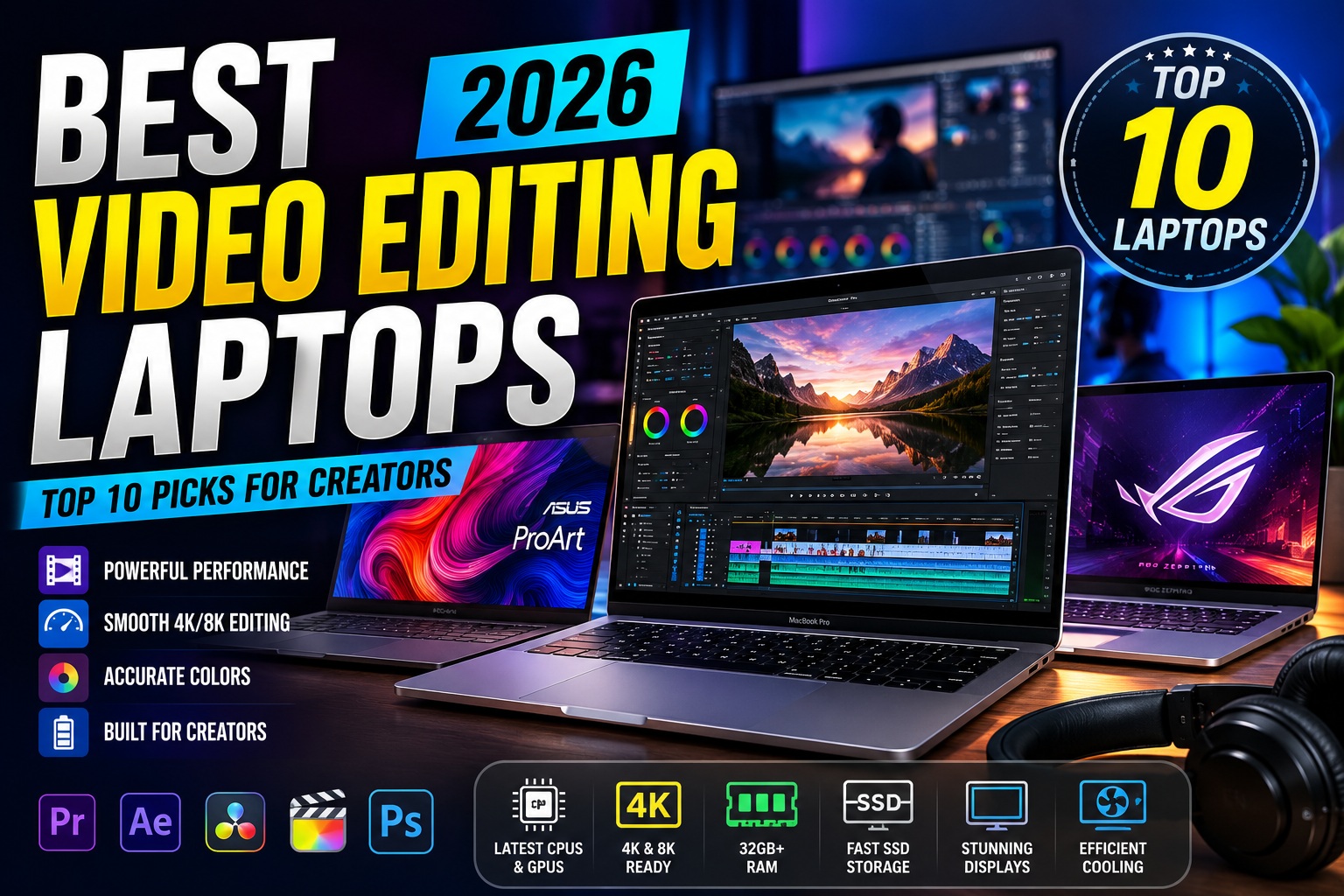

Best Video Editing Laptops
Whether you're producing YouTube videos, editing wedding films, creating cinematic documentaries, or working with 4K and even 8K footage, choosing the right laptop can dramatically improve your workflow.
Modern video editing software such as Adobe Premiere Pro, DaVinci Resolve, Final Cut Pro, and CapCut Desktop demands powerful hardware. A laptop with a fast processor, dedicated GPU, ample RAM, and a color-accurate display can reduce rendering times, improve playback performance, and help you work more efficiently.
Today's best video editing laptops combine desktop-level performance with portability, making them ideal for creators who edit both at home and on the go.
In this guide, we've researched and compared the 10 Best Video Editing Laptops available in 2026 based on:
- CPU performance
- GPU performance
- Display quality
- Color accuracy
- Battery life
- SSD speed
- Cooling efficiency
- Port selection
- Price-to-performance ratio
Whether you're a beginner, freelance editor, filmmaker, or professional content creator, you'll find a laptop that fits your workflow and budget.
Best Video Editing Laptops
Quick Comparison Table
| Laptop | Processor | Graphics | Best For | Rating |
|---|---|---|---|---|
| Apple MacBook Pro 16 (M4 Pro) | Apple M4 Pro | Integrated GPU | Best Overall | ⭐⭐⭐⭐⭐ |
| ASUS ProArt P16 | AMD Ryzen AI 9 HX | RTX 4070 | Creators | ⭐⭐⭐⭐⭐ |
| Dell XPS 16 | Intel Core Ultra 9 | RTX 4070 | Premium Windows | ⭐⭐⭐⭐⭐ |
| Lenovo Yoga Pro 9i | Intel Core Ultra 9 | RTX 4060 | Students & Creators | ⭐⭐⭐⭐⭐ |
| Razer Blade 16 | Intel Core Ultra 9 | RTX 4080 | Heavy Editing | ⭐⭐⭐⭐⭐ |
| MSI Creator Z17 HX Studio | Intel Core i9 | RTX 4070 | Adobe Users | ⭐⭐⭐⭐⭐ |
| ASUS ROG Zephyrus G16 | Intel Core Ultra 9 | RTX 4070 | Best Value | ⭐⭐⭐⭐⭐ |
| HP Spectre x360 16 | Intel Core Ultra 7 | Intel Arc | Hybrid Work | ⭐⭐⭐⭐☆ |
| Acer Swift X 16 | Ryzen 9 | RTX 4060 | Budget Editing | ⭐⭐⭐⭐☆ |
| MacBook Air M4 | Apple M4 | Integrated GPU | Beginners | ⭐⭐⭐⭐☆ |
How We Selected the Best Video Editing Laptops
Each laptop was evaluated using real-world editing workloads and the requirements of today's most popular creative applications.
Evaluation Criteria
- Export speed
- Timeline playback
- GPU acceleration
- Thermal performance
- Display quality
- Color accuracy
- Build quality
- Battery life
- Upgrade options
- Overall value
Why a Powerful Laptop Matters for Video Editing
Video editing pushes every major component of a computer.
A capable editing laptop provides:
- Faster video exports
- Smooth timeline playback
- Better real-time effects processing
- Improved color grading performance
- Faster rendering
- Better multitasking
- Reduced waiting time
Investing in the right laptop allows you to spend more time creating and less time waiting for projects to render.
Best Video Editing Laptops
1. Apple MacBook Pro 16 (M4 Pro) – Best Overall Video Editing Laptop
The Apple MacBook Pro 16 with the M4 Pro chip is our top recommendation for professional video editors. Its exceptional CPU and GPU performance, remarkable battery life, and stunning Liquid Retina XDR display make it one of the most capable laptops available.
Whether you're editing in Final Cut Pro, Adobe Premiere Pro, or DaVinci Resolve, the M4 Pro handles demanding workloads with ease.
Key Features
- Apple M4 Pro Chip
- 16-inch Liquid Retina XDR Display
- Mini-LED Technology
- ProMotion 120Hz
- Up to 48GB Unified Memory
- Thunderbolt 5
- Outstanding Battery Life
Pros
- Industry-leading editing performance
- Excellent battery life
- Extremely accurate display
- Whisper-quiet operation
- Premium build quality
Cons
- Premium price
- Limited upgradeability after purchase
Best For
- Professional editors
- Filmmakers
- YouTubers
- Content creators
- Motion graphics
Overall Rating: ⭐⭐⭐⭐⭐ (9.9/10)
Best Video Editing Laptops
2. ASUS ProArt P16 – Best Windows Laptop for Creators
The ASUS ProArt P16 is purpose-built for creative professionals. Equipped with an NVIDIA GeForce RTX 4070 GPU and a Ryzen AI processor, it excels in video editing, 3D rendering, and AI-assisted creative workflows.
Its factory-calibrated OLED display delivers exceptional color accuracy, making it an excellent choice for editors who require precise color grading.
Specifications
- AMD Ryzen AI 9 HX
- NVIDIA RTX 4070
- 16-inch 4K OLED Display
- 100% DCI-P3 Color Gamut
- PCIe Gen 4 SSD
- Thunderbolt 4
Pros
- Outstanding OLED display
- Excellent GPU performance
- AI-powered productivity features
- Premium construction
- Great thermal management
Cons
- Expensive
- Battery life decreases under heavy GPU workloads
Best For
- Adobe Premiere Pro
- DaVinci Resolve
- Photoshop
- After Effects
Overall Rating: ⭐⭐⭐⭐⭐ (9.8/10)
Best Video Editing Laptops
3. Dell XPS 16 – Best Premium Windows Editing Laptop
The Dell XPS 16 blends elegant design with workstation-class performance. Powered by Intel Core Ultra processors and NVIDIA RTX graphics, it delivers fast rendering, smooth editing, and excellent multitasking.
The InfinityEdge display provides sharp visuals and accurate colors, making it ideal for editors working with high-resolution footage.
Highlights
- Intel Core Ultra 9
- NVIDIA RTX 4070
- 4K OLED Touch Display
- Thunderbolt 4
- Premium Aluminum Chassis
- Long Battery Life
Pros
- Premium build quality
- Gorgeous OLED display
- Excellent keyboard and trackpad
- Powerful GPU
- Fast SSD performance
Cons
- Premium pricing
- Limited port selection
Best For
- Professional creators
- Business users
- Content production
- Creative professionals
Overall Rating: ⭐⭐⭐⭐⭐ (9.8/10)
Best Video Editing Laptops
4. Lenovo Yoga Pro 9i – Best for Students and Content Creators
The Lenovo Yoga Pro 9i strikes an excellent balance between portability, performance, and affordability. Designed for creators who need a powerful laptop without carrying a bulky workstation, it excels at editing 4K videos, photo editing, and multitasking.
Its Mini-LED display delivers vibrant colors and excellent brightness, making it ideal for accurate video editing and color correction.
Key Specifications
- Intel Core Ultra 9 Processor
- NVIDIA GeForce RTX 4060
- 16-inch 3.2K Mini-LED Display
- 120Hz Refresh Rate
- Up to 64GB LPDDR5X RAM
- 1TB PCIe Gen4 SSD
Pros
- Excellent Mini-LED display
- Powerful RTX graphics
- Premium aluminum design
- Quiet cooling system
- Long battery life
Cons
- RAM cannot be upgraded
- Slightly heavier than ultrabooks
Best For
- Students
- YouTubers
- Freelance editors
- Graphic designers
Overall Rating: ⭐⭐⭐⭐⭐ (9.7/10)
Best Video Editing Laptops
5. Razer Blade 16 – Best High-End Laptop for 8K Editing
If your projects involve 6K or 8K RAW footage, complex visual effects, or multi-camera editing, the Razer Blade 16 is one of the most powerful laptops you can buy.
Equipped with NVIDIA RTX 4080 graphics and Intel's latest high-performance processor, it handles demanding editing tasks with ease.
Specifications
- Intel Core Ultra 9
- NVIDIA RTX 4080 Laptop GPU
- 16-inch QHD+ 240Hz Display
- DDR5 Memory
- PCIe Gen4 SSD
- Vapor Chamber Cooling
Pros
- Incredible GPU performance
- Excellent thermal design
- Premium CNC aluminum chassis
- Fast rendering speeds
- Great display quality
Cons
- Expensive
- Battery life is average during heavy workloads
Best For
- Professional filmmakers
- 8K editing
- DaVinci Resolve Studio
- Motion graphics
Overall Rating: ⭐⭐⭐⭐⭐ (9.8/10)
Best Video Editing Laptops
6. MSI Creator Z17 HX Studio – Best for Adobe Creative Cloud
Built specifically for creative professionals, the MSI Creator Z17 HX Studio is optimized for Adobe Premiere Pro, After Effects, Photoshop, Lightroom, and Illustrator.
Its RTX Studio graphics provide accelerated rendering and AI-powered creative features, while the spacious 17-inch display offers an expansive workspace for editing.
Highlights
- Intel Core i9 Processor
- NVIDIA RTX 4070 Studio GPU
- 17-inch QHD+ Touch Display
- MSI Cooler Boost Technology
- Thunderbolt 4
- Creator Center Software
Pros
- Adobe-certified hardware
- Large color-accurate display
- Excellent multitasking performance
- Strong cooling system
- Premium build quality
Cons
- Large footprint
- Higher price point
Best For
- Adobe Premiere Pro
- After Effects
- Graphic design
- Professional creators
Overall Rating: ⭐⭐⭐⭐⭐ (9.7/10)
Best Video Editing Laptops
7. ASUS ROG Zephyrus G16 – Best Value for Video Editing
Originally designed as a gaming laptop, the ASUS ROG Zephyrus G16 has become one of the best value options for video editing thanks to its powerful hardware and excellent display.
Its combination of Intel Core Ultra processors and NVIDIA RTX graphics delivers impressive rendering performance at a more competitive price than many creator-focused laptops.
Specifications
- Intel Core Ultra 9
- NVIDIA RTX 4070
- 16-inch OLED Display
- 240Hz Refresh Rate
- PCIe Gen4 SSD
- Dolby Atmos Speakers
Pros
- Outstanding price-to-performance ratio
- Gorgeous OLED screen
- Powerful GPU
- Excellent keyboard
- Lightweight for its class
Cons
- Gaming-inspired design may not appeal to everyone
- Fans become noticeable under heavy workloads
Best For
- Freelancers
- YouTubers
- Content creators
- Students
Overall Rating: ⭐⭐⭐⭐⭐ (9.7/10)
Best Video Editing Laptops
8. HP Spectre x360 16 – Best Convertible Editing Laptop
The HP Spectre x360 16 is perfect for creators who value flexibility. Its 360-degree hinge allows you to switch between laptop, tablet, tent, and presentation modes, making it ideal for editing, drawing, and reviewing projects.
Key Features
- Intel Core Ultra 7
- Intel Arc Graphics
- 16-inch OLED Touchscreen
- 2-in-1 Convertible Design
- HP Rechargeable Pen Support
- Thunderbolt 4
Pros
- Versatile convertible design
- Excellent OLED display
- Comfortable keyboard
- Premium build quality
- Good battery life
Cons
- Integrated graphics limit heavy 3D rendering
- Not intended for advanced 8K workflows
Best For
- Hybrid workers
- Students
- Graphic designers
- Casual video editors
Overall Rating: ⭐⭐⭐⭐☆ (9.3/10)
Best Video Editing Laptops
9. Acer Swift X 16 – Best Budget Video Editing Laptop
The Acer Swift X 16 offers an impressive balance of performance and affordability, making it a great option for aspiring creators and freelance editors.
Its Ryzen processor paired with RTX 4060 graphics handles Full HD and 4K editing smoothly without stretching your budget.
Specifications
- AMD Ryzen 9 Processor
- NVIDIA RTX 4060
- 16-inch OLED Display
- PCIe SSD
- Wi-Fi 6E
- Lightweight Design
Pros
- Excellent value
- Dedicated RTX graphics
- Lightweight
- Strong battery life
- OLED display
Cons
- Speakers are average
- Limited port selection
Best For
- Beginners
- Students
- Freelancers
- Budget-conscious creators
Overall Rating: ⭐⭐⭐⭐☆ (9.4/10)
Best Video Editing Laptops
10. Apple MacBook Air M4 – Best for Beginner Creators
The MacBook Air M4 is an excellent entry point for creators who primarily edit Full HD or light 4K videos.
Its fanless design, long battery life, and efficient Apple Silicon processor make it ideal for YouTubers, students, and travelers who prioritize portability.
Key Features
- Apple M4 Chip
- 13.6-inch Liquid Retina Display
- Fanless Design
- Up to 24GB Unified Memory
- MagSafe Charging
- Thunderbolt Ports
Pros
- Exceptional battery life
- Lightweight and portable
- Silent operation
- Excellent display
- Outstanding efficiency
Cons
- No active cooling for prolonged heavy workloads
- Limited external display support compared to Pro models
Best For
- Beginners
- Students
- Travel creators
- Everyday video editing
Overall Rating: ⭐⭐⭐⭐☆ (9.4/10)
Best Video Editing Laptops
Apple Silicon vs Intel vs AMD for Video Editing
Choosing the right processor is just as important as selecting the laptop itself.
| Processor | Strengths | Best For |
|---|---|---|
| Apple M4 / M4 Pro | Outstanding efficiency, fast media engines, long battery life | Final Cut Pro, Premiere Pro, DaVinci Resolve |
| Intel Core Ultra | Excellent multitasking and strong compatibility | Adobe Creative Cloud, professional workflows |
| AMD Ryzen AI / Ryzen 9 | High multi-core performance and excellent value | DaVinci Resolve, Blender, Premiere Pro |
Which One Should You Choose?
- Apple M4 Pro: Best for creators invested in the Apple ecosystem.
- Intel Core Ultra: Great all-around choice for Windows users.
- AMD Ryzen AI: Excellent performance per dollar for demanding creative tasks.
How Much RAM Do You Need for Video Editing?
The amount of memory directly affects timeline playback, multitasking, and export performance.
| RAM | Recommended Use |
|---|---|
| 16GB | Full HD editing, beginner creators |
| 32GB | Professional 4K editing, multitasking |
| 64GB | 6K/8K editing, After Effects, complex timelines |
| 96GB+ | Studio-level production and VFX workflows |
For most creators in 2026, 32GB of RAM provides the best balance between performance and cost.
What to Look for in a Video Editing Laptop
Buying a laptop for video editing involves more than simply choosing the fastest processor. Modern editing software relies on a combination of CPU performance, GPU acceleration, RAM, storage speed, and display quality.
Here are the most important factors to consider before making a purchase.
Best Video Editing Laptops
1. Processor (CPU)
The CPU is responsible for decoding video, applying effects, rendering projects, and multitasking.
For 2026, these processors offer excellent editing performance:
Apple
- Apple M4
- Apple M4 Pro
- Apple M4 Max
Best for:
- Final Cut Pro
- Adobe Premiere Pro
- DaVinci Resolve
Intel
- Intel Core Ultra 7
- Intel Core Ultra 9
Best for:
- Adobe Premiere Pro
- After Effects
- Photoshop
- Blender
AMD
- Ryzen AI 9 HX
- Ryzen 9 9955HX
Best for:
- DaVinci Resolve
- Premiere Pro
- Multi-core rendering
2. Graphics Card (GPU)
Modern editing applications heavily utilize GPU acceleration.
A dedicated graphics card significantly improves:
- Timeline playback
- Effects rendering
- Color grading
- AI-powered editing
- Export speed
Recommended GPUs
Entry Level
- RTX 4050
Suitable for:
- 1080p editing
- Beginner creators
Mid Range
- RTX 4060
- RTX 4070
Ideal for:
- 4K editing
- YouTube creators
- Freelancers
High-End
- RTX 4080
- RTX 4090
Best for:
- 6K editing
- 8K workflows
- Professional studios
- Complex visual effects
3. Display Quality
A laptop display is your editing canvas.
Look for:
- 100% DCI-P3
- 100% Adobe RGB
- OLED
- Mini-LED
- HDR support
- Factory calibration
The more accurate your display, the easier it is to produce videos with consistent colors across different devices.
Best Video Editing Laptops
4. Resolution
Recommended resolutions include:
| Resolution | Best For |
|---|---|
| Full HD | Beginners |
| 2.8K | Everyday editing |
| 3.2K | Professional editing |
| 4K OLED | Color grading |
Higher resolutions provide more workspace for editing timelines and preview windows.
5. Refresh Rate
While video editing doesn't require extremely high refresh rates, smoother displays improve the overall user experience.
Recommended:
- 120Hz
- 144Hz
- 165Hz
6. RAM
RAM determines how many applications and assets your laptop can handle simultaneously.
16GB
Suitable for:
- YouTube videos
- Full HD editing
- Casual creators
32GB
Recommended for:
- Professional creators
- 4K editing
- Multitasking
64GB+
Perfect for:
- DaVinci Resolve
- After Effects
- RAW footage
- Motion graphics
7. Storage
Video editing consumes a significant amount of storage.
Recommended SSD capacities:
| Capacity | Recommended Use |
|---|---|
| 512GB | Beginners |
| 1TB | Most creators |
| 2TB | Professionals |
| 4TB | Production studios |
PCIe Gen4 or Gen5 SSDs offer the best performance for editing large media files.
Best Video Editing Laptops
8. Battery Life
Long battery life is particularly valuable for creators who edit while traveling.
Approximate battery performance:
- MacBook Pro M4 Pro: 18–22 hours
- MacBook Air M4: 16–20 hours
- Dell XPS 16: 10–13 hours
- ASUS ProArt P16: 8–11 hours
- Lenovo Yoga Pro 9i: 8–10 hours
- Razer Blade 16: 5–8 hours
Best Video Editing Laptops by Category
🏆 Best Overall
Apple MacBook Pro 16 (M4 Pro)
The MacBook Pro 16 remains the gold standard for professional editors thanks to its exceptional performance, stunning display, and outstanding battery life.
Best Video Editing Laptops
🎥 Best Windows Laptop
ASUS ProArt P16
Designed specifically for creators, it combines RTX graphics with an OLED display and excellent color accuracy.
Best Video Editing Laptops
💰 Best Value
ASUS ROG Zephyrus G16
Originally built for gaming, it offers workstation-level performance at a more affordable price.
Best Video Editing Laptops
💼 Best for Professionals
Dell XPS 16
A premium Windows laptop with elegant design, powerful hardware, and a superb OLED display.
Best Video Editing Laptops
🎬 Best for 8K Editing
Razer Blade 16
Its RTX 4080 GPU and high-performance cooling system make it ideal for demanding workflows involving 6K and 8K footage.
Best Video Editing Laptops
🎓 Best for Students
Lenovo Yoga Pro 9i
A great combination of performance, portability, and price for aspiring creators.
Best Video Editing Laptops
✈️ Best Portable Editing Laptop
MacBook Air M4
Lightweight, silent, and capable of handling Full HD and moderate 4K editing tasks with impressive battery life.
Best Video Editing Laptops
Tips to Speed Up Your Video Editing Workflow
Even with a powerful laptop, optimizing your workflow can dramatically improve efficiency.
Use Proxy Files
Proxy editing creates lower-resolution copies of your footage, allowing smoother playback while preserving the quality of the original files.
Best Video Editing Laptops
Keep Projects on an SSD
Editing directly from a high-speed NVMe SSD reduces loading times and improves timeline responsiveness.
Best Video Editing Laptops
Upgrade RAM When Possible
If your laptop supports upgrades, increasing RAM from 16GB to 32GB can significantly improve multitasking and performance.
Best Video Editing Laptops
Close Background Applications
Running unnecessary apps while editing consumes valuable CPU and RAM resources.
Best Video Editing Laptops
Keep GPU Drivers Updated
Updated graphics drivers often include performance improvements and bug fixes for creative applications.
Best Video Editing Laptops
Frequently Asked Questions
Is a gaming laptop good for video editing?
Yes. Many gaming laptops include powerful CPUs and dedicated NVIDIA RTX graphics cards, making them excellent for video editing. Models like the ASUS ROG Zephyrus G16 and Razer Blade 16 are strong examples..
Best Video Editing Laptops
Is Mac or Windows better for video editing?
Both platforms are excellent.
- Mac excels with Final Cut Pro, battery life, and hardware efficiency.
- Windows offers greater hardware variety, upgrade options on some models, and broader software compatibility.
The best choice depends on your preferred editing software and ecosystem.
Best Video Editing Laptops
Do I need a dedicated GPU?
For basic Full HD editing, integrated graphics may be sufficient. However, for 4K editing, advanced effects, color grading, and AI-powered tools, a dedicated GPU is highly recommended.
Best Video Editing Laptops
Is 16GB RAM enough?
For beginners, yes. For professional 4K editing and multitasking, 32GB is the recommended starting point.
Final Comparison Table
| Laptop | Processor | Graphics | Best For | Rating |
|---|---|---|---|---|
| Apple MacBook Pro 16 (M4 Pro) | Apple M4 Pro | Integrated GPU | Best Overall | ⭐⭐⭐⭐⭐ (9.9/10) |
| ASUS ProArt P16 | AMD Ryzen AI 9 HX | RTX 4070 | Professional Creators | ⭐⭐⭐⭐⭐ (9.8/10) |
| Dell XPS 16 | Intel Core Ultra 9 | RTX 4070 | Premium Windows | ⭐⭐⭐⭐⭐ (9.8/10) |
| Razer Blade 16 | Intel Core Ultra 9 | RTX 4080 | 8K Editing | ⭐⭐⭐⭐⭐ (9.8/10) |
| Lenovo Yoga Pro 9i | Intel Core Ultra 9 | RTX 4060 | Students & Freelancers | ⭐⭐⭐⭐⭐ (9.7/10) |
| ASUS ROG Zephyrus G16 | Intel Core Ultra 9 | RTX 4070 | Best Value | ⭐⭐⭐⭐⭐ (9.7/10) |
| MSI Creator Z17 HX Studio | Intel Core i9 | RTX 4070 Studio | Adobe Creative Cloud | ⭐⭐⭐⭐⭐ (9.7/10) |
| Acer Swift X 16 | AMD Ryzen 9 | RTX 4060 | Budget Editing | ⭐⭐⭐⭐☆ (9.4/10) |
| MacBook Air M4 | Apple M4 | Integrated GPU | Beginners | ⭐⭐⭐⭐☆ (9.4/10) |
| HP Spectre x360 16 | Intel Core Ultra 7 | Intel Arc | Hybrid Creators | ⭐⭐⭐⭐☆ (9.3/10) |
Our Top Recommendations
Choosing the best video editing laptop depends on your editing style, software, and budget. Here are our top recommendations for different types of creators.
Best Video Editing Laptops
🏆 Best Overall
Apple MacBook Pro 16 (M4 Pro)
If you want the best combination of performance, battery life, display quality, and long-term reliability, the MacBook Pro 16 (M4 Pro) is our top recommendation. It excels in Final Cut Pro, Adobe Premiere Pro, and DaVinci Resolve while delivering industry-leading efficiency.
Best Video Editing Laptops
🎥 Best Windows Laptop
ASUS ProArt P16
Designed specifically for creative professionals, the ASUS ProArt P16 features a stunning OLED display, NVIDIA RTX graphics, and excellent thermal management, making it one of the strongest Windows laptops for video editing.
Best Video Editing Laptops
💰 Best Value
ASUS ROG Zephyrus G16
The Zephyrus G16 offers premium editing performance at a more competitive price than many creator-focused laptops. It handles 4K editing, motion graphics, and multitasking with ease.
Best Video Editing Laptops
🎬 Best for 8K Editing
Razer Blade 16
For filmmakers and professionals working with 6K or 8K footage, the Razer Blade 16 provides workstation-level power with RTX 4080 graphics and excellent cooling.
Best Video Editing Laptops
🎓 Best for Students
Lenovo Yoga Pro 9i
This laptop balances portability, performance, and affordability, making it ideal for students, freelance editors, and YouTube creators.
Best Video Editing Laptops
💼 Best for Adobe Premiere Pro
MSI Creator Z17 HX Studio
Optimized for Adobe Creative Cloud, the MSI Creator Z17 HX Studio delivers exceptional rendering speeds and excellent color accuracy for professional workflows.
Best Video Editing Laptops
✈️ Best Portable Editing Laptop
MacBook Air M4
If portability and battery life are your priorities, the MacBook Air M4 is a fantastic option for editing Full HD and light 4K projects while traveling.
Best Video Editing Laptops
Which Video Editing Laptop Should You Buy?
Choose the MacBook Pro 16 (M4 Pro) if you:
- Edit professionally every day
- Work in Final Cut Pro or DaVinci Resolve
- Need exceptional battery life
- Want one of the best laptop displays available
Choose the ASUS ProArt P16 if you:
- Prefer Windows
- Need factory-calibrated OLED colors
- Use Adobe Premiere Pro and Photoshop
- Want AI-enhanced creative features
Choose the Dell XPS 16 if you:
- Value premium build quality
- Need a versatile Windows workstation
- Edit photos and videos professionally
- Prefer a minimalist design
Choose the ASUS ROG Zephyrus G16 if you:
- Want the best value for money
- Edit videos and play games
- Need powerful RTX graphics
- Prefer an OLED display
Choose the Acer Swift X 16 if you:
- Are on a limited budget
- Need dedicated RTX graphics
- Edit YouTube videos regularly
- Want excellent performance without overspending
Final Verdict
The best video editing laptops in 2026 combine powerful processors, dedicated graphics, fast SSD storage, and color-accurate displays to handle demanding creative workloads.
The Apple MacBook Pro 16 (M4 Pro) remains our top overall choice thanks to its outstanding performance, incredible battery life, industry-leading display, and optimized workflow for professional editors.
For Windows users, the ASUS ProArt P16 and Dell XPS 16 offer exceptional alternatives with premium displays and RTX graphics capable of handling demanding editing tasks.
Creators looking for maximum performance at a competitive price should seriously consider the ASUS ROG Zephyrus G16, while beginners and students will appreciate the value offered by the Acer Swift X 16 and MacBook Air M4.
No matter which laptop you choose, investing in adequate RAM, a fast NVMe SSD, and a high-quality display will have a lasting impact on your editing workflow and productivity.
Best Video Editing Laptops
Conclusion
Finding the best video editing laptop isn't simply about buying the most expensive model. The ideal choice depends on your editing software, project complexity, portability needs, and budget.
Professional editors working with 4K or 8K footage will benefit from high-end models such as the MacBook Pro 16 (M4 Pro), ASUS ProArt P16, or Razer Blade 16. Meanwhile, aspiring creators and students can achieve excellent results with more affordable options like the ASUS ROG Zephyrus G16 or Acer Swift X 16.
By selecting a laptop with a modern multi-core processor, dedicated GPU, sufficient RAM, and a color-accurate display, you'll enjoy smoother editing, faster rendering, and a more efficient creative workflow for years to come.
Best Video Editing Laptops
Recommended Links
Connect this guide with your existing GearChoiceLab articles to strengthen topical authority:
- MacBook Pro M4 Review
- Dell XPS 13 Review
- Lenovo Yoga 9i Review
- Best AI Video Editors
- Best AI Image Generators
- Best External SSDs
- Best USB-C Hubs and Docking Stations
- Best Computer Speakers
- Best Webcams for Streaming
- Best Microphones for Streaming
- Best Gaming Headsets for Competitive Gamers
- Best Headphones for Work and Study
External Links
For additional trust and credibility, include links to the official websites of the featured brands:
These official sources help readers verify specifications and explore the latest product configurations.
Best Video Editing Laptops