
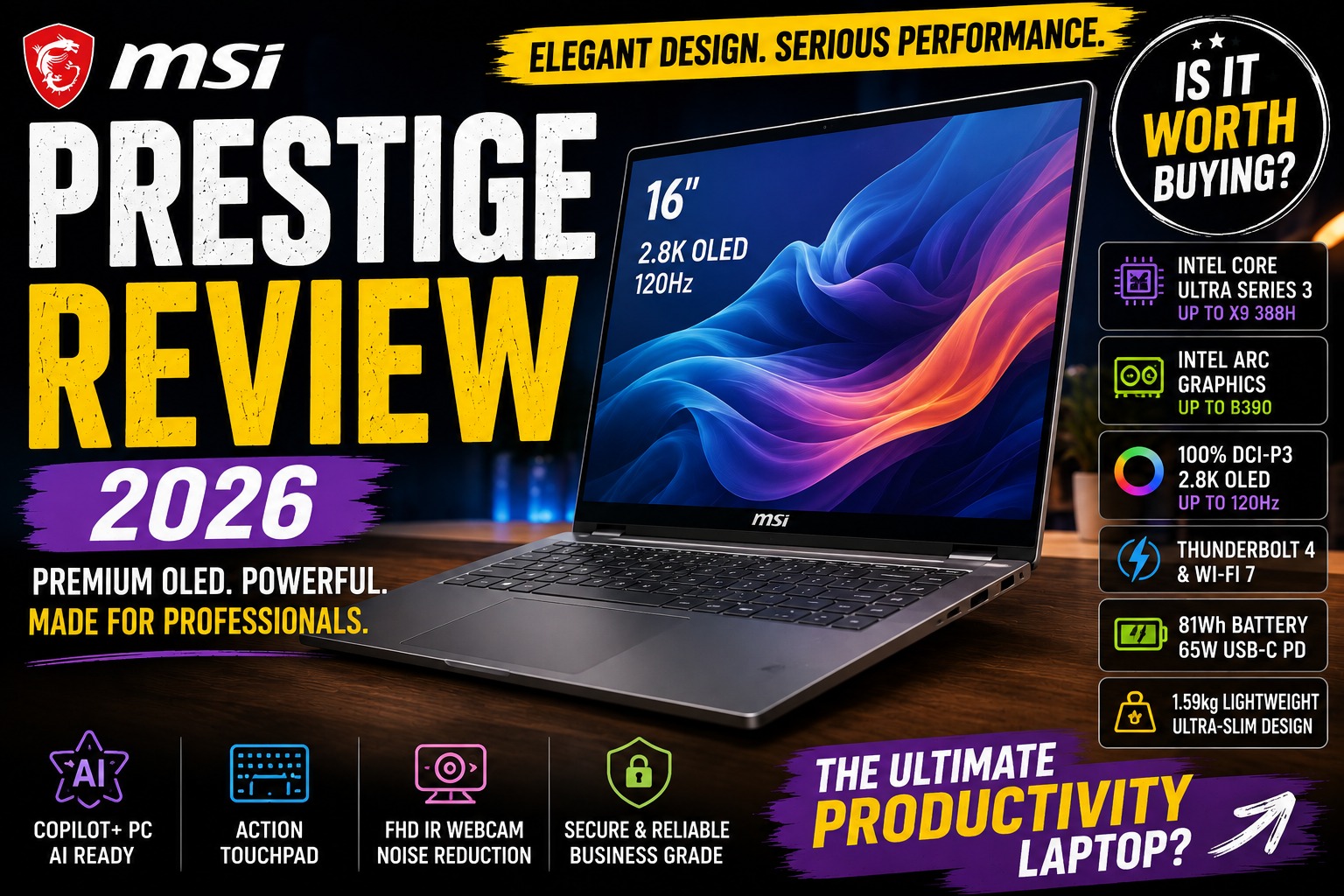

MSI Prestige Review 2026: Is This Premium AI Laptop Worth Buying?
The MSI Prestige Review 2026 takes a closer look at one of MSI's most interesting premium laptop families for professionals, creators, students, and business users.
MSI has traditionally positioned the Prestige series differently from its gaming-focused laptops. Instead of aggressive styling and oversized cooling systems, the Prestige lineup focuses on a combination of premium design, portability, productivity, performance, and AI features.
For 2026, MSI has significantly refreshed the Prestige family with Intel Core Ultra Series 3 processors. The lineup includes models such as the Prestige 16 AI+ C3M, Prestige 14 AI+ D3M, Prestige 13 AI+ A3M, and convertible Flip models. MSI describes the new generation as premium AI laptops designed for work, creation, and mobility.
In this MSI Prestige Review, we'll focus primarily on the Prestige 16 AI+ C3M, while also discussing the smaller Prestige models where relevant.
So, is the MSI Prestige still one of the best premium Windows laptops in 2026?
Let's find out.
MSI Prestige ReviewMSI Prestige Review 2026: Quick Verdict
The MSI Prestige 16 AI+ C3M is an impressive premium productivity laptop that combines a large 16-inch OLED display with a surprisingly thin and lightweight chassis.
Depending on configuration, the Prestige 16 AI+ can feature Intel Core Ultra Series 3 processors, Intel Arc graphics, up to 32GB of onboard LPDDR5x memory, and a 1TB PCIe Gen 4 SSD. MSI lists the 16-inch model with a 2.8K OLED display supporting up to 120Hz and 100% DCI-P3 coverage.
Our preliminary rating:
Overall: 9.0/10
| Category | Rating |
|---|---|
| Design | 9.3/10 |
| Build Quality | 9.2/10 |
| Display | 9.6/10 |
| Performance | 9.0/10 |
| Battery Life | 8.8/10 |
| Keyboard | 8.8/10 |
| Touchpad | 8.8/10 |
| Webcam | 9.0/10 |
| Ports | 9.2/10 |
| Portability | 9.3/10 |
| AI Features | 9.0/10 |
| Gaming | 7.5/10 |
| Value | 8.5/10 |
The Prestige 16 AI+ is especially attractive if you want a large OLED display without carrying a traditional heavy 16-inch laptop.
MSI Prestige ReviewWhat Is the MSI Prestige?
The MSI Prestige is MSI's premium business and productivity laptop family.
Unlike MSI's Raider, Vector, or Stealth gaming families, Prestige laptops are designed to look more professional.
The target audience includes:
- Business professionals
- Content creators
- Students
- Programmers
- Photographers
- Designers
- Remote workers
- Executives
- Frequent travelers
MSI describes the Prestige series as being designed for professionals and creators who want a balance of AI performance, portability, battery life, and premium design.
That makes the Prestige particularly interesting for users who don't want a gaming laptop but still need more performance than a basic ultrabook.
MSI Prestige ReviewMSI Prestige 16 AI+ C3M: 2026 Overview
The Prestige 16 AI+ C3M is the larger model in the current Prestige lineup.
MSI lists the following highlights for the 2026 generation:
- Intel Core Ultra Series 3 processors
- Up to Intel Core Ultra X9 388H
- Up to Intel Arc B390 graphics
- 16-inch 2.8K OLED display
- 48–120Hz variable refresh rate
- 100% DCI-P3
- VESA DisplayHDR True Black 600
- Wi-Fi 7
- Thunderbolt 4
- Action Touchpad
- Aluminum chassis
- Around 1.59kg weight
- Copilot+ PC support
These specifications make the Prestige 16 AI+ unusual.
It's a relatively large laptop that still weighs around the same as some smaller premium notebooks.
MSI Prestige ReviewMSI Prestige Design
The Prestige has always been designed to look more professional than MSI's gaming laptops.
The 2026 generation continues that philosophy.
Instead of:
- RGB lighting
- Aggressive angles
- Large gaming logos
- Oversized vents
you get a cleaner aluminum chassis.
This makes the laptop suitable for environments where a gaming-style computer might look out of place.
MSI Prestige ReviewPremium Aluminum Chassis
MSI uses an aluminum construction for the Prestige 16 AI+.
The chassis has a minimalist appearance with softened edges and a more refined overall shape.
MSI describes the new Prestige design as using continuous contours and smooth edges to create a more premium and professional appearance.
This is a significant advantage for business users.
You can take the Prestige into:
- Meetings
- Offices
- Universities
- Coffee shops
- Client presentations
without it looking like a gaming machine.
MSI Prestige ReviewThin and Lightweight for a 16-Inch Laptop
One of the most impressive aspects of the Prestige 16 AI+ is its size-to-weight ratio.
MSI lists the laptop at approximately 1.59kg, with the chassis measuring roughly 11.9–13.9mm thick depending on where it is measured.
For a 16-inch laptop, that's remarkably portable.
This is one of the biggest selling points of the Prestige.
You get a large workspace without the weight associated with many traditional 16-inch performance laptops.
MSI Prestige ReviewWhy a 16-Inch Laptop Can Be Useful
A larger screen is useful for productivity.
You can comfortably place two applications side by side.
For example:
Browser + Word
or:
Photoshop + reference image
or:
Code editor + terminal
or:
Video timeline + preview window
This makes the Prestige 16 particularly attractive to professionals who multitask.
MSI Prestige ReviewMSI Prestige Display
The display is arguably the biggest reason to consider the Prestige.
The current Prestige 16 AI+ C3M features a:
16-inch
2880 × 1800
OLED
16:10
Up to 120Hz
display.
MSI also specifies 100% DCI-P3 coverage and VESA DisplayHDR True Black 600 certification for the display.
That's an impressive combination for a productivity-focused laptop.
MSI Prestige ReviewOLED Makes a Big Difference
OLED provides several advantages over traditional LCD panels.
You get:
- Deep blacks
- High contrast
- Vibrant colors
- Excellent image quality
- Fast response times
For watching movies, editing photos, or working with visual content, the Prestige display can look excellent.
This is also one reason the laptop competes strongly with models such as the ASUS Zenbook.
MSI Prestige Review120Hz Refresh Rate
The 120Hz refresh rate makes everyday interaction feel smoother.
You'll notice it while:
- Scrolling websites
- Moving windows
- Navigating Windows
- Watching supported content
- Using creative applications
The display also supports variable refresh rates, which can help balance smoothness and power efficiency. MSI specifies a 48–120Hz VRR range for the Prestige 16 AI+ display.
MSI Prestige Review16:10 Aspect Ratio
The 16:10 ratio is another advantage.
Compared with traditional 16:9 laptops, you get more vertical screen space.
This is useful for:
- Documents
- Websites
- Coding
- Excel
- Editing timelines
For productivity, 16:10 is an excellent compromise between traditional widescreen displays and taller 3:2 screens.
MSI Prestige ReviewMSI Prestige for Content Creators
The Prestige 16 AI+ is particularly interesting for creators.
The combination of:
OLED + DCI-P3 + high resolution + large display
makes it suitable for:
The integrated Intel graphics can handle many creative workloads, although users performing professional GPU-intensive work may still benefit from a dedicated-GPU laptop.
MSI Prestige ReviewMSI Prestige Performance
The 2026 Prestige 16 AI+ moves to Intel Core Ultra Series 3.
MSI's global product page lists configurations up to the Intel Core Ultra X9 388H, while specific regional configurations can use processors such as the Core Ultra 7 355 or Core Ultra X7 358H.
This means performance varies considerably depending on the exact configuration.
That's important when comparing prices.
A Prestige 16 AI+ with a Core Ultra 7 shouldn't automatically be treated as equivalent to a higher-end X9 configuration.
MSI Prestige Review
Core Ultra Series 3
Intel's newest Core Ultra Series 3 platform is designed around a combination of:
- CPU performance
- Integrated graphics
- AI acceleration
- Power efficiency
MSI states that its Prestige 16 AI+ can reach up to 16 CPU cores, 50 NPU TOPS, and up to 5.1GHz P-core turbo frequency depending on configuration.
That makes the Prestige a serious productivity machine rather than simply a thin laptop with modest performance.
MSI Prestige ReviewMSI Prestige for Office Work
Office productivity is where the Prestige feels particularly comfortable.
It can easily handle applications such as:
- Microsoft Word
- Excel
- PowerPoint
- Outlook
- Microsoft Teams
- Chrome
- Edge
- Slack
- Zoom
- OneDrive
With 32GB RAM, the system is particularly well suited to heavy multitasking.
For example, you can have a large number of browser tabs open while running Teams, Excel, Photoshop, and other applications.
MSI Prestige Review32GB RAM Configuration
One interesting aspect of the Prestige 16 AI+ is that some configurations ship with 32GB LPDDR5x memory.
MSI's Indonesian specification for the Prestige 16 AI+ C3MG-008ID lists:
- Intel Core Ultra 7 355
- 32GB LPDDR5x
- 1TB NVMe PCIe Gen 4 SSD
- 16-inch 2.8K OLED
- 120Hz
- 100% DCI-P3
For a productivity laptop in 2026, 32GB is an excellent amount of memory.
It provides plenty of headroom for demanding multitasking.
MSI Prestige ReviewMSI Prestige for Programming
The Prestige 16 AI+ is also an interesting option for programmers.
The large 16-inch display provides plenty of room for development environments.
You can comfortably arrange:
VS Code + browser + terminal
on the same screen.
The 16:10 display also provides more vertical space than a conventional 16:9 panel.
MSI Prestige ReviewProgramming Performance
For:
- Web development
- Python
- JavaScript
- TypeScript
- Java
- C#
- SQL
- Android development
the Prestige has more than enough performance in suitable configurations.
For developers using virtual machines, Docker containers, or large development environments, 32GB RAM is particularly useful.
MSI Prestige ReviewMSI Prestige for Video Editing
Video editors will appreciate the display and processing power.
The Prestige can be a good choice for:
- YouTube
- Short-form video
- 1080p editing
- Moderate 4K editing
- Photo editing
- Motion graphics
However, there's an important distinction.
The Prestige 16 AI+ configuration with integrated graphics is not equivalent to an MSI laptop with a powerful dedicated NVIDIA GPU.
If you regularly work with complex 4K timelines, 3D rendering, or advanced effects, consider an MSI Creator or gaming laptop with dedicated graphics instead.
MSI Prestige ReviewMSI Prestige Graphics
Graphics capabilities depend on the exact Prestige configuration.
MSI lists the Prestige 16 AI+ with configurations reaching Intel Arc B390 graphics, while other models can use lower-tier integrated Intel graphics.
This is important because the Prestige name covers multiple configurations.
Before buying, always check the exact GPU.
MSI Prestige ReviewCan the MSI Prestige Play Games?
Yes, but gaming isn't its primary purpose.
Higher-end Intel Arc configurations can handle casual and some more demanding games better than traditional office laptops.
However, gamers should remember that the Prestige prioritizes:
portability + productivity + professional design
rather than:
maximum gaming performance.
If gaming is your primary goal, an MSI gaming laptop with a dedicated GeForce RTX GPU remains the better choice.
MSI Prestige ReviewMSI Prestige AI Features
The 2026 Prestige series is marketed as a Copilot+ PC.
MSI says selected Prestige models support AI-powered features including:
- Intelligent performance optimization
- Enhanced video conferencing
- Noise cancellation
- AI-assisted productivity
- Copilot+ PC experiences
The Prestige also includes MSI's AI Engine, which can detect usage scenarios and adjust performance modes accordingly.
MSI Prestige ReviewIs the AI Actually Useful?
This is where expectations should be realistic.
AI hardware is useful, but it shouldn't be the only reason to buy the laptop.
The most practical benefits are likely to come from:
- Video call enhancements
- Noise reduction
- Windows AI features
- Local AI workloads
- Automated performance management
The value will depend heavily on which AI applications you actually use.
MSI Prestige ReviewMSI Prestige Webcam
The Prestige 16 AI+ includes an FHD IR webcam with HDR and 3D noise reduction on listed configurations.
That's a significant improvement over the low-resolution webcams found on many budget laptops.
For:
- Teams
- Zoom
- Google Meet
- Online presentations
- Remote work
the webcam is well suited to modern professional use.
The IR capability also enables Windows Hello-style biometric login where supported.
MSI Prestige ReviewMSI Prestige for Remote Work
The Prestige makes a lot of sense for remote workers.
You get:
- Large display
- Good webcam
- AI-assisted communication
- Strong processor
- Large battery
- Lightweight design
- Good connectivity
A professional can use the Prestige as a primary work computer without needing to compromise on portability.
MSI Prestige ReviewMSI Prestige Battery Life
Battery life is another area where the Prestige deserves attention.
The exact result varies by processor, display settings, workload, and configuration.
MSI emphasizes all-day portability for the Prestige family, while its 2026 product materials highlight efficient performance and long battery life.
The 16-inch model uses an 81Wh battery in listed configurations.
That is a healthy battery capacity for a thin productivity laptop.
MSI Prestige Review65W USB-C Charging
One particularly useful feature is USB-C charging.
Some 2026 Prestige 16 configurations use a 65W USB-C PD adapter, according to MSI's regional specifications.
This can be convenient for travelers.
Instead of carrying a large proprietary power brick, a compatible USB-C charger can potentially power the laptop.
MSI Prestige ReviewMSI Prestige Ports
Connectivity is one of the Prestige's strengths.
Depending on configuration, you can get:
- Thunderbolt 4
- USB-A
- USB-C
- HDMI
- Headphone/microphone combo
- Wi-Fi 7
MSI specifically highlights Thunderbolt 4 and Wi-Fi 7 on the Prestige 16 AI+ C3M.
This makes the laptop much more practical for professional desk setups.
MSI Prestige ReviewThunderbolt 4
Thunderbolt 4 is particularly useful for professionals.
You can connect:
- External monitors
- High-speed storage
- Docking stations
- External peripherals
through a compatible USB-C/Thunderbolt setup.
For someone who uses the laptop both at home and in the office, this can make the Prestige much easier to integrate into a workstation.
MSI Prestige ReviewMSI Prestige Storage
The Prestige 16 AI+ supports PCIe Gen 4 NVMe storage.
MSI's Indonesian configuration lists:
1TB NVMe PCIe Gen 4 SSD
and one M.2 SSD slot.
1TB is a good starting point for professionals.
It's enough for:
- Applications
- Documents
- Photos
- Projects
- Moderate video files
Heavy video editors may still want external SSD storage.
MSI Prestige ReviewMSI Prestige Keyboard
The keyboard is designed for productivity rather than gaming.
It includes a backlight and Copilot key on listed 2026 configurations.
For:
- Writing
- Coding
- Office work
the keyboard should be comfortable.
The professional layout also fits the overall character of the laptop.
MSI Prestige ReviewAction Touchpad
One of the more unusual features is MSI's Action Touchpad.
The touchpad integrates additional controls designed to provide quick access to certain functions.
It's an interesting idea for professionals who want more shortcuts without relying entirely on keyboard combinations.
However, this is also an area where software implementation matters.
A touchpad with additional controls can be useful, but it shouldn't compromise the basic pointing experience.
MSI Prestige ReviewMSI Prestige 16 AI+ — First Impressions
After looking at the hardware and positioning, the Prestige 16 AI+ becomes easier to understand.
It's not trying to beat gaming laptops at gaming.
It's not trying to be the cheapest Windows laptop.
It's not trying to be the smallest laptop.
Instead, MSI is targeting users who want:
That's a very appealing concept. MSI Prestige ReviewA large premium OLED laptop that remains surprisingly portable.
Performance, Battery Life, Thermals & Everyday Use
In Part 1, we looked at the MSI Prestige's design, OLED display, Intel Core Ultra Series 3 processors, connectivity, AI features, and overall positioning.
Now let's move to the part that matters most in a laptop review:
How does the MSI Prestige actually perform?
The 2026 Prestige 16 AI+ is particularly interesting because MSI has made it thinner and more portable while moving to Intel's newer Panther Lake platform. Independent testing has found strong productivity performance, but also some compromises involving heat, battery life, and ports.
MSI Prestige Review
MSI Prestige 16 AI+ Performance
The Prestige 16 AI+ is designed primarily as a premium productivity laptop, but its hardware gives it considerably more capability than a typical thin-and-light notebook.
The 2026 model can be configured with Intel Core Ultra Series 3 processors, including higher-end options such as the Core Ultra X7 and X9.
The important point is that performance varies significantly by configuration.
A Prestige 16 with a Core Ultra 7 355 and integrated Intel Graphics should not be expected to perform exactly like a configuration using a higher-end Core Ultra X7/X9 processor and Intel Arc graphics.
For buyers, this means you should always check the exact processor and graphics configuration before comparing prices.
MSI Prestige Review
Everyday Performance
For normal productivity, the Prestige feels like a premium Windows laptop should.
Typical workloads include:
- Google Chrome
- Microsoft Edge
- Microsoft Word
- Excel
- PowerPoint
- Outlook
- Teams
- Zoom
- Slack
- Photoshop
- Spotify
- YouTube
The laptop has no problem handling these applications simultaneously.
A 32GB configuration is especially attractive for users who frequently multitask.
For example, you can have:
Chrome + Teams + Excel + Photoshop + Spotify + OneDrive
running simultaneously without immediately running into memory limitations.
Independent testing of the Core Ultra 7 355 configuration found good application performance for a productivity-focused machine.
MSI Prestige Review
MSI Prestige for Multitasking
The large 16-inch display makes multitasking one of the laptop's strongest use cases.
You can divide the screen into two or three working areas.
For example:
Left: Microsoft Word
Right: Chrome
Bottom: Teams or Spotify
For programmers:
Left: VS Code
Right: Browser
Bottom: Terminal
This is one of the reasons we'd choose the Prestige 16 over a smaller 13- or 14-inch laptop for office-heavy workloads.
MSI Prestige Review
MSI Prestige for Programming
The Prestige 16 is a strong programming laptop.
The combination of:
- Large 16-inch display
- 16:10 aspect ratio
- High resolution
- 32GB RAM options
- Modern Intel processors
- Fast NVMe storage
creates an excellent development environment.
It's particularly well suited to:
- Web development
- Python
- JavaScript
- TypeScript
- Java
- C#
- SQL
- Software development
- Data analysis
For developers using Docker containers, virtual machines, Android Studio, or large codebases, we'd strongly recommend 32GB RAM.
MSI Prestige Review
Programming With a 2.8K OLED Display
The 2880 × 1800 OLED panel is especially useful for developers.
Text appears sharp, while the additional vertical space from the 16:10 ratio allows more code to fit on screen.
Compared with a typical 16:9 Full HD laptop, the difference can be noticeable.
You can see more:
- Code lines
- Terminal output
- Browser content
- Documentation
- Spreadsheet rows
without constantly scrolling.
MSI Prestige Review
MSI Prestige for Photo Editing
This is where the Prestige becomes particularly compelling.
The 16-inch OLED panel supports:
- 2.8K resolution
- Up to 120Hz
- 100% DCI-P3
- HDR
- OLED contrast
Those characteristics make it suitable for visual work. MSI's specifications confirm the wide color coverage and HDR support.
For photographers, designers, and creators, the display is one of the laptop's biggest selling points.
MSI Prestige Review
MSI Prestige for Photoshop
Photoshop doesn't necessarily require a powerful dedicated GPU for ordinary editing.
The Prestige should handle:
- RAW photo editing
- Layer-based projects
- Color adjustments
- Retouching
- Graphic design
- Social media graphics
very comfortably in suitable configurations.
The large display also makes the interface easier to manage.
MSI Prestige Review
MSI Prestige for Video Editing
The Prestige can handle video editing, but there's an important distinction.
Good for:
- YouTube videos
- 1080p editing
- Short-form content
- Basic 4K editing
- Premiere Pro
- DaVinci Resolve
- CapCut
- Social media content
Less ideal for:
- Heavy 4K production
- Complex multicam projects
- Advanced effects
- 3D rendering
- Long GPU-intensive exports
The reason is simple:
Integrated Intel graphics aren't the same as a dedicated NVIDIA RTX GPU.
If your work depends heavily on GPU acceleration, a more powerful creator or gaming laptop is a better choice.
MSI Prestige Review
MSI Prestige Gaming Performance
Gaming isn't the Prestige's primary purpose.
However, higher-end 2026 configurations with Intel Arc graphics are considerably more capable than older integrated graphics solutions.
You can expect the Prestige to be suitable for:
- Indie games
- Esports
- Older AAA games
- Casual gaming
- Some modern games at reduced settings
But don't buy it expecting the gaming performance of an MSI Stealth, Raider, or other RTX-equipped gaming laptop.
MSI Prestige Review
Can You Play AAA Games?
Yes—but with realistic expectations.
The experience will depend heavily on:
- Processor
- Integrated GPU
- Game
- Resolution
- Graphics settings
- Power mode
For demanding games, lowering resolution and graphics quality can make a significant difference.
The Prestige's 2.8K OLED display looks fantastic, but running demanding games at native 2880 × 1800 resolution isn't necessarily realistic for an integrated-GPU configuration.
For gaming, 1920 × 1200 or another lower resolution may provide a better balance.
MSI Prestige Review
MSI Prestige Thermals
This is one area where the 2026 Prestige deserves careful consideration.
The thinner chassis looks excellent, but there's a tradeoff.
Independent testing has reported that the Prestige 16 AI+ can become quite hot under heavy workloads, particularly when the processor is pushed hard. Tom's Guide specifically identified heat under pressure as one of the major weaknesses of its review unit.
Notebookcheck's testing also examined temperatures, noise, and performance in detail and rated the overall thermal/noise behavior favorably in its tested configuration, showing that results can vary depending on the specific model and power profile.
So the takeaway is:
The Prestige is comfortable for normal productivity, but sustained heavy workloads can produce significantly more heat and fan activity.
Quiet During Office Work
For everyday tasks, the laptop can remain relatively quiet.
If you're:
- Writing documents
- Browsing websites
- Watching YouTube
- Reading emails
- Using Microsoft Office
the cooling system generally doesn't need to work extremely hard.
This makes the Prestige suitable for:
- Libraries
- Offices
- Meetings
- Coffee shops
- Coworking spaces
Performance Mode
When you switch to a higher-performance mode, the situation changes.
The cooling system has to move significantly more air.
Independent testing found that fan noise increases substantially under performance workloads. CHIP also reported that the fan becomes noticeably louder in performance mode.
That's completely normal for a thin performance laptop.
The important point is to understand the tradeoff:
More performance = more heat + more fan noise.
MSI Prestige Review
MSI Prestige Battery Life
Battery life is a more complicated story.
The Prestige 16 has a relatively large battery, but the combination of:
- 16-inch display
- 2.8K resolution
- OLED panel
- High-performance processor
means battery consumption can vary significantly.
Independent testing isn't completely consistent.
CHIP reported more than 14 hours of intensive web browsing and more than 15 hours in video testing on its tested configuration.
Meanwhile, Tom's Guide found battery life to be one of the weaker points of its tested Prestige 16 AI+ configuration compared with the previous generation.
MSI Prestige Review
This tells us something important:
Don't judge battery life from the processor name alone.
The exact:
- Display
- Brightness
- Power profile
- Processor
- Application load
- Windows configuration
can make a substantial difference.
MSI Prestige Review
Real-World Battery Expectations
For normal office work, we would consider the Prestige a capable all-day productivity laptop in the right configuration and power mode.
But if you're doing:
- Video rendering
- Gaming
- Heavy Photoshop work
- Large compilations
- AI workloads
battery life can drop dramatically.
That's true for almost every thin laptop.
MSI Prestige Review
OLED and Battery Life
The OLED panel is beautiful, but there's a cost.
High brightness, HDR, high refresh rates, and demanding applications can increase power consumption.
If you need maximum battery life, consider:
- Lowering brightness
- Using a balanced power mode
- Reducing refresh rate when appropriate
- Turning off HDR when unnecessary
- Using battery saver features
MSI Prestige AI Performance
AI is one of the major marketing points of the 2026 Prestige.
The laptop is designed around Microsoft's Copilot+ PC requirements and includes dedicated AI acceleration through the processor's NPU.
This allows compatible AI workloads to run locally rather than relying entirely on cloud processing.
MSI Prestige Review
What Can the NPU Do?
The NPU is designed for workloads such as:
- AI image processing
- Video effects
- Background blur
- Noise cancellation
- Local AI applications
- Windows AI features
The exact usefulness depends on software support.
That's an important distinction.
A powerful NPU is valuable only when applications actually use it.
MSI Prestige Review
MSI AI Engine
MSI also includes its own AI Engine.
The software can detect different usage scenarios and adjust system behavior accordingly.
For example, the laptop can optimize settings based on whether you're:
- Working
- Watching video
- Creating content
- Gaming
- Using demanding applications
The goal is to balance:
Performance + temperature + battery life.
It's a useful concept for users who don't want to constantly change performance profiles manually.
MSI Prestige Review
MSI Prestige Webcam
The Prestige's webcam is adequate for professional use.
Depending on the configuration, MSI offers an FHD IR webcam with features designed for video conferencing and Windows Hello.
This makes the laptop suitable for:
- Zoom
- Microsoft Teams
- Google Meet
- Online interviews
- Remote presentations
However, webcam quality isn't necessarily the Prestige's biggest advantage.
Notebookcheck specifically noted that camera quality is one area where the laptop trails some competitors.
For professional video production, an external webcam is still preferable.
MSI Prestige Review
MSI Prestige Audio
The Prestige is designed primarily for productivity, but its speakers are perfectly suitable for:
- YouTube
- Video calls
- Podcasts
- Music
- Movies
For serious music listening or professional audio work, external headphones or speakers remain a better choice.
This also connects nicely with your existing Best Computer Speakers article.
MSI Prestige Review
MSI Prestige Keyboard
The keyboard is one of the more important parts of a productivity laptop.
The Prestige provides a professional layout with a backlit keyboard.
For:
- Long documents
- Emails
- Programming
- Research
- Spreadsheet work
it's comfortable enough for extended sessions.
The 16-inch chassis also gives MSI more room for a practical keyboard layout than smaller Prestige models.
MSI Prestige Review
MSI Prestige Touchpad
The Action Touchpad is one of the most interesting design features.
Rather than being simply a pointing surface, MSI has integrated additional controls into the touchpad.
This can give users quick access to selected functions without reaching for dedicated buttons.
It's particularly interesting for professionals who use:
- Presentations
- Video conferencing
- Productivity tools
- Creative applications
Independent testing found the Action Touchpad to be one of the stronger features of the new design.
MSI Prestige Review
Is the Action Touchpad a Gimmick?
Not necessarily.
It's more useful than many laptop manufacturers' attempts at adding unnecessary touch controls.
However, its value depends on your workflow.
If you prefer a traditional touchpad and keyboard shortcuts, you may not use the extra functions very often.
For power users, though, it can be a nice productivity enhancement.
MSI Prestige Review
MSI Prestige Connectivity
Connectivity is another area where MSI made some compromises.
The tested 2026 Prestige 16 AI+ includes:
- 2 × Thunderbolt 4 / USB-C
- 2 × USB-A
- HDMI 2.1
- 3.5mm headphone jack
- Wi-Fi 7
Tom's Guide lists this port configuration for its review unit.
That's still a useful selection.
However, some previous-generation features have changed.
MSI Prestige Review
Where Is the SD Card Reader?
This is one of the most important changes for creators.
The newer Prestige 16 AI+ has lost the SD card reader found on some previous versions.
Tom's Guide specifically identified the missing SD card reader as a downside for creative professionals.
For photographers, this means you may need:
USB-C SD card reader
or
Thunderbolt dock
when transferring photos.
That's not a dealbreaker, but it does reduce convenience.
MSI Prestige Review
MSI Prestige for Travel
This is where the Prestige shines.
A 16-inch laptop weighing around 3.5 pounds / 1.59kg is remarkably portable for its screen size. Tom's Guide lists the tested machine at 3.5 pounds.
Think about what that means.
You get:
16-inch workspace
without carrying the weight of many traditional 16-inch performance laptops.
That's a very compelling combination for business travelers.
MSI Prestige Review
Carrying the Prestige Every Day
For frequent travelers, we'd rate it highly.
It's suitable for:
- Airplanes
- Trains
- Hotels
- Conferences
- Universities
- Coffee shops
- Coworking spaces
The large screen is especially useful when you don't have access to an external monitor.
MSI Prestige Review
MSI Prestige vs Smaller Laptops
The obvious disadvantage is physical size.
Even at 1.59kg, a 16-inch laptop takes up more space than a 13- or 14-inch model.
If portability is your absolute priority, consider the MSI Prestige 13 AI+.
The 13-inch model is dramatically lighter, with independent testing listing it at approximately 830g.
That's an incredible difference.
MSI Prestige Review
Prestige 16 vs Prestige 13
| Feature | Prestige 16 AI+ | Prestige 13 AI+ |
|---|---|---|
| Screen | 16-inch | 13.3-inch |
| Portability | ⭐⭐⭐⭐ | ⭐⭐⭐⭐⭐ |
| Workspace | ⭐⭐⭐⭐⭐ | ⭐⭐⭐ |
| OLED | ✅ | ✅ |
| Productivity | ⭐⭐⭐⭐⭐ | ⭐⭐⭐⭐ |
| Travel | ⭐⭐⭐⭐ | ⭐⭐⭐⭐⭐ |
| Programming | ⭐⭐⭐⭐⭐ | ⭐⭐⭐⭐ |
| Creative work | ⭐⭐⭐⭐⭐ | ⭐⭐⭐ |
| Weight | ~1.59kg | ~830g |
Our choice:
Prestige 16 for productivity.
Prestige 13 for extreme portability.
MSI Prestige Review
MSI Prestige for Students
The Prestige can be an excellent student laptop if the budget allows.
It's particularly suitable for students studying:
- Computer science
- Engineering
- Business
- Design
- Media
- Architecture
- Photography
However, students don't necessarily need the highest-end processor.
A configuration with:
Core Ultra 7 + 32GB RAM + 1TB SSD
is already more than enough for most university workloads.
MSI Prestige Review
MSI Prestige for Business
Business users are one of the Prestige's primary target audiences.
The professional design doesn't attract unnecessary attention.
The large screen makes it useful for:
- Presentations
- Excel
- Reports
- Video conferencing
- Project management
- Business analytics
And the lightweight chassis makes it practical for travel.
MSI Prestige Review
MSI Prestige for Executives
This is probably one of the most natural use cases.
Imagine someone who spends the week moving between:
Office → Meeting → Airport → Hotel → Client Presentation
A traditional 16-inch workstation would be inconvenient.
The Prestige gives you a large screen while keeping the weight relatively low.
That's exactly the market MSI is targeting.
MSI Prestige Review
MSI Prestige: Pros
✅ Excellent OLED display
The 2.8K 120Hz OLED panel is one of the laptop's biggest advantages.
✅ Extremely thin for a 16-inch laptop
Approximately 1.59kg is impressive for this screen size.
✅ Strong productivity performance
The newer Intel platform provides plenty of CPU performance for office and professional applications.
✅ 32GB configurations
Excellent for serious multitasking.
✅ Premium design
Professional without looking boring.
✅ Thunderbolt 4
Excellent for external displays, docks, and fast storage.
✅ Wi-Fi 7
Future-ready wireless connectivity.
✅ Large workspace
The 16-inch 16:10 display is excellent for productivity.
MSI Prestige Review
MSI Prestige: Cons
❌ Heat under heavy workloads
The thin chassis can become hot when the processor is pushed hard.
❌ Battery results vary
Some independent tests report excellent battery life, while others found a decline compared with the previous generation.
❌ No SD card reader on the tested 16-inch model
This is particularly inconvenient for photographers and videographers.
❌ Integrated graphics aren't ideal for heavy GPU workloads
Professional 3D and advanced video production users should consider an RTX-equipped machine.
❌ Premium pricing
Higher-end configurations can become expensive.
MSI Prestige Review
Who Should Buy the MSI Prestige?
The MSI Prestige 16 AI+ makes the most sense for:
💼 Business professionals
Excellent combination of portability and screen size.
👨💻 Programmers
Large 16:10 OLED display and strong CPU options.
🎨 Designers
The OLED display and wide color gamut are major advantages.
📸 Photographers
Excellent screen, although the missing SD reader is inconvenient.
🎬 Content creators
Good for moderate editing and creator workflows.
🎓 Students
Especially useful for technical and creative majors.
✈️ Frequent travelers
A 16-inch laptop at roughly 1.59kg is very attractive.
MSI Prestige Review
Who Should Avoid It?
The Prestige isn't ideal for everyone.
🎮 Serious gamers
Choose an RTX-equipped gaming laptop.
🧊 Users who prioritize cool operation
The thin chassis can become hot under sustained loads.
📸 Photographers who need built-in SD
Consider another laptop or budget for a card reader.
💰 Budget buyers
There are cheaper laptops that offer better value for basic office work.
🖥️ Heavy 3D professionals
A workstation with dedicated graphics will be much better.
MSI Prestige Review
MSI Prestige 16 AI
After looking at real-world performance, battery life, thermals, connectivity, and productivity, the Prestige 16 AI+ becomes a much more nuanced laptop.
It's not perfect.
But its strengths are genuinely impressive.
The biggest reason to buy it:
A huge 16-inch 2.8K OLED display inside an unusually thin and lightweight chassis.
The biggest reason to hesitate:
Thermals, configuration-dependent battery life, and the loss of the SD card reader.
Independent reviews broadly agree that the new Prestige is exceptionally thin and visually impressive, while opinions differ more on battery and thermal behavior depending on the test configuration and power profile.
Our Part 2 score:
Performance: 9.0/10
Battery: 8.5/10
Thermals: 8.0/10
Productivity: 9.5/10
Portability: 9.5/10
Display: 9.7/10
Connectivity: 8.5/10
MSI Prestige Review
MSI Prestige Review 2026: Is This Premium AI Laptop Worth Buying?
The MSI Prestige Review 2026 takes a closer look at one of MSI's most interesting premium laptop families for professionals, creators, students, and business users.
MSI has traditionally positioned the Prestige series differently from its gaming-focused laptops. Instead of aggressive styling and oversized cooling systems, the Prestige lineup focuses on a combination of premium design, portability, productivity, performance, and AI features.
For 2026, MSI has significantly refreshed the Prestige family with Intel Core Ultra Series 3 processors. The lineup includes models such as the Prestige 16 AI+ C3M, Prestige 14 AI+ D3M, Prestige 13 AI+ A3M, and convertible Flip models. MSI describes the new generation as premium AI laptops designed for work, creation, and mobility.
In this MSI Prestige Review, we'll focus primarily on the Prestige 16 AI+ C3M, while also discussing the smaller Prestige models where relevant.
So, is the MSI Prestige still one of the best premium Windows laptops in 2026?
Let's find out.
Check Price on Amazon
MSI Prestige ReviewMSI Prestige Review 2026: Quick Verdict
The MSI Prestige 16 AI+ C3M is an impressive premium productivity laptop that combines a large 16-inch OLED display with a surprisingly thin and lightweight chassis.
Depending on configuration, the Prestige 16 AI+ can feature Intel Core Ultra Series 3 processors, Intel Arc graphics, up to 32GB of onboard LPDDR5x memory, and a 1TB PCIe Gen 4 SSD. MSI lists the 16-inch model with a 2.8K OLED display supporting up to 120Hz and 100% DCI-P3 coverage.
Our preliminary rating:
Overall: 9.0/10
| Category | Rating |
|---|---|
| Design | 9.3/10 |
| Build Quality | 9.2/10 |
| Display | 9.6/10 |
| Performance | 9.0/10 |
| Battery Life | 8.8/10 |
| Keyboard | 8.8/10 |
| Touchpad | 8.8/10 |
| Webcam | 9.0/10 |
| Ports | 9.2/10 |
| Portability | 9.3/10 |
| AI Features | 9.0/10 |
| Gaming | 7.5/10 |
| Value | 8.5/10 |
The Prestige 16 AI+ is especially attractive if you want a large OLED display without carrying a traditional heavy 16-inch laptop.
MSI Prestige ReviewWhat Is the MSI Prestige?
The MSI Prestige is MSI's premium business and productivity laptop family.
Unlike MSI's Raider, Vector, or Stealth gaming families, Prestige laptops are designed to look more professional.
The target audience includes:
- Business professionals
- Content creators
- Students
- Programmers
- Photographers
- Designers
- Remote workers
- Executives
- Frequent travelers
MSI describes the Prestige series as being designed for professionals and creators who want a balance of AI performance, portability, battery life, and premium design.
That makes the Prestige particularly interesting for users who don't want a gaming laptop but still need more performance than a basic ultrabook.
MSI Prestige ReviewMSI Prestige 16 AI+ C3M: 2026 Overview
The Prestige 16 AI+ C3M is the larger model in the current Prestige lineup.
MSI lists the following highlights for the 2026 generation:
- Intel Core Ultra Series 3 processors
- Up to Intel Core Ultra X9 388H
- Up to Intel Arc B390 graphics
- 16-inch 2.8K OLED display
- 48–120Hz variable refresh rate
- 100% DCI-P3
- VESA DisplayHDR True Black 600
- Wi-Fi 7
- Thunderbolt 4
- Action Touchpad
- Aluminum chassis
- Around 1.59kg weight
- Copilot+ PC support
These specifications make the Prestige 16 AI+ unusual.
It's a relatively large laptop that still weighs around the same as some smaller premium notebooks.
MSI Prestige ReviewMSI Prestige Design
The Prestige has always been designed to look more professional than MSI's gaming laptops.
The 2026 generation continues that philosophy.
Instead of:
- RGB lighting
- Aggressive angles
- Large gaming logos
- Oversized vents
you get a cleaner aluminum chassis.
This makes the laptop suitable for environments where a gaming-style computer might look out of place.
MSI Prestige ReviewPremium Aluminum Chassis
MSI uses an aluminum construction for the Prestige 16 AI+.
The chassis has a minimalist appearance with softened edges and a more refined overall shape.
MSI describes the new Prestige design as using continuous contours and smooth edges to create a more premium and professional appearance.
This is a significant advantage for business users.
You can take the Prestige into:
- Meetings
- Offices
- Universities
- Coffee shops
- Client presentations
without it looking like a gaming machine.
MSI Prestige ReviewThin and Lightweight for a 16-Inch Laptop
One of the most impressive aspects of the Prestige 16 AI+ is its size-to-weight ratio.
MSI lists the laptop at approximately 1.59kg, with the chassis measuring roughly 11.9–13.9mm thick depending on where it is measured.
For a 16-inch laptop, that's remarkably portable.
This is one of the biggest selling points of the Prestige.
You get a large workspace without the weight associated with many traditional 16-inch performance laptops.
MSI Prestige ReviewWhy a 16-Inch Laptop Can Be Useful
A larger screen is useful for productivity.
You can comfortably place two applications side by side.
For example:
Browser + Word
or:
Photoshop + reference image
or:
Code editor + terminal
or:
Video timeline + preview window
This makes the Prestige 16 particularly attractive to professionals who multitask.
MSI Prestige ReviewMSI Prestige Display
The display is arguably the biggest reason to consider the Prestige.
The current Prestige 16 AI+ C3M features a:
16-inch
2880 × 1800
OLED
16:10
Up to 120Hz
display.
MSI also specifies 100% DCI-P3 coverage and VESA DisplayHDR True Black 600 certification for the display.
That's an impressive combination for a productivity-focused laptop.
MSI Prestige ReviewOLED Makes a Big Difference
OLED provides several advantages over traditional LCD panels.
You get:
- Deep blacks
- High contrast
- Vibrant colors
- Excellent image quality
- Fast response times
For watching movies, editing photos, or working with visual content, the Prestige display can look excellent.
This is also one reason the laptop competes strongly with models such as the ASUS Zenbook.
MSI Prestige Review120Hz Refresh Rate
The 120Hz refresh rate makes everyday interaction feel smoother.
You'll notice it while:
- Scrolling websites
- Moving windows
- Navigating Windows
- Watching supported content
- Using creative applications
The display also supports variable refresh rates, which can help balance smoothness and power efficiency. MSI specifies a 48–120Hz VRR range for the Prestige 16 AI+ display.
MSI Prestige Review16:10 Aspect Ratio
The 16:10 ratio is another advantage.
Compared with traditional 16:9 laptops, you get more vertical screen space.
This is useful for:
- Documents
- Websites
- Coding
- Excel
- Editing timelines
For productivity, 16:10 is an excellent compromise between traditional widescreen displays and taller 3:2 screens.
MSI Prestige ReviewMSI Prestige for Content Creators
The Prestige 16 AI+ is particularly interesting for creators.
The combination of:
OLED + DCI-P3 + high resolution + large display
makes it suitable for:
- Photoshop
- Lightroom
- Premiere Pro
- DaVinci Resolve
- Canva
- Graphic design
- Video editing
The integrated Intel graphics can handle many creative workloads, although users performing professional GPU-intensive work may still benefit from a dedicated-GPU laptop.
MSI Prestige ReviewMSI Prestige Performance
The 2026 Prestige 16 AI+ moves to Intel Core Ultra Series 3.
MSI's global product page lists configurations up to the Intel Core Ultra X9 388H, while specific regional configurations can use processors such as the Core Ultra 7 355 or Core Ultra X7 358H.
This means performance varies considerably depending on the exact configuration.
That's important when comparing prices.
A Prestige 16 AI+ with a Core Ultra 7 shouldn't automatically be treated as equivalent to a higher-end X9 configuration.
MSI Prestige ReviewCore Ultra Series 3
Intel's newest Core Ultra Series 3 platform is designed around a combination of:
- CPU performance
- Integrated graphics
- AI acceleration
- Power efficiency
MSI states that its Prestige 16 AI+ can reach up to 16 CPU cores, 50 NPU TOPS, and up to 5.1GHz P-core turbo frequency depending on configuration.
That makes the Prestige a serious productivity machine rather than simply a thin laptop with modest performance.
MSI Prestige ReviewMSI Prestige for Office Work
Office productivity is where the Prestige feels particularly comfortable.
It can easily handle applications such as:
- Microsoft Word
- Excel
- PowerPoint
- Outlook
- Microsoft Teams
- Chrome
- Edge
- Slack
- Zoom
- OneDrive
With 32GB RAM, the system is particularly well suited to heavy multitasking.
For example, you can have a large number of browser tabs open while running Teams, Excel, Photoshop, and other applications.
MSI Prestige Review32GB RAM Configuration
One interesting aspect of the Prestige 16 AI+ is that some configurations ship with 32GB LPDDR5x memory.
MSI's Indonesian specification for the Prestige 16 AI+ C3MG-008ID lists:
- Intel Core Ultra 7 355
- 32GB LPDDR5x
- 1TB NVMe PCIe Gen 4 SSD
- 16-inch 2.8K OLED
- 120Hz
- 100% DCI-P3
For a productivity laptop in 2026, 32GB is an excellent amount of memory.
It provides plenty of headroom for demanding multitasking.
MSI Prestige ReviewMSI Prestige for Programming
The Prestige 16 AI+ is also an interesting option for programmers.
The large 16-inch display provides plenty of room for development environments.
You can comfortably arrange:
VS Code + browser + terminal
on the same screen.
The 16:10 display also provides more vertical space than a conventional 16:9 panel.
MSI Prestige ReviewProgramming Performance
For:
- Web development
- Python
- JavaScript
- TypeScript
- Java
- C#
- SQL
- Android development
the Prestige has more than enough performance in suitable configurations.
For developers using virtual machines, Docker containers, or large development environments, 32GB RAM is particularly useful.
MSI Prestige ReviewMSI Prestige for Video Editing
Video editors will appreciate the display and processing power.
The Prestige can be a good choice for:
- YouTube
- Short-form video
- 1080p editing
- Moderate 4K editing
- Photo editing
- Motion graphics
However, there's an important distinction.
The Prestige 16 AI+ configuration with integrated graphics is not equivalent to an MSI laptop with a powerful dedicated NVIDIA GPU.
If you regularly work with complex 4K timelines, 3D rendering, or advanced effects, consider an MSI Creator or gaming laptop with dedicated graphics instead.
MSI Prestige ReviewMSI Prestige Graphics
Graphics capabilities depend on the exact Prestige configuration.
MSI lists the Prestige 16 AI+ with configurations reaching Intel Arc B390 graphics, while other models can use lower-tier integrated Intel graphics.
This is important because the Prestige name covers multiple configurations.
Before buying, always check the exact GPU.
MSI Prestige ReviewCan the MSI Prestige Play Games?
Yes, but gaming isn't its primary purpose.
Higher-end Intel Arc configurations can handle casual and some more demanding games better than traditional office laptops.
However, gamers should remember that the Prestige prioritizes:
portability + productivity + professional design
rather than:
maximum gaming performance.
If gaming is your primary goal, an MSI gaming laptop with a dedicated GeForce RTX GPU remains the better choice.
MSI Prestige ReviewMSI Prestige AI Features
The 2026 Prestige series is marketed as a Copilot+ PC.
MSI says selected Prestige models support AI-powered features including:
- Intelligent performance optimization
- Enhanced video conferencing
- Noise cancellation
- AI-assisted productivity
- Copilot+ PC experiences
The Prestige also includes MSI's AI Engine, which can detect usage scenarios and adjust performance modes accordingly.
MSI Prestige ReviewIs the AI Actually Useful?
This is where expectations should be realistic.
AI hardware is useful, but it shouldn't be the only reason to buy the laptop.
The most practical benefits are likely to come from:
- Video call enhancements
- Noise reduction
- Windows AI features
- Local AI workloads
- Automated performance management
The value will depend heavily on which AI applications you actually use.
MSI Prestige ReviewMSI Prestige Webcam
The Prestige 16 AI+ includes an FHD IR webcam with HDR and 3D noise reduction on listed configurations.
That's a significant improvement over the low-resolution webcams found on many budget laptops.
For:
- Teams
- Zoom
- Google Meet
- Online presentations
- Remote work
the webcam is well suited to modern professional use.
The IR capability also enables Windows Hello-style biometric login where supported.
MSI Prestige ReviewMSI Prestige for Remote Work
The Prestige makes a lot of sense for remote workers.
You get:
- Large display
- Good webcam
- AI-assisted communication
- Strong processor
- Large battery
- Lightweight design
- Good connectivity
A professional can use the Prestige as a primary work computer without needing to compromise on portability.
MSI Prestige ReviewMSI Prestige Battery Life
Battery life is another area where the Prestige deserves attention.
The exact result varies by processor, display settings, workload, and configuration.
MSI emphasizes all-day portability for the Prestige family, while its 2026 product materials highlight efficient performance and long battery life.
The 16-inch model uses an 81Wh battery in listed configurations.
That is a healthy battery capacity for a thin productivity laptop.
MSI Prestige Review65W USB-C Charging
One particularly useful feature is USB-C charging.
Some 2026 Prestige 16 configurations use a 65W USB-C PD adapter, according to MSI's regional specifications.
This can be convenient for travelers.
Instead of carrying a large proprietary power brick, a compatible USB-C charger can potentially power the laptop.
MSI Prestige ReviewMSI Prestige Ports
Connectivity is one of the Prestige's strengths.
Depending on configuration, you can get:
- Thunderbolt 4
- USB-A
- USB-C
- HDMI
- Headphone/microphone combo
- Wi-Fi 7
MSI specifically highlights Thunderbolt 4 and Wi-Fi 7 on the Prestige 16 AI+ C3M.
This makes the laptop much more practical for professional desk setups.
MSI Prestige ReviewThunderbolt 4
Thunderbolt 4 is particularly useful for professionals.
You can connect:
- External monitors
- High-speed storage
- Docking stations
- External peripherals
through a compatible USB-C/Thunderbolt setup.
For someone who uses the laptop both at home and in the office, this can make the Prestige much easier to integrate into a workstation.
MSI Prestige ReviewMSI Prestige Storage
The Prestige 16 AI+ supports PCIe Gen 4 NVMe storage.
MSI's Indonesian configuration lists:
1TB NVMe PCIe Gen 4 SSD
and one M.2 SSD slot.
1TB is a good starting point for professionals.
It's enough for:
- Applications
- Documents
- Photos
- Projects
- Moderate video files
Heavy video editors may still want external SSD storage.
MSI Prestige ReviewMSI Prestige Keyboard
The keyboard is designed for productivity rather than gaming.
It includes a backlight and Copilot key on listed 2026 configurations.
For:
- Writing
- Coding
- Office work
the keyboard should be comfortable.
The professional layout also fits the overall character of the laptop.
MSI Prestige ReviewAction Touchpad
One of the more unusual features is MSI's Action Touchpad.
The touchpad integrates additional controls designed to provide quick access to certain functions.
It's an interesting idea for professionals who want more shortcuts without relying entirely on keyboard combinations.
However, this is also an area where software implementation matters.
A touchpad with additional controls can be useful, but it shouldn't compromise the basic pointing experience.
MSI Prestige ReviewMSI Prestige 16 AI+ — First Impressions
After looking at the hardware and positioning, the Prestige 16 AI+ becomes easier to understand.
It's not trying to beat gaming laptops at gaming.
It's not trying to be the cheapest Windows laptop.
It's not trying to be the smallest laptop.
Instead, MSI is targeting users who want:
A large premium OLED laptop that remains surprisingly portable.
That's a very appealing concept.
MSI Prestige ReviewMSI Prestige Review:
The MSI Prestige 16 AI+ C3M is shaping up to be one of the more interesting premium productivity laptops of 2026.
Its biggest strengths are:
⭐ Excellent 2.8K OLED display
⭐ 120Hz refresh rate
⭐ 100% DCI-P3
⭐ Thin and lightweight design
⭐ Modern Intel Core Ultra Series 3 processors
⭐ Strong AI capabilities
⭐ Wi-Fi 7
⭐ Thunderbolt 4
⭐ 32GB RAM configurations
⭐ 1TB SSD options
⭐ Professional design
The main questions we'll examine in the next parts are:
- How does it perform under sustained workloads?
- How good is the battery in real-world use?
- Does the thin chassis run hot?
- Is the Action Touchpad actually useful?
- How does it compare with ASUS Zenbook?
- Is it better than the Dell XPS?
- Is it suitable for video editing?
- Can it replace a MacBook Air or MacBook Pro?
- Is the Prestige worth its price?
Recent independent testing of earlier Prestige generations found strong performance and battery life but also highlighted issues such as glossy displays, port placement, and limitations of MSI's AI features.
The newer 2026 design addresses some areas with its OLED display, new processors, and redesigned chassis, but the exact configuration remains extremely important.
Check Price on Amazon
MSI Prestige ReviewComparisons, Best Configurations & Who Should Buy It
After looking at performance, battery life, thermals, connectivity, and everyday usability, it's time to answer the question most buyers actually have:
How does the MSI Prestige compare with other premium laptops?
The Prestige 16 AI+ occupies an interesting position. It offers a large 16-inch 2.8K OLED display, a relatively lightweight 1.59kg chassis, 32GB memory configurations, Thunderbolt 4, Wi-Fi 7, and modern Intel Core Ultra processors. MSI's current specifications confirm these features across several configurations, although processor and graphics options vary by market.
That makes the Prestige less of a direct competitor to one specific laptop and more of an alternative to several premium productivity machines.
MSI Prestige ReviewMSI Prestige vs ASUS Zenbook
The ASUS Zenbook is probably one of the most natural alternatives to the MSI Prestige.
Both product families focus on:
- Premium construction
- OLED displays
- Thin designs
- Productivity
- Content creation
- Portability
The main difference is the overall philosophy.
The Prestige 16 puts a strong emphasis on large-screen productivity. Its 16-inch 16:10 OLED display gives professionals plenty of space for multitasking.
The Zenbook family, meanwhile, offers a broader range of sizes and form factors, making it easier to find a model optimized for portability or specific creative workloads.
Which should you choose?
Choose the MSI Prestige if you want a large OLED workspace while keeping the laptop relatively light.
Choose an ASUS Zenbook if you want more choice between compact, premium, OLED, and convertible designs.
For your GearChoiceLab audience, this is an excellent internal comparison because readers interested in the Prestige are likely to consider both brands.
MSI Prestige ReviewMSI Prestige vs Dell XPS 14
The Dell XPS 14 is another important competitor in the premium Windows laptop market.
Dell's current XPS 14 is positioned as a premium productivity machine with a strong emphasis on design, display quality, portability, and battery life. Current testing from Tom's Guide places the XPS 14 among the leading Windows laptops of 2026.
The Prestige takes a slightly different approach.
MSI Prestige advantages
- Larger 16-inch display
- 2.8K OLED option
- 32GB configurations
- 81Wh battery
- 1.59kg weight for the 16-inch model
- Strong connectivity
Dell XPS advantages
- Extremely polished premium design
- Strong battery-life reputation
- Excellent portability
- Mature premium Windows ecosystem
If you want the largest possible productivity workspace, the Prestige has a strong argument.
If you prioritize a more compact premium experience and long battery endurance, the XPS 14 deserves serious consideration.
MSI Prestige ReviewMSI Prestige vs Microsoft Surface Laptop
The Microsoft Surface Laptop is aimed more directly at users who value simplicity, portability, battery life, and Microsoft's own Windows hardware experience.
The Prestige is the more performance-oriented choice for users who want a larger display and more flexible connectivity.
Choose MSI Prestige for:
- Large-screen productivity
- OLED display quality
- More demanding multitasking
- Creator workloads
- Thunderbolt connectivity
- Traditional Windows x86 compatibility
Choose Surface Laptop for:
- Simple everyday computing
- Excellent portability
- Long battery life
- A clean Windows experience
- Users who prefer Microsoft's hardware design
The Surface Laptop can be a better choice for someone who primarily works with documents, browsers, communication apps, and cloud services.
The Prestige makes more sense when the laptop needs to do more.
MSI Prestige ReviewMSI Prestige vs MacBook Air
The MacBook Air is one of the Prestige's most important alternatives, even though it runs macOS rather than Windows.
Apple's advantage has traditionally been its combination of:
- Excellent efficiency
- Strong performance
- Quiet operation
- Long battery life
- Premium construction
- Excellent software integration
The MSI Prestige counters with features that MacBook Air users don't get in the same way, particularly Windows compatibility, a high-refresh-rate OLED display, Thunderbolt 4 connectivity, and a wider selection of Windows applications and hardware configurations.
MacBook Air is better for:
- Maximum battery efficiency
- Quiet everyday operation
- macOS users
- Apple ecosystem integration
- Users who prefer a simple design
MSI Prestige is better for:
- Windows users
- OLED display enthusiasts
- Large-screen productivity
- PC gaming flexibility
- Windows-specific professional software
- Users who need a broader port selection
The decision is therefore less about raw specifications and more about ecosystem and workflow.
MSI Prestige ReviewMSI Prestige vs HP Spectre x360
The HP Spectre x360 is particularly interesting for users who want a premium 2-in-1.
Its convertible design gives it a major advantage for people who frequently switch between laptop, presentation, and tablet-style use.
The Prestige 16 is more traditional.
It is designed primarily as a productivity laptop rather than a convertible device.
Prestige advantages
- Larger 16-inch workspace
- Excellent OLED display
- Strong productivity performance
- Lightweight for its screen size
- Better suited to traditional desktop-style workflows
Spectre x360 advantages
- Convertible design
- Touch-focused experience
- Tablet-style flexibility
- Excellent for presentations and creative interaction
If you never use tablet mode, the Prestige's traditional design may be the better fit.
If flexibility is important, the HP Spectre x360 becomes more attractive.
MSI Prestige ReviewMSI Prestige vs Lenovo Yoga 9i
The Lenovo Yoga 9i is another premium laptop that competes for the same professional and creative audience.
The Yoga 9i generally emphasizes a premium convertible experience, while the Prestige focuses more heavily on large-screen productivity.
Choose MSI Prestige if:
- You prefer a conventional laptop
- You want a 16-inch display
- You need a large workspace
- You value Thunderbolt 4 and HDMI connectivity
- You want a relatively light 16-inch machine
Choose Yoga 9i if:
- You want a convertible design
- Touch interaction matters
- You frequently present from your laptop
- You want tablet-style flexibility
Which MSI Prestige Configuration Should You Buy?
This may be the most important part of the entire review.
The Prestige name covers several configurations, and you should not buy based on the model name alone.
For example, MSI lists a regional Prestige 16 AI+ configuration with a Core Ultra 7 355, 32GB LPDDR5x, 1TB PCIe Gen 4 SSD, Intel Graphics, and the 2.8K 120Hz OLED display.
Other configurations use processors such as the Core Ultra X7 358H and Intel Arc B390 graphics, while higher-end regional configurations can use the Core Ultra 9 386H.
The performance difference between these configurations can be meaningful.
MSI Prestige ReviewBest MSI Prestige Configuration for Students
For most students, we don't recommend paying for the highest-end processor.
A configuration around:
Core Ultra 7 + 32GB RAM + 1TB SSD
is already an excellent target.
It provides enough performance for:
- Research
- Programming
- Office applications
- Photo editing
- Light video editing
- Multitasking
- University projects
The 32GB memory is particularly useful if the laptop will be kept for several years.
MSI Prestige ReviewBest MSI Prestige for Programming
For developers, we'd prioritize memory and storage over simply buying the most expensive CPU.
Recommended target:
32GB RAM + 1TB SSD + Core Ultra 7 or better
This configuration is well suited to:
- VS Code
- Visual Studio
- JetBrains IDEs
- Docker
- WSL
- Android Studio
- Local development servers
- Large browser workloads
The 16-inch 16:10 display is also a major advantage for coding.
MSI Prestige ReviewBest MSI Prestige for Content Creators
Creators should pay closer attention to the graphics configuration.
If your work involves:
- Photoshop
- Lightroom
- Canva
- Premiere Pro
- DaVinci Resolve
- Motion graphics
the OLED display is a major advantage.
However, if you regularly perform GPU-intensive 4K editing, 3D rendering, or professional effects work, choose a configuration with the strongest available graphics solution or consider a dedicated-GPU creator laptop instead.
The Prestige is designed to balance portability and performance, not replace a full desktop workstation.
MSI Prestige ReviewBest MSI Prestige for Business Users
For business users, the Prestige 16's combination of portability, connectivity, security, and display size is particularly attractive.
The current 16-inch specification includes features such as a fingerprint reader, webcam privacy shutter, TPM-related security technologies, Thunderbolt 4, Wi-Fi 7, and HDMI 2.1.
For someone who travels between an office and home, the combination of a large display and 1.59kg weight is difficult to ignore.
MSI Prestige ReviewMSI Prestige for Remote Workers
Remote workers have a slightly different set of priorities.
They need:
- Good webcam
- Comfortable keyboard
- Large display
- Reliable Wi-Fi
- Good battery life
- External monitor support
- Convenient charging
The Prestige checks most of these boxes.
Its Thunderbolt 4 ports can be used for compatible docks and displays, while HDMI 2.1 provides another direct display connection.
The 65W USB-C charging design is also convenient for a mobile workstation. MSI recommends a 65W or higher USB-C PD charger for charging on listed configurations.
MSI Prestige ReviewIs the MSI Prestige Good for Travel?
Surprisingly, yes.
The Prestige 16 is one of those laptops where the screen size-to-weight ratio becomes the main selling point.
At approximately 1.59kg, it is considerably easier to carry than many traditional 16-inch performance notebooks. MSI's official specification also lists the chassis at just 11.9–13.9mm thick.
For frequent travelers, that can make a meaningful difference.
The compromise is physical footprint.
A 16-inch laptop still occupies more space in a backpack and on an airplane tray table than a 13- or 14-inch notebook.
MSI Prestige ReviewIs MSI Prestige Better Than a Gaming Laptop?
For gaming, no.
For professional mobility, often yes.
A gaming laptop with a dedicated NVIDIA GPU will usually be the better option for:
- AAA gaming
- 3D rendering
- GPU-heavy video editing
- Game development
- Heavy CUDA workloads
But gaming laptops are often:
- Heavier
- Thicker
- Louder
- Less professional-looking
- More power hungry
The Prestige exists for people who want performance without carrying a traditional gaming machine.
MSI Prestige ReviewMSI Prestige: Value for Money
Value depends heavily on configuration and market pricing.
That's particularly important because the Prestige 16 is available with substantially different processors and graphics configurations.
Rather than asking:
“Is the MSI Prestige expensive?”
ask:
“What hardware am I actually getting for the price?”
If a Prestige configuration gives you a high-end processor, 32GB RAM, 1TB SSD, and a premium 2.8K OLED display, the package can be compelling for professionals.
If the price approaches a significantly more powerful dedicated-GPU laptop, however, the value equation becomes less attractive for creators and gamers.
MSI Prestige ReviewMSI Prestige 16 AI+ vs the Competition: Quick Comparison
| Category | MSI Prestige 16 | ASUS Zenbook | Dell XPS 14 | Surface Laptop | MacBook Air | HP Spectre x360 |
| Large-screen productivity | ⭐⭐⭐⭐⭐ | ⭐⭐⭐⭐ | ⭐⭐⭐⭐ | ⭐⭐⭐ | ⭐⭐⭐⭐ | ⭐⭐⭐⭐ |
| OLED experience | ⭐⭐⭐⭐⭐ | ⭐⭐⭐⭐⭐ | ⭐⭐⭐⭐ | ⭐⭐⭐ | — | ⭐⭐⭐⭐⭐ |
| Portability | ⭐⭐⭐⭐ | ⭐⭐⭐⭐⭐ | ⭐⭐⭐⭐⭐ | ⭐⭐⭐⭐⭐ | ⭐⭐⭐⭐⭐ | ⭐⭐⭐⭐ |
| Windows flexibility | ⭐⭐⭐⭐⭐ | ⭐⭐⭐⭐⭐ | ⭐⭐⭐⭐⭐ | ⭐⭐⭐⭐⭐ | ⭐⭐ | ⭐⭐⭐⭐⭐ |
| Creator display | ⭐⭐⭐⭐⭐ | ⭐⭐⭐⭐⭐ | ⭐⭐⭐⭐ | ⭐⭐⭐ | ⭐⭐⭐⭐⭐ | ⭐⭐⭐⭐⭐ |
| Convertible flexibility | ⭐⭐ | ⭐⭐⭐⭐ | ⭐⭐ | ⭐⭐ | ⭐ | ⭐⭐⭐⭐⭐ |
| Gaming flexibility | ⭐⭐⭐ | ⭐⭐⭐ | ⭐⭐⭐ | ⭐⭐ | ⭐⭐ | ⭐⭐⭐ |
| Professional design | ⭐⭐⭐⭐⭐ | ⭐⭐⭐⭐⭐ | ⭐⭐⭐⭐⭐ | ⭐⭐⭐⭐⭐ | ⭐⭐⭐⭐⭐ | ⭐⭐⭐⭐⭐ |
This table isn't intended to declare one universal winner.
It shows why the Prestige is interesting: it sits between a premium ultrabook and a more performance-oriented creator machine.
MSI Prestige ReviewFinal Buying Advice So Far
After three parts, the MSI Prestige 16 AI+ has a clear identity.
It is not the cheapest premium laptop.
It is not the strongest gaming laptop.
It is not the smallest laptop.
Instead, it is designed around one particularly attractive idea:
Give professionals a large premium OLED workspace without the usual weight and bulk of a 16-inch performance laptop.
That strategy works surprisingly well.
Buy the MSI Prestige if you want:
✅ A large 16-inch OLED display ✅ Excellent productivity performance ✅ 32GB RAM options ✅ A lightweight 16-inch chassis ✅ Thunderbolt 4 ✅ Wi-Fi 7 ✅ Premium professional styling ✅ Strong Windows compatibility ✅ A laptop for work, study, programming, and moderate content creation
Consider another laptop if you need:
❌ Maximum gaming performance ❌ A dedicated high-end GPU ❌ A built-in SD card reader on the 16-inch configuration ❌ The longest possible battery life regardless of display choice ❌ A convertible 2-in-1 design ❌ The lowest possible price
MSI Prestige Review 2026:
The MSI Prestige 16 AI+ is one of the most interesting premium productivity laptops for buyers who want a large OLED display without the weight of a conventional 16-inch performance machine.
Its combination of a 2.8K OLED panel, 32GB memory options, modern Intel Core Ultra processors, Thunderbolt 4, Wi-Fi 7, and a roughly 1.59kg chassis gives it a distinctive position in the market.
The biggest caveat is that buyers need to pay close attention to the exact configuration. A Core Ultra 7 model with Intel Graphics is a different proposition from an X7/X9 configuration with Intel Arc graphics.
For most GearChoiceLab readers, our preferred configuration would be:
Core Ultra 7 or better + 32GB RAM + 1TB SSD + 2.8K 120Hz OLED
That combination offers the best balance between performance, longevity, portability, and price. MSI Prestige ReviewCheck Price on Amazon
Final Verdict, Pros & Cons, FAQs & Buying Guide
After covering the design, display, performance, thermals, battery life, AI features, and competitors, it's time to answer the most important question:
Is the MSI Prestige worth buying in 2026?
The short answer is yes—especially if you want a premium Windows laptop with a large OLED display, strong productivity performance, and excellent portability.
However, the exact configuration matters. MSI currently lists the Prestige 16 AI+ C3M with configurations ranging up to Intel Core Ultra X9 388H and Intel Arc B390 graphics, while regional models can have lower specifications.
MSI Prestige Review
MSI Prestige Review 2026: Final Verdict
The MSI Prestige 16 AI+ C3M is one of the more interesting premium productivity laptops available in 2026.
It doesn't try to compete directly with gaming laptops.
Instead, MSI has created something more balanced:
Large screen + premium design + AI performance + portability + professional features.
The 16-inch 2.8K OLED display is arguably the biggest reason to buy this laptop. MSI specifies 100% DCI-P3 coverage, up to 120Hz refresh rate, and VESA DisplayHDR True Black certification.
The portability is equally impressive.
At approximately 1.59kg, the Prestige 16 is remarkably light for a 16-inch laptop. The chassis is also only around 11.9–13.9mm thick.
That's a combination many competing laptops struggle to achieve.
MSI Prestige Review
MSI Prestige Overall Rating
| Category | Rating |
|---|---|
| Design | 9.3/10 |
| Build Quality | 9.2/10 |
| Display | 9.7/10 |
| Performance | 9.0/10 |
| Battery Life | 8.5/10 |
| Keyboard | 8.8/10 |
| Touchpad | 9.0/10 |
| Webcam | 8.5/10 |
| Speakers | 8.5/10 |
| Connectivity | 9.0/10 |
| Portability | 9.6/10 |
| AI Features | 9.0/10 |
| Value | 8.6/10 |
| Overall | 9.0/10 |
Our final rating: ⭐ 9.0/10
The MSI Prestige isn't perfect, but it is an excellent choice for users who prioritize productivity, display quality, portability, and premium design.
MSI Prestige Review
MSI Prestige 16 AI+ Pros
✅ Excellent 2.8K OLED Display
The OLED panel is one of the strongest parts of the laptop.
You get:
- 2880 × 1800 resolution
- Up to 120Hz
- 100% DCI-P3
- HDR support
- High contrast
- Deep blacks
For creative work and entertainment, it's excellent.
MSI Prestige Review
✅ Surprisingly Lightweight
A 16-inch laptop weighing approximately 1.59kg is a major advantage.
It's especially useful for professionals who frequently travel.
MSI Prestige Review
✅ Premium Professional Design
The Prestige doesn't look like a gaming laptop.
Its understated design works well in:
- Offices
- Meetings
- Universities
- Cafés
- Business environments
✅ Excellent Connectivity
The laptop offers:
- 2 × Thunderbolt 4
- 2 × USB-A
- HDMI 2.1
- Wi-Fi 7
- Bluetooth 6
The HDMI 2.1 port can support up to 8K at 60Hz or 4K at 120Hz according to MSI's specifications.
MSI Prestige Review
✅ Large 81Wh Battery
The 16-inch model includes an 81Wh battery, while MSI recommends a 65W-or-higher USB-C PD charger.
This is particularly convenient for travelers.
MSI Prestige Review
✅ Strong AI Hardware
The Prestige 16 AI+ is positioned as a Copilot+ PC, with current configurations offering up to 50 NPU TOPS depending on processor.
This makes it well suited to the growing number of Windows applications using local AI acceleration.
MSI Prestige Review
MSI Prestige Cons
❌ Can Get Warm Under Heavy Loads
The thin chassis inevitably creates thermal compromises.
During demanding workloads, temperatures and fan noise can increase.
This isn't unusual for thin performance laptops, but it's something buyers should understand.
MSI Prestige Review
❌ Configuration Can Be Confusing
The Prestige name covers multiple configurations.
One market may offer:
Core Ultra 7 + Intel Graphics
while another may offer:
Core Ultra X9 + Intel Arc B390.
MSI's specifications confirm that memory, processor, and graphics options vary by model and market.
Always check the exact model number before purchasing.
MSI Prestige Review
❌ RAM Is Soldered
The Prestige uses onboard LPDDR5x memory.
MSI lists configurations up to 64GB, but the RAM isn't designed for traditional user upgrades.
Therefore, choose your RAM configuration carefully.
For long-term ownership, we'd recommend:
32GB minimum for serious users.
MSI Prestige Review
Which MSI Prestige Configuration Should You Buy?
This is one of the most important parts of the buying decision.
🥇 Best Overall Configuration
I'd target:
Intel Core Ultra 7 / X7
32GB RAM
1TB SSD
2.8K OLED
This provides an excellent balance between performance and price.
MSI Prestige Review
Best Configuration for Programmers
For software development, choose:
32GB RAM + 1TB SSD
The processor doesn't necessarily need to be the highest-end option.
RAM is more important when you regularly use:
- Docker
- Virtual machines
- Android Studio
- Multiple IDEs
- Databases
- Browser-heavy workflows
For this audience, the Prestige's large 16:10 display is particularly useful.
MSI Prestige Review
Best Configuration for Creators
For photographers and designers:
32GB RAM + 1TB SSD + OLED
is the configuration I'd recommend.
The OLED panel's 100% DCI-P3 coverage makes it particularly attractive for color-sensitive creative work.
For serious video editors, however, consider a model with the stronger Intel Arc configuration or an alternative laptop with a dedicated NVIDIA GPU.
MSI Prestige Review
Best Configuration for Students
Students don't necessarily need the highest-end CPU.
A configuration around:
Core Ultra 7 + 32GB + 1TB
would already be more than enough for most university workloads.
It provides plenty of headroom for:
- Research
- Office applications
- Programming
- Design
- Online classes
- Multitasking
Best Configuration for Business Users
For business professionals, I'd prioritize:
- 32GB RAM
- 1TB SSD
- Core Ultra 7/X7
- Windows 11 Pro if required
- OLED display
MSI itself recommends Windows 11 Pro for business users.
MSI Prestige Review
MSI Prestige vs MacBook Air
The MacBook Air remains one of the strongest alternatives for users who prioritize battery life, silence, and portability.
The Prestige has several advantages, though.
Choose MSI Prestige if you want:
- Windows
- OLED
- More ports
- Thunderbolt 4
- Large 16-inch display
- Upgradeable SSD
- Strong connectivity
Choose MacBook Air if you want:
- macOS
- Extremely quiet operation
- Excellent battery efficiency
- Apple ecosystem
- Simple portability
The choice largely comes down to operating system preference and workflow.
MSI Prestige Review
MSI Prestige vs Dell XPS
The Dell XPS is one of the Prestige's closest Windows competitors.
The XPS emphasizes:
premium design + display + performance + battery life.
The Prestige responds with:
OLED + portability + connectivity + professional design.
For users who value traditional ports and a large OLED screen, the Prestige can be extremely attractive.
MSI Prestige Review
MSI Prestige vs ASUS Zenbook
This is perhaps the most interesting comparison.
Both prioritize:
- OLED displays
- Portability
- Premium construction
- Productivity
- Content creation
ASUS often offers more experimental designs and display options, while MSI's Prestige feels more straightforward.
If you already like the ASUS Zenbook, the Prestige deserves a place on your shortlist.
MSI Prestige Review
MSI Prestige vs Surface Laptop
Microsoft's Surface Laptop focuses heavily on:
- Minimalism
- Battery efficiency
- Windows integration
- Premium design
The Prestige is more performance-oriented and offers a larger display and broader connectivity on the 16-inch model.
For creators and power users, I'd lean toward the Prestige.
For people who want a simple, elegant Windows laptop for everyday work, Surface Laptop remains compelling.
MSI Prestige Review
MSI Prestige vs HP Spectre x360
The HP Spectre x360's biggest advantage is flexibility.
You get:
2-in-1 functionality + touchscreen + convertible design.
The Prestige 16 is more traditional.
Therefore:
Choose Spectre x360 for versatility.
Choose Prestige for a large screen and productivity-focused design.
MSI Prestige Review
MSI Prestige vs Lenovo Yoga 9i
The Lenovo Yoga 9i is another premium productivity laptop with a strong emphasis on:
- OLED
- 2-in-1 functionality
- Premium design
- Multimedia
The Prestige makes more sense if you prefer a traditional clamshell laptop with a larger 16-inch workspace.
MSI Prestige Review
Is MSI Prestige Good for Remote Work?
Absolutely.
The combination of:
- Large display
- FHD IR webcam
- Microphone array
- Wi-Fi 7
- Strong processor
- Long battery potential
- Lightweight chassis
makes it a very capable remote-work machine.
The current specification includes an FHD IR webcam with HDR and 3D noise reduction, plus a three-microphone spatial array.
MSI Prestige Review
Is MSI Prestige Good for College?
Yes.
It's particularly attractive for students in:
- Computer science
- Engineering
- Business
- Design
- Media
- Photography
The only concern is price.
Students on a strict budget may find better value with a less expensive laptop.
MSI Prestige Review
Is MSI Prestige Good for Programming?
Yes — 9.5/10.
The large 16-inch 16:10 display provides an excellent coding environment.
Pair it with:
32GB RAM + 1TB SSD
and it becomes a highly capable development machine.
For most programming workloads, there's little reason to choose the highest-end CPU configuration.
MSI Prestige Review
Is MSI Prestige Good for Video Editing?
Yes, with a qualification.
It's excellent for:
- YouTube
- Short-form content
- Photo editing
- 1080p video
- Moderate 4K editing
For professional editors working with:
- 8K footage
- complex multicam timelines
- advanced effects
- 3D rendering
a dedicated-GPU laptop is a better choice.
MSI Prestige Review
Is MSI Prestige Good for Gaming?
Casual gaming: Yes.
Competitive gaming: Acceptable.
AAA gaming: Configuration dependent.
Serious gaming: No.
If gaming is your priority, look at MSI's gaming lineup instead.
The Prestige is designed first as a business and productivity laptop, not a gaming machine.
MSI Prestige Review
Is MSI Prestige Worth Buying in 2026?
Yes — if you fit the target audience.
I'd recommend it to someone who says:
"I want a large premium laptop, but I don't want something heavy."
That's exactly where the Prestige makes sense.
The combination of:
16-inch OLED + 1.59kg weight + modern Intel hardware
is its defining feature.
MSI Prestige Review
MSI Prestige Review FAQ
Is MSI Prestige a good laptop?
Yes. The Prestige is a strong premium laptop designed for productivity, business users, students, programmers, and creators. Its combination of OLED display, portability, modern processors, and connectivity makes it versatile.
MSI Prestige Review
Is MSI Prestige good for students?
Yes. It's particularly good for students studying programming, engineering, business, design, and media. However, the price may be higher than what many students need.
MSI Prestige Review
Is MSI Prestige good for programming?
Yes. The 16-inch 16:10 OLED display and 32GB RAM configurations make it an excellent laptop for programming, especially when working with multiple applications simultaneously.
MSI Prestige Review
Does MSI Prestige have an OLED display?
Yes. The Prestige 16 AI+ C3M features a 16-inch 2.8K OLED display with up to 120Hz refresh rate and 100% DCI-P3 coverage.
MSI Prestige Review
How much does the MSI Prestige weigh?
The Prestige 16 AI+ C3M weighs approximately 1.59kg, although exact weight can vary by configuration.
MSI Prestige Review
Does MSI Prestige support Wi-Fi 7?
Yes. MSI lists Intel Killer Wi-Fi 7 connectivity on the current Prestige 16 AI+ C3M.
MSI Prestige Review
Does MSI Prestige have Thunderbolt 4?
Yes. The Prestige 16 AI+ includes two Thunderbolt 4 ports with DisplayPort and Power Delivery support.
MSI Prestige Review
Can MSI Prestige run AI applications?
Yes. The Prestige 16 AI+ is designed as a Copilot+ PC and includes a dedicated NPU for supported AI workloads. Exact AI features and availability can vary by model, software, and region.
MSI Prestige Review
Can MSI Prestige run Photoshop?
Yes. Photoshop and similar creative applications are well suited to the Prestige, especially configurations with 32GB RAM. The high-resolution OLED display is also a major advantage for image editing.
MSI Prestige Review
Can MSI Prestige edit 4K video?
Yes, but the experience depends on the configuration. Higher-end models with stronger Intel Arc graphics are better suited to demanding creative workloads. Professional editors requiring maximum GPU performance should consider a laptop with a dedicated NVIDIA GPU.
MSI Prestige Review
Can MSI Prestige play games?
Yes. Casual and some modern games can run on supported configurations, particularly those with stronger Intel Arc graphics. However, serious gamers should choose an RTX-equipped gaming laptop instead.
MSI Prestige Review
Is MSI Prestige better than ASUS Zenbook?
Neither is universally better. Both are excellent premium Windows laptops. The Prestige is particularly attractive if you want a large 16-inch OLED screen and strong connectivity, while the Zenbook lineup offers several highly portable and innovative alternatives.
MSI Prestige Review
Is MSI Prestige better than MacBook Air?
It depends on your priorities.
Choose the Prestige if you want Windows, OLED, a large 16-inch display, and extensive connectivity.
Choose MacBook Air if you prioritize macOS, Apple ecosystem integration, silent operation, and excellent battery efficiency.
MSI Prestige Review
Final MSI Prestige Review 2026 Verdict
The MSI Prestige 16 AI+ C3M is not designed to be the fastest laptop in every category.
Instead, it succeeds by offering an unusually balanced package.
You get:
A huge OLED screen.
A remarkably thin chassis.
Strong modern processors.
AI acceleration.
Excellent connectivity.
Professional styling.
And surprisingly low weight.
The biggest weaknesses are the potential heat under sustained workloads, configuration differences between markets, and the fact that onboard memory limits future RAM upgrades.
But for professionals, programmers, students, creators, and frequent travelers, these compromises may be easy to accept.
🏆 Final Score: 9.0/10
Best for: Professionals, programmers, creators, students, remote workers, and travelers.
Not ideal for: Serious gamers, heavy 3D professionals, and buyers looking for the cheapest possible laptop.
MSI Prestige Review
Check Price on Amazon
Link Recomended :
- ASUS Zenbook Review
- Dell XPS 14 2026 Review
- Lenovo Yoga 9i Review
- Acer Swift Go Review
- MacBook Air M4 Review
- Best OLED Laptops
- Best Lightweight Laptops
- Best Laptops for Programming
- Best Video Editing Laptops
- Best Laptops Under $1,000
- Home Office Setup Guide
- Best USB-C Hubs and Docking Stations
- Best Webcams for Streaming
- Best Computer Speakers
- HP Spectre x360 Review
- Framework Laptop Review
- Microsoft Surface Laptop Review
nice article