
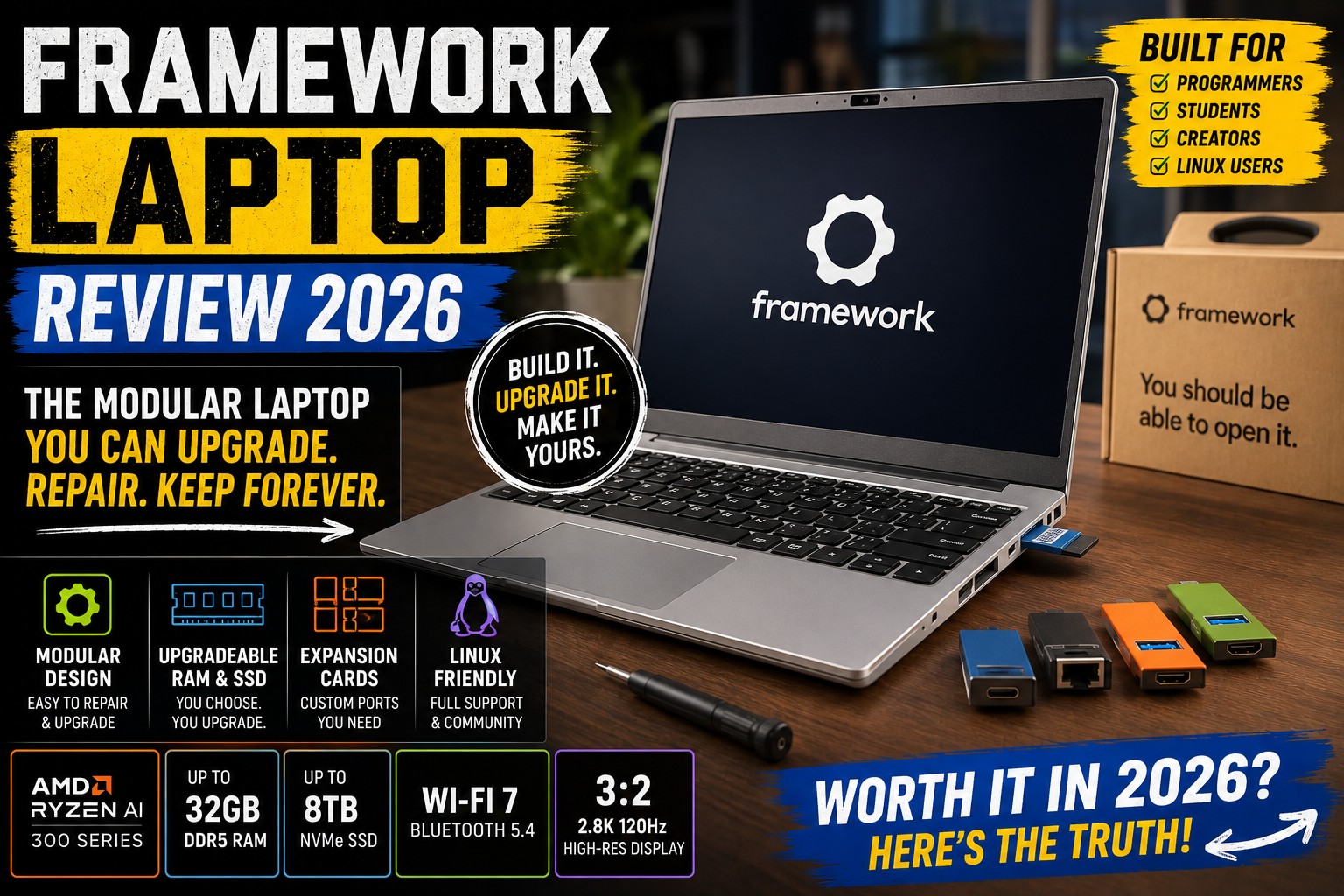

Design, Modularity, Display & Build Quality
If you've been shopping for a laptop recently, you've probably noticed something unusual about the Framework Laptop.
Most modern laptops are becoming increasingly difficult to repair or upgrade. RAM is often soldered, storage may be replaceable only on certain models, and even simple repairs can require specialized tools.
Framework takes the opposite approach.
Its philosophy is simple:
You should own the laptop, not just use it.
The Framework Laptop is designed around repairability, modularity, customization, and long-term upgrades.
And that makes it very different from mainstream competitors such as the Dell XPS, ASUS Zenbook, HP Spectre, Lenovo Yoga, or MacBook Air.
For 2026, the Framework lineup has evolved considerably. The company now offers the Framework Laptop 13 in multiple generations, while the newer Framework Laptop 13 Pro introduces a more premium chassis and newer hardware. The regular Laptop 13 was updated with AMD Ryzen AI 300 processors in 2025 and remains one of Framework's core products.
So, is Framework actually worth buying?
Let's find out.
Framework Laptop Review
What Is the Framework Laptop?
The Framework Laptop is a modular laptop designed so that many of its components can be replaced or upgraded.
Unlike conventional laptops, Framework gives users access to components such as:
- Memory
- SSD
- Wi-Fi card
- Mainboard
- Display
- Keyboard
- Touchpad
- Webcam
- Speakers
- Battery
- Expansion cards
Framework also sells replacement components through its marketplace.
This means you don't necessarily have to replace the entire laptop when one component becomes outdated or fails.
That's the fundamental idea behind the Framework ecosystem.
Framework Laptop Review
Framework Laptop 13 vs Framework Laptop 13 Pro
Before going further, there's an important distinction.
In 2026, Framework's lineup includes both the established Framework Laptop 13 and the newer Framework Laptop 13 Pro.
The standard Laptop 13 continues the company's modular design philosophy and can be configured with AMD Ryzen AI 300 processors.
The Laptop 13 Pro is a newer, more premium design.
Tom's Hardware's July 2026 review describes the Framework Laptop 13 Pro as the company's most solidly built laptop yet, with a brighter display, haptic trackpad, larger battery, and improved overall chassis design. Its major drawback is price.
For this review, we'll focus primarily on the Framework Laptop 13 family, because it represents the product that made Framework famous.
Framework Laptop Review
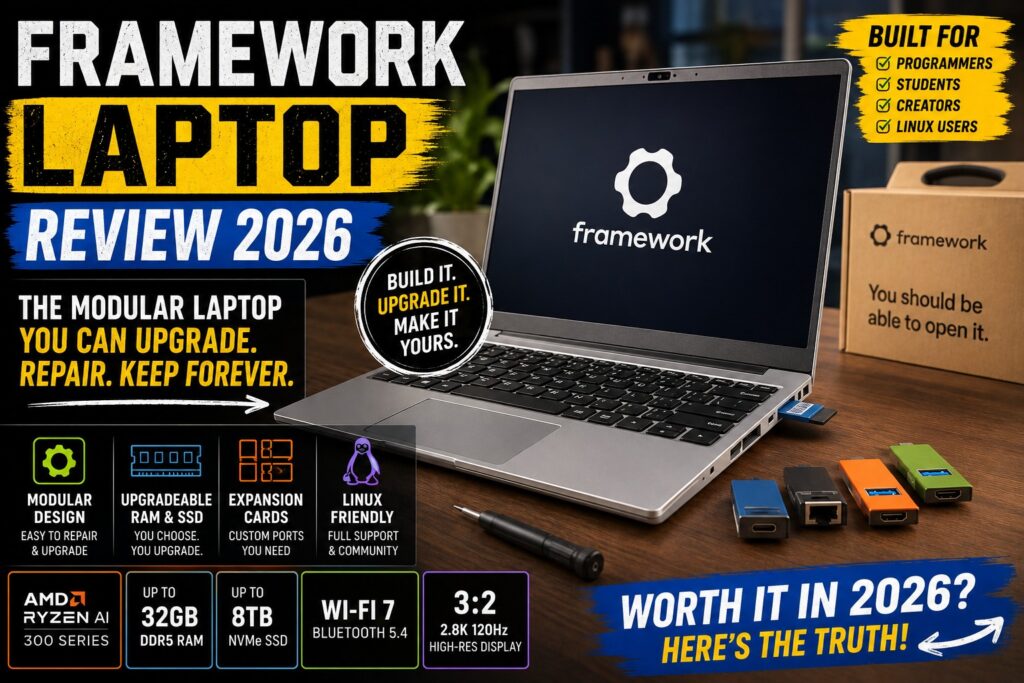
Framework Laptop Design
At first glance, the Framework Laptop doesn't look dramatically different from other premium laptops.
It has a familiar:
- Aluminum-style chassis
- 13-inch-class display
- Compact keyboard
- Large touchpad
- Thin-and-light form factor
But the differences become obvious once you start looking underneath the surface.
The laptop is designed to be opened and serviced by the owner.
That is something surprisingly rare in modern notebooks.
Framework Laptop Review
Minimalist Aesthetic
Framework doesn't try to make its laptop look overly flashy.
Instead, the design is relatively understated.
There's no aggressive gaming aesthetic.
No unnecessary RGB lighting.
No oversized branding.
The overall look is appropriate for:
- Office environments
- Universities
- Coffee shops
- Software development
- Business travel
- Home offices
It's a laptop that looks professional without trying too hard.
Framework Laptop Review
Build Quality
The standard Framework Laptop has a solid construction, although its design philosophy prioritizes serviceability over absolute thinness or luxury.
This distinction is important.
A MacBook Air or premium Dell XPS may feel more like a carefully sealed luxury object.
Framework feels more like a sophisticated piece of hardware that you are actually expected to maintain.
That's not necessarily a disadvantage.
It's simply a different philosophy.
Framework Laptop Review
The Modular Philosophy
This is the feature that makes Framework special.
Instead of permanently integrating everything into the motherboard, Framework separates many components into replaceable modules.
For example, if your USB-C port becomes damaged, you're not necessarily looking at a motherboard replacement.
If the keyboard wears out, you can replace the keyboard.
If you want a different mainboard generation later, Framework's upgrade ecosystem is designed to make that possible.
Framework Laptop Review
Expansion Cards
One of Framework's most recognizable features is its Expansion Card system.
Instead of permanently deciding which ports your laptop will have, you can choose the ports you want.
Depending on availability, expansion cards can provide connections such as:
- USB-C
- USB-A
- HDMI
- DisplayPort
- MicroSD
- MicroSD Express
- Ethernet
- Additional storage
This is a brilliant idea.
Framework Laptop Review
Why Expansion Cards Matter
Imagine you work from home.
You might want:
USB-C + HDMI + USB-A + Ethernet
But when traveling, you might prefer:
USB-C + USB-C + USB-A + MicroSD
With a conventional laptop, you're stuck with whatever ports the manufacturer chose.
With Framework, you can change the configuration.
That's a genuinely useful form of customization.
Framework Laptop Review
Expansion Cards for Creators
Content creators can also benefit from this system.
A photographer might prefer:
- MicroSD
- USB-C
- USB-A
- HDMI
A programmer might prefer:
- USB-C
- USB-C
- USB-A
- Ethernet
A student might choose:
- USB-C
- USB-A
- HDMI
- MicroSD
The laptop adapts to the user rather than forcing the user to adapt to the laptop.
Framework Laptop Review
Repairability
Repairability is arguably Framework's biggest selling point.
The company provides guides and documentation intended to help users replace components themselves.
Tom's Hardware has previously highlighted that Framework allows users to replace major components including the motherboard, display, keyboard, touchpad, webcam, memory, Wi-Fi card, and speakers.
That is an impressive level of access compared with many modern ultraportables.
Framework Laptop Review
Why Repairability Matters
Consider what happens with a traditional laptop.
After several years:
- Battery capacity decreases
- SSD becomes too small
- Keyboard becomes worn
- Wi-Fi hardware becomes outdated
- Motherboard fails
- Display gets damaged
With many laptops, the practical solution is:
Buy a new laptop.
Framework's approach is different.
You can potentially replace individual components.
That can extend the useful life of the machine.
Framework Laptop Review
DIY Edition
Framework also offers DIY Edition configurations.
Instead of receiving a completely assembled laptop, you can install components yourself.
This is particularly attractive to:
- PC enthusiasts
- Developers
- Linux users
- Hardware hobbyists
- Students learning computer hardware
The assembly process isn't comparable to building a desktop PC from scratch.
It's considerably more approachable.
Framework Laptop Review
Is the DIY Edition Difficult?
Not particularly.
Framework designs the laptop around user serviceability.
The company provides guides and documentation to help users perform repairs and upgrades.
Still, DIY buyers should be comfortable handling electronics and following instructions carefully.
If you simply want to open the box and start working, the pre-built configuration is more convenient.
Framework Laptop Review
Framework Laptop Display
The Framework Laptop 13 has been offered with different display options across generations.
One of the more notable configurations is the high-resolution 2880 × 1920 display with a 120Hz refresh rate.
That display provides significantly more vertical resolution than a traditional 16:9 laptop.
Tom's Hardware noted that the 2880 × 1920 120Hz panel added useful screen real estate for productivity, although the higher-resolution display could reduce battery endurance.
Framework Laptop Review
3:2 Aspect Ratio
The 3:2 aspect ratio is one of the Framework Laptop's best productivity features.
Compared with a typical 16:9 display, 3:2 provides more vertical space.
That means you can see more:
- Code
- Documents
- Websites
- Spreadsheets
- PDFs
- Emails
without scrolling as frequently.
For programmers and writers, this is particularly useful.
Framework Laptop Review
Programming Experience
Framework's 3:2 display is almost perfectly suited to programming.
Imagine opening Visual Studio Code.
You can see:
- More lines of code
- File navigation
- Terminal output
- Documentation
on screen simultaneously.
For developers who spend eight hours a day looking at code, this makes a noticeable difference.
Framework Laptop Review
Display Quality
The high-resolution panel provides:
- Sharp text
- Excellent workspace
- Smooth 120Hz scrolling
- Good viewing angles
- Strong productivity performance
The newer Framework Laptop 13 Pro also improves the display experience further, with Tom's Hardware describing its screen as bright while praising the overall refinement of the newer model.
Framework Laptop Review
OLED vs High-Resolution LCD
One interesting point is that Framework's approach differs from some competitors.
Many premium laptops now emphasize OLED displays.
Framework has historically offered high-resolution LCD options rather than making OLED the centerpiece of the product.
That means buyers looking primarily for:
deep blacks + extreme contrast + OLED
may prefer laptops such as:
- ASUS Zenbook
- HP Spectre
- Lenovo Yoga
But Framework's display can still be excellent for productivity.
Framework Laptop Review
Keyboard
The keyboard is another important part of the Framework experience.
Framework prioritizes a practical layout rather than trying to make the keyboard ultra-thin.
The result is a comfortable typing experience for:
- Programming
- Writing
- Office work
- School assignments
For developers in particular, a good keyboard can be more important than a flashy display.
Framework Laptop Review
Touchpad
The touchpad experience depends on the Framework generation.
Earlier models were criticized for having a touchpad that wasn't quite as polished as the best premium competitors. Tom's Hardware specifically identified touchpad refinement and cooling as areas where earlier Framework generations could improve.
The newer Framework Laptop 13 Pro addresses this with a haptic trackpad and a more refined chassis. Tom's Hardware praised the Pro model's haptic trackpad as one of its improvements.
This is a good example of Framework's iterative approach.
Framework Laptop Review
Webcam
The webcam is adequate for everyday communication, although webcam quality depends on the exact generation.
It's suitable for:
- Zoom
- Microsoft Teams
- Google Meet
- Online classes
- Remote work
However, if webcam quality is one of your highest priorities, laptops such as the HP Spectre x360 have historically offered more advanced camera hardware.
Framework Laptop Review
Speakers
The Framework Laptop's speakers are functional for:
- YouTube
- Video calls
- Podcasts
- Casual music
But audio isn't its strongest category.
Premium competitors such as the Lenovo Yoga 9i generally offer a more impressive speaker experience.
Framework's philosophy is clearly focused elsewhere:
repairability, modularity, and upgradeability.
Framework Laptop Review
Portability
The Framework Laptop 13 is designed as a portable productivity machine.
It's compact enough for:
- University
- Business travel
- Coffee shops
- Coworking spaces
- Remote work
It also fits naturally into a backpack without taking up much space.
Framework Laptop Review
Framework Laptop for Students
The Framework Laptop makes an interesting choice for students.
Why?
Because a student may use the same laptop for four or five years.
During that time:
- Battery health may decline
- Storage requirements may increase
- Wi-Fi standards may change
- Memory requirements may grow
The ability to repair and upgrade components can potentially extend the laptop's useful life.
Framework Laptop Review
Framework Laptop for Programmers
This may actually be one of Framework's strongest audiences.
Developers often appreciate:
- Linux compatibility
- Upgradeable memory
- Replaceable SSD
- Replaceable Wi-Fi
- Modular ports
- Easy repairs
- High-resolution 3:2 display
- Excellent keyboard
Framework itself has emphasized developers and Linux enthusiasts as an important audience, and third-party reviews have similarly highlighted the platform's appeal to those users.
Framework Laptop Review
Linux Support
Framework is also particularly popular among Linux users.
That's important because many mainstream laptop manufacturers focus primarily on Windows.
Framework's hardware has attracted a strong Linux community, making the laptop particularly interesting for:
- Ubuntu
- Fedora
- Arch Linux
- Linux Mint
- Debian
- Pop!_OS
Advanced users can also choose their preferred operating system rather than being locked into a specific software ecosystem.
Framework Laptop Review
Framework Laptop for Content Creators
This category is more complicated.
The Framework Laptop 13 can handle:
- Photoshop
- Lightroom
- Canva
- Figma
- Basic video editing
- Content creation
- Web design
But it's not primarily designed as a professional workstation.
If your work involves:
- 4K/8K editing
- 3D rendering
- Heavy Blender projects
- Professional color grading
- GPU-intensive effects
you may want something with a dedicated GPU.
That's where a larger machine such as the Framework Laptop 16 becomes more interesting.
Framework Laptop Review
Framework Laptop 16
Framework's Laptop 16 takes the modular concept much further.
It provides a larger chassis and, in recent generations, a replaceable graphics module.
The 2025 Framework Laptop 16 introduced an NVIDIA GeForce RTX 5070 Graphics Module, giving existing owners a path to upgrade graphics performance rather than replacing the entire machine. The Verge reported substantial performance improvements over the previous Radeon graphics module.
However, the Laptop 16 is significantly larger and more expensive.
For most users, the Framework Laptop 13 remains the more practical everyday laptop.
Framework Laptop Review
Framework Laptop: The Biggest Advantage
After looking at the hardware, one thing becomes obvious.
The Framework Laptop isn't trying to win every specification category.
It doesn't necessarily have:
- The best speakers
- The brightest OLED display
- The longest battery life
- The thinnest chassis
- The fastest GPU
Instead, it wins in a category almost nobody else seriously competes in:
Ownership.
You can repair it.
You can customize it.
You can upgrade it.
You can change its ports.
You can replace components.
And you can potentially keep the machine for much longer.
That's what makes Framework different.
Framework Laptop Review
Framework Laptop 13 — First Impressions Score
| Category | Rating |
|---|---|
| Design | ⭐⭐⭐⭐½ |
| Build Quality | ⭐⭐⭐⭐½ |
| Modularity | ⭐⭐⭐⭐⭐ |
| Repairability | ⭐⭐⭐⭐⭐ |
| Display | ⭐⭐⭐⭐½ |
| Keyboard | ⭐⭐⭐⭐½ |
| Touchpad | ⭐⭐⭐⭐ |
| Port Selection | ⭐⭐⭐⭐⭐ |
| Portability | ⭐⭐⭐⭐½ |
| Linux Support | ⭐⭐⭐⭐⭐ |
Part 1 Score: 4.7/5
Framework Laptop ReviewThe Big Question
The Framework Laptop looks impressive on paper.
But there's a major question we still need to answer:
Does the modular design come with too many compromises?
Because repairability is great—but not if you're sacrificing:
- Battery life
- Performance
- Build quality
- Thermals
- Portability
- Price
And that's exactly what we'll investigate next.
Performance, Battery Life, Upgrades & Real-World Use
In Part 1, we looked at what makes the Framework Laptop different from conventional laptops: its modular design, repairability, Expansion Cards, 3:2 display, keyboard, and Linux-friendly approach.
Now let's move beyond the concept.
How does the Framework Laptop actually perform in everyday use?
A repairable laptop is interesting, but it still needs to be fast, reliable, quiet, and practical enough to use every day.
Framework Laptop Review
Framework Laptop Performance
The Framework Laptop 13 has been offered with several processor generations, including Intel Core Ultra and AMD Ryzen AI configurations.
For a 2026 buyer, the exact processor matters because Framework allows the motherboard to be replaced independently of the rest of the machine.
That means the platform is designed around a different upgrade philosophy from traditional laptops.
Instead of:
Old laptop → new laptop
Framework aims for:
Old chassis → new motherboard
That's potentially a major advantage for long-term ownership.
Framework Laptop Review
Everyday Performance
For normal productivity, the Framework Laptop is more than capable.
You can comfortably run:
- Google Chrome
- Microsoft Edge
- Microsoft Word
- Excel
- PowerPoint
- Slack
- Discord
- Zoom
- Spotify
- Photoshop
- VS Code
- Multiple browser tabs
At the same time.
A configuration with 16GB RAM is already sufficient for most everyday users.
However, if you're planning to keep the laptop for several years, 32GB is a more attractive long-term configuration.
Framework Laptop Review
Multitasking Performance
One of the biggest advantages of choosing 32GB RAM is multitasking.
For example, a programmer might simultaneously have:
- VS Code
- Chrome
- Docker
- GitHub
- Slack
- Terminal
- Local development server
running together.
With 32GB RAM, this type of workflow is much more comfortable.
For casual users, however, 16GB remains perfectly reasonable.
Framework Laptop Review
Framework Laptop for Programming
This is where Framework really starts to make sense.
The laptop's combination of:
3:2 display + excellent keyboard + modular hardware + Linux support
makes it particularly attractive to developers.
The 3:2 display gives programmers more vertical space for code.
You can see more lines without constantly scrolling.
Framework Laptop Review
Web Development
For web developers, the Framework Laptop is excellent.
It's easily capable of handling:
- HTML
- CSS
- JavaScript
- TypeScript
- React
- Next.js
- Node.js
- PHP
- Python
- WordPress development
A typical workflow could include:
VS Code + Chrome + Terminal + Docker + Git
without major problems on a modern configuration.
Framework Laptop Review
Software Development
The Framework Laptop can also handle more traditional development environments.
Examples include:
- Visual Studio
- IntelliJ IDEA
- Android Studio
- PyCharm
- Eclipse
- CLion
Developers working with large projects will benefit from 32GB RAM and a fast NVMe SSD.
Framework Laptop Review
Linux Performance
Linux is one of Framework's most interesting advantages.
The company has developed a strong reputation among Linux users because its hardware is designed with openness and user control in mind.
This makes Framework particularly attractive if you want to run:
- Ubuntu
- Fedora
- Debian
- Arch Linux
- Linux Mint
- Pop!_OS
instead of Windows.
Framework Laptop Review
Why Developers Like Framework
A developer may want to replace their operating system without worrying about whether the manufacturer officially prioritizes Linux.
Framework's community and documentation make the platform particularly attractive for technically experienced users.
The ability to open the machine and replace components is another major advantage.
You don't have to treat the laptop like a sealed appliance.
Framework Laptop Review
Framework Laptop for Office Work
For office users, the Framework Laptop is also excellent.
It's suitable for:
- Microsoft Office
- Google Workspace
- Zoom
- Microsoft Teams
- Project management
- Research
- Presentations
- Remote work
The 3:2 display is particularly useful for documents and spreadsheets.
Framework Laptop Review
Framework Laptop for Students
For students, the biggest advantage isn't necessarily raw performance.
It's longevity.
Imagine purchasing a Framework Laptop at university.
Over several years, you could potentially replace:
- Battery
- SSD
- RAM
- Wi-Fi module
- Mainboard
rather than replacing the entire laptop.
That can make the machine more sustainable and potentially reduce long-term ownership costs.
Framework Laptop Review
RAM Upgradeability
This is one of Framework's biggest differences.
On supported Framework Laptop 13 generations, RAM is available as standard replaceable memory rather than permanently soldered memory.
That means you can start with:
16GB
and later upgrade to:
32GB or more, depending on the supported generation and module compatibility.
That's a major advantage over many thin-and-light laptops.
Framework Laptop Review
SSD Upgradeability
The SSD is also replaceable.
You can choose your own storage capacity.
For example:
512GB → 1TB → 2TB
as your needs increase.
This is particularly useful for:
- Developers
- Photographers
- Video editors
- Students
- Researchers
who tend to accumulate large amounts of data.
Framework Laptop Review
Wi-Fi Upgradeability
The Wi-Fi module can also be replaced on compatible models.
That's something most users will never need to do.
But for long-term ownership, it's useful.
Wireless standards continue to evolve.
Being able to replace the module means the laptop doesn't necessarily become obsolete simply because newer wireless hardware becomes available.
Framework Laptop Review
Motherboard Upgrades
This is arguably the most exciting aspect of Framework.
The motherboard is effectively the heart of the computer.
When a new generation becomes available, you can potentially replace the old motherboard while keeping the rest of the laptop.
That means:
New CPU + new GPU architecture + new connectivity
without buying an entirely new chassis.
Framework's motherboard ecosystem is one of the defining characteristics of the platform.
Framework Laptop Review
Is Motherboard Upgrading Easy?
Compared with replacing the motherboard in a conventional laptop, Framework makes the process considerably more accessible.
The laptop is designed for service.
You can open the machine using relatively common tools and follow Framework's repair documentation.
However, motherboard upgrades are still more complicated than swapping an SSD.
Beginners should take their time and follow the official instructions carefully.
Framework Laptop Review
Framework Expansion Cards
The Expansion Card system deserves another look.
Instead of permanently integrating every port into the chassis, Framework lets you choose your port configuration.
This is a fantastic idea for people with different workflows.
Framework Laptop Review
Example: Programmer Setup
A programmer might choose:
| Slot | Expansion Card |
|---|---|
| 1 | USB-C |
| 2 | USB-A |
| 3 | HDMI |
| 4 | Ethernet |
This provides a practical development setup without carrying a large dongle.
Framework Laptop Review
Example: Content Creator Setup
A creator might prefer:
| Slot | Expansion Card |
|---|---|
| 1 | MicroSD |
| 2 | USB-C |
| 3 | USB-A |
| 4 | HDMI |
This makes transferring photos and connecting external displays much easier.
Framework Laptop Review
Example: Traveler Setup
For travel, you could minimize the configuration:
| Slot | Expansion Card |
|---|---|
| 1 | USB-C |
| 2 | USB-C |
| 3 | USB-A |
| 4 | Storage |
It's a simple but surprisingly useful concept.
Framework Laptop Review
Framework Laptop Battery Life
Battery life is more complicated.
The Framework Laptop can deliver good battery life, but the exact result depends heavily on:
- Processor
- Display
- Brightness
- Refresh rate
- Operating system
- Workload
- Browser
- Background applications
A high-resolution 120Hz display naturally consumes more power than a lower-resolution 60Hz panel.
Framework Laptop Review
High-Resolution Display vs Battery
This is an important trade-off.
The 2880 × 1920 120Hz display looks fantastic.
But you're driving significantly more pixels than a conventional 1920 × 1200 panel.
For users who want maximum battery life, reducing:
- Brightness
- Refresh rate
- Background processes
can help.
Framework Laptop Review
Battery Life for Office Work
For normal productivity, the Framework Laptop should be capable of getting through a substantial portion of a work or school day, depending on configuration.
But it isn't necessarily the undisputed battery-life champion.
Apple's MacBook Air, for example, remains extremely strong in efficiency.
So if your number-one priority is:
maximum battery life
Framework may not be your first choice.
Framework Laptop Review
Charging
Framework uses USB-C charging.
That is convenient because USB-C chargers are increasingly common.
You can potentially use the same charger for:
- Laptop
- Smartphone
- Tablet
- Headphones
This reduces the number of chargers you need to carry.
Framework Laptop Review
Thermal Performance
The Framework Laptop has a relatively compact chassis.
That creates an unavoidable challenge:
Performance generates heat.
Under light workloads, the laptop remains comfortable.
Under sustained heavy workloads, the cooling system has to work harder.
Framework Laptop Review
Fan Noise
When performing demanding tasks such as:
- Video rendering
- Compilation
- Large software builds
- Heavy multitasking
- CPU benchmarks
the fans can become audible.
This isn't unusual for a thin laptop.
However, users expecting MacBook-Air-style silent operation should understand the difference.
Framework Laptop Review
Framework Laptop for Video Editing
The Framework Laptop can handle moderate video editing.
It's suitable for:
- YouTube videos
- 1080p editing
- Short 4K projects
- Social media content
- Basic color correction
Applications such as:
- Adobe Premiere Pro
- DaVinci Resolve
- CapCut
- Adobe After Effects
can run on modern configurations.
But there is an important limitation.
Framework Laptop Review
Integrated Graphics Limitation
Most Framework Laptop 13 configurations are not designed as professional GPU workstations.
Integrated graphics are fine for everyday creative work.
But heavy workloads such as:
- 3D rendering
- Advanced effects
- Large 4K projects
- 8K editing
- Blender rendering
- AI workloads
can benefit enormously from a dedicated GPU.
That's where the Framework Laptop 16 becomes more interesting.
Framework Laptop Review
Framework Laptop 16 for Creators
The Framework Laptop 16 is designed for users who need more performance.
Its modular architecture allows additional graphics capability through a replaceable Graphics Module.
Framework's 2025 generation introduced an NVIDIA RTX 5070 Graphics Module, offering substantially more GPU performance than the earlier Radeon module. (frame.work)
This makes the Framework 16 a much more serious option for:
- Video editing
- 3D rendering
- Gaming
- AI workloads
- GPU-accelerated applications
Framework Laptop for Gaming
The Framework Laptop 13 isn't designed primarily for gaming.
You can still play lighter titles.
Examples include:
- Valorant
- League of Legends
- Minecraft
- Dota 2
- Rocket League
- Indie games
But demanding AAA games aren't its main purpose.
Framework Laptop Review
Framework Laptop 16 Gaming
The situation changes with the Framework Laptop 16.
A dedicated GPU makes it much more capable of gaming.
However, there's still a trade-off.
A modular gaming laptop is likely to be:
- Larger
- Heavier
- More expensive
- Louder
than a traditional ultraportable.
That's expected.
Framework Laptop Review
Repairability in Real Life
This is perhaps the most important part of the review.
The Framework Laptop isn't merely theoretically repairable.
Its design intentionally makes repairs accessible.
Framework provides documentation and replacement parts, allowing users to replace components rather than sending the entire laptop away for specialized repair.
Framework Laptop Review
What Can You Replace?
Depending on the model and generation, users can replace components such as:
- Display
- Keyboard
- Touchpad
- Battery
- Speakers
- Webcam
- Mainboard
- RAM
- SSD
- Wi-Fi module
- Expansion Cards
That's an impressive list.
Framework Laptop Review
What Happens If the Battery Dies?
With many thin laptops, battery replacement can be inconvenient.
With Framework, the battery is designed to be replaceable.
This is particularly important because batteries naturally degrade over time.
A five-year-old laptop doesn't necessarily need to be discarded simply because its battery has lost capacity.
Framework Laptop Review
What If the Keyboard Breaks?
Again, you don't necessarily need to replace the entire machine.
The keyboard can be replaced.
That's especially valuable for people who type thousands of words every week.
Framework Laptop Review
What If the Screen Breaks?
The display can also be replaced.
This is one of the biggest advantages of Framework's design.
A cracked screen doesn't automatically mean the end of the laptop.
Framework Laptop Review
Long-Term Ownership
This is where Framework becomes particularly interesting.
Most laptops are designed around a relatively short upgrade cycle.
Manufacturers release a new generation.
Consumers buy a new laptop.
The old laptop eventually becomes difficult to repair or upgrade.
Framework tries to break that cycle.
Framework Laptop Review
Is Framework More Sustainable?
Potentially, yes.
The ability to replace individual components can reduce electronic waste.
Instead of throwing away an entire laptop because of one failed component, you can potentially replace only the damaged part.
However, sustainability depends on how long owners actually keep their devices and whether replacement components remain available.
Framework's modular ecosystem gives users the option to extend the life of the machine.
Framework Laptop Review
Framework Laptop vs Traditional Laptop Ownership
Traditional Laptop
Buy → Use → Battery degrades → Hardware becomes outdated → Replace
Framework Laptop
Buy → Use → Upgrade → Repair → Upgrade again → Continue using
That difference is the entire Framework philosophy.
Framework Laptop Review
Is Framework Expensive?
This is where the discussion gets complicated.
Framework laptops aren't always the cheapest option.
You can often find mainstream laptops with:
- Faster hardware
- Better OLED displays
- Larger batteries
- More powerful GPUs
for similar money.
So why would anyone buy Framework?
Because you're paying for something beyond specifications.
You're paying for:
Modularity + Repairability + Upgradeability + Ownership
Framework Laptop Review
Framework Laptop Value
The value proposition becomes stronger over a longer period.
Imagine two laptops.
Laptop A
Costs $1,000.
After three years, the battery is weak and the hardware is outdated.
You replace the laptop.
Laptop B
Costs $1,200.
After three years, you replace:
- Battery
- SSD
- RAM
and eventually upgrade the motherboard.
If you continue using it for several more years, the total cost of ownership could become more attractive.
That's the theory.
Actual savings depend on component prices and how long you keep the machine.
Framework Laptop Review
Who Should Buy the Framework Laptop?
The Framework Laptop is especially suitable for:
👨💻 Programmers
Because of the keyboard, display, Linux support, and upgradeability.
🎓 Students
Because the laptop can potentially be maintained throughout university.
🔧 DIY Enthusiasts
Because the hardware is accessible.
🐧 Linux Users
Because Framework has a strong Linux community.
🌱 Sustainability-Minded Buyers
Because repairability can extend the useful life of the device.
💼 Professionals
Because customizable ports and replaceable components can be valuable.
Framework Laptop Review
Who Should NOT Buy It?
Framework isn't perfect for everyone.
You may want another laptop if you prioritize:
🎨 Best OLED Display
ASUS, HP, and Lenovo often offer stronger OLED options.
🔋 Maximum Battery Life
MacBook Air may be a better fit.
🎮 Gaming Performance
A dedicated gaming laptop is more appropriate.
🔊 Best Speakers
Lenovo Yoga models can be stronger.
💰 Lowest Upfront Price
Mainstream laptops often provide better specifications per dollar.
Framework Laptop Review
Framework Laptop: Part 2 Verdict
After testing the concept from a real-world perspective, the Framework Laptop becomes much more compelling.
Its biggest strengths aren't measured by benchmark scores.
They're measured by how long you can keep using the machine.
⭐ Performance: 8.8/10
⭐ Battery Life: 8.5/10
⭐ Repairability: 10/10
⭐ Upgradeability: 10/10
⭐ Programming: 9.5/10
⭐ Portability: 9/10
⭐ Value: 8.8/10
The Bottom Line
The Framework Laptop isn't trying to be the world's fastest laptop.
It's trying to be the laptop you don't have to replace every few years.
And that's a very different proposition.
If you're someone who values:
repairability + modularity + Linux + long-term ownership
Framework is one of the most interesting laptop platforms available.
But if you simply want the:
thinnest + fastest + longest-lasting + best-looking laptop
there are other options that may suit you better.
Framework Laptop Review
Framework vs MacBook Air, Dell XPS, ASUS Zenbook & Lenovo Yoga
In Part 1 and Part 2, we explored what makes the Framework Laptop different, including its modular construction, repairability, upgradeable RAM and SSD, Expansion Cards, Linux support, performance, battery life, and long-term ownership.
Now comes the most important question for buyers:
How does the Framework Laptop compare with the competition?
Framework is unusual because it doesn't try to win every specification battle.
Its biggest advantage is ownership flexibility.
The current Framework Laptop 13 with AMD Ryzen AI 300 processors offers up to a 12-core Ryzen AI 9 HX 370, Radeon 890M integrated graphics, user-replaceable DDR5 memory, up to 8TB of SSD storage, Wi-Fi 7, a 61Wh battery, and four user-selectable Expansion Card slots.
That gives Framework a unique position in the premium laptop market.
Framework Laptop Review
Framework Laptop vs MacBook Air
The MacBook Air is probably the most important alternative for someone considering a Framework Laptop 13.
Both are:
- Thin
- Lightweight
- Portable
- Premium
- Designed for productivity
- Suitable for students
- Suitable for programmers
But their philosophies couldn't be more different.
MacBook Air
Closed, highly optimized ecosystem
Framework Laptop
Open, modular, upgradeable ecosystem
That's the fundamental difference.
Framework Laptop Review
Design & Build
The MacBook Air has an extremely refined aluminum design.
Its chassis feels exceptionally solid and premium.
Framework's design is more utilitarian.
It's attractive, but its priority is serviceability rather than creating the most seamless possible chassis.
Winner: MacBook Air
If your priority is pure design refinement, Apple has the advantage.
Framework Laptop Review
Repairability
This category isn't close.
The Framework Laptop is designed to be opened, repaired, and upgraded.
Framework explicitly markets the Laptop 13 around customization, repairability, and processor-generation upgrades.
Winner: 🏆 Framework Laptop
RAM Upgradeability
Framework uses replaceable DDR5 memory on supported Laptop 13 configurations.
The current AMD model can be configured with up to 96GB DDR5-5600, depending on configuration.
The MacBook Air uses unified memory that isn't user-upgradable.
Winner: 🏆 Framework Laptop
Storage
Framework allows you to choose your own SSD and supports capacities up to 8TB on the current AMD Laptop 13 configuration.
The MacBook Air's internal storage isn't designed for user replacement.
Winner: Framework Laptop
Battery Life
This is where Apple has a major advantage.
The MacBook Air's Apple Silicon platform is extremely efficient.
Framework's 61Wh battery is respectable, but battery life varies significantly depending on processor, display, refresh rate, operating system, and workload.
Winner: 🏆 MacBook Air
Display
Framework offers a very useful 3:2 display.
The current Laptop 13 can be configured with a:
2880 × 1920, 120Hz, 500+ nit, 100% sRGB matte display.
That's fantastic for productivity.
The MacBook Air offers a more cinematic 16:10 experience and excellent color quality.
Winner: Tie
For productivity:
Framework
For multimedia and overall display refinement:
MacBook Air
Ports
Framework wins decisively.
Its four Expansion Card slots allow you to customize the laptop with combinations such as:
- USB-C
- USB-A
- HDMI
- DisplayPort
- Ethernet
- SD
- MicroSD
- Additional storage
The MacBook Air offers a much smaller fixed port selection.
Winner: 🏆 Framework Laptop
Framework vs MacBook Air: Verdict
| Category | Winner |
|---|---|
| Design | MacBook Air |
| Build refinement | MacBook Air |
| Battery efficiency | MacBook Air |
| Display | Tie |
| Repairability | Framework |
| Upgradeability | Framework |
| Ports | Framework |
| Linux | Framework |
| macOS ecosystem | MacBook Air |
| Long-term hardware flexibility | Framework |
🏆 Overall: Framework for flexibility, MacBook Air for simplicity
Choose Framework if you want to own and modify your hardware.
Choose MacBook Air if you want maximum efficiency and a polished ecosystem.
Framework Laptop vs Dell XPS
The Dell XPS is another premium alternative.
Dell's philosophy is closer to Apple:
Premium design first.
Framework's philosophy is:
Repairability first.
Build Quality
The Dell XPS generally feels more luxurious.
The materials, machining, and overall presentation are aimed at creating a premium experience.
Framework feels more functional.
Winner: Dell XPS
Repairability
Framework wins easily.
The entire Framework ecosystem is designed around replacement parts and upgrades.
Winner: 🏆 Framework
Display
Dell often provides excellent high-resolution displays, including OLED options on various XPS models.
Framework's 3:2 matte display is particularly good for productivity, but buyers looking for maximum contrast and deep blacks may prefer an OLED-equipped competitor.
Winner: Dell XPS
Ports
This comparison depends on the XPS model.
However, Framework's Expansion Card system gives it an enormous advantage in customization.
Winner: 🏆 Framework
Programming
Both are good.
But developers who use Linux or frequently upgrade their hardware may find Framework more attractive.
Winner: Framework
Framework vs ASUS Zenbook
The ASUS Zenbook is arguably one of Framework's strongest competitors.
Why?
Because ASUS focuses heavily on:
- OLED displays
- Thin designs
- Lightweight construction
- Premium finishes
- Strong specifications
- Competitive pricing
Display
This is where ASUS can have a significant advantage.
Zenbook models frequently offer high-resolution OLED panels with:
- Deep blacks
- High contrast
- Vibrant colors
- Excellent multimedia performance
Framework's matte 3:2 display is excellent for productivity, but it's not trying to compete directly with OLED.
Winner: 🏆 ASUS Zenbook
Portability
Both are highly portable.
Framework Laptop 13 weighs approximately 1.3kg according to Framework's current specifications.
That's very competitive.
Winner: Tie
Upgradeability
There's no contest.
Winner: 🏆 Framework
Value
ASUS often offers more conventional laptop specifications for the money.
If you don't care about repairability, a Zenbook may provide better immediate hardware value.
Winner: ASUS Zenbook
Framework vs Lenovo Yoga
The Lenovo Yoga family is particularly interesting because it combines premium construction with convertible designs.
The Yoga series is excellent for:
- Students
- Professionals
- Touchscreen users
- Creators
- Travelers
Framework's advantage is completely different.
2-in-1 Functionality
Some Yoga models have a 360-degree hinge.
Framework Laptop 13 is a traditional clamshell design.
Winner: 🏆 Lenovo Yoga
If you want tablet functionality, Yoga is the better choice.
Display
Yoga laptops frequently offer excellent OLED displays.
Framework focuses on its productivity-friendly 3:2 matte panel.
Winner: Lenovo Yoga
Repairability
Framework wins.
Winner: 🏆 Framework
Speakers
Lenovo has historically done an excellent job with laptop audio, particularly on premium Yoga models.
Winner: 🏆 Lenovo Yoga
Framework vs HP Spectre x360
This comparison is especially relevant for your GearChoiceLab laptop cluster because you've already published the HP Spectre x360 Review.
The two laptops represent very different philosophies.
HP Spectre x360
Premium convertible experience
Framework Laptop
Modular ownership experience
Touchscreen
The Spectre x360 wins.
Framework Laptop 13 is primarily designed as a traditional productivity laptop, while the Spectre x360 is built around its 360-degree touchscreen experience.
Winner: 🏆 HP Spectre x360
Stylus
Again, HP wins.
The Spectre x360 is much better suited to users who want to draw, annotate, or take handwritten notes.
Winner: HP Spectre x360
Repairability
Framework wins by a huge margin.
Winner: 🏆 Framework
Long-Term Ownership
This is Framework's strongest category.
The current AMD Framework Laptop 13 is explicitly designed so owners can upgrade processor generations while keeping the same basic laptop platform. Framework says owners going back to the original 11th Gen Intel model can upgrade to newer modules.
Winner: 🏆 Framework
Framework Laptop 13 vs Framework Laptop 16
This is an important decision within Framework's own lineup.
Framework Laptop 13
Best for:
- Students
- Programmers
- Remote workers
- Travelers
- Office users
- Linux enthusiasts
Framework Laptop 16
Best for:
- Gamers
- Video editors
- 3D artists
- AI users
- Professionals requiring dedicated graphics
Framework Laptop 16: The GPU Advantage
The Framework Laptop 16 takes modularity to another level.
Its graphics module can be upgraded.
The second-generation Laptop 16 supports an NVIDIA GeForce RTX 5070 Laptop GPU module, and it can also be used as an upgrade for the original 2024 Framework Laptop 16.
That's something almost unheard of in modern gaming laptops.
But There's a Catch
The Framework Laptop 16 isn't automatically the best gaming laptop.
Tom's Hardware praised its upgradeable GPU and customization but noted that it's expensive compared with other RTX 5070 gaming laptops and still has some fit-and-finish compromises.
So you're paying for:
upgradeability
rather than simply maximum performance per dollar.
Which Framework Laptop Should You Buy?
Here's our recommendation.
| User | Recommended Model |
|---|---|
| Student | Framework Laptop 13 |
| Programmer | Framework Laptop 13 |
| Linux user | Framework Laptop 13 |
| Traveler | Framework Laptop 13 |
| Office worker | Framework Laptop 13 |
| Content creator | Framework Laptop 16 |
| Gamer | Framework Laptop 16 |
| 3D artist | Framework Laptop 16 |
| AI enthusiast | Framework Laptop 16 |
| DIY enthusiast | Either |
Best Framework Laptop 13 Configuration
For most users, we recommend avoiding the absolute base configuration.
Instead, look for:
⭐ Ryzen AI 7 350
⭐ 32GB DDR5 RAM
⭐ 1TB SSD
⭐ 2.8K 120Hz display
This provides a strong balance between:
- CPU performance
- Graphics performance
- RAM
- Storage
- Display quality
- Long-term usability
The current AMD lineup also offers the Ryzen AI 9 HX 370 with 12 CPU cores and Radeon 890M graphics for users who want the highest-performance Laptop 13 configuration.
Best Budget Configuration
For students and office workers:
Ryzen AI 5 340
16GB RAM
512GB SSD
2.2K display
is enough for:
- Office work
- Web browsing
- Programming
- Online classes
- Streaming
- Research
- Basic photo editing
Best Configuration for Programmers
For serious programming:
Ryzen AI 7 350
32GB RAM
1TB SSD
2.8K 120Hz display
This is the configuration I'd recommend for developers.
The combination of:
3:2 display + 32GB RAM + fast SSD + strong CPU
makes it an excellent development machine.
Best Configuration for Creators
If you're doing serious video editing or 3D work:
Framework Laptop 16
is the better choice.
The dedicated GPU makes a substantial difference.
The RTX 5070 Graphics Module gives the Laptop 16 a legitimate upgrade path for GPU performance.
Is Framework Future-Proof?
This is one of the biggest questions surrounding the brand.
The answer is:
More future-flexible than most laptops, but not truly future-proof.
No laptop can be completely future-proof.
Technology changes.
New standards appear.
CPU architectures evolve.
Battery technology changes.
Display technology improves.
But Framework gives you more options.
That's the important distinction.
What Framework Can Potentially Upgrade
You can potentially replace:
- CPU/mainboard
- RAM
- SSD
- Wi-Fi
- Battery
- Keyboard
- Display
- Speakers
- Webcam
- Expansion Cards
depending on the model and generation.
That dramatically increases the number of components you can maintain over time.
What Framework Can't Solve
There are still limitations.
For example:
If a future processor requires a completely different physical architecture, there may be limits to backward compatibility.
Likewise, a new display technology may not be compatible with an old chassis.
Framework cannot eliminate engineering constraints.
Framework's Biggest Advantage
After comparing it with all these competitors, one thing becomes clear.
The Framework Laptop isn't necessarily the best laptop in every individual category.
Instead, it is one of the best overall ownership platforms.
That's a very different distinction.
Quick Comparison
| Feature | Framework 13 | MacBook Air | ASUS Zenbook | Lenovo Yoga | HP Spectre x360 |
|---|---|---|---|---|---|
| Repairability | ⭐⭐⭐⭐⭐ | ⭐⭐ | ⭐⭐ | ⭐⭐ | ⭐⭐ |
| Upgradeability | ⭐⭐⭐⭐⭐ | ⭐ | ⭐⭐ | ⭐⭐ | ⭐⭐ |
| Display | ⭐⭐⭐⭐½ | ⭐⭐⭐⭐½ | ⭐⭐⭐⭐⭐ | ⭐⭐⭐⭐⭐ | ⭐⭐⭐⭐⭐ |
| Battery | ⭐⭐⭐⭐ | ⭐⭐⭐⭐⭐ | ⭐⭐⭐⭐½ | ⭐⭐⭐⭐ | ⭐⭐⭐⭐½ |
| Port flexibility | ⭐⭐⭐⭐⭐ | ⭐⭐⭐ | ⭐⭐⭐⭐ | ⭐⭐⭐⭐ | ⭐⭐⭐ |
| Portability | ⭐⭐⭐⭐⭐ | ⭐⭐⭐⭐⭐ | ⭐⭐⭐⭐⭐ | ⭐⭐⭐⭐½ | ⭐⭐⭐⭐½ |
| Linux | ⭐⭐⭐⭐⭐ | ⭐⭐⭐ | ⭐⭐⭐⭐ | ⭐⭐⭐⭐ | ⭐⭐⭐ |
| 2-in-1 | ⭐ | ⭐ | ⭐ | ⭐⭐⭐⭐⭐ | ⭐⭐⭐⭐⭐ |
| Gaming | ⭐⭐⭐ | ⭐⭐⭐ | ⭐⭐⭐ | ⭐⭐⭐ | ⭐⭐⭐ |
| Long-term ownership | ⭐⭐⭐⭐⭐ | ⭐⭐⭐ | ⭐⭐⭐ | ⭐⭐⭐ | ⭐⭐⭐ |
Scores are editorial comparisons, not standardized laboratory measurements, and vary by exact model and configuration.
Who Should Buy Framework Laptop 13?
I'd strongly consider it if you are:
👨💻 A Programmer
The 3:2 display, keyboard, modular hardware, and Linux compatibility are excellent.
🐧 A Linux User
Framework is one of the most attractive mainstream laptop platforms for Linux enthusiasts.
🔧 A Hardware Enthusiast
If you enjoy upgrading and repairing hardware, Framework is almost tailor-made for you.
🎓 A Student
The ability to replace components can make long-term ownership more attractive.
🌱 A Sustainability-Minded Buyer
Repairability can reduce the need to discard an entire laptop when a component fails.
💼 A Professional
The customizable Expansion Cards are genuinely useful for changing workflows.
Who Should Buy Framework Laptop 16?
Choose the Framework 16 if you need:
- Dedicated graphics
- Better gaming performance
- Video editing
- 3D rendering
- GPU acceleration
- Expandable graphics
But understand that you're paying a premium for its modular architecture.
Who Should Choose Something Else?
Framework isn't the right answer for everyone.
Choose a MacBook Air if:
You want exceptional battery efficiency and a polished, quiet ecosystem.
Choose an ASUS Zenbook if:
You want an excellent OLED display and strong specifications for the money.
Choose a Lenovo Yoga if:
You want a premium 2-in-1 with excellent multimedia capabilities.
Choose an HP Spectre x360 if:
You want a premium convertible with OLED, touchscreen, and stylus functionality.
Choose a gaming laptop if:
Maximum GPU performance per dollar is your priority.
Choose Framework if:
You want a laptop you can repair, upgrade, customize, and keep for many years.
Final Verdict, Pros & Cons, FAQ & Buying Guide
After looking at the design, display, performance, repairability, upgradeability, battery life, and competition, we can now answer the biggest question:
Is the Framework Laptop worth buying in 2026?
The short answer is yes—for the right type of buyer.
The Framework Laptop isn't designed to beat every competitor in every specification. Instead, it offers something increasingly rare in the laptop market: control over your hardware.
You can choose your ports, replace components, upgrade memory and storage, repair damaged parts, and potentially upgrade the mainboard later.
That makes Framework one of the most interesting laptops for people who plan to keep their computer for many years.
Framework Laptop Review: Final Verdict
The Framework Laptop is best understood as a long-term laptop platform, rather than simply another ultraportable computer.
Most laptop manufacturers compete on:
- Processor performance
- Display quality
- Battery life
- Weight
- Design
- Price
Framework competes on something different:
Repairability + modularity + upgradeability.
And that philosophy is reflected throughout the product.
What We Like About the Framework Laptop
1. Excellent Repairability
This is the Framework Laptop's biggest advantage.
Many components can be accessed and replaced without treating the laptop like a disposable product.
That's particularly useful when something eventually fails.
A broken keyboard doesn't necessarily mean buying a new laptop.
A worn battery doesn't necessarily mean replacing the entire machine.
A damaged display doesn't automatically make the computer worthless.
That's a huge advantage for long-term ownership.
2. Upgradeable RAM
Upgradeable memory is becoming increasingly valuable.
Many thin laptops use soldered RAM.
Once you purchase a configuration, you're effectively stuck with it.
Framework takes a different approach.
You can select the amount of memory you need today and potentially upgrade it later.
For example:
16GB → 32GB → higher capacity
depending on the specific generation and supported modules.
This is particularly useful for programmers and professionals who expect their workloads to grow.
3. Replaceable SSD
The SSD is another component that benefits from Framework's modular approach.
You don't necessarily need to purchase an extremely large SSD on day one.
You could start with:
512GB
and upgrade later to:
1TB or 2TB+
as your storage requirements increase.
That can be much more economical than paying a large premium for factory storage.
4. Customizable Ports
The Expansion Card system is one of Framework's smartest ideas.
Instead of permanently deciding what ports you need, you can configure the laptop around your workflow.
Need HDMI?
Install HDMI.
Need Ethernet?
Use an Ethernet Expansion Card.
Need USB-A?
Add USB-A.
Need additional storage?
Choose a storage card.
This makes Framework particularly attractive for professionals who use different peripherals.
5. Excellent 3:2 Display for Productivity
Framework's 3:2 display is one of the laptop's underrated advantages.
The taller screen is excellent for:
- Programming
- Writing
- Web browsing
- Research
- Documents
- Spreadsheets
- Coding
- Reading PDFs
You get more vertical workspace than on a typical 16:9 display.
For productivity, that can make a meaningful difference.
6. Strong Keyboard
Framework doesn't sacrifice usability simply to make the laptop thinner.
The keyboard is comfortable for long typing sessions.
That makes it particularly suitable for:
- Writers
- Programmers
- Students
- Journalists
- Office workers
If you type for hours every day, keyboard quality matters.
7. Excellent for Linux Users
Framework has become particularly popular among Linux enthusiasts.
Its modular hardware and community support make it an attractive platform for people who don't want to be tied exclusively to Windows.
If you regularly experiment with operating systems, Framework offers considerably more flexibility than many mainstream laptops.
8. Long-Term Upgrade Potential
The possibility of upgrading the mainboard is perhaps the most exciting aspect of Framework.
Instead of treating the entire laptop as obsolete when the processor generation becomes outdated, you can potentially replace the computer's core hardware while keeping other components.
That's a fundamentally different approach to laptop ownership.
What We Don't Like About the Framework Laptop
Framework isn't perfect.
There are several compromises buyers should understand.
1. Premium Price
Framework can be expensive compared with conventional laptops offering similar specifications.
You're paying for the modular ecosystem.
If you're comparing only:
CPU + RAM + SSD + display
another laptop may look like the better deal.
But that comparison doesn't account for repairability and future upgrades.
2. Battery Life Isn't Class-Leading
Framework offers respectable battery performance, but it isn't necessarily the best choice if battery endurance is your absolute priority.
Apple's MacBook Air remains a particularly strong alternative for users who prioritize efficiency.
The Framework Laptop's high-resolution 120Hz display can also consume more power than a lower-resolution panel.
3. Speakers Aren't the Main Attraction
The Framework Laptop provides perfectly usable audio.
But if your primary concern is multimedia quality, some premium competitors offer better speakers.
The Lenovo Yoga family, for example, can provide a more impressive audio experience.
Framework clearly prioritizes hardware accessibility over trying to create the best entertainment laptop.
4. OLED Options Aren't Its Main Selling Point
If your dream laptop has:
- Perfect blacks
- Extremely high contrast
- Vibrant colors
- HDR-focused multimedia
you may prefer an OLED laptop.
ASUS Zenbook, HP Spectre, Lenovo Yoga, and other premium models can be better suited to that use case.
Framework's display philosophy is more focused on productivity.
5. Not the Best Gaming Laptop
The Framework Laptop 13 is not designed to compete with high-end gaming machines.
It can handle casual and less demanding games, but serious gamers should look at the Framework Laptop 16 or a dedicated gaming laptop.
The Framework 16 is considerably more capable because of its dedicated graphics option.
6. Modular Doesn't Mean Indestructible
Repairability is fantastic, but it doesn't mean the laptop is immune to damage.
You still need to treat the device carefully.
The modular design makes repairs easier.
It doesn't make repairs free.
Replacement parts still cost money.
Framework Laptop 13 vs Framework Laptop 16
If you're deciding between the two, the choice is fairly straightforward.
| Feature | Framework Laptop 13 | Framework Laptop 16 |
|---|---|---|
| Portability | ⭐⭐⭐⭐⭐ | ⭐⭐⭐ |
| Programming | ⭐⭐⭐⭐⭐ | ⭐⭐⭐⭐½ |
| Office work | ⭐⭐⭐⭐⭐ | ⭐⭐⭐⭐ |
| Gaming | ⭐⭐⭐ | ⭐⭐⭐⭐⭐ |
| Video editing | ⭐⭐⭐½ | ⭐⭐⭐⭐⭐ |
| Dedicated GPU | No | Yes |
| Travel | Excellent | Average |
| Upgradeability | Excellent | Excellent |
| Students | Excellent | Good |
| Creators | Good | Excellent |
| Battery efficiency | Better | Lower |
| Price | Lower | Higher |
Our recommendation:
Framework Laptop 13 → Most people
Framework Laptop 16 → Gamers and professional creators
Best Framework Laptop for Students
For students, the Framework Laptop 13 makes the most sense.
A good configuration would include:
- Modern AMD Ryzen processor
- 16GB RAM
- 512GB SSD
- 3:2 display
If your budget allows, moving to:
32GB RAM + 1TB SSD
is a better long-term investment.
Best Framework Laptop for Programming
For programmers, we'd prioritize RAM and display over excessive storage.
Recommended configuration:
Ryzen AI 7-class processor
32GB RAM
1TB SSD
High-resolution 3:2 display
This combination should provide plenty of room for:
- VS Code
- Docker
- Virtual machines
- Chrome
- Git
- Terminals
- Local databases
- Development servers
Best Framework Laptop for Remote Work
For remote workers, the Framework Laptop 13 is also a strong choice.
A practical setup would include:
- 16GB or 32GB RAM
- 1TB SSD
- High-resolution display
- USB-C Expansion Card
- HDMI Expansion Card
- USB-A Expansion Card
This gives you plenty of flexibility for:
- External monitors
- Webcams
- Keyboards
- Mice
- USB drives
- Networking equipment
Best Framework Laptop for Content Creators
If your work involves serious video editing, animation, or 3D rendering, consider the Framework Laptop 16.
Its dedicated GPU configuration makes it substantially more suitable for demanding creative workloads than the Laptop 13.
For lighter content creation, however, the Laptop 13 is perfectly reasonable.
Framework Laptop for AI Workloads
This is another area where expectations matter.
Modern Framework systems can provide capable CPU and integrated-GPU performance, and newer processors include dedicated AI acceleration.
However, if your workload involves:
- Local large language models
- AI image generation
- Stable Diffusion
- Large neural networks
- CUDA development
a laptop with a powerful NVIDIA GPU can be much more suitable.
In Framework's lineup, that points toward the Laptop 16 with its dedicated NVIDIA graphics option.
Is Framework Laptop Good for College?
Yes.
It's particularly attractive for students studying:
- Computer Science
- Software Engineering
- Information Technology
- Data Science
- Engineering
- Digital Media
The combination of:
portability + repairability + upgradeability
makes it a strong long-term student laptop.
Is Framework Laptop Good for Business?
Yes.
Professionals can benefit from:
- Replaceable components
- Customizable ports
- High-resolution display
- Comfortable keyboard
- Portable design
- Long-term serviceability
The main consideration is organizational support.
Businesses that require highly standardized hardware and enterprise-specific support may prefer larger established vendors.
Is Framework Laptop Good for Travel?
The Framework Laptop 13 is particularly well suited to travel.
It's relatively compact and lightweight, while the modular ports can eliminate the need for carrying a large collection of adapters.
For frequent travelers, that's a meaningful advantage.
Framework Laptop: Long-Term Ownership
This is ultimately where Framework makes the most sense.
Imagine owning your laptop for six years.
During that time, you might replace:
Year 2
Battery
Year 3
SSD
Year 4
RAM
Year 5
Mainboard
Instead of replacing the entire laptop.
That's the dream behind Framework.
Of course, whether this is financially worthwhile depends on future component prices and compatibility.
But the option itself is valuable.
Framework Laptop Pros and Cons
Pros
✅ Excellent repairability
✅ Upgradeable RAM
✅ Replaceable SSD
✅ Modular motherboard
✅ Customizable Expansion Cards
✅ Excellent productivity-focused 3:2 display
✅ Comfortable keyboard
✅ Strong Linux support
✅ Good portability
✅ Long-term ownership potential
✅ DIY Edition available
✅ Strong enthusiast community
Cons
❌ Can be expensive
❌ Battery life isn't class-leading
❌ Speakers aren't exceptional
❌ Not primarily designed for gaming
❌ OLED isn't the primary focus
❌ Some competitors offer more polished premium designs
❌ Upgrades still cost money
❌ Future compatibility isn't guaranteed forever
Framework Laptop Review — Final Score
| Category | Score |
|---|---|
| Design | 9.0/10 |
| Build Quality | 9.0/10 |
| Display | 9.0/10 |
| Keyboard | 9.2/10 |
| Touchpad | 8.8/10 |
| Performance | 9.0/10 |
| Battery Life | 8.5/10 |
| Port Selection | 10/10 |
| Repairability | 10/10 |
| Upgradeability | 10/10 |
| Linux Support | 10/10 |
| Value | 8.8/10 |
⭐ Overall Rating: 9.3/10
Framework Laptop Review FAQ
Is the Framework Laptop worth buying in 2026?
Yes, especially if you value repairability, upgradeability, Linux support, and long-term ownership.
If you're only interested in maximum performance for the lowest price, there may be better conventional laptops.
Is Framework Laptop good for programming?
Absolutely.
The 3:2 display, comfortable keyboard, replaceable RAM and SSD, strong processor options, and Linux compatibility make it one of the more attractive laptops for programmers.
Can you upgrade the RAM on a Framework Laptop?
On supported Framework Laptop 13 configurations, yes. The use of replaceable memory gives owners considerably more flexibility than laptops with soldered RAM.
Always check the exact model and generation before purchasing memory.
Framework Laptop Review
Can you upgrade the SSD?
Yes.
Framework Laptop 13 configurations use replaceable NVMe storage, allowing users to upgrade capacity later.
Framework Laptop Review
Can you replace the battery?
Yes, Framework designs the battery as a serviceable component.
This is particularly valuable because lithium-ion batteries naturally lose capacity over time.
Framework Laptop Review
Can you replace the motherboard?
Yes, motherboard replacement is one of Framework's most important upgrade features.
Newer motherboard generations can potentially extend the useful life of the same laptop platform.
Compatibility depends on the specific Framework generation.
Framework Laptop Review
Does Framework Laptop support Linux?
Yes.
Framework has developed a strong reputation among Linux users, and the platform is widely used with distributions such as Ubuntu and Fedora.
Advanced users can also install other Linux distributions.
Framework Laptop Review
Is Framework Laptop good for gaming?
The Framework Laptop 13 isn't designed primarily for gaming.
It's suitable for lighter games, but serious gamers should consider the Framework Laptop 16 or a dedicated gaming laptop.
Framework Laptop Review
Is Framework Laptop good for video editing?
Yes, for moderate editing.
It's suitable for YouTube, social media, and many 1080p or lighter 4K workflows.
For professional video editing, 3D rendering, and GPU-intensive workloads, the Framework Laptop 16 is the better choice.
Framework Laptop Review
Does Framework Laptop have an OLED display?
Framework's Laptop 13 lineup has focused primarily on high-resolution productivity-oriented LCD panels rather than making OLED the centerpiece.
If OLED is your highest priority, consider alternatives such as ASUS Zenbook, Lenovo Yoga, or HP Spectre.
Framework Laptop Review
Is Framework better than MacBook Air?
Neither is universally better.
Choose Framework for:
- Repairability
- Upgradeability
- Linux
- Custom ports
- Long-term hardware flexibility
Choose MacBook Air for:
- Battery efficiency
- Quiet operation
- Apple ecosystem
- Premium chassis
- macOS
Is Framework Laptop future-proof?
No laptop is truly future-proof.
However, Framework provides significantly more upgrade flexibility than most laptops.
That's the best way to think about it:
Framework isn't future-proof. It's future-flexible.
Framework Laptop Review
Final Recommendation
After examining the Framework Laptop from almost every angle, our recommendation is straightforward.
🏆 Buy the Framework Laptop if you want:
A laptop you can repair, upgrade, customize, and keep for years.
It's particularly compelling for:
- Programmers
- Students
- Linux users
- Developers
- DIY enthusiasts
- Remote workers
- Long-term laptop owners
If your priorities are instead:
OLED + speakers + maximum battery life + ultra-premium design
then a MacBook Air, ASUS Zenbook, Lenovo Yoga, or HP Spectre may be a better fit.
Framework Laptop Review
Final Verdict
The Framework Laptop is not perfect.
But perfection isn't really the point.
Its biggest achievement is changing the question from:
"When should I replace my laptop?"
to:
"What can I upgrade or repair?"
That's a meaningful change in how we think about personal technology.
And in 2026, when many laptops are becoming increasingly difficult to repair, Framework's approach feels more relevant than ever.
Framework Laptop — 9.3/10
Best for: Programmers, students, Linux users, professionals, DIY enthusiasts, and long-term owners.
Best alternative: MacBook Air for battery life, ASUS Zenbook for OLED, Lenovo Yoga/HP Spectre for 2-in-1 functionality, and Framework Laptop 16 for serious GPU workloads.
Bottom line: If you want a laptop that gives you more control over what you own, the Framework Laptop remains one of the most compelling choices available.
Link Recomended :
- ASUS Zenbook Review
- Dell XPS 14 2026 Review
- Lenovo Yoga 9i Review
- Acer Swift Go Review
- MacBook Air M4 Review
- Best OLED Laptops
- Best Lightweight Laptops
- Best Laptops for Programming
- Best Video Editing Laptops
- Best Laptops Under $1,000
- Home Office Setup Guide
- Best USB-C Hubs and Docking Stations
- Best Webcams for Streaming
- Best Computer Speakers
- HP Spectre x360 Review