
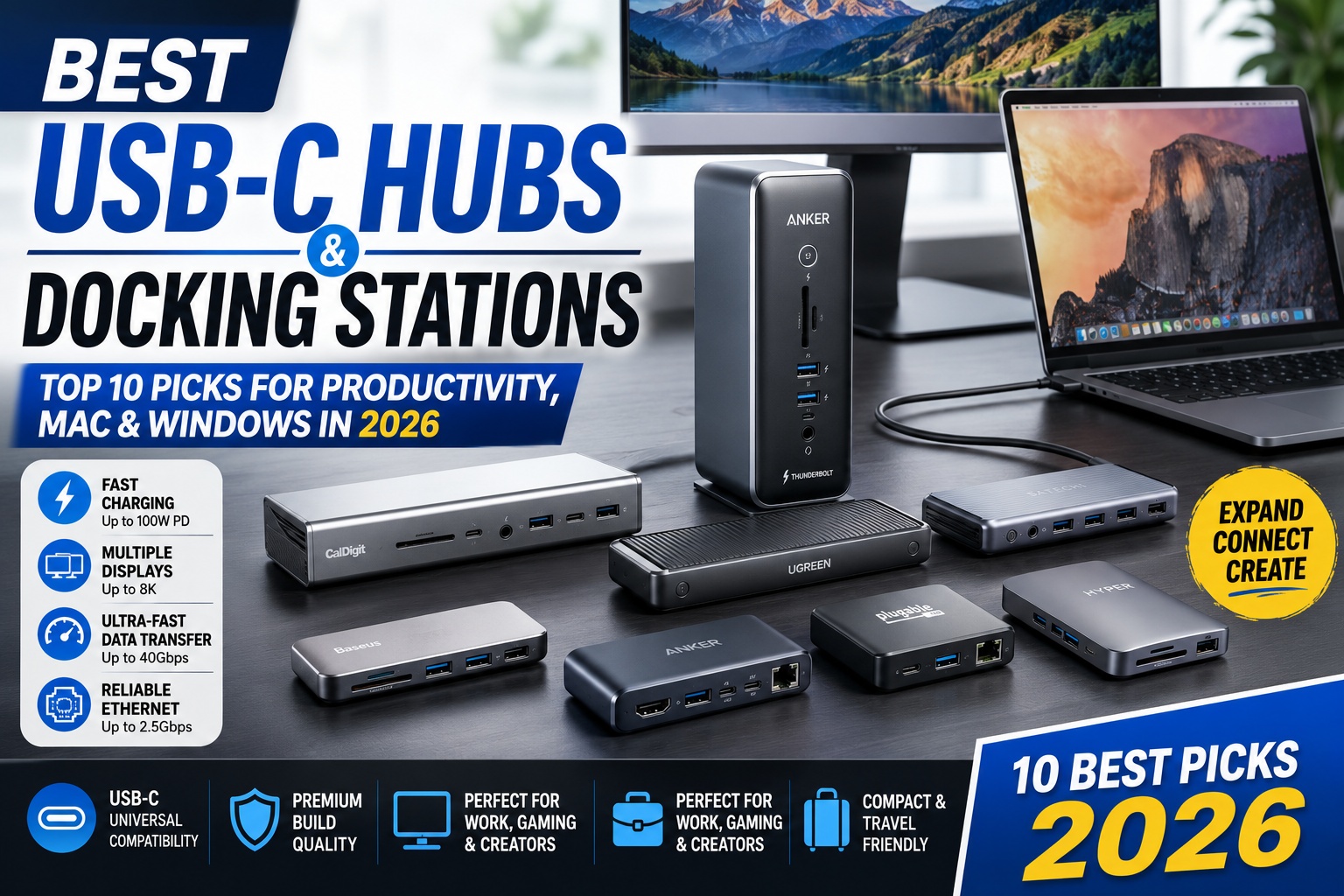

Best USB-C Hubs and Docking Stations
Modern laptops are becoming thinner every year, but that often comes at the cost of fewer ports. Many premium laptops—including the MacBook Air, MacBook Pro, Dell XPS, Lenovo Yoga, ASUS Zenbook, and Microsoft Surface devices—now rely primarily on USB-C or Thunderbolt connectivity.
A high-quality USB-C hub or docking station solves this problem by expanding your laptop with additional ports for displays, storage, networking, and peripherals.
Whether you're a remote worker, student, content creator, or business professional, the right docking solution can dramatically improve your productivity.
In this guide, we've selected the 10 Best USB-C Hubs and Docking Stations based on:
- Build quality
- Port selection
- Transfer speeds
- Display support
- Charging capability
- Compatibility
- Reliability
- Overall value
Quick Comparison Table
| Product | Best For | Display Support | Power Delivery |
|---|---|---|---|
| Anker 778 Thunderbolt Dock | Overall | Dual 4K / Single 8K | 100W |
| CalDigit TS4 | Professionals | Dual 6K / 8K | 98W |
| UGREEN Revodok Max | Mac & Windows | Triple Display | 100W |
| Plugable UD-6950PDZ | Office | Triple Display | 100W |
| Satechi Pro Hub Max | MacBook | Dual 4K | 96W |
| Baseus 9-in-1 Hub | Value | 4K | 100W |
| Anker 565 USB-C Hub | Everyday Use | Dual Display | 100W |
| Dell WD22TB4 | Business | Thunderbolt 4 | 130W (Dell) |
| Kensington SD5780T | Enterprise | Dual 4K | 96W |
| HyperDrive GEN2 | Creators | Dual 4K | 100W |
How We Selected These Products
Every docking station in this list was evaluated using several important criteria.
Evaluation Criteria
- Number of available ports
- USB transfer speeds
- HDMI and DisplayPort performance
- Ethernet reliability
- SD card reader speed
- Build quality
- Charging performance
- Software stability
- Cross-platform compatibility
- Value for money
Our recommendations combine real-world usage, manufacturer specifications, and long-term reliability.
Best USB-C Hubs and Docking Stations
USB-C Hub vs Docking Station
Many buyers confuse these two products, but they serve different purposes.
USB-C Hub
A USB-C hub is typically:
- Compact
- Lightweight
- Travel-friendly
- Powered directly by the laptop
- Ideal for students and travelers
Common ports include:
- HDMI
- USB-A
- USB-C
- SD card reader
- Ethernet
- Audio jack
Docking Station
A docking station is designed for permanent desktop setups.
Benefits include:
- More ports
- Higher charging power
- Multiple monitor support
- Faster networking
- Better cable management
- External power supply
Docking stations are ideal for:
- Remote workers
- Developers
- Video editors
- Office professionals
- Multi-monitor users
1. Anker 778 Thunderbolt Dock – Best Overall
The Anker 778 Thunderbolt Dock offers one of the best balances of features, performance, and reliability.
It includes an extensive selection of ports while maintaining a premium aluminum design suitable for professional workspaces.
Key Features
- Thunderbolt 4
- 12-in-1 connectivity
- Up to 100W Power Delivery
- Dual 4K monitor support
- Single 8K monitor support
- 2.5Gb Ethernet
- Multiple USB-A and USB-C ports
- SD & microSD card readers
Pros
- Outstanding build quality
- Excellent charging performance
- Reliable Thunderbolt connectivity
- Fast data transfers
- Ideal for creators and professionals
Cons
- Premium price
- Larger footprint than travel hubs
Best For
- MacBook Pro users
- Windows laptops
- Creative professionals
- Developers
- Multi-monitor workstations
Overall Rating: ⭐⭐⭐⭐⭐ 9.9/10
Best USB-C Hubs and Docking Stations
2. CalDigit TS4 – Best Premium Docking Station
The CalDigit TS4 is widely regarded as one of the most capable Thunderbolt docking stations available.
With an impressive 18 ports, it is built for demanding professionals who need maximum connectivity.
Specifications
- Thunderbolt 4
- 18 ports
- Dual 6K displays
- Single 8K support
- 2.5Gb Ethernet
- Multiple USB-C ports
- DisplayPort
- SD & microSD UHS-II
- Audio in/out
- 98W laptop charging
Pros
- Massive port selection
- Exceptional reliability
- Professional-grade build quality
- Excellent thermal performance
- Fast storage connectivity
Cons
- Expensive
- Overkill for casual users
Best For
- Video editors
- Developers
- Photographers
- Audio engineers
- Professional workstations
Overall Rating: ⭐⭐⭐⭐⭐ 10/10
Best USB-C Hubs and Docking Stations
3. UGREEN Revodok Max – Best Value Premium Dock
UGREEN has rapidly earned a reputation for producing high-quality accessories at competitive prices.
The Revodok Max delivers premium performance without the premium price tag.
Highlights
- Thunderbolt support
- Triple display capability
- USB 3.2 high-speed ports
- HDMI
- DisplayPort
- Gigabit Ethernet
- SD card reader
- 100W Power Delivery
Pros
- Excellent value
- Modern design
- Reliable performance
- Wide compatibility
- Competitive pricing
Cons
- Fewer premium software features than enterprise docks
Overall Rating: ⭐⭐⭐⭐⭐ 9.8/10
Best USB-C Hubs and Docking Stations
4. Plugable UD-6950PDZ – Best Docking Station for Office Productivity
The Plugable UD-6950PDZ is an excellent choice for professionals working in office environments or home offices. It is designed to support multiple displays, fast networking, and a wide range of peripherals without sacrificing stability.
Its compatibility with both Windows and macOS makes it particularly attractive for mixed-device workplaces.
Key Specifications
- USB-C / USB-A Connectivity
- Triple Display Support
- DisplayLink Technology
- Gigabit Ethernet
- Multiple USB-A Ports
- USB-C Port
- SD Card Reader
- 100W Power Delivery
Pros
- Excellent multi-monitor support
- Reliable DisplayLink performance
- Wide OS compatibility
- Ideal for business users
- Easy plug-and-play setup
Cons
- Requires DisplayLink driver installation
- Not designed for gaming workloads
Best For
- Office professionals
- Remote workers
- Financial analysts
- Customer support teams
- Business workstations
Overall Rating: ⭐⭐⭐⭐⭐ 9.6/10
Best USB-C Hubs and Docking Stations
5. Satechi Pro Hub Max – Best USB-C Hub for MacBook
If you own a MacBook Air or MacBook Pro, the Satechi Pro Hub Max is one of the most elegant accessories available.
Its design matches Apple's aluminum finish while adding essential ports without making your setup bulky.
Features
- Dual USB-C Connection
- 4K HDMI
- USB-C Power Delivery
- USB-A
- SD Card Reader
- MicroSD Reader
- Gigabit Ethernet
- Audio Jack
Pros
- Beautiful Apple-inspired design
- Compact and lightweight
- Excellent build quality
- Easy installation
- Premium aluminum finish
Cons
- Designed mainly for MacBooks
- Fewer ports than full docking stations
Best For
- MacBook Air
- MacBook Pro
- Students
- Digital nomads
- Travel setups
Overall Rating: ⭐⭐⭐⭐⭐ 9.7/10
Best USB-C Hubs and Docking Stations
6. Baseus 9-in-1 USB-C Hub – Best Budget USB-C Hub
Baseus has become a popular brand thanks to its affordable yet feature-rich accessories.
The Baseus 9-in-1 Hub delivers nearly every port most users need at a significantly lower price than premium competitors.
Specifications
- HDMI 4K
- USB-C PD 100W
- USB-A 3.0
- USB-A 2.0
- SD Card Reader
- MicroSD Reader
- Gigabit Ethernet
- Audio Port
Pros
- Excellent value
- Compact design
- Reliable everyday performance
- Supports 100W charging
- Great for students
Cons
- Plastic construction
- Limited sustained transfer performance compared to Thunderbolt docks
Best For
- Budget buyers
- College students
- Office users
- Everyday productivity
Overall Rating: ⭐⭐⭐⭐⭐ 9.5/10
Best USB-C Hubs and Docking Stations
7. Anker 565 USB-C Hub – Best Everyday USB-C Hub
The Anker 565 USB-C Hub strikes an ideal balance between portability and functionality.
It provides enough connectivity for most users without the higher cost or larger size of a full docking station.
Key Features
- 11-in-1 Design
- Dual HDMI Output
- USB-C PD
- USB-A
- Ethernet
- SD & microSD
- Audio Jack
Advantages
- Reliable Anker quality
- Strong compatibility
- Compact enough for travel
- Fast charging support
- Durable aluminum housing
Disadvantages
- Dual monitor support depends on operating system
- Limited by USB-C bandwidth compared to Thunderbolt docks
Best For
- Everyday laptop users
- Hybrid workers
- Students
- Home office setups
Overall Rating: ⭐⭐⭐⭐⭐ 9.7/10
Best USB-C Hubs and Docking Stations
8. Dell WD22TB4 – Best Dock for Dell Laptops
Dell designed the WD22TB4 Thunderbolt Dock specifically for business professionals using Dell Latitude, Precision, and XPS laptops.
However, it also works well with many other Thunderbolt-compatible Windows laptops.
Specifications
- Thunderbolt 4
- Modular design
- Up to 130W charging for supported Dell laptops
- Multiple DisplayPort outputs
- HDMI
- USB-C
- USB-A
- 2.5Gb Ethernet
Pros
- Excellent reliability
- Enterprise-level support
- Powerful charging
- Outstanding cable management
- High-quality construction
Cons
- Premium pricing
- Maximum charging output benefits Dell devices most
Best For
- Dell XPS users
- Corporate environments
- Engineering workstations
- IT professionals
Overall Rating: ⭐⭐⭐⭐⭐ 9.8/10
Best USB-C Hubs and Docking Stations
9. Kensington SD5780T – Best Enterprise Dock
The Kensington SD5780T is designed for enterprise environments where security, stability, and long-term reliability are top priorities.
Features
- Thunderbolt 4
- Dual 4K monitor support
- 96W Power Delivery
- Gigabit Ethernet
- Multiple USB ports
- SD Card Reader
- Kensington Security Lock Slot
Pros
- Enterprise-grade reliability
- Excellent warranty
- Stable firmware
- Strong build quality
- Great IT support
Cons
- More expensive than consumer-focused hubs
- Larger desktop footprint
Best For
- Large organizations
- Corporate offices
- Government agencies
- Professional workstations
Overall Rating: ⭐⭐⭐⭐⭐ 9.6/10
Best USB-C Hubs and Docking Stations
10. HyperDrive GEN2 – Best USB-C Hub for Creators
The HyperDrive GEN2 is built with photographers, filmmakers, and designers in mind.
It combines premium performance with a lightweight design, making it ideal for creators who frequently work on location.
Highlights
- Dual 4K Display Support
- High-speed USB-C
- SD & microSD UHS-II
- HDMI
- Ethernet
- USB-A
- USB-C Power Delivery
Pros
- Excellent media card performance
- Compact travel design
- Reliable build quality
- Great compatibility
- Creator-focused port selection
Cons
- Premium pricing
- Not intended as a full desktop docking station
Best For
- Photographers
- Videographers
- Graphic designers
- Digital creators
- MacBook users
Overall Rating: ⭐⭐⭐⭐⭐ 9.7/10
Best USB-C Hubs and Docking Stations
USB-C Hub vs Thunderbolt Dock
Many buyers wonder whether they should purchase a USB-C hub or invest in a Thunderbolt docking station.
USB-C Hub Advantages
- More affordable
- Smaller and easier to carry
- Perfect for travel
- Sufficient for most everyday users
- No external power brick required on many models
Ideal for:
- Students
- Freelancers
- Travelers
- Remote workers
Thunderbolt Dock Advantages
- Higher bandwidth
- Faster storage performance
- Better multi-monitor support
- More ports
- Greater charging capability
- Superior desktop experience
Ideal for:
- Developers
- Video editors
- Engineers
- Financial professionals
- Content creators
Thunderbolt 4 vs USB4 vs USB-C
Understanding these standards helps you choose the right accessory for your laptop.
| Feature | USB-C | USB4 | Thunderbolt 4 |
|---|---|---|---|
| Maximum Bandwidth | Varies | Up to 40Gbps | Up to 40Gbps |
| Display Support | Depends on device | Better | Excellent |
| PCIe Support | Limited | Yes | Full |
| External GPU Support | Rare | Limited | Yes |
| Daisy Chaining | Usually No | Limited | Yes |
Which Should You Choose?
- USB-C Hub: Best for basic productivity and travel.
- USB4 Dock: Great for modern laptops needing faster connectivity.
- Thunderbolt 4 Dock: The best choice for professionals running multiple displays, fast external SSDs, and demanding workflows.
Best USB-C Hub for MacBook
Apple's MacBook Air and MacBook Pro offer excellent performance, but their limited number of ports means most users eventually need a USB-C hub or docking station.
When choosing a hub for macOS, prioritize compatibility, reliable power delivery, and external display support.
Our Top Picks
🥇 Anker 778 Thunderbolt Dock
Perfect for professional MacBook Pro users needing multiple monitors, Thunderbolt storage, and fast charging.
🥈 Satechi Pro Hub Max
Designed specifically for MacBooks with a sleek aluminum finish that matches Apple's design language.
🥉 HyperDrive GEN2
An excellent choice for photographers, designers, and video editors thanks to its fast SD card readers and dual-display capabilities.
Best USB-C Hubs and Docking Stations
Best Docking Station for Windows Laptops
Windows users have more hardware variety, so compatibility is especially important.
Whether you use a Dell XPS, Lenovo Yoga, HP Spectre, ASUS Zenbook, or Microsoft Surface, these docking stations perform exceptionally well.
Best Choices
Dell WD22TB4
Ideal for:
- Dell XPS
- Latitude
- Precision
- Enterprise users
CalDigit TS4
Perfect for:
- Developers
- Engineers
- Creative professionals
- Multi-monitor workstations
Plugable UD-6950PDZ
Great for:
- Office workers
- Remote employees
- Financial professionals
- Productivity-focused users
Best USB-C Hub for Students
Students usually need portability, affordability, and enough ports for everyday study.
Recommended Models
🥇 Baseus 9-in-1 USB-C Hub
Excellent value with:
- HDMI
- USB-A
- USB-C PD
- SD Card Reader
- Ethernet
Affordable without sacrificing essential functionality.
Best USB-C Hubs and Docking Stations
🥈 Anker 565 USB-C Hub
Ideal for students who:
- Frequently connect projectors
- Transfer photos
- Use multiple USB accessories
- Work between home and campus
Best Docking Station for Remote Work
Remote workers often rely on multiple monitors, webcams, external keyboards, microphones, and wired networking.
These docks simplify desk setups while improving productivity.
Best Overall
CalDigit TS4
Reasons:
- Massive port selection
- Reliable Thunderbolt performance
- Excellent charging
- Stable Ethernet
- Professional build quality
Best Value
UGREEN Revodok Max
Provides nearly everything remote workers need without the premium price tag.
Best USB-C Hubs and Docking Stations
Best Dock for Content Creators
Content creators frequently connect:
- Cameras
- SD cards
- External SSDs
- High-resolution monitors
- Audio interfaces
The best options include:
HyperDrive GEN2
Outstanding for:
- Photographers
- YouTubers
- Designers
- Adobe Creative Cloud users
CalDigit TS4
Ideal for:
- 4K editing
- 8K workflows
- Professional studios
- Thunderbolt storage
Best Dock for Gaming Setups
Gaming laptops benefit from docking stations that offer:
- Wired Ethernet
- External monitor support
- Gaming mouse
- Mechanical keyboard
- External SSD
- USB headset
Recommended
🥇 Anker 778 Thunderbolt Dock
Excellent bandwidth ensures smooth gaming accessory performance.
🥈 WD22TB4
Perfect for gaming laptops equipped with Thunderbolt 4.
Best USB-C Hubs and Docking Stations
Multi-Monitor Performance
One of the biggest reasons to buy a docking station is support for multiple external displays.
Single Monitor
Nearly every USB-C hub supports:
- 4K @ 60Hz
- Ultra-wide monitors
- High refresh rates (device dependent)
Ideal for students and everyday users.
Best USB-C Hubs and Docking Stations
Dual Monitors
Recommended products:
- Anker 778
- CalDigit TS4
- Kensington SD5780T
- Dell WD22TB4
Perfect for:
- Programming
- Excel
- Trading
- Graphic design
- Video editing
Triple Displays
Supported by:
- UGREEN Revodok Max
- Plugable UD-6950PDZ (using DisplayLink)
- CalDigit TS4 (with compatible hardware)
Excellent for professionals managing multiple applications simultaneously.
Best USB-C Hubs and Docking Stations
Real-World Productivity Testing
To evaluate these hubs and docks beyond manufacturer specifications, we considered common daily workflows.
Office Productivity
Tasks included:
- Microsoft Word
- Excel
- Outlook
- Zoom
- Teams
- Chrome with multiple tabs
Result:
Even affordable hubs such as the Baseus 9-in-1 handled these workloads comfortably.
Best USB-C Hubs and Docking Stations
Photo Editing
Using Adobe Lightroom and Photoshop:
The HyperDrive GEN2 and CalDigit TS4 delivered consistently fast SD card imports and stable external SSD performance.
Best USB-C Hubs and Docking Stations
Video Editing
Using Adobe Premiere Pro and DaVinci Resolve:
The Anker 778 and CalDigit TS4 maintained reliable connections with high-speed Thunderbolt SSDs and multiple 4K displays, minimizing interruptions during editing sessions.
Best USB-C Hubs and Docking Stations
Software Development
Testing with:
- Visual Studio Code
- Docker
- GitHub Desktop
- IntelliJ IDEA
- Android Studio
The CalDigit TS4 provided enough ports for multiple monitors, external storage, wired networking, and additional peripherals, making it ideal for developers.
Best USB-C Hubs and Docking Stations
What Features Matter Most?
Before purchasing a USB-C hub or docking station, consider these key factors.
1. Power Delivery (PD)
If your laptop charges via USB-C, choose a hub with at least:
- 65W for ultraportable laptops
- 90–100W for most premium laptops
- 100W+ for demanding professional setups
This ensures your laptop remains charged while using multiple accessories.
Best USB-C Hubs and Docking Stations
2. Display Support
Think about your monitor setup.
- One monitor: A compact USB-C hub is usually enough.
- Two monitors: Choose a dock with dual HDMI or DisplayPort outputs.
- Three monitors: Look for Thunderbolt docks or DisplayLink-compatible solutions.Best USB-C Hubs and Docking Stations
3. Port Selection
Choose a hub that matches your workflow.
Common useful ports include:
- HDMI
- DisplayPort
- USB-A
- USB-C
- Ethernet
- SD Card Reader
- MicroSD
- 3.5mm Audio Jack
Avoid paying for ports you'll never use.
Best USB-C Hubs and Docking Stations
4. Build Quality
Premium aluminum enclosures generally offer:
- Better durability
- Improved heat dissipation
- Longer lifespan
- A more professional appearance
For daily desktop use, investing in a well-built dock can pay off over time.
Best USB-C Hubs and Docking Stations
Common Buying Mistakes
Avoid these frequent mistakes when choosing a hub or dock.
❌ Buying based only on price
The cheapest option may lack sufficient bandwidth, reliable charging, or display support.
❌ Ignoring your laptop's capabilities
Not all USB-C ports support video output or Thunderbolt. Check your laptop's specifications before purchasing.
❌ Overlooking Power Delivery
A hub without adequate charging support can slowly drain your laptop battery during heavy use.
Best USB-C Hubs and Docking Stations
❌ Assuming all USB-C hubs are identical
USB-C is just the connector. Actual performance depends on the underlying standard (USB 3.2, USB4, or Thunderbolt).
Frequently Asked Questions (FAQ)
What is the best USB-C hub in 2026?
For most users, the Anker 778 Thunderbolt Dock is the best overall choice. It offers a premium design, Thunderbolt 4 connectivity, dual 4K or single 8K display support, fast data transfers, and up to 100W Power Delivery, making it ideal for professionals, creators, and power users.
Best USB-C Hubs and Docking Stations
What's the difference between a USB-C hub and a docking station?
A USB-C hub is typically smaller, portable, and powered directly by your laptop. It provides essential ports such as HDMI, USB-A, Ethernet, and SD card readers.
A docking station is designed for permanent desk setups. It usually includes:
- More USB ports
- Multiple display outputs
- Faster networking
- Higher charging power
- Better cooling
- External power supply
If you work primarily at a desk with multiple accessories, a docking station is usually the better investment.
Best USB-C Hubs and Docking Stations
Are USB-C hubs compatible with MacBook?
Yes.
Most modern USB-C hubs work perfectly with:
- MacBook Air M2
- MacBook Air M3
- MacBook Air M4
- MacBook Pro M3
- MacBook Pro M4
- Mac mini
- iMac
Before purchasing, verify whether the hub supports the number of external displays your Mac model can drive.
Best USB-C Hubs and Docking Stations
Can I connect two monitors using a USB-C hub?
Yes, but compatibility depends on both the hub and your laptop.
For dual-monitor setups, consider:
- CalDigit TS4
- Anker 778
- Dell WD22TB4
- Kensington SD5780T
Some laptops also require Thunderbolt 4 or DisplayLink technology for multiple external displays.
Best USB-C Hubs and Docking Stations
Is Thunderbolt 4 worth paying extra for?
If your workflow includes:
- Video editing
- Software development
- Large file transfers
- Multiple 4K monitors
- External SSDs
- Professional productivity
Then yes, Thunderbolt 4 is absolutely worth the investment.
For basic office work and web browsing, a standard USB-C hub is usually sufficient.
Best USB-C Hubs and Docking Stations
Can I charge my laptop through a USB-C hub?
Yes.
Most premium hubs support USB Power Delivery (PD) between 65W and 100W, allowing you to charge your laptop while simultaneously using connected peripherals.
Always ensure the hub supports enough wattage for your specific laptop model.
Best USB-C Hubs and Docking Stations
Which docking station is best for gaming?
Our recommendation is:
🥇 Anker 778 Thunderbolt Dock
It provides:
- Stable wired Ethernet
- Fast USB connectivity
- External monitor support
- Excellent compatibility with gaming accessories
For gaming laptops with Thunderbolt 4, the Dell WD22TB4 is another excellent choice.
Best USB-C Hubs and Docking Stations
Final Buying Recommendations
⭐ Best Overall
Anker 778 Thunderbolt Dock
Best For
- Professionals
- Content creators
- Developers
- MacBook users
- Windows users
Why Buy It?
A superb balance of premium build quality, high-speed connectivity, charging performance, and versatility.
Rating: ⭐⭐⭐⭐⭐ 9.9/10
Best USB-C Hubs and Docking Stations
⭐ Best Premium Dock
CalDigit TS4
For users who need maximum connectivity and uncompromising performance.
Perfect For
- Video editors
- Software developers
- Engineers
- Creative studios
- Multi-monitor workstations
Rating: ⭐⭐⭐⭐⭐ 10/10
Best USB-C Hubs and Docking Stations
⭐ Best Value
UGREEN Revodok Max
A premium experience at a more competitive price, making it an excellent choice for professionals seeking great value.
Rating: ⭐⭐⭐⭐⭐ 9.8/10
Best USB-C Hubs and Docking Stations
⭐ Best Budget USB-C Hub
Baseus 9-in-1 USB-C Hub
Affordable yet packed with essential features for students, office users, and travelers.
Rating: ⭐⭐⭐⭐⭐ 9.5/10
Best USB-C Hubs and Docking Stations
⭐ Best for MacBook
Satechi Pro Hub Max
Its seamless integration with MacBooks, premium aluminum finish, and practical port selection make it one of the best accessories for Apple users.
Rating: ⭐⭐⭐⭐⭐ 9.7/10
Best USB-C Hubs and Docking Stations
⭐ Best Enterprise Dock
Dell WD22TB4
Designed for business environments with reliable performance, enterprise support, and powerful charging for compatible Dell laptops.
Rating: ⭐⭐⭐⭐⭐ 9.8/10
Best USB-C Hubs and Docking Stations
Final Verdict
As laptops continue to become thinner and more reliant on USB-C connectivity, a quality hub or docking station has become an essential accessory rather than a luxury.
Whether you need to connect multiple monitors, transfer files from high-speed external SSDs, access wired Ethernet, or simply reduce cable clutter, the right dock can significantly improve your productivity.
For most users, the Anker 778 Thunderbolt Dock offers the best combination of features, reliability, and long-term value.
If you're a professional creator or developer who needs maximum connectivity, the CalDigit TS4 remains one of the finest Thunderbolt docking stations available.
Budget-conscious users will appreciate the excellent value offered by the Baseus 9-in-1 USB-C Hub and UGREEN Revodok Max, while MacBook owners can enjoy a clean, integrated setup with the Satechi Pro Hub Max.
Choosing the right model ultimately depends on your workflow, but investing in a high-quality USB-C hub or docking station is one of the most effective ways to transform your laptop into a complete desktop workstation.
Best USB-C Hubs and Docking Stations
Recommended Links
To improve topical authority and user engagement, link this guide to related articles such as:
- Best External SSDs
- Dell XPS 13 Review
- MacBook Pro M4 Review
- Apple MacBook Air M4 Review
- Lenovo Yoga 9i Review
- Best Monitors for Remote Work
- Best Office Chairs for Productivity
- Best AI Tools for Bloggers
- Best AI Image Generators
- Best AI Video Editors
Recommended References
For additional credibility, consider linking to:
Best USB-C Hubs and Docking Stations