
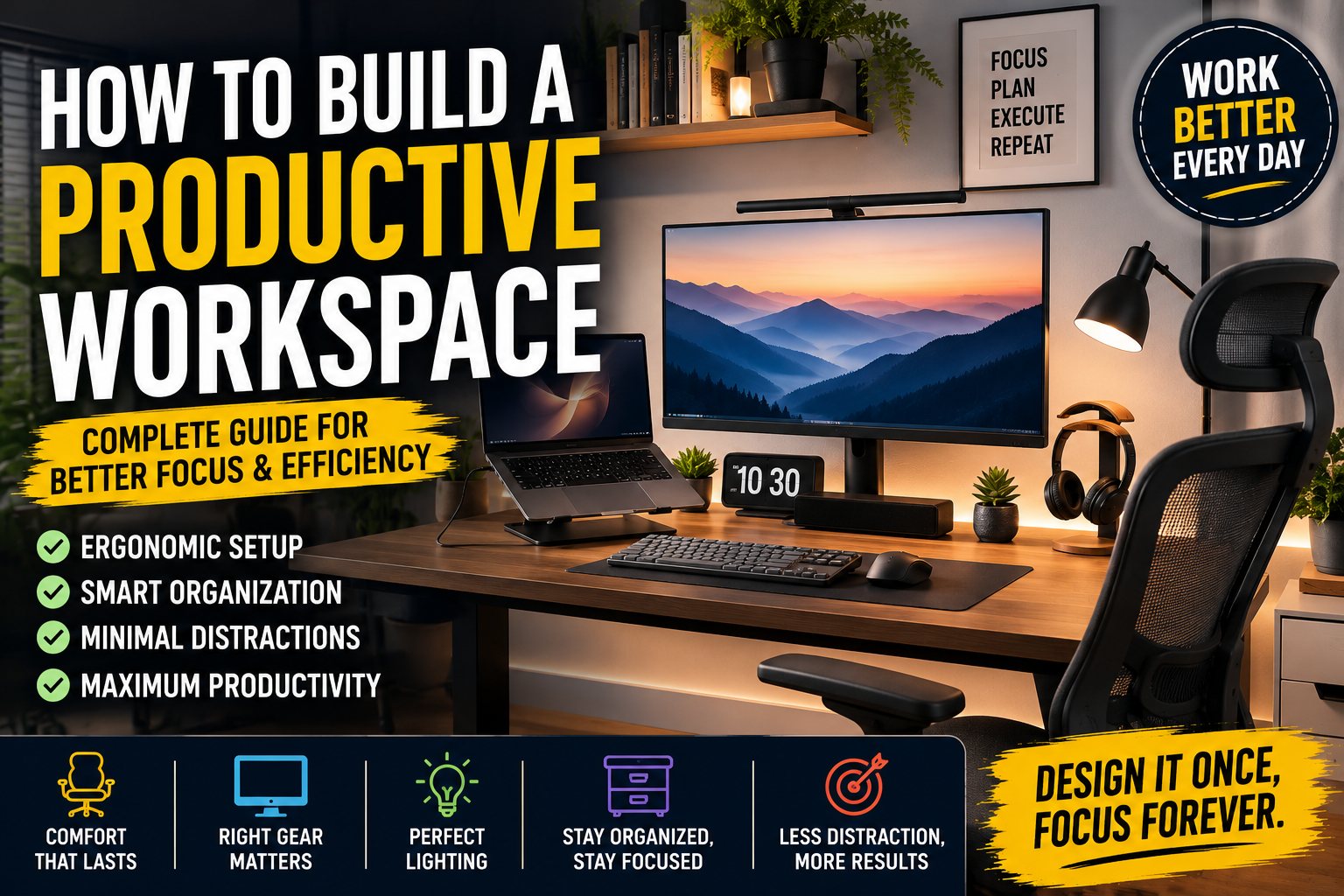

Creating a productive workspace is about much more than buying an expensive desk or the latest computer. The right workspace should make it easier to focus, stay organized, work comfortably, and get more done without unnecessary distractions.
Whether you work from home, study, run an online business, create content, or spend hours programming, your environment can have a significant impact on your daily productivity.
A well-designed workspace can help reduce clutter, improve organization, make your technology easier to use, and create a comfortable environment for long work sessions.
In this guide, we'll explain how to build a productive workspace from scratch, including desk selection, office chairs, lighting, monitor placement, computer accessories, cable management, ergonomics, organization, and productivity tips.
How to Build a Productive Workspace
What Makes a Workspace Productive?
A productive workspace should accomplish five basic goals:
- Keep you comfortable
- Reduce distractions
- Make important tools easily accessible
- Support good posture and ergonomics
- Create an environment that encourages focused work
You don't need a huge room or an expensive setup to accomplish these goals.
Even a small desk in a bedroom can become a productive workspace when it is planned correctly.
The most important principle is simple:
Build your workspace around the way you work, not around how the workspace looks in photos.
A beautiful desk setup is useful, but functionality should always come first.
How to Build a Productive Workspace
1. Choose the Right Location
The first step in building a productive workspace is choosing the right location.
If possible, select an area that is:
- Quiet
- Well ventilated
- Naturally bright
- Away from heavy household traffic
- Large enough for your essential equipment
- Close to power outlets
- Comfortable for extended work sessions
A dedicated room is ideal, but it isn't necessary.
You can create an effective workspace in:
- A bedroom
- Living room
- Home office
- Guest room
- Apartment corner
- Studio
- Small spare room
The key is to create a clear separation between your work area and the rest of your environment.
How to Build a Productive Workspace
Why Location Matters
Your brain naturally associates different environments with different activities.
If your desk is surrounded by distractions, you may find it harder to maintain concentration.
For example, working beside a television can encourage frequent interruptions.
Similarly, working from your bed may make it harder to establish a consistent work routine.
A dedicated workspace creates a psychological boundary:
Desk = Work
Bed = Rest
Dining table = Eating
This simple separation can make your daily routine more consistent.
How to Build a Productive Workspace
2. Select the Right Desk
The desk is the foundation of your workspace.
You don't necessarily need an expensive desk, but you need one with enough space for your equipment.
Before buying a desk, consider:
- Width
- Depth
- Height
- Weight capacity
- Storage
- Cable management
- Monitor space
- Legroom
For a typical computer workspace, a desk around 120–160 cm wide can provide a good balance between workspace and room requirements.
If you're using multiple monitors, a larger desk may be more practical.
How to Build a Productive Workspace
How Deep Should a Desk Be?
Desk depth is often overlooked.
A desk that is too shallow can make your monitor feel too close to your face and leave little room for your keyboard, mouse, and other accessories.
A depth of approximately 60–80 cm is generally comfortable for many computer users.
If you're using a large monitor or multiple displays, additional depth can be useful.
3. Consider a Standing Desk
A standing desk can be an excellent addition to a modern workspace.
Instead of sitting continuously throughout the day, you can alternate between sitting and standing.
A height-adjustable desk is particularly useful because you can customize the position for:
- Sitting
- Standing
- Writing
- Reading
- Video calls
However, standing all day isn't necessarily better than sitting all day.
The goal should be movement and variation.
A productive workspace should make it easy to change positions throughout the day.
How to Build a Productive Workspace
4. Invest in a Comfortable Office Chair
Your office chair may be more important than your computer.
If you're sitting for several hours every day, a poor-quality chair can quickly become uncomfortable.
Look for features such as:
- Adjustable seat height
- Adjustable armrests
- Lumbar support
- Breathable materials
- Adjustable backrest
- Appropriate seat depth
- Stable base
- Good cushioning
An ergonomic chair doesn't have to be the most expensive chair available.
The important thing is adjustability.
You should be able to configure the chair to suit your body and desk height.
For more information, check our related guide:
Best Office Chair for Comfort and Productivity
5. Position Your Monitor Correctly
Monitor placement has a major impact on comfort.
A common recommendation is to position the top portion of your monitor around eye level or slightly below it.
Your eyes should naturally look slightly downward toward the center of the screen.
The monitor should also be positioned far enough away that you don't need to lean forward.
A typical starting point is approximately 50–75 cm, depending on screen size, resolution, eyesight, and personal comfort.
How to Build a Productive Workspace
One Monitor or Multiple Monitors?
There isn't one correct answer.
One monitor
Advantages:
- Less clutter
- Lower cost
- Easier setup
- Lower power consumption
Two monitors
Advantages:
- Better multitasking
- Easier research
- More workspace
- Useful for programming
Ultrawide monitor
Advantages:
- Large continuous workspace
- No bezel between displays
- Excellent for productivity
- Great for video editing
For many professionals, an ultrawide monitor provides an excellent balance between simplicity and productivity.
How to Build a Productive Workspace
6. Choose the Right Monitor
A productive workspace doesn't necessarily require a premium gaming monitor.
For office productivity, prioritize:
- Resolution
- Text clarity
- Screen size
- Ergonomics
- Color quality
- Refresh rate
- Connectivity
For general productivity, a 27-inch 1440p monitor is an excellent starting point.
For creative professionals, a high-quality 4K display may be preferable.
For gaming and productivity combined, a higher refresh rate can make the system feel smoother.
How to Build a Productive Workspace
7. Use a Laptop Stand
If you're using a laptop as your primary computer, consider placing it on a laptop stand.
A laptop screen positioned too low can encourage you to bend your neck downward.
A laptop stand can raise the screen to a more comfortable height.
For a permanent workspace, combine it with:
- External keyboard
- External mouse
- Laptop stand
- External monitor
This transforms a laptop into a much more comfortable desktop workstation.
How to Build a Productive Workspace
8. Choose a Comfortable Keyboard
The keyboard is one of the devices you'll interact with most frequently.
Choose a keyboard based on your workflow.
For office work:
- Quiet keys
- Comfortable layout
- Full-size or compact design
For programmers:
- Mechanical or low-profile mechanical options
- Comfortable key spacing
- Reliable switches
For minimalist setups:
- Wireless keyboard
- Compact layout
- Clean design
There is no universally perfect keyboard.
Your typing style should determine your choice.
How to Build a Productive Workspace
9. Choose the Right Mouse
A good mouse can make a surprising difference.
Consider:
- Hand size
- Grip style
- Weight
- Sensor accuracy
- Wireless connectivity
- Programmable buttons
For office work, ergonomic mice can be especially useful.
For creative work, additional buttons may improve workflow.
For gaming, sensor performance and responsiveness become more important.
How to Build a Productive Workspace
10. Improve Your Workspace Lighting
Lighting is one of the most overlooked elements of a productive workspace.
You should avoid relying exclusively on your monitor to illuminate the room.
Instead, use a combination of:
Ambient lighting + task lighting + natural light
This creates a more comfortable environment.
How to Build a Productive Workspace
Use Natural Light
Natural light can make a workspace feel brighter and more comfortable.
If possible, position your desk near a window.
However, avoid placing the monitor directly in front of a bright window if it creates reflections.
Similarly, placing the window directly behind your monitor can create excessive contrast during video calls.
A position perpendicular to the window is often a practical solution.
How to Build a Productive Workspace
11. Add a Desk Lamp
A desk lamp provides focused illumination when natural light isn't sufficient.
Look for a lamp with:
- Adjustable brightness
- Adjustable angle
- Neutral or adjustable color temperature
- Minimal glare
- Compact design
A good desk lamp can also make your workspace feel more professional.
How to Build a Productive Workspace
12. Use Bias Lighting
Bias lighting is lighting placed behind your monitor.
It creates a soft glow around the display and reduces the visual contrast between a bright screen and a dark room.
For people who work at night, this can make the workspace more visually comfortable.
You don't need expensive RGB lighting.
A simple adjustable LED light can be enough.
How to Build a Productive Workspace
13. Keep Your Desk Organized
A cluttered desk can create unnecessary visual distractions.
Try to keep only frequently used items on the desktop.
For example:
- Monitor
- Keyboard
- Mouse
- Desk lamp
- Notebook
- Water bottle
Everything else can go into drawers or storage.
A useful rule is:
If you haven't used something in several days, it probably doesn't need to stay on your desk.
14. Create Dedicated Storage
Use drawers, shelves, cabinets, or small organizers for:
- Chargers
- Cables
- USB drives
- Notebooks
- Pens
- Headphones
- Adapters
- Camera equipment
Organizing these items prevents them from accumulating around your keyboard and monitor.
How to Build a Productive Workspace
15. Master Cable Management
Cable management can dramatically improve the appearance and functionality of your workspace.
Start by identifying every cable.
Separate them into categories:
Power
Data
- USB
- HDMI
- DisplayPort
- Ethernet
Accessories
- Keyboard
- Mouse
- Webcam
- Headphones
Then route cables together.
How to Build a Productive Workspace
Use Under-Desk Cable Management
Cable trays are particularly useful.
Instead of allowing cables to hang behind your desk, mount them underneath the desktop.
You can also use:
- Velcro straps
- Cable clips
- Cable sleeves
- Adhesive organizers
Avoid using permanent solutions until you're sure about your equipment placement.
How to Build a Productive Workspace
16. Add a USB-C Hub or Dock
If you're using a modern laptop, a USB-C hub can simplify your setup.
Instead of connecting multiple devices individually, you can connect many accessories through one hub.
A dock may support:
- External monitor
- Keyboard
- Mouse
- Ethernet
- USB storage
- Audio
- Charging
This is particularly useful if you frequently connect and disconnect your laptop.
You can also explore our guide to Best USB-C Hubs and Docking Stations for more options.
How to Build a Productive Workspace
17. Add External Speakers or Headphones
Good audio can make a workspace more enjoyable.
Computer speakers are useful for:
- Music
- Podcasts
- Video calls
- YouTube
- Movies
Headphones are better when:
- You share your workspace
- You need concentration
- You're working late
- You want privacy
If you're building a desktop-oriented setup, see our guide to Best Computer Speakers.
How to Build a Productive Workspace
18. Create a Dedicated Charging Area
Modern workspaces often contain multiple devices.
You might have:
- Laptop
- Smartphone
- Tablet
- Smartwatch
- Wireless headphones
Instead of scattering chargers around the desk, create a dedicated charging location.
A multi-device charging station can reduce cable clutter and make it easier to keep everything charged.
How to Build a Productive Workspace
19. Keep Your Smartphone Away
Your phone can be one of the biggest distractions in a workspace.
Notifications encourage you to check:
- Social media
- Messages
- News
- Short videos
If you need your phone for work, keep it nearby but disable unnecessary notifications.
Otherwise, place it outside your immediate field of view.
How to Build a Productive Workspace
20. Create a Distraction-Free Computer Environment
Your digital workspace matters just as much as your physical workspace.
Organize your desktop and browser.
Remove unnecessary:
- Applications
- Notifications
- Browser tabs
- Widgets
- Startup programs
Use folders to organize important documents.
A clean computer can make your workflow significantly easier.
How to Build a Productive Workspace
21. Use Focus Modes
Modern operating systems include features designed to reduce distractions.
Use focus or do-not-disturb modes when working on important tasks.
For example:
Deep Work — 9:00 AM–11:00 AM
Disable:
- Social media notifications
- Personal messages
- Unnecessary email alerts
Allow only:
- Important calls
- Work messages
- Calendar reminders
22. Organize Your Desktop Files
A productive workspace should include an organized digital filing system.
Instead of storing hundreds of files on your desktop, create folders such as:
- Projects
- Documents
- Images
- Videos
- Finance
- Personal
- Archive
For work projects, use consistent naming conventions.
For example:
Project_Name_2026-08-24
is easier to find later than:
final2-new-really-final.docx
23. Improve Your Internet Connection
A reliable internet connection is essential for modern work.
If possible, connect your primary computer through Ethernet.
Wired networking can provide:
- Lower latency
- More stable connections
- Consistent speeds
Wi-Fi is still perfectly suitable for many users, especially with newer standards such as Wi-Fi 6E and Wi-Fi 7.
But if your work depends heavily on video calls or large file transfers, a wired connection is worth considering.
How to Build a Productive Workspace
24. Add a Webcam for Video Meetings
If you regularly attend online meetings, your built-in laptop camera may be enough.
However, an external webcam can improve:
- Image quality
- Framing
- Low-light performance
- Professional appearance
Position the camera approximately at eye level.
Avoid placing it too low because this creates an unflattering viewing angle.
How to Build a Productive Workspace
25. Improve Your Microphone
Audio quality is often more important than camera quality during meetings.
A poor microphone can make even a high-quality video call feel unprofessional.
For regular meetings, consider:
- USB microphone
- Quality headset
- External webcam with good microphones
Keep the microphone relatively close to your mouth without placing it directly in front of your face.
How to Build a Productive Workspace
26. Make Your Background Professional
For video calls, keep the area behind you reasonably clean.
You can use:
- Simple wall
- Bookshelf
- Small plant
- Artwork
- Soft lighting
Avoid overly distracting backgrounds.
Your workspace should communicate:
Clean + organized + professional.
27. Add Plants to Your Workspace
A small plant can make a workspace feel more comfortable.
You don't need a large indoor garden.
One or two small plants are enough.
Good options include low-maintenance plants that can tolerate indoor environments.
The goal isn't just decoration.
A visually pleasant workspace can make it easier to enjoy spending time at your desk.
How to Build a Productive Workspace
28. Use Minimal Decoration
Decorations should support the environment rather than dominate it.
Consider:
- Small plant
- Framed artwork
- Desk clock
- Simple organizer
- Minimal desk mat
Avoid covering every available surface.
Remember:
Minimal doesn't mean empty.
It means intentional.
How to Build a Productive Workspace
29. Choose a Consistent Color Scheme
A consistent color palette can make the workspace feel more organized.
Popular combinations include:
Modern
Black + white + gray
Natural
Wood + white + green
Professional
Black + dark gray + blue
Minimalist
White + light wood + gray
Choose something that matches your room rather than copying another setup exactly.
How to Build a Productive Workspace
30. Use a Desk Mat
A large desk mat can improve both appearance and functionality.
It provides a smooth surface for your mouse and keyboard.
It can also protect the desktop from:
- Scratches
- Spills
- Friction
For minimalist setups, a neutral-colored desk mat works well.
How to Build a Productive Workspace
31. Maintain Good Ergonomics
Ergonomics should be one of your highest priorities.
Your workspace should allow you to maintain a comfortable posture.
Start with your chair.
Your feet should be able to rest comfortably on the floor or a footrest.
Your knees should be positioned comfortably.
Your elbows should remain relatively relaxed while typing.
Your monitor should not require you to constantly bend your neck.
How to Build a Productive Workspace
32. Keep Your Keyboard and Mouse at a Comfortable Height
Your keyboard shouldn't be positioned so high that your wrists remain bent upward.
Your elbows should remain close to your body.
Your shoulders should feel relaxed.
If your shoulders constantly feel raised while working, your desk may be too high.
How to Build a Productive Workspace
33. Don't Forget Movement
Even the best ergonomic workspace can't compensate for staying completely still for hours.
Take regular movement breaks.
For example:
Work → Stand → Walk → Stretch → Return
You can use short breaks to:
- Get water
- Walk around
- Stretch
- Look outside
- Rest your eyes
Productivity isn't about sitting at your desk for as many hours as possible.
It's about making your working hours more effective.
How to Build a Productive Workspace
34. Try the 20-20-20 Rule
If you spend many hours looking at screens, one commonly used habit is the 20-20-20 rule:
Every 20 minutes, look at something approximately 20 feet away for around 20 seconds.
The goal is to periodically shift your visual focus away from the nearby screen.
It can be especially easy to forget this when you're deeply focused on work, so reminders can help.
How to Build a Productive Workspace
35. Separate Work and Entertainment
If possible, create different zones.
For example:
Work zone: Desk + computer
Entertainment zone: Sofa + television
This makes it easier to mentally switch between activities.
If you use the same computer for both work and entertainment, create separate browser profiles or accounts.
How to Build a Productive Workspace
36. Create a Morning Workspace Routine
A consistent routine can help you start work faster.
For example:
8:00 AM
Open computer.
8:05 AM
Check calendar.
8:10 AM
Review today's priorities.
8:15 AM
Start first focused task.
Avoid immediately opening social media.
The first 15 minutes can influence the rest of your working session.
How to Build a Productive Workspace
37. Create an End-of-Day Routine
Your workspace should also help you finish work.
At the end of the day:
- Close unnecessary applications
- Save files
- Clear the desk
- Put away accessories
- Write tomorrow's priorities
- Shut down or lock the computer
This gives your workspace a clear transition from work mode to personal time.
How to Build a Productive Workspace
38. Build a Workspace Based on Your Job
Different jobs require different setups.
For Programmers
Prioritize:
- Large monitor
- 32GB RAM
- Comfortable keyboard
- Good chair
- Fast internet
- USB-C dock
You may also want a second monitor for documentation and testing.
How to Build a Productive Workspace
For Content Creators
Prioritize:
- High-quality display
- Powerful laptop or desktop
- External storage
- Good microphone
- Webcam
- Lighting
- Fast internet
If you're editing video, consider a laptop or desktop with a dedicated GPU.
How to Build a Productive Workspace
For Writers
Prioritize:
- Comfortable keyboard
- Quiet environment
- Good lighting
- Ergonomic chair
- Minimal distractions
You don't necessarily need an extremely powerful computer.
How to Build a Productive Workspace
For Students
Prioritize:
- Reliable laptop
- Comfortable chair
- Good lighting
- Affordable monitor
- Storage
- Organization
A simple setup can be more effective than an expensive one.
How to Build a Productive Workspace
For Remote Workers
Prioritize:
- Webcam
- Microphone
- Headphones
- Reliable internet
- Large monitor
- Ergonomic chair
- Good lighting
Video conferencing should be one of the primary considerations.
How to Build a Productive Workspace
39. Create a Small Workspace
You don't need a large room.
For a small apartment or bedroom, consider:
- Compact desk
- 24–27-inch monitor
- Laptop stand
- Wireless keyboard
- Wireless mouse
- Vertical storage
- Cable tray
Using vertical space can significantly increase storage without making the desk larger.
How to Build a Productive Workspace
40. Create a Premium Workspace
If budget isn't your primary concern, focus on quality rather than simply buying more equipment.
A premium setup might include:
- Height-adjustable desk
- High-end ergonomic chair
- 4K or OLED monitor
- Premium laptop
- Thunderbolt dock
- Mechanical keyboard
- Ergonomic mouse
- Studio speakers
- Professional microphone
- Monitor arm
- Under-desk cable management
But remember:
A $5,000 workspace isn't automatically more productive than a $1,000 workspace.
The equipment should solve actual problems.
How to Build a Productive Workspace
41. Don't Buy Everything at Once
One of the biggest mistakes when building a workspace is purchasing too many accessories immediately.
Start with the essentials:
- Desk
- Chair
- Computer
- Monitor
- Keyboard
- Mouse
- Lighting
Then identify what is missing.
Maybe you need:
- Dock
- Speakers
- Webcam
- Monitor arm
- Storage
- Cable management
Buy those later.
This approach saves money and prevents unnecessary clutter.
How to Build a Productive Workspace
42. Example Productive Workspace Setup
Here's an example of a balanced setup.
Desk
120–160cm wide adjustable desk.
Chair
Ergonomic office chair with lumbar support.
Computer
Modern laptop with at least 16GB RAM.
Monitor
27-inch 1440p monitor.
Keyboard
Low-profile wireless keyboard.
Mouse
Ergonomic wireless mouse.
Lighting
Adjustable LED desk lamp.
Audio
Compact computer speakers or headphones.
Accessories
USB-C dock, desk mat, cable tray, and laptop stand.
This is enough to create a highly productive environment without going overboard.
How to Build a Productive Workspace
43. Example Premium Workspace
For more demanding users:
Computer: High-performance laptop or desktop
Monitor: 32-inch 4K or ultrawide
Desk: Electric standing desk
Chair: Premium ergonomic chair
Keyboard: Mechanical keyboard
Mouse: Ergonomic productivity mouse
Audio: Dedicated computer speakers
Camera: 4K webcam
Microphone: USB condenser microphone
Lighting: Key light + ambient lighting
Storage: External SSD + backup drive
Networking: Wi-Fi 7 or Ethernet
This setup is ideal for creators, programmers, business professionals, and remote workers.
How to Build a Productive Workspace
44. Back Up Your Important Files
A productive workspace should also be a reliable workspace.
Don't store your only copy of important files on one computer.
Use a backup strategy involving:
- Cloud storage
- External SSD
- External hard drive
- Network storage
For important projects, having multiple copies can prevent a hardware failure from becoming a major disaster.
How to Build a Productive Workspace
45. Keep Software Updated
Your workspace isn't only physical.
Keep your:
- Operating system
- Browser
- Drivers
- Productivity applications
- Security software
updated.
Updates can improve:
- Security
- Compatibility
- Stability
- Performance
However, avoid installing unnecessary software simply because it looks interesting.
46. Measure Your Productivity
After building your workspace, don't judge it only by appearance.
Ask yourself:
- Am I more focused?
- Is my desk comfortable?
- Can I find everything quickly?
- Do I spend less time dealing with cables?
- Can I work without distractions?
- Is my posture comfortable?
- Do I enjoy using the workspace?
If the answer to most of these questions is yes, the setup is doing its job.
47. Common Workspace Mistakes
Avoid these common mistakes:
Buying an uncomfortable chair
A beautiful chair is useless if you can't sit comfortably.
Buying a monitor that's too large
Bigger isn't always better.
Ignoring lighting
A good monitor can't fix poor room lighting.
Too much RGB
RGB can look great, but excessive lighting can become distracting.
Poor cable management
Messy cables quickly make a premium setup look unfinished.
Too many accessories
Every accessory should have a purpose.
Ignoring ergonomics
A workspace should be designed around your body, not Instagram aesthetics.
How Much Does It Cost to Build a Productive Workspace?
You can create a productive workspace at almost any budget.
Budget Setup: $300–$600
Focus on:
- Affordable desk
- Comfortable chair
- Existing laptop
- Basic monitor
- Keyboard and mouse
- Desk lamp
Mid-Range Setup: $600–$1,500
Add:
- Better ergonomic chair
- 27-inch monitor
- USB-C dock
- Quality keyboard
- Ergonomic mouse
- Better lighting
- External storage
Premium Setup: $1,500+
Add:
- Standing desk
- Premium ergonomic chair
- OLED/4K monitor
- High-end computer
- Thunderbolt dock
- Premium audio
- Professional webcam
- Dedicated microphone
- Advanced cable management
The best investment is usually ergonomics and equipment you use every day, rather than decorative accessories.
Productive Workspace Checklist
Before considering your workspace finished, check the following:
Desk
- Enough workspace
- Comfortable height
- Good legroom
- Stable construction
Chair
- Adjustable height
- Lumbar support
- Comfortable seat
- Adjustable armrests
Monitor
- Correct height
- Comfortable viewing distance
- Minimal glare
- Appropriate size
Lighting
- Natural light
- Desk lamp
- Minimal screen glare
- Comfortable evening lighting
Technology
- Reliable computer
- Keyboard
- Mouse
- Good internet
- Backup solution
Organization
- Cable management
- Storage
- Clean desktop
- Organized digital files
Productivity
- Focus mode
- Limited notifications
- Regular movement
- Clear daily priorities
Frequently Asked Questions
What is the most important part of a productive workspace?
The most important elements are a comfortable chair, appropriate desk, correct monitor position, good lighting, and minimal distractions.
You don't need expensive equipment to create a productive workspace.
How do I create a productive workspace at home?
Start by choosing a quiet location and adding a suitable desk and ergonomic chair. Then position your monitor correctly, improve lighting, organize cables, and remove unnecessary distractions.
Build the workspace gradually instead of buying everything at once.
How big should a home office desk be?
For most computer users, a desk around 120–160cm wide and approximately 60–80cm deep provides a comfortable starting point.
The ideal size depends on your monitor, computer, accessories, and available room.
Is a standing desk better than a regular desk?
Not necessarily.
A height-adjustable standing desk gives you more flexibility because you can alternate between sitting and standing.
The goal should be regular movement rather than staying in one position all day.
How high should my monitor be?
Position the monitor so that you don't need to constantly tilt your head upward or downward.
A common starting point is to position the top of the display around eye level or slightly below.
Adjust it based on your personal comfort.
Should I use one or two monitors?
One monitor is simpler and can be enough for most people.
Two monitors are useful for multitasking, programming, research, financial work, and content creation.
An ultrawide monitor is another option if you want a large continuous workspace.
Is an expensive office chair worth it?
It can be, especially if you spend many hours sitting every day.
However, price doesn't automatically equal comfort.
Look for adjustability and proper support rather than simply choosing the most expensive chair.
How can I make my workspace more minimalist?
Start by removing everything you don't regularly use.
Use:
- Wireless peripherals
- Cable trays
- Under-desk storage
- Vertical shelving
- Simple decorations
- A consistent color scheme
A minimalist workspace should remain functional rather than completely empty.
How can I make my workspace better for studying?
Create a dedicated study area with good lighting, a comfortable chair, and minimal distractions.
Keep your phone away when studying and use focus modes to reduce notifications.
A large monitor can also help when researching multiple sources.
What is the best monitor size for productivity?
A 27-inch monitor is a strong general-purpose choice.
For users who need more workspace, 32-inch monitors and ultrawide displays can be excellent alternatives.
Resolution should also be considered alongside screen size.
Do I need a laptop stand?
If you regularly use a laptop at a desk, a laptop stand can help position the screen at a more comfortable height.
Pair it with an external keyboard and mouse for a more ergonomic setup.
How do I organize cables under my desk?
Start by grouping cables by purpose.
Then use a cable tray underneath the desk, along with Velcro straps and cable clips.
Avoid bundling cables too tightly and leave enough slack for moving equipment.
How can I reduce distractions while working?
Start with your phone and notifications.
Enable a focus mode, close unnecessary browser tabs, remove distracting applications from your desktop, and keep your physical workspace clean.
Creating a consistent work routine can also make it easier to enter a focused state.
Final Thoughts: How to Build a Productive Workspace
Building a productive workspace doesn't mean buying the most expensive computer, monitor, chair, or accessories.
The goal is to create an environment that makes focused work easier and unnecessary distractions harder.
Start with the fundamentals:
A good desk.
A comfortable ergonomic chair.
A properly positioned monitor.
Good lighting.
A reliable computer.
A clean and organized workspace.
Then improve the setup based on your actual needs.
If you're a programmer, invest in a good monitor, keyboard, and sufficient RAM.
If you're a content creator, prioritize display quality, storage, audio, lighting, and processing power.
If you're working remotely, focus on your webcam, microphone, internet connection, and background.
If you're a student, keep the setup simple and affordable.
And if you spend most of your day traveling, prioritize portability.
The most productive workspace isn't necessarily the one that looks the best in a photograph.
It's the one that helps you sit down, focus, and get your most important work done.