
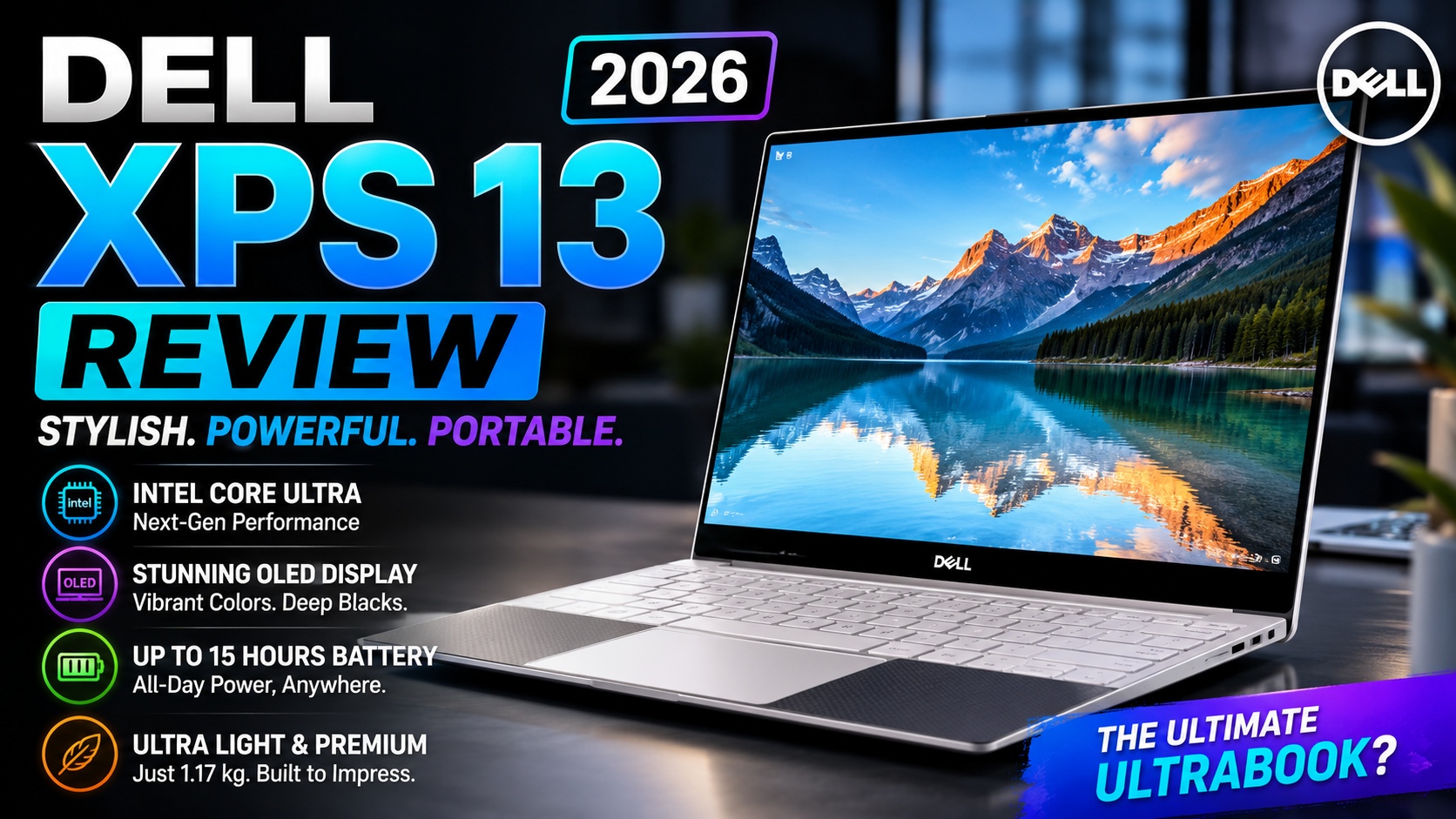

Dell XPS 13 Review (2026): A Premium Ultraportable That Finally Gets More Affordable
The Dell XPS 13 (2026) is an interesting return for Dell's iconic ultraportable lineup. After Dell briefly moved away from the XPS branding in 2025, the XPS 13 is back with a much more aggressive value proposition.
The biggest surprise is the starting price. Dell currently lists the new XPS 13 at $699.99, while configurations can be customized with more memory and storage. The entry configuration includes an Intel Core 5 320 processor, 8GB LPDDR5X memory, a 512GB SSD, and a 13.4-inch 2560 × 1600 touchscreen.
That makes the new XPS 13 very different from the expensive premium ultrabooks that the XPS name has traditionally represented.
It's still thin.
It's still lightweight.
It still uses a premium aluminum chassis.
But Dell is now trying to make the XPS 13 accessible to students, professionals, remote workers, and everyday users who want premium hardware without paying flagship-laptop prices.
And that creates an interesting question:
Is the Dell XPS 13 (2026) actually one of the best Windows ultraportables you can buy, or did Dell cut too many corners to reach the lower price?
After looking closely at its design, hardware, display, portability, connectivity, and real-world positioning, the answer is surprisingly positive—but there are a few important compromises you should understand before buying.
Dell XPS 13 Review
Quick Verdict
The Dell XPS 13 (2026) is one of the most compelling compact Windows laptops for students and everyday productivity.
Its biggest strengths are its lightweight aluminum construction, high-resolution touchscreen, excellent portability, comfortable keyboard, and long battery life.
Dell says the new XPS 13 starts at just 2.2 pounds and is approximately 0.50 inches thick, making it one of the company's thinnest and lightest XPS laptops. Dell also advertises up to 17 hours of streaming battery life under its testing conditions.
Independent testing also confirms the laptop's strong portability and battery performance. Tom's Hardware measured nearly 15 hours of battery life in its testing and described the 2.2-pound laptop as particularly suitable for students and mainstream users.
However, the entry-level 8GB RAM configuration is the biggest concern.
For simple browsing and office work, 8GB can work.
For heavier multitasking, development work, large browser sessions, or long-term ownership, 16GB is the configuration I would recommend.
The new XPS 13 also has very limited physical connectivity: Dell provides two USB-C ports, while there is no USB-A port, HDMI port, or traditional headphone jack.
Our quick assessment
Best for: Students, office workers, travelers, remote workers, and everyday users
Not ideal for: Gamers, workstation users, heavy video editors, and users who need many built-in ports
Recommended configuration: 16GB RAM + 512GB or 1TB SSD
Overall: A highly portable premium Windows laptop with excellent everyday usability, but the base 8GB configuration is worth avoiding if your budget allows.
Dell XPS 13 Review
Dell XPS 13 (2026) Specifications
Before getting into the detailed review, here's a quick look at the important hardware.
| Specification | Dell XPS 13 (2026) |
|---|---|
| Display | 13.4-inch 2560 × 1600 touchscreen |
| Refresh rate | Up to 120Hz |
| Processor | Intel Core 5 320 and other configurations |
| Graphics | Integrated Intel Graphics |
| RAM | 8GB or 16GB configurations |
| Storage | 512GB SSD and configurable options |
| Operating system | Windows 11 |
| Ports | 2 × USB-C |
| Wireless | Wi-Fi 7 |
| Weight | Starting around 2.2 lbs |
| Thickness | Around 0.50 inches |
| Webcam | 1080p |
| Keyboard | Backlit |
| Chassis | CNC-machined aluminum |
Dell's current product page lists the base model with a 13.4-inch 2.5K touchscreen, 8GB LPDDR5X memory, 512GB SSD storage, integrated Intel graphics, and two USB-C ports supporting DisplayPort and power delivery.
Dell's broader XPS lineup page states that the XPS 13 can be configured with up to 32GB RAM and 1TB SSD, although configuration availability can vary by market and model.
Important: Always verify the exact configuration before purchasing. Dell can change available specifications, prices, and configurations depending on region and sales period.
Dell XPS 13 Review
Design and Build Quality
One of the strongest reasons to consider the Dell XPS 13 is its physical design.
This is a laptop that looks and feels significantly more expensive than its starting price suggests.
Dell uses a CNC-machined aluminum chassis, giving the laptop a rigid and premium feel while keeping the weight extremely low.
The result is a machine that feels appropriate for:
- Business meetings
- College classes
- Coffee shops
- Air travel
- Home offices
- Remote work
The thin profile is particularly impressive.
Dell lists the XPS 13 at approximately half an inch thick, while the starting weight is around 2.2 pounds.
That combination makes the XPS 13 exceptionally easy to carry.
You can place it inside a backpack without feeling like you're carrying a heavy workstation.
Dell XPS 13 Review
A Design Built Around Portability
The XPS 13 isn't trying to be a desktop replacement.
Instead, Dell has focused heavily on mobility.
This becomes obvious when you compare it with larger 15- or 16-inch laptops.
A larger laptop might offer:
- More powerful cooling
- More ports
- Larger battery capacity
- Dedicated graphics
- Bigger displays
But it also takes up more space and weighs more.
The XPS 13 makes the opposite tradeoff.
It's designed to disappear into your backpack until you need it.
For students and frequent travelers, that's a major advantage.
Dell XPS 13 Review
Dell XPS 13 Display
The display is another major strength of the new XPS 13.
The current model uses a 13.4-inch 2560 × 1600 touchscreen with a 16:10 aspect ratio and refresh rate that can reach 120Hz. Dell lists brightness up to 500 nits on the current configuration.
That is an impressive specification for a laptop starting around $700.
The 16:10 aspect ratio is especially useful for productivity.
Compared with a traditional 16:9 screen, the additional vertical space gives you more room for:
- Documents
- Web pages
- Spreadsheets
- Code
- Research
- Productivity applications
For anyone using the XPS 13 for work or study, this is more useful than simply having a high resolution.
Dell XPS 13 Review
Is the XPS 13 Display Good for Programming?
Yes.
The high resolution makes text look sharp, while the 16:10 ratio provides additional vertical workspace.
That makes the XPS 13 particularly attractive for developers who want a small laptop.
You can use it for:
- VS Code
- Web development
- Python
- JavaScript
- SQL
- Writing
- Research
- Remote development
However, developers should pay particular attention to RAM.
The base model's 8GB memory configuration isn't what I would choose for serious programming, especially if you're planning to run an IDE alongside multiple browser tabs, local development tools, Docker, or other applications.
The 16GB version is the much safer option.
Dell XPS 13 Review
120Hz Refresh Rate
Another nice feature is the high refresh rate.
The display can dynamically reach 120Hz, which makes scrolling and general interface movement feel smoother than a traditional 60Hz panel.
You may notice the difference when:
- Scrolling through long web pages
- Moving windows
- Browsing
- Reading documents
- Navigating Windows
- Watching compatible content
It's not an essential feature for productivity, but it's a welcome addition at this price point.
Dell XPS 13 Review
Display Limitations
The display isn't perfect.
Independent testing found that reflection handling isn't particularly strong, which means the glossy touchscreen can become less comfortable in bright environments.
This is something to consider if you frequently work:
- Outdoors
- Near large windows
- Under bright office lights
- In cafés with strong overhead lighting
The lack of an OLED option on the 2026 model is another notable difference from some previous XPS configurations.
That isn't necessarily a problem.
An IPS panel can still be an excellent choice for productivity because it can provide strong brightness, good text clarity, and potentially more predictable power consumption.
But users specifically looking for OLED's deep blacks and extremely high contrast may want to consider alternatives.
Dell XPS 13 Review
Keyboard and Touchpad
Dell has also made an important change to the XPS 13 experience.
The newer 2026 model brings back a physical function row and a more clearly identifiable physical touchpad area, addressing some of the usability criticism associated with the previous design direction.
That's significant.
The previous XPS generation's touch-sensitive function row and invisible haptic-style touchpad were distinctive, but not everyone found them intuitive.
The new design is more conventional.
And sometimes conventional is better.
Dell XPS 13 Review
Keyboard Experience
The keyboard is backlit and designed for comfortable everyday typing.
For people who write a lot, code, or spend hours responding to emails, this matters.
A laptop can have an excellent processor and display, but if the keyboard isn't comfortable, you'll notice it every day.
The XPS 13's keyboard is therefore one of the components that deserves more attention than its specification sheet might suggest.
Dell XPS 13 Review
Touchpad
The new physical touchpad design is another improvement.
You can now more easily identify where the touchpad begins and ends, making the interaction more intuitive.
That may sound like a minor change, but the touchpad is one of the most frequently used parts of a laptop.
A premium Windows laptop should make basic navigation feel effortless.
The XPS 13 largely succeeds here.
Dell XPS 13 Review
Port Selection
This is one area where Dell clearly made compromises to achieve such a thin design.
The XPS 13 has only two USB-C ports.
Dell specifies USB 3.2 Gen 2 Type-C ports with DisplayPort and power delivery on the current base configuration.
There is:
- ❌ No USB-A
- ❌ No HDMI
- ❌ No built-in Ethernet
- ❌ No traditional 3.5mm headphone jack
Independent testing also identifies the limited port selection as one of the laptop's biggest weaknesses.
For a minimalist mobile setup, two USB-C ports may be enough.
But if you regularly connect multiple accessories, you'll probably want a USB-C hub or docking station.
This also creates a natural internal link opportunity to your existing Best USB-C Hubs and Docking Stations article.
Dell XPS 13 Review
Should You Buy the Base 8GB Model?
This is probably the most important purchasing decision with the new Dell XPS 13.
The $699.99 starting configuration is attractive.
But it comes with:
8GB RAM
and that is the specification I would question most strongly.
Independent testing found that the 8GB configuration can become limiting during heavier multitasking, while the 16GB version handles multiple applications and browser tabs more comfortably.
For basic:
- Web browsing
- Microsoft Office
- Streaming
- Schoolwork
8GB can be usable.
But if you're spending money on a laptop that you want to keep for several years, 16GB is the smarter target.
Dell XPS 13 Review
Dell XPS 13 for Students
This is where the XPS 13 becomes especially compelling.
Students often need a laptop that can:
- Fit inside a backpack
- Last through classes
- Handle research
- Run Office applications
- Browse the web
- Attend video meetings
- Write assignments
- Program
- Stream media
The XPS 13's combination of low weight, compact dimensions, high-resolution touchscreen, and long battery life makes it particularly well suited to this role.
Tom's Hardware specifically found the 2026 XPS 13 to be an excellent choice for students and mainstream users who don't need extreme CPU or GPU performance.
For students, I would choose:
16GB RAM + 512GB SSD
rather than the base 8GB configuration.
Dell XPS 13 Review
Dell XPS 13 for Remote Work
The XPS 13 is also a strong remote-work laptop.
Its small footprint is useful if your workspace is limited.
You can pair it with:
- External monitor
- USB-C dock
- Wireless keyboard
- Wireless mouse
- Webcam
- External SSD
and turn it into a full desktop-style workstation.
When it's time to travel, disconnect the dock and put the laptop in your bag.
That flexibility is one of the biggest advantages of buying an ultraportable instead of a large desktop replacement.
Dell XPS 13 Review
Dell XPS 13 for Programming
The XPS 13 can be a good programming laptop, especially with 16GB RAM.
It's well suited for:
- Web development
- Front-end development
- Back-end development
- Python
- JavaScript
- TypeScript
- SQL
- General software development
However, this isn't a workstation.
The XPS 13 uses integrated graphics and isn't designed for demanding GPU workloads. Independent testing found that sustained heavy workloads can reduce performance over time, and the laptop has no discrete GPU option.
For serious AI development, 3D rendering, or game development, a more powerful laptop would be a better choice.
Dell XPS 13 Review
Dell XPS 13 (2026): First Impressions
After looking at the core design and hardware, the XPS 13's positioning becomes clear.
Dell isn't trying to compete directly with huge gaming laptops or workstation-class machines.
Instead, it's targeting people who want:
Premium design + portability + strong everyday performance + reasonable pricing.
And that combination is compelling.
The biggest positives are:
- Excellent portability
- Premium aluminum construction
- Sharp 2.5K touchscreen
- 120Hz refresh rate
- Comfortable keyboard
- Improved touchpad design
- Strong battery life
- Competitive starting price
The biggest compromises are:
- 8GB base RAM
- Only two USB-C ports
- No headphone jack
- No dedicated GPU
- No OLED option
- Limited upgradeability
So far, the Dell XPS 13 looks less like a traditional expensive XPS flagship and more like a premium ultraportable designed for mainstream users.
And that could actually be its biggest strength.
Performance: Is the Dell XPS 13 Fast Enough?
Performance is one of the most important parts of any laptop review, and the Dell XPS 13 (2026) takes a slightly different approach from larger performance-oriented notebooks.
Rather than focusing on maximum CPU or GPU power, Dell has prioritized efficiency, portability, and everyday responsiveness.
The XPS 13 is designed for people who spend most of their time doing things such as:
- Web browsing
- Microsoft Office
- Google Workspace
- Programming
- Video conferencing
- Research
- Photo editing
- Streaming
- Light content creation
- Multitasking
For these workloads, the XPS 13 provides more than enough performance.
However, it's important to understand the limitations of its compact design.
This isn't a gaming laptop or mobile workstation.
Its integrated graphics and thin chassis mean that it isn't designed for sustained heavy GPU workloads.
Dell XPS 13 Review
Intel Processor Performance
The 2026 Dell XPS 13 uses Intel's newer processor platform, with the base configuration featuring an Intel Core 5 320.
This processor is aimed at efficient everyday computing rather than extreme workstation performance.
That makes sense for the XPS 13.
The target user doesn't necessarily need a 16-core monster processor.
Instead, they need a laptop that can:
open applications quickly → handle multiple browser tabs → run productivity software → remain responsive → last throughout the day.
That's where the XPS 13 makes the most sense.
Dell XPS 13 Review
Everyday Performance
For normal productivity, the XPS 13 feels like a premium ultrabook should.
Opening applications, switching between browser tabs, writing documents, checking email, and watching videos are all straightforward tasks.
For example, a typical work session might involve:
- Chrome with 15–20 tabs
- Microsoft Word
- Spotify
- Slack
- File Explorer
- OneNote
A properly configured XPS 13 can handle this type of workflow comfortably.
The biggest limitation isn't necessarily the processor.
It's memory configuration.
Dell XPS 13 Review
8GB vs 16GB RAM
This deserves special attention.
Dell's entry-level XPS 13 configuration comes with 8GB of LPDDR5X memory.
That's enough for basic computing.
But if you're purchasing the laptop for several years, I strongly recommend moving to 16GB RAM.
Why?
Because modern applications are increasingly memory-hungry.
Your browser alone can consume several gigabytes when you're working with many tabs.
Add:
- IDE
- Docker
- Teams
- Slack
- Photoshop
- Spotify
- Database tools
and 8GB becomes much less comfortable.
Our recommendation
8GB: Basic users
16GB: Most buyers
32GB: Heavy multitaskers and professional workloads
For GearChoiceLab readers, 16GB should be the sweet spot.
Dell XPS 13 Review
Dell XPS 13 for Multitasking
Multitasking is where the XPS 13's configuration becomes particularly important.
If you only use one or two applications at a time, the base model is perfectly reasonable.
But modern productivity rarely works that way.
A typical user might simultaneously have:
Browser + Word + Excel + Teams + Spotify + cloud storage + email
The more applications you keep open, the more valuable additional RAM becomes.
The processor can be capable, but insufficient memory can still make the system feel sluggish.
That's why I would rather buy:
Core 5 + 16GB RAM
than:
faster CPU + 8GB RAM
for most productivity users.
Dell XPS 13 Review
SSD Storage Performance
The XPS 13 comes with a fast NVMe SSD, with the current base configuration offering 512GB of storage.
That's a good starting point.
A 512GB SSD gives you enough room for:
- Windows
- Applications
- Documents
- Photos
- Development projects
- School files
- Some games
- Media
However, storage requirements can grow quickly.
If you're a developer, for example, your storage can disappear surprisingly fast.
Development environments can contain:
- SDKs
- Dependencies
- Docker images
- Virtual machines
- Build files
- Local databases
- Git repositories
For that type of user, 1TB is preferable if available at a reasonable price.
Dell XPS 13 Review
Is 512GB Enough?
For most people:
Yes.
For professionals:
It depends.
If you're mostly using cloud storage and don't keep large media files locally, 512GB is perfectly reasonable.
If you're working with:
- Video
- Large datasets
- Game development
- Virtual machines
- AI models
- RAW photos
then 1TB or more makes much more sense.
You can also supplement the internal drive with an external SSD.
This connects naturally with GearChoiceLab's Best External SSDs article, which can help readers who need additional high-speed storage.
Dell XPS 13 Review
Battery Life
Battery life is one of the strongest reasons to consider the XPS 13.
Dell advertises up to 17 hours of streaming battery life under its testing conditions, although actual battery life varies considerably depending on brightness, workload, applications, and configuration.
Independent testing has also found strong battery endurance.
Tom's Hardware recorded nearly 15 hours in its battery test, reinforcing the XPS 13's positioning as a highly mobile laptop.
That's excellent for a compact Windows laptop.
Dell XPS 13 Review
Real-World Battery Expectations
You shouldn't expect 17 hours every day.
Real-world battery life depends on what you're doing.
Light web browsing
Potentially very long.
Word processing
Excellent.
Video streaming
Very good.
Programming
Good, but dependent on workload.
Video editing
Significantly shorter.
Gaming
Much shorter.
Heavy CPU workloads
Battery drains substantially faster.
So instead of focusing solely on Dell's maximum number, think about the XPS 13 as a laptop designed to provide strong all-day mobility for ordinary productivity.
Dell XPS 13 Review
Charging the Dell XPS 13
The XPS 13 uses USB-C charging.
This is convenient because USB-C chargers are becoming increasingly universal.
You can potentially use compatible chargers from:
- Dell
- Anker
- UGREEN
- Belkin
- Other reputable USB-C charger manufacturers
This is especially useful when traveling.
Instead of carrying a proprietary charger, you can potentially use a single USB-C charging setup for your laptop, phone, tablet, and accessories.
Always make sure the charger provides appropriate power for the laptop.
Dell XPS 13 Review
Thermal Management
Thin laptops always face a challenge:
How do you maintain performance while keeping the chassis extremely thin?
The XPS 13's compact design limits how much cooling hardware Dell can install.
That's perfectly acceptable for normal productivity.
But sustained workloads are different.
If you're compiling a large software project, rendering video, or performing other CPU-intensive tasks for long periods, the laptop can become warmer and performance can decrease as thermal limits are reached.
This isn't unusual for thin-and-light laptops.
It's simply the trade-off for portability.
Dell XPS 13 Review
Fan Noise
For everyday tasks, the XPS 13 can remain relatively quiet.
You won't typically need aggressive cooling while:
- Writing documents
- Browsing
- Watching videos
- Reading email
- Working with spreadsheets
The fans are more likely to become noticeable when the processor is under sustained load.
That's another reason to think of the XPS 13 as a premium ultraportable rather than a workstation.
Dell XPS 13 Review
Graphics Performance
The Dell XPS 13 uses integrated Intel graphics rather than a dedicated NVIDIA or AMD GPU.
That's perfectly appropriate for its target market.
Integrated graphics are sufficient for:
- Web browsing
- Office applications
- Video playback
- Photo editing
- Programming
- Light creative work
- Casual gaming
But don't expect workstation-class graphics performance.
Dell XPS 13 Review
Can the Dell XPS 13 Run Games?
Yes—but within reason.
The XPS 13 isn't designed as a gaming laptop.
You can play less demanding games and some older titles at reasonable settings.
However, modern AAA games are not its primary purpose.
If gaming is a major priority, look at laptops with dedicated graphics.
A gaming laptop will generally provide significantly better graphics performance.
The trade-off is:
- More weight
- More fan noise
- Larger charger
- Shorter battery life
- Less portability
For a gaming-focused buyer, those compromises may be worthwhile.
For a student or business user, they probably aren't.
Dell XPS 13 Review
Dell XPS 13 for Video Editing
The XPS 13 can handle light video editing.
You can use applications such as:
- Adobe Premiere Pro
- DaVinci Resolve
- CapCut
- Adobe Photoshop
for basic projects.
However, the small chassis and integrated graphics limit its suitability for professional video production.
If you're editing:
- 4K footage
- Multi-camera projects
- Long-form video
- Complex effects
- High-resolution RAW footage
you'll want a more powerful laptop.
A laptop with a dedicated GPU and stronger cooling will be much better suited to these workloads.
Dell XPS 13 Review
Dell XPS 13 for Programming
This is an interesting use case because the XPS 13's strengths align well with many developers.
The combination of:
- Lightweight design
- High-resolution 16:10 display
- Strong battery life
- Comfortable keyboard
- Modern processor
makes it attractive for programmers.
You can comfortably work with:
- Visual Studio Code
- IntelliJ IDEA
- PyCharm
- Git
- Node.js
- Python
- Java
- JavaScript
- TypeScript
- SQL
For heavier development workloads, choose 16GB or 32GB RAM.
Dell XPS 13 Review
Programming Limitations
The main limitation is screen size.
A 13.4-inch display is portable, but it doesn't provide the same workspace as a 15- or 16-inch laptop.
You can solve this easily with an external monitor.
A developer could use:
XPS 13 → Code editor
External monitor → Browser + documentation
This transforms the XPS 13 into a surprisingly capable development workstation.
If you're building a home development setup, our Home Office Setup Guide can complement this article.
Dell XPS 13 Review
Webcam and Video Conferencing
The XPS 13 includes a 1080p webcam, which is appropriate for modern video conferencing.
That's important for:
- Zoom
- Microsoft Teams
- Google Meet
- Online classes
- Remote work
- Job interviews
The webcam isn't necessarily the reason to buy the XPS 13, but it meets the expectations of a modern premium laptop.
If you're a professional who spends several hours every day on video calls, an external webcam may still provide better image quality.
Dell XPS 13 Review
Speakers and Audio
The XPS 13's compact chassis naturally limits speaker size.
Still, the speakers are sufficient for:
- YouTube
- Video calls
- Podcasts
- Casual music
- Streaming
For serious music listening or movie watching, headphones or external speakers will provide a better experience.
This is another opportunity to internally connect the article with your Best Computer Speakers guide.
Dell XPS 13 Review
Windows 11 Experience
The XPS 13 ships with Windows 11.
Windows 11 works particularly well with this type of hardware because the laptop is designed primarily around productivity and mobility.
You get access to the full Windows software ecosystem, including:
- Microsoft Office
- Adobe applications
- Developer tools
- Browsers
- Business software
- Games
- Creative applications
The XPS 13 therefore offers much broader software compatibility than some alternative ultraportable platforms.
Dell XPS 13 Review
AI and Copilot+ Features
Modern Windows laptops increasingly include dedicated AI acceleration hardware.
Depending on the exact XPS 13 configuration and processor, AI workloads can benefit from the processor's integrated acceleration capabilities.
However, don't buy the XPS 13 simply because a laptop is marketed as an "AI PC."
The practical value of AI features depends on the applications you actually use.
For many buyers, traditional factors remain more important:
Battery life + RAM + display + keyboard + portability.
AI functionality is a useful bonus rather than the primary reason to choose this laptop.
Dell XPS 13 Review
Dell XPS 13 for Business
The XPS 13 makes a strong business laptop for professionals who travel frequently.
Its advantages include:
- Premium appearance
- Low weight
- Long battery life
- Good display
- Compact footprint
- Strong everyday performance
It looks professional without being bulky.
For employees who spend most of their time traveling between meetings, offices, airports, and home, the small form factor is particularly useful.
Dell XPS 13 Review
Dell XPS 13 for College Students
The XPS 13 is arguably an even better fit for students.
Imagine carrying a laptop between classes every day.
A heavy 16-inch performance machine becomes tiring.
The XPS 13 is much easier to carry.
Its 13.4-inch display also provides enough workspace for:
- Notes
- Research
- Essays
- Programming
- Presentations
- Online classes
I'd recommend pairing it with an external monitor if you also use it at home.
Dell XPS 13 Review
Dell XPS 13 vs Dell XPS 14
If you're deciding between the XPS 13 and XPS 14, the biggest difference is the philosophy behind each machine.
XPS 13
Portability first
- Smaller
- Lighter
- Better for travel
- Excellent battery efficiency
- Integrated graphics
XPS 14
Performance and screen space first
- Larger display
- More room for multitasking
- Potentially stronger hardware
- Better suited to demanding workloads
- Less portable
If you're constantly traveling:
XPS 13
If you're mostly working at a desk:
XPS 14
This also creates a natural internal link to your existing Dell XPS 14 2026 Review.
Dell XPS 13 Review
Dell XPS 13 vs MacBook Air
The MacBook Air is probably one of the most important alternatives to the XPS 13.
Both focus heavily on:
- Portability
- Battery life
- Quiet operation
- Premium design
- Everyday productivity
The biggest difference is the operating system.
XPS 13
Windows 11
MacBook Air
macOS
Choose the XPS 13 if you prefer Windows or need Windows-specific software.
Choose the MacBook Air if you prefer macOS and Apple's ecosystem.
For developers, the choice may also depend on your toolchain and whether you need Apple's development environment.
Dell XPS 13 Review
Dell XPS 13 vs Lenovo Yoga 9i
The Lenovo Yoga 9i is another strong premium alternative.
The Yoga 9i focuses more heavily on:
- Convertible functionality
- Larger display options
- Touch
- Pen support
- Multimedia
- Flexible form factor
The XPS 13 is more focused on:
compactness + portability + traditional laptop productivity.
If you want a 2-in-1:
Yoga 9i
If you want an extremely portable conventional laptop:
XPS 13
Dell XPS 13 Review
Dell XPS 13 vs ASUS Zenbook
The ASUS Zenbook family offers another compelling alternative.
Zenbook models often emphasize:
- OLED displays
- Premium design
- Competitive pricing
- Lightweight construction
- Strong hardware configurations
The XPS 13 counters with:
- Compact size
- Premium aluminum construction
- Windows productivity
- Excellent portability
- Dell's established XPS design
If display quality is your top priority, an OLED Zenbook can be very attractive.
If portability and the XPS design are more important, the Dell remains compelling.
Dell XPS 13 Review
Performance Verdict
After examining performance, the Dell XPS 13's positioning is clear.
It's not trying to be the fastest laptop in every category.
Instead, it provides a balanced experience.
Excellent for:
- Productivity
- Students
- Business
- Programming
- Browsing
- Remote work
- Travel
Acceptable for:
- Light photo editing
- Light video editing
- Casual gaming
Not ideal for:
- Heavy 4K video editing
- 3D rendering
- AAA gaming
- Professional GPU workloads
- Large-scale AI training
And that's perfectly fine.
A laptop doesn't need to be the fastest machine available to be an excellent laptop.
Dell XPS 13 Review
Who Should Buy the Dell XPS 13?
The Dell XPS 13 is an excellent choice if you prioritize:
1. Portability
At around 2.2 pounds, it's exceptionally easy to carry.
2. Premium design
The aluminum chassis gives it a high-end appearance and feel.
3. Battery life
It's designed for long mobile work sessions.
4. Productivity
The 16:10 high-resolution display is excellent for everyday work.
5. Programming
With 16GB or more RAM, it's capable of handling most development workflows.
6. Windows
If you prefer Windows over macOS or Linux, the XPS 13 is a premium option.
Dell XPS 13 Review
Who Should Skip the Dell XPS 13?
You may want something else if you need:
- Dedicated graphics
- Multiple built-in ports
- Large display
- Maximum CPU performance
- Heavy workstation performance
- Easy hardware upgrades
- Built-in headphone jack
For those users, a larger laptop may provide a better experience.
Dell XPS 13 Review
Part 2 Verdict
The Dell XPS 13 (2026) is becoming an increasingly convincing ultraportable because Dell has focused on the things that matter most to mobile users.
The combination of:
low weight + premium construction + sharp display + strong battery life + comfortable input devices
creates a laptop that's easy to live with every day.
The biggest warning remains the base configuration.
8GB RAM is difficult to recommend for a premium laptop intended to last several years.
If your budget allows it, choose 16GB RAM.
For developers and heavy multitaskers, 32GB is even better.
The other major compromise is connectivity.
With only two USB-C ports, you'll probably need a hub if you regularly use several peripherals.
Despite those limitations, the XPS 13 remains a strong choice for anyone looking for a premium, lightweight Windows laptop in 2026.
Dell XPS 13 (2026) Pricing and Configurations
One of the biggest changes with the 2026 Dell XPS 13 is its positioning.
Instead of being exclusively a premium $1,000+ ultraportable, Dell has pushed the starting price down significantly. The current U.S. starting configuration is listed at $699.99, with an Intel Core 5 320 processor, 8GB LPDDR5X memory, 512GB SSD, and a 13.4-inch 2560 × 1600 touchscreen.
However, there's an important difference between the cheapest XPS 13 and the configuration we recommend.
Our recommended configuration:
- Intel Core 5 320 or higher
- 16GB RAM
- 512GB SSD
- 13.4-inch 2560 × 1600 display
- Windows 11
Tom's Hardware reports that the 16GB version costs around $899, compared with approximately $699 for the 8GB model.
That $200 difference is significant.
But for most people, it's money worth spending.
Dell XPS 13 Review
Is 8GB RAM Enough?
This is probably the biggest question surrounding the affordable Dell XPS 13.
The answer depends on how you use your laptop.
If you're primarily doing:
- Web browsing
- Microsoft Word
- Google Docs
- YouTube
- Netflix
- Basic schoolwork
then 8GB can still be usable.
But if you regularly multitask, the limitations become much more obvious.
For example:
Chrome + 15 tabs + Spotify + Word + Teams + Photoshop
is a very different workload from simply browsing the web.
Tom's Hardware found that the 8GB model becomes sluggish much more quickly during multitasking, while the 16GB version provides a noticeably smoother experience.
RTINGS reached a similar conclusion, recommending the 16GB configuration for users who want smoother Windows multitasking.
Our recommendation:
8GB: Only if your budget is extremely tight.
16GB: Best choice for most people.
32GB: Consider it for heavier professional workloads if that configuration is available in your market.
Dell XPS 13 Review
What About 32GB RAM?
There is an important configuration detail here.
Dell's configurator can list higher-memory configurations in some markets, while independent testing of the common DX13260 configuration has focused primarily on 8GB and 16GB models. Dell's current configuration information also shows 32GB LPDDR5X options on certain configurations.
If you find a 32GB model available at a reasonable price, it can make sense for users who regularly run:
- Virtual machines
- Large development environments
- Docker containers
- Multiple IDEs
- Large datasets
- Professional applications
However, the XPS 13 isn't designed as a workstation.
If your workload genuinely requires 32GB RAM and sustained high performance, you may be better served by a larger laptop with stronger cooling.
Dell XPS 13 Review
Can You Upgrade the RAM Later?
This is an important consideration before purchasing.
The XPS 13 uses onboard LPDDR5X memory, meaning RAM isn't designed as a conventional user-replaceable module.
RTINGS lists the available memory as onboard and notes that the laptop has no open RAM slots.
That means you should choose your RAM configuration carefully when buying.
You can't simply purchase the 8GB model today and expect to install another 8GB later.
This makes our recommendation even stronger:
If you're unsure between 8GB and 16GB, buy 16GB.
It's much better to pay for the additional memory at purchase than discover two years later that your laptop is becoming too restrictive.
Dell XPS 13 Review
Can You Upgrade the SSD?
The storage situation is more flexible than the RAM.
The XPS 13 uses an M.2 PCIe NVMe SSD, although configuration and serviceability can vary by model. RTINGS identifies the 512GB M.2 NVMe SSD configuration in its tested unit.
Still, you shouldn't buy the laptop assuming future upgrades will always be simple.
Before attempting any hardware modification, check Dell's official service documentation for your exact model.
For most buyers, 512GB is enough.
For professionals working with large files, an external SSD can be a more economical way to add storage.
Dell XPS 13 Review
Dell XPS 13 Pros and Cons
After examining the design, display, performance, battery life, and configurations, here's the overall picture.
Pros
1. Extremely lightweight
At around 2.2 pounds, the XPS 13 is exceptionally easy to carry.
2. Premium build quality
The aluminum chassis provides a premium feel without adding excessive weight.
3. Excellent battery life
Independent testing has recorded more than 14 hours in a mixed battery benchmark, making the XPS 13 suitable for full-day mobile use.
4. High-resolution display
The 13.4-inch 2560 × 1600 touchscreen provides excellent sharpness and a productive 16:10 workspace.
5. 120Hz dynamic refresh rate
The display can operate from approximately 30Hz to 120Hz, helping make scrolling smoother while allowing the system to reduce refresh rate when appropriate.
6. Physical keyboard controls
Dell moved away from some of the controversial input decisions of previous XPS generations and returned to a physical function row and clearly defined touchpad.
7. Competitive starting price
At around $700 in the U.S., the XPS 13 is considerably more accessible than previous premium XPS models.
Dell XPS 13 Review
Cons
1. Only two USB-C ports
There is no USB-A, HDMI, or built-in headphone jack.
2. Base model has only 8GB RAM
This can become a serious limitation during multitasking.
3. No OLED option
Unlike some previous XPS configurations, the 2026 XPS 13 uses an IPS display rather than offering an OLED alternative.
4. Integrated graphics only
It's not designed for demanding gaming, 3D rendering, or GPU-heavy professional workloads.
5. Limited configuration choices
Dell keeps the lineup relatively simple, which helps keep the price down but gives buyers fewer ways to customize the machine.
Dell XPS 13 Review
Dell XPS 13 for Long-Term Use
A laptop purchase shouldn't only be evaluated based on how it performs today.
You should also consider how it will feel after two, three, or even four years.
This is where the 16GB model becomes more attractive.
Modern applications continue to become more demanding.
Browsers use more memory.
Operating systems become heavier.
Productivity applications add more features.
AI tools increasingly run locally.
As a result, 8GB is becoming increasingly difficult to recommend for long-term Windows laptops.
The 16GB XPS 13 gives you considerably more breathing room.
Dell XPS 13 Review
Is the Dell XPS 13 Future-Proof?
No laptop is truly future-proof.
But the 16GB model should age considerably better than the 8GB configuration.
The processor is modern enough for everyday productivity, while the high-resolution display and efficient design should remain useful for years.
The biggest long-term concerns are:
- Limited RAM options
- No dedicated GPU
- Limited ports
- Small display
- Non-upgradeable memory
For typical productivity, these aren't deal breakers.
For professionals with demanding workloads, they may become limitations.
Dell XPS 13 Review
Dell XPS 13 for Travel
This is arguably the XPS 13's strongest use case.
Imagine you're traveling with:
- Laptop
- Phone
- Tablet
- Charger
- Headphones
- Mouse
Every gram matters.
At approximately 2.2 pounds, the XPS 13 doesn't add much weight to your backpack.
Its compact dimensions also make it comfortable to use on:
- Airplanes
- Trains
- Coffee shops
- Hotel desks
- University libraries
For frequent travelers, this is a major advantage.
Dell XPS 13 Review
Dell XPS 13 for Remote Work
Remote workers have different requirements from gamers or content creators.
They need:
Portability + battery life + productivity + communication.
The XPS 13 checks most of those boxes.
You can work from your home office and then take the same laptop to a coffee shop or coworking space.
Pair it with a USB-C hub and external monitor at home, and you can have a much larger desktop-style workspace without sacrificing portability when you travel.
This makes the XPS 13 particularly attractive for hybrid workers.
Dell XPS 13 Review
Dell XPS 13 vs MacBook Neo
One of the most interesting comparisons in 2026 is the XPS 13 versus Apple's lower-priced MacBook Neo.
Tom's Hardware describes the XPS 13 as Dell's Windows answer to the MacBook Neo.
The two laptops share a similar philosophy:
- Compact
- Lightweight
- Affordable
- Premium-looking
- Designed for everyday users
But there are important differences.
Choose Dell XPS 13 if:
- You need Windows
- You prefer Windows software
- You want a touchscreen
- You want a physical backlit keyboard
- You want the flexibility of Windows hardware
Choose MacBook Neo if:
- You prefer macOS
- You already use Apple devices
- You prefer Apple's ecosystem
- Your applications work well on macOS
The XPS 13 therefore has a particularly strong argument for buyers who want a small premium Windows laptop.
Dell XPS 13 Review
Dell XPS 13 vs Microsoft Surface Laptop
The Microsoft Surface Laptop is another natural alternative.
Both are designed for:
- Productivity
- Students
- Professionals
- Portability
- Everyday computing
The Surface Laptop has an advantage in connectivity because some configurations provide additional ports.
The XPS 13 counters with its extremely compact design and attractive starting price.
This is another good reason for GearChoiceLab readers to compare our Microsoft Surface Laptop Review with this article before buying.
Dell XPS 13 Review
Dell XPS 13 vs ASUS Zenbook
The ASUS Zenbook lineup is particularly interesting for users who prioritize display quality.
Some Zenbook models offer OLED screens, which can provide:
- Deeper blacks
- Higher perceived contrast
- More vibrant visuals
- Excellent movie-watching experience
The XPS 13 instead emphasizes:
- Portability
- IPS display
- 16:10 productivity
- Premium construction
- Windows compatibility
If you're a movie enthusiast:
Zenbook may be more attractive.
If you're a frequent traveler:
XPS 13 is extremely compelling.
Dell XPS 13 Review
Dell XPS 13 vs Lenovo Yoga 9i
The Lenovo Yoga 9i offers something the XPS 13 doesn't:
A flexible 2-in-1 design.
The Yoga can be used as:
- Traditional laptop
- Tablet
- Tent
- Presentation device
That's particularly useful for students and creative users.
The XPS 13 is more straightforward.
It's a traditional ultraportable designed to be exceptionally light.
So the decision is simple:
Want maximum portability? → XPS 13
Want maximum flexibility? → Yoga 9i
Dell XPS 13 Review
Is the Dell XPS 13 Worth Buying in 2026?
Yes—with one important condition.
Buy the Dell XPS 13 if you choose the right configuration.
The $699 base model is attractive, but the 16GB version is the configuration we would recommend for most users.
The XPS 13 isn't the fastest laptop.
It doesn't have the most ports.
It doesn't have an OLED display.
It doesn't have a dedicated GPU.
But that's not what it's trying to accomplish.
Its strength is balance.
You get:
Premium design
Very low weight
Excellent battery life
Sharp touchscreen
Comfortable keyboard
Strong everyday Windows performance
in a package that is extremely easy to carry.
Dell XPS 13 Review
Our Recommended Dell XPS 13 Configuration
If you're buying one today, here's how I'd approach the configurations.
💰 Best budget configuration
8GB RAM + 512GB SSD
Choose this only if you're primarily doing basic tasks and need to stay around the $700 price point.
⭐ Best overall configuration
16GB RAM + 512GB SSD
This is the configuration I'd recommend to most GearChoiceLab readers.
🚀 Best for heavier users
32GB RAM + 1TB SSD, if available and reasonably priced for your market.
However, if the price becomes significantly higher, consider stepping up to a larger and more powerful laptop instead.
Dell XPS 13 Review
Final Recommendation Before Part 4
The Dell XPS 13 (2026) has successfully changed the perception of what an affordable premium Windows ultraportable can be.
It's no longer simply an expensive luxury laptop.
At its current U.S. starting price of around $699.99, it competes much more aggressively in the mainstream market.
But the real sweet spot is the 16GB version.
For students, remote workers, business professionals, programmers, and travelers, the XPS 13 offers an excellent combination of portability and usability.
For gamers, video editors, 3D artists, and workstation users, there are better choices.
Our current rating
| Category | Rating |
|---|---|
| Design | ⭐⭐⭐⭐⭐ |
| Build Quality | ⭐⭐⭐⭐⭐ |
| Portability | ⭐⭐⭐⭐⭐ |
| Display | ⭐⭐⭐⭐½ |
| Keyboard | ⭐⭐⭐⭐½ |
| Battery Life | ⭐⭐⭐⭐⭐ |
| Performance | ⭐⭐⭐½ |
| Gaming | ⭐⭐ |
| Connectivity | ⭐⭐½ |
| Value | ⭐⭐⭐⭐½ |
| Overall | 4.5/5 |
The biggest lesson is simple:
Don't buy the Dell XPS 13 purely because it's cheap. Buy it because it's an exceptionally portable Windows laptop—and choose enough RAM to make it useful for years.
Dell XPS 13 Review
Dell XPS 13 (2026) Buying Guide: Which Configuration Should You Choose?
Choosing the right Dell XPS 13 configuration is arguably more important than choosing the laptop itself.
The difference between an 8GB model and a 16GB model may seem relatively small when you're looking at the specifications, but it can have a noticeable impact on how comfortable the laptop feels over several years.
Because the RAM is soldered to the motherboard, you cannot simply buy the cheapest model today and upgrade the memory later.
For that reason, your configuration should be based on how you expect to use the laptop—not just how much you want to spend today.
Dell XPS 13 Review
Best Dell XPS 13 Configuration for Students
For college students, the best balance is:
Intel Core 5 + 16GB RAM + 512GB SSD
This configuration provides enough performance for typical academic workloads without pushing the price unnecessarily high.
You can comfortably use it for:
- Microsoft Word
- PowerPoint
- Excel
- Google Docs
- Web research
- Zoom
- Microsoft Teams
- Online classes
- Programming
- Note-taking
- Streaming
The 512GB SSD also gives you enough space for assignments, applications, photos, and personal files.
If you're studying computer science, engineering, or another technical field, 16GB RAM becomes even more important because development environments can consume considerably more memory than ordinary office applications.
Dell XPS 13 ReviewBest Dell XPS 13 Configuration for Professionals
Professionals who mainly use productivity applications should also target:
16GB RAM + 512GB SSD
This is the configuration that makes the most sense for most office workers.
You can run applications such as:
- Microsoft Excel
- Microsoft Word
- PowerPoint
- Outlook
- Slack
- Microsoft Teams
- Chrome
- Edge
- OneDrive
- Business applications
without having to constantly worry about memory limitations.
If your work involves large spreadsheets, virtual machines, software development, or professional creative applications, consider a higher-memory configuration where available.
Dell XPS 13 ReviewBest Dell XPS 13 Configuration for Programmers
Developers should avoid the 8GB model unless their workload is extremely light.
A better starting point is:
16GB RAM + 512GB SSD
Developers working with Docker, virtual machines, Android Studio, multiple IDEs, or large projects may benefit from:
32GB RAM + 1TB SSD
if that configuration is available and competitively priced.
However, there is a point where upgrading the XPS 13 stops making financial sense.
If you're paying substantially more for a high-memory XPS 13, compare it against a larger laptop with a more powerful processor and better thermal performance.
Dell XPS 13 ReviewBest Dell XPS 13 Configuration for Travelers
Travelers have slightly different priorities.
You don't necessarily need the most powerful processor or the largest SSD.
Instead, prioritize:
16GB RAM + 512GB SSD + lightweight configuration
The compact chassis and low weight are the main reasons to choose the XPS 13.
It's small enough to use on an airplane tray table and light enough that carrying it through airports doesn't become a burden.
The high-resolution display is also useful when you're working in a relatively cramped environment.
Dell XPS 13 ReviewBest Dell XPS 13 Configuration for Remote Workers
For remote workers, the XPS 13 works particularly well when combined with a USB-C dock.
At home, you can connect:
- External monitor
- Keyboard
- Mouse
- Ethernet
- External storage
- Webcam
Then disconnect the laptop and take it with you when you leave.
This gives you the flexibility of a desktop workstation while maintaining the portability of an ultraportable.
Because the XPS 13 has only two USB-C ports, however, a good docking station is almost essential for this type of setup.
Dell XPS 13 ReviewShould You Buy the Dell XPS 13 With 1TB Storage?
A 1TB SSD is useful if you store large files locally.
It's particularly worthwhile for:
- Developers
- Photographers
- Content creators
- Students with large media collections
- Users who work with virtual machines
- People who don't rely heavily on cloud storage
For a typical office user, however, 512GB is enough.
If the 1TB upgrade is expensive, buying a good external SSD can be a more cost-effective solution.
This is particularly useful because external storage also works with future laptops.
Dell XPS 13 ReviewDell XPS 13 Accessories You May Need
The XPS 13's minimalist design means you may want a few accessories to get the most out of it.
1. USB-C Hub
Because the laptop has only two USB-C ports, a USB-C hub can add:
- USB-A
- HDMI
- SD card reader
- Ethernet
- Additional USB-C connectivity
This is especially useful for office workers and students.
For readers looking for recommendations, see our Best USB-C Hubs and Docking Stations guide.
Dell XPS 13 Review2. External Monitor
A 13.4-inch display is excellent for portability but can feel restrictive when you're working at a desk for several hours.
An external monitor provides much more workspace.
For example:
XPS 13 display → Email + communication
External monitor → Browser + documents
or:
XPS 13 → Code
External monitor → Browser + documentation
This dramatically improves multitasking.
Dell XPS 13 Review3. External SSD
If you choose the 512GB configuration but later need more storage, an external SSD is an easy solution.
Modern portable NVMe-based external drives can provide excellent transfer speeds without adding much weight to your travel setup.
Check our Best External SSDs guide if you're looking for additional storage.
Dell XPS 13 Review4. Wireless Mouse
The XPS 13's touchpad is good, but a mouse can still be useful for long work sessions.
A compact wireless mouse is particularly useful for:
5. Laptop Stand
When using the XPS 13 at a desk, a laptop stand can raise the display closer to eye level.
This can make a noticeable difference when the laptop is paired with an external keyboard and mouse.
It also helps turn the XPS 13 into a more ergonomic desktop workstation.
Dell XPS 13 ReviewDell XPS 13 and External Monitor Support
One of the XPS 13's limitations is that the laptop itself doesn't provide HDMI or DisplayPort ports.
Instead, display output is handled through USB-C.
This isn't necessarily a problem.
USB-C can carry:
- Display signal
- Power
- Data
through a single connector.
A compatible USB-C dock can therefore turn the XPS 13 into a complete desktop setup.
For example:
XPS 13 → USB-C dock → 27-inch monitor + keyboard + mouse + Ethernet
When you're finished working:
Disconnect one cable → take the laptop with you.
That's one of the most practical ways to use the XPS 13.
Dell XPS 13 ReviewIs the Dell XPS 13 Good for Everyday Use?
Yes.
In fact, everyday computing is where the XPS 13 makes the most sense.
It's not designed to win benchmark charts against large gaming laptops.
Instead, it's designed to make common tasks easy.
You open the lid.
Start working.
Browse the web.
Write documents.
Attend meetings.
Watch videos.
Close the lid.
Put it in your backpack.
That's the experience Dell is targeting.
Dell XPS 13 ReviewDell XPS 13 for Netflix and Streaming
The high-resolution 16:10 display is excellent for general media consumption.
The 2560 × 1600 resolution provides sharp images, while the compact size makes the laptop easy to use in bed, on the couch, or while traveling.
The main limitation is the lack of OLED.
An OLED laptop can provide deeper blacks and stronger contrast, making it more attractive for movie enthusiasts.
But the XPS 13's IPS display remains a strong choice for users who prioritize productivity and battery efficiency.
Dell XPS 13 ReviewDell XPS 13 for Photo Editing
The XPS 13 can handle casual and moderate photo editing.
Applications such as Adobe Lightroom and Photoshop can run effectively on an appropriately configured model.
The high-resolution display is particularly useful because it provides plenty of pixel density for viewing detailed images.
However, professional photographers should consider the limitations:
- Small display
- Integrated graphics
- Limited thermal headroom
- No OLED option
- Limited connectivity
For serious photo workflows involving large RAW libraries, a larger laptop or desktop with a larger color-accurate display may be a better investment.
Dell XPS 13 ReviewDell XPS 13 for AI Tools
AI applications are becoming increasingly common in everyday computing.
You might use AI tools for:
- Writing
- Research
- Coding
- Image generation
- Summarization
- Productivity
- Transcription
The XPS 13 is capable of running many mainstream AI-enabled applications.
However, cloud-based AI services generally don't require a powerful local GPU.
If you're using services through a web browser, the XPS 13 is perfectly capable.
The situation changes if you want to run large AI models locally.
For local machine-learning workloads, a laptop with substantially more memory and a dedicated GPU is generally a better choice.
Dell XPS 13 ReviewDell XPS 13 for Business Travel
For business travelers, portability is one of the laptop's biggest advantages.
A typical business trip might involve:
Airport → Meeting → Hotel → Presentation → Flight home
Carrying a heavy workstation through that routine can become inconvenient.
The XPS 13 minimizes that burden.
Its small size also makes it easier to use in locations where desk space is limited.
The premium aluminum design gives it a professional appearance, which is another advantage for business users.
Dell XPS 13 ReviewDell XPS 13 Security and Privacy
For business users, security is an important consideration.
The XPS 13 supports modern Windows security features and platform-level security capabilities.
However, security should not be evaluated solely based on the laptop.
Your overall security also depends on:
- Windows updates
- Strong passwords
- Multi-factor authentication
- Disk encryption
- Security software
- Safe browsing practices
- Company security policies
For business deployments, organizations should configure Windows according to their own IT requirements.
Dell XPS 13 ReviewDell XPS 13 Durability
The aluminum chassis gives the XPS 13 a reassuringly solid feel.
The rigid construction is one of the reasons the laptop feels more premium than many entry-level Windows machines.
However, thin laptops still need to be treated carefully.
The XPS 13 is not a ruggedized business laptop.
If you're traveling frequently, a padded laptop sleeve is a sensible investment.
Avoid placing heavy objects directly on top of the laptop inside a backpack.
Dell XPS 13 ReviewDell XPS 13 Repairability
The compact design comes with trade-offs.
Some components are not designed to be easily upgraded by users.
The most important example is RAM.
Because the memory is soldered, your initial RAM choice is effectively permanent.
This is another reason why buying 16GB from the beginning makes sense.
The SSD situation can be more flexible depending on the exact model and service documentation, but users should always verify compatibility before attempting repairs or upgrades.
Dell XPS 13 ReviewDell XPS 13 Warranty Considerations
Before purchasing, pay attention to the warranty and support options available in your country.
Dell's warranty offerings can vary depending on:
- Region
- Configuration
- Retailer
- Purchase date
- Service plan
If you're buying the XPS 13 for business use, extended support may be worth considering.
For a personal laptop, the standard warranty may be sufficient depending on your risk tolerance.
Always review the exact warranty terms at checkout.
Dell XPS 13 ReviewIs Dell XPS 13 Better Than a MacBook Air?
There isn't a universal winner.
The choice largely comes down to ecosystem and operating system.
Choose the XPS 13 if you want:
- Windows 11
- Touchscreen
- Broad Windows software compatibility
- More hardware flexibility
- Traditional Windows workflow
Choose MacBook Air if you want:
- macOS
- Apple ecosystem integration
- Long battery life
- Silent operation
- Apple's software ecosystem
For users who already own an iPhone, iPad, or other Apple products, the MacBook Air may offer a particularly seamless experience.
For Windows users, the XPS 13 is one of the more compelling premium ultraportables available.
Dell XPS 13 ReviewIs Dell XPS 13 Better Than Surface Laptop?
The Microsoft Surface Laptop is a strong competitor for buyers who want a premium Windows experience.
The Surface family emphasizes:
- Clean design
- Windows integration
- Productivity
- Portability
- Premium construction
The XPS 13 differentiates itself through its extremely compact dimensions and aggressive pricing.
The better option depends on the exact configuration and price available at the time you purchase.
Dell XPS 13 ReviewIs Dell XPS 13 Better Than ASUS Zenbook?
ASUS Zenbook models are particularly attractive if you want an OLED display.
For entertainment and visual content, OLED can be a significant advantage.
The XPS 13 instead focuses on:
- Portability
- Productivity
- Premium construction
- Compact dimensions
- Windows compatibility
If you want the smallest premium Windows laptop you can comfortably carry every day, the XPS 13 remains a strong candidate.
Dell XPS 13 ReviewIs Dell XPS 13 Better Than Lenovo Yoga 9i?
The Lenovo Yoga 9i is a better choice if you want a convertible design.
Its 2-in-1 form factor allows you to use the device in different modes.
The XPS 13 is better suited to buyers who simply want:
A lightweight traditional laptop.
The decision therefore comes down to form factor rather than simply performance.
Dell XPS 13 ReviewDell XPS 13 Buying Checklist
Before clicking the purchase button, check the following:
✔ RAM
Choose 16GB whenever possible.
✔ Storage
512GB is enough for most people.
Choose 1TB if you regularly store large files.
✔ Display
Confirm that the configuration includes the 2560 × 1600 touchscreen you want.
✔ Ports
Remember that there are only two USB-C ports.
Budget for a hub or dock if necessary.
✔ Charger
Confirm the included charger and its power rating.
✔ Warranty
Check the exact warranty available in your region.
✔ Price
Dell frequently changes laptop pricing through promotions and configuration discounts.
Don't assume the listed starting price represents the configuration you actually want.
Dell XPS 13 ReviewFrequently Asked Questions
Is the Dell XPS 13 worth buying in 2026?
Yes. The Dell XPS 13 (2026) is worth considering if you want a lightweight Windows laptop with a premium build, sharp touchscreen, long battery life, and strong everyday performance.
The biggest recommendation is to choose 16GB RAM rather than the base 8GB model if your budget allows.
How much RAM should I get for the Dell XPS 13?
For most users, 16GB is the ideal choice.
8GB is acceptable for basic browsing and office work, while 32GB can make sense for developers and heavy multitaskers if available at a reasonable price.
Because the memory is onboard, choose carefully before buying.
Is 8GB RAM enough for the Dell XPS 13?
8GB can handle basic tasks such as browsing, email, document editing, streaming, and simple schoolwork.
However, 16GB is much better for multitasking and long-term ownership.
If you regularly use many browser tabs, development tools, creative applications, or virtual machines, 8GB is not recommended.
Does the Dell XPS 13 have an OLED display?
The 2026 XPS 13 configuration discussed in this review uses an IPS touchscreen rather than an OLED panel.
If OLED is a priority, consider alternatives such as selected ASUS Zenbook models.
Does the Dell XPS 13 have a headphone jack?
No.
The XPS 13 uses USB-C connectivity rather than providing a traditional 3.5mm headphone jack.
You'll need USB-C headphones, Bluetooth headphones, or an appropriate adapter.
How many USB ports does the Dell XPS 13 have?
The current XPS 13 configuration provides two USB-C ports.
There is no built-in USB-A port or HDMI port.
A USB-C hub or docking station can expand connectivity.
Can the Dell XPS 13 run games?
Yes, but it isn't a gaming laptop.
Its integrated Intel graphics are suitable for casual gaming and less demanding titles.
For modern AAA gaming, choose a laptop with a dedicated GPU.
Is the Dell XPS 13 good for programming?
Yes.
The XPS 13 is particularly suitable for web development, Python, JavaScript, TypeScript, SQL, and general software development.
For programming, we recommend at least 16GB RAM.
Developers using Docker, virtual machines, or large projects should consider 32GB if available.
Is the Dell XPS 13 good for college?
Yes.
Its lightweight design, long battery life, compact dimensions, and high-resolution 16:10 display make it particularly well suited to students.
The recommended configuration is 16GB RAM + 512GB SSD.
How long does the Dell XPS 13 battery last?
Dell advertises up to approximately 17 hours of streaming battery life under its testing conditions.
Actual battery life depends on brightness, applications, workload, wireless connectivity, and configuration.
Independent testing has also demonstrated strong battery endurance.
Dell XPS 13 ReviewCan you upgrade the RAM on the Dell XPS 13?
The RAM is onboard LPDDR5X memory rather than a conventional replaceable module.
That means you should select the appropriate memory configuration when purchasing.
For most buyers, 16GB is the safest choice.
Dell XPS 13 ReviewCan you upgrade the SSD on the Dell XPS 13?
The exact upgradeability depends on the specific XPS 13 configuration and service design.
Check Dell's official service documentation for your exact model before attempting an upgrade.
If you simply need more storage, an external SSD is often the easiest solution.
Dell XPS 13 ReviewDoes the Dell XPS 13 support Wi-Fi 7?
The current configuration reviewed here includes Wi-Fi 7 support.
Actual wireless performance depends on your router, network environment, and internet connection.
Dell XPS 13 ReviewIs the Dell XPS 13 good for remote work?
Yes.
The combination of portability, battery life, Windows compatibility, and a sharp display makes it a strong remote-work laptop.
A USB-C dock and external monitor can turn it into a more comfortable desktop workstation when you're at home.
Dell XPS 13 ReviewIs the Dell XPS 13 good for video editing?
It's suitable for light and moderate video editing.
For professional 4K editing, complex effects, long rendering sessions, or GPU-intensive workflows, a larger laptop with dedicated graphics would be a better choice.
Dell XPS 13 ReviewDoes the Dell XPS 13 have a dedicated GPU?
No.
The XPS 13 relies on integrated Intel graphics.
This keeps the laptop thin and efficient but limits gaming and GPU-heavy creative workloads.
Dell XPS 13 ReviewFinal Verdict: Should You Buy the Dell XPS 13 (2026)?
The Dell XPS 13 (2026) is a very different XPS laptop from what longtime buyers may remember.
Instead of focusing exclusively on ultra-premium pricing, Dell has moved the XPS 13 toward a much broader audience.
And that's a good thing.
The laptop combines several characteristics that are difficult to balance:
Premium construction
Very low weight
High-resolution touchscreen
Long battery life
Comfortable keyboard
Modern Windows experience
Competitive pricing
The biggest weakness is also straightforward:
The base 8GB configuration is not the version we recommend for most buyers.
If you can afford it, step up to 16GB.
That one decision will make the XPS 13 considerably more comfortable for multitasking and long-term ownership.
The limited connectivity is the other major compromise.
Two USB-C ports are enough for a minimalist setup, but most professionals will eventually want a USB-C hub or dock.
Dell XPS 13 ReviewOur Final Rating
| Category | Rating |
|---|---|
| Design | ⭐⭐⭐⭐⭐ |
| Build Quality | ⭐⭐⭐⭐⭐ |
| Portability | ⭐⭐⭐⭐⭐ |
| Display | ⭐⭐⭐⭐½ |
| Keyboard | ⭐⭐⭐⭐½ |
| Touchpad | ⭐⭐⭐⭐½ |
| Battery Life | ⭐⭐⭐⭐⭐ |
| Everyday Performance | ⭐⭐⭐⭐ |
| Gaming | ⭐⭐ |
| Connectivity | ⭐⭐½ |
| Upgradeability | ⭐⭐⭐ |
| Value | ⭐⭐⭐⭐½ |
| Overall | 4.5/5 |
Final Recommendation
🏆 Best for most buyers
Dell XPS 13 with 16GB RAM + 512GB SSD
This is the configuration we recommend for most students, professionals, remote workers, programmers, and travelers.
💰 Best budget option
8GB RAM + 512GB SSD
Only choose this if you're primarily doing basic tasks and the lower price is important.
🚀 Best for power users
32GB RAM + 1TB SSD, if available at a reasonable price.
However, once the price gets significantly higher, compare it with larger laptops that provide stronger sustained performance.
Dell XPS 13 ReviewThe Bottom Line
The Dell XPS 13 (2026) isn't the laptop for everyone.
It's not the best choice for gamers.
It's not a workstation.
It doesn't have every port.
It doesn't offer OLED.
And the base model's 8GB RAM isn't ideal for long-term ownership.
But if your priorities are portability, premium design, battery life, Windows compatibility, and everyday productivity, the XPS 13 makes a very strong case.
At around $700 for the entry configuration, Dell has made the XPS 13 significantly more accessible.
And with 16GB RAM, the laptop becomes an even more compelling long-term choice.
For students, travelers, remote workers, professionals, and programmers who want a lightweight Windows laptop, the Dell XPS 13 (2026) is one of our top ultraportable recommendations.
If you want the shortest possible buying advice:
That combination captures what makes the 2026 XPS 13 so appealing.Buy the Dell XPS 13 for portability. Choose 16GB RAM for longevity. Add a USB-C hub for connectivity.
Recommended Links
To strengthen your site's topical authority and improve internal linking, connect this review with related articles such as:
- MacBook Pro M4 Review
- Apple MacBook Air M4 Review
- Best Laptops for College Students
- Best AI Tools for Bloggers
- Best AI Image Generators
- Best AI Video Editors
- Best Monitors for Remote Work
- Best Office Chairs for Comfort and Productivity
- Best External SSDs for Laptops
- Best USB-C Docking Stations
- Best Laptops Under $1,000
- Dell XPS 14 Review
These links encourage readers to explore more content and improve crawlability.
Dell XPS 13 Review