
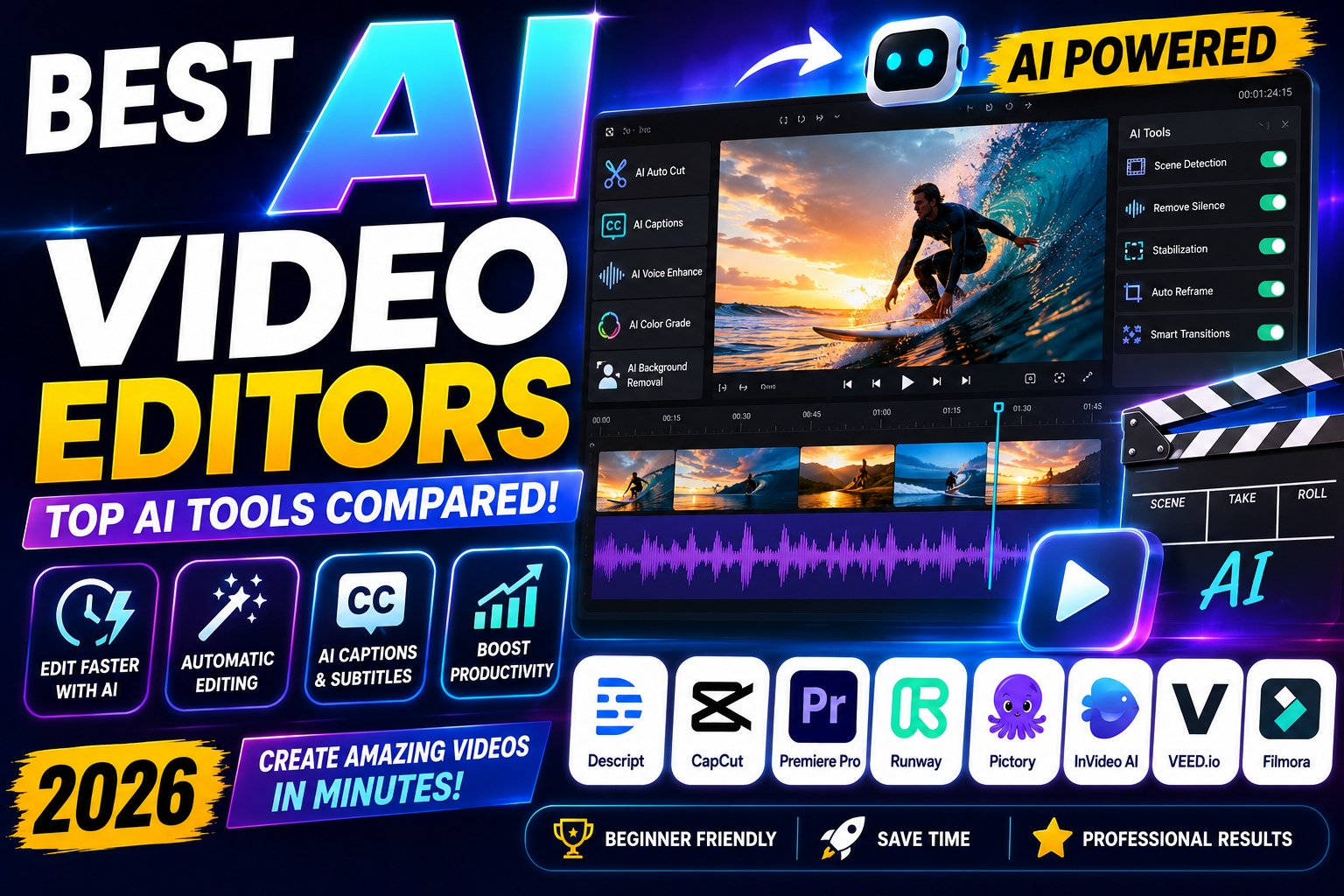

Best AI Video Editors (2026)
Creating professional videos no longer requires years of editing experience or expensive software. Thanks to artificial intelligence, anyone can produce polished, engaging videos in a fraction of the time it once took.
Whether you're a YouTuber, content creator, marketer, small business owner, educator, or social media influencer, AI-powered video editing tools can automate repetitive tasks, improve video quality, and dramatically speed up your workflow.
From automatic subtitles and background removal to intelligent scene detection and AI-generated B-roll, today's AI video editors are transforming how content is created.
In this guide, we'll review the best AI video editors in 2026, compare their features, pricing, strengths, and weaknesses, and help you choose the right platform for your needs.
Best AI Video Editors
Why Trust Our Recommendations?
At GearChoiceLab, we evaluate software based on practical testing, usability, feature sets, pricing, performance, and overall value. Instead of simply listing popular tools, we compare how each platform performs in real-world workflows used by creators and businesses.
Our reviews focus on:
- AI capabilities
- Editing speed
- Ease of use
- Export quality
- Collaboration features
- Platform compatibility
- Pricing
- Value for money
This ensures our recommendations are useful for beginners and experienced professionals alike.
Best AI Video Editors
What Is an AI Video Editor?
An AI video editor is software that uses artificial intelligence to automate editing tasks that traditionally required manual work.
Instead of spending hours trimming clips, adding captions, removing silence, or adjusting colors, AI performs many of these tasks automatically.
Common AI features include:
- Automatic video editing
- AI subtitles
- Voice enhancement
- Background noise removal
- Auto reframing
- Scene detection
- AI-generated B-roll
- AI avatars
- Text-to-video generation
- Object removal
- Smart transitions
- Color enhancement
These tools allow creators to focus more on storytelling and less on repetitive editing.
Best AI Video Editors
Benefits of Using AI Video Editors
AI video editing isn't just about saving time. It can also improve the quality and consistency of your content.
Some of the biggest advantages include:
Faster Editing
Tasks that once took several hours can now be completed in minutes.
Examples include:
- Removing pauses
- Cutting mistakes
- Synchronizing audio
- Creating subtitles
- Adding transitions
This dramatically speeds up production.
Best AI Video Editors
Better Content Quality
Modern AI can automatically improve:
- Audio clarity
- Lighting
- Color correction
- Sharpness
- Video stabilization
Even footage recorded with smartphones can look more professional.
Best AI Video Editors
Easier for Beginners
Traditional video editing software often has a steep learning curve.
AI simplifies the process with:
- One-click editing
- Drag-and-drop workflows
- Smart templates
- Automatic recommendations
This makes professional-quality editing accessible to everyone.
Best AI Video Editors
Increased Productivity
Creators who publish content regularly can produce more videos without sacrificing quality.
AI is especially valuable for:
- YouTube creators
- TikTok influencers
- Instagram Reels
- Online courses
- Product reviews
- Marketing campaigns
How We Chose the Best AI Video Editors
We evaluated each platform using several key criteria.
AI Features
We looked for advanced capabilities such as:
- Auto editing
- AI captions
- Voice cleanup
- AI avatars
- Text-to-video
- Smart effects.
Ease of Use
The best software should be easy enough for beginners while offering enough flexibility for experienced users.
Export Quality
We compared:
- Resolution support
- Frame rates
- Compression quality
- Rendering speed
Platform Compatibility
We considered whether each editor works on:
- Windows
- macOS
- Web browsers
- Mobile devices
Pricing
Value matters.
We compared:
- Free plans
- Monthly subscriptions
- Annual pricing
- Enterprise options
Quick Comparison Table
| AI Video Editor | Best For | Free Plan | AI Features | Overall Rating |
|---|---|---|---|---|
| Descript | Podcasts & YouTube | Yes | ⭐⭐⭐⭐⭐ | ⭐⭐⭐⭐⭐ |
| CapCut | Social Media | Yes | ⭐⭐⭐⭐⭐ | ⭐⭐⭐⭐⭐ |
| Adobe Premiere Pro | Professionals | No | ⭐⭐⭐⭐⭐ | ⭐⭐⭐⭐⭐ |
| Runway | AI Video Generation | Limited | ⭐⭐⭐⭐⭐ | ⭐⭐⭐⭐⭐ |
| Pictory | Bloggers & Marketing | Trial | ⭐⭐⭐⭐☆ | ⭐⭐⭐⭐☆ |
| InVideo AI | Text-to-Video | Yes | ⭐⭐⭐⭐⭐ | ⭐⭐⭐⭐⭐ |
| VEED.io | Online Editing | Yes | ⭐⭐⭐⭐☆ | ⭐⭐⭐⭐☆ |
| Wondershare Filmora | Beginners | Yes | ⭐⭐⭐⭐☆ | ⭐⭐⭐⭐☆ |
1. Descript
Best Overall AI Video Editor
⭐⭐⭐⭐⭐ (5/5)
Descript has completely changed the editing process by allowing users to edit videos just like editing a text document.
Instead of moving clips on a timeline, you simply edit the transcript.
Delete a sentence, and the corresponding video segment disappears automatically.
Key Features
- AI transcription
- Automatic subtitles
- AI voice cloning
- Studio Sound enhancement
- Screen recording
- Multi-track editing
- Remote collaboration
- Podcast editing
- Filler word removal
Pros
✔ Extremely beginner-friendly
✔ Excellent AI transcription
✔ Fast workflow
✔ Ideal for podcasts
✔ Great collaboration tools
Cons
✘ Advanced editing features are limited compared to Premiere Pro.
Best AI Video Editors
2. CapCut
Best Free AI Video Editor
⭐⭐⭐⭐⭐ (5/5)
CapCut has become one of the most popular AI-powered video editors thanks to its powerful free version and easy-to-use interface.
It's particularly popular among TikTok, Instagram, and YouTube Shorts creators.
Key Features
- Auto captions
- AI voice generator
- AI background remover
- AI effects
- AI upscaling
- Motion tracking
- Smart templates
- One-click transitions
Pros
✔ Free to start
✔ Fast rendering
✔ Beginner-friendly
✔ Excellent mobile app
✔ Huge template library
Cons
✘ Some premium AI features require a subscription.
Best AI Video Editors
3. Adobe Premiere Pro
Best Professional AI Video Editor
⭐⭐⭐⭐⭐ (5/5)
Adobe Premiere Pro continues to lead the professional video editing industry, now enhanced with powerful Adobe Sensei AI features.
The software offers advanced automation while retaining full creative control.
AI Features
- Auto Reframe
- Scene Edit Detection
- Speech Enhancement
- Color Matching
- Object Selection
- AI Audio Cleanup
- Text-Based Editing
- Automatic Captioning
Professionals working in film, television, advertising, and YouTube production rely on Premiere Pro for its flexibility and performance.
Best AI Video Editors
4. Runway
Best AI Video Editor for Content Creators & Filmmakers
⭐⭐⭐⭐⭐ (5/5)
Runway has become one of the most innovative AI video platforms available today. Unlike traditional video editors, Runway combines professional editing tools with powerful generative AI capabilities, allowing users to create and modify videos using simple text prompts.
It is widely used by filmmakers, marketing teams, YouTubers, and creative agencies looking to produce cinematic content more efficiently.
Key Features
- AI Text-to-Video
- AI Image-to-Video
- Background Removal
- Motion Tracking
- Object Removal
- Green Screen without Chroma Key
- AI Video Expansion
- Automatic Masking
- AI Frame Interpolation
- Magic Eraser
Pros
✔ Industry-leading generative AI
✔ Browser-based editor
✔ Excellent video quality
✔ Fast rendering
✔ Great for creative storytelling
Cons
✘ Premium plans can be expensive
✘ Requires a stable internet connection
Best For
- YouTube creators
- Advertising agencies
- Short film creators
- Social media marketers
5. Pictory
Best AI Video Editor for Bloggers and Marketers
⭐⭐⭐⭐⭐ (4.8/5)
Pictory is designed to transform written content into engaging videos automatically. If you regularly publish blog articles, newsletters, or product reviews, Pictory can convert that content into professional-looking videos in just a few minutes.
This makes it an excellent choice for content repurposing.
Key Features
- Blog-to-video conversion
- AI voiceovers
- Automatic subtitles
- Stock video integration
- AI scene selection
- Text summarization
- Social media optimization
Pros
✔ Perfect for bloggers
✔ Easy to use
✔ Huge stock media library
✔ Fast production workflow
✔ No editing experience required
Cons
✘ Limited creative control compared to traditional editors
Best For
- Bloggers
- Affiliate marketers
- SEO agencies
- Course creators
- Small businesses
6. InVideo AI
Best AI Text-to-Video Generator
⭐⭐⭐⭐⭐ (5/5)
InVideo AI allows users to create complete videos simply by describing what they want.
For example, entering a prompt like:
"Create a 60-second YouTube video reviewing the best AI writing tools."
The AI automatically generates:
- Video script
- Voice narration
- Stock footage
- Music
- Transitions
- Captions
This significantly reduces production time for marketing videos, explainers, and social media content.
Key Features
- AI video generator
- AI script writer
- AI voiceover
- Automatic editing
- Text-to-video
- Large template collection
- Social media exports
Pros
✔ Extremely beginner-friendly
✔ Fast workflow
✔ Excellent templates
✔ Professional-looking output
Cons
✘ Limited manual editing options
Best For
- Marketing videos
- Product promotions
- YouTube automation
- Educational content
7. VEED.io
Best Online AI Video Editor
⭐⭐⭐⭐☆ (4.7/5)
VEED.io is a browser-based editor that combines traditional editing tools with modern AI features. Since it runs entirely online, there's no need to install software.
Its collaboration features also make it popular among remote teams.
Key Features
- AI subtitles
- AI translations
- Screen recording
- AI avatars
- Noise reduction
- Background removal
- Brand kit
- Video hosting
Pros
✔ Works in any browser
✔ Easy collaboration
✔ Fast exports
✔ Excellent subtitle generator
Cons
✘ Performance depends on internet speed
Best For
- Teams
- Online educators
- Agencies
- Business presentations
8. Wondershare Filmora
Best AI Video Editor for Beginners
⭐⭐⭐⭐☆ (4.7/5)
Filmora continues to be one of the easiest desktop video editors for beginners while introducing increasingly powerful AI tools.
Unlike many online editors, Filmora offers the performance of desktop software with an intuitive interface.
AI Features
- AI Smart Cutout
- AI Audio Denoise
- AI Motion Tracking
- AI Thumbnail Creator
- AI Copywriting Assistant
- AI Text-to-Speech
- AI Speech-to-Text
- AI Portrait Enhancement
Pros
✔ Simple interface
✔ Affordable pricing
✔ Rich effect library
✔ Great learning resources
Cons
✘ Some advanced AI tools require additional credits
Best For
- Beginners
- Students
- YouTubers
- Freelancers
9. Synthesia
Best AI Avatar Video Generator
⭐⭐⭐⭐⭐ (5/5)
Synthesia specializes in creating videos featuring realistic AI presenters. Instead of recording yourself, you simply type your script, choose an avatar, and let the platform generate the presentation.
This is particularly valuable for businesses producing training materials, onboarding videos, and multilingual content.
Key Features
- AI avatars
- Text-to-video
- Multi-language support
- Voice cloning
- Corporate branding
- Team collaboration
- Screen recording
Pros
✔ Professional presenters
✔ Supports many languages
✔ Saves recording time
✔ Excellent for training videos
Cons
✘ Less suitable for cinematic editing
Best For
- Corporate training
- HR departments
- Online courses
- Business presentations
10. HeyGen
Best AI Talking Avatar Platform
⭐⭐⭐⭐⭐ (4.9/5)
HeyGen focuses on creating realistic AI spokesperson videos for businesses, educators, and marketers.
It is especially useful for personalized video messages, product demonstrations, and multilingual marketing campaigns.
Key Features
- AI avatars
- Voice cloning
- Lip synchronization
- Video translation
- AI presenters
- Personalized videos
Pros
✔ Realistic avatar quality
✔ Easy to use
✔ Great multilingual support
✔ Fast rendering
Cons
✘ Limited traditional editing capabilities
Best For
- Marketing agencies
- Sales teams
- Customer onboarding
- Online education
11. Canva AI Video Editor
Best All-in-One Design and Video Platform
⭐⭐⭐⭐⭐ (4.8/5)
Canva has expanded beyond graphic design into a capable AI-powered video editor. It combines templates, animations, AI-powered Magic Studio features, and a drag-and-drop interface that makes video creation approachable for everyone.
For users already creating social media graphics in Canva, the video editor integrates seamlessly into the same workflow.
Key Features
- Magic Design
- Magic Media (AI video generation)
- AI background remover
- Text animations
- Stock videos and music
- Brand Kit integration
- Drag-and-drop timeline
Pros
✔ Very easy to learn
✔ Excellent template library
✔ Great for social media
✔ Team collaboration features
✔ Free plan available
Cons
✘ Limited advanced editing controls compared to professional software
Best For
- Small businesses
- Bloggers
- Social media managers
- Content creators
- Marketing teams
AI Video Editor Comparison by Use Case
| Use Case | Recommended Tool |
|---|---|
| Best Overall | Descript |
| Best Free Option | CapCut |
| Best Professional Editor | Adobe Premiere Pro |
| Best AI Video Generation | Runway |
| Best Blog-to-Video | Pictory |
| Best Text-to-Video | InVideo AI |
| Best Online Editor | VEED.io |
| Best for Beginners | Filmora |
| Best AI Avatars | Synthesia |
| Best AI Presenter Videos | HeyGen |
| Best for Social Media | Canva AI |
Pricing Comparison
| Software | Free Plan | Starting Price |
|---|---|---|
| Descript | ✅ | Around $16/month |
| CapCut | ✅ | Around $10/month |
| Adobe Premiere Pro | ❌ | Around $23/month |
| Runway | Limited | Around $15/month |
| Pictory | Trial | Around $23/month |
| InVideo AI | ✅ | Around $20/month |
| VEED.io | ✅ | Around $18/month |
| Filmora | ✅ | Around $50/year |
| Synthesia | ❌ | Around $30/month |
| HeyGen | Limited | Around $29/month |
| Canva AI | ✅ | Around $15/month |
Note: Prices may change over time and can vary by region or subscription plan.
Best AI Video Editors for Different Users
Not every creator has the same editing needs. A YouTuber may prioritize automatic subtitles and timeline editing, while a marketer may need text-to-video generation and branded templates.
Below are our recommendations based on different use cases.
Best AI Video Editor for YouTubers
Creating YouTube videos consistently requires speed, quality, and efficient workflows.
🥇 1. Descript
Descript is one of the best choices for YouTubers because it allows you to edit videos simply by editing text.
Perfect for:
- Talking-head videos
- Tutorials
- Podcasts
- Interviews
- Educational content
Its AI automatically removes filler words, awkward pauses, and generates subtitles, saving hours of editing time.
🥈 2. Adobe Premiere Pro
Professional YouTubers often choose Premiere Pro because of its advanced editing capabilities.
Ideal for:
- Tech reviews
- Product comparisons
- Gaming videos
- Documentary-style content
- Professional reviews
Adobe Sensei AI helps automate repetitive tasks while maintaining full creative control.
🥉 3. CapCut
CapCut has become incredibly popular among YouTubers, especially those creating Shorts.
Reasons include:
- Auto captions
- Trending transitions
- AI effects
- Background removal
- Mobile editing
It is particularly effective for creators who publish content daily.
Best AI Video Editor for TikTok Creators
Short-form videos require fast editing and eye-catching visuals.
CapCut
Still the leading platform for TikTok creators.
Features include:
- Auto captions
- Trending templates
- AI filters
- Motion tracking
- AI voiceovers
Canva AI
Canva makes it easy to produce vertical videos optimized for TikTok, Instagram Reels, and Facebook Stories.
Great for:
- Promotional videos
- Educational clips
- Product showcases
- Brand storytelling
InVideo AI
If you need to publish content quickly, InVideo AI can generate an entire short-form video from a simple prompt.
Example:
"Create a 30-second TikTok explaining the benefits of AI writing tools."
Within minutes, the platform generates:
- Script
- Voiceover
- Visuals
- Captions
- Music
- Transitions
Best AI Video Editor for Businesses
Businesses often need polished videos for internal communication, product marketing, customer education, and social media.
Adobe Premiere Pro
Best for:
- Commercial advertisements
- Corporate videos
- Product launches
- Promotional campaigns
Canva AI
Excellent for:
- Social media content
- Facebook Ads
- Instagram marketing
- Product announcements
- Promotional reels
Synthesia
Ideal for:
- Employee onboarding
- Internal training
- Customer support videos
- HR presentations
- Multilingual communication
Best AI Video Editor for Marketing Agencies
Marketing teams produce large volumes of content and need tools that scale.
Top recommendations:
Runway
Perfect for:
- Creative campaigns
- AI-generated commercials
- Visual storytelling
- Brand videos
Pictory
Transforms:
- Blog posts
- Newsletters
- Articles
- Product reviews
into engaging videos automatically.
VEED.io
Great for collaborative workflows.
Features include:
- Shared workspaces
- AI subtitles
- Brand kits
- Team collaboration
- Fast online editing
Best AI Video Editor for Beginners
If you've never edited a video before, these tools provide an easy learning curve without sacrificing quality.
Filmora
One of the easiest desktop editors available.
Perfect balance between:
- Simplicity
- AI features
- Professional results
Canva AI
Minimal learning curve.
Ideal for:
- School projects
- Marketing videos
- Social media posts
- Personal content
CapCut
Extremely intuitive interface with built-in AI tools that help beginners create polished videos quickly.
Best AI Video Editor for Professional Editors
Experienced editors typically require advanced control over timelines, color grading, audio, and effects.
Recommended options:
Adobe Premiere Pro
Industry-standard software with powerful AI assistance.
Runway
Adds next-generation AI capabilities to professional workflows.
Descript
Perfect for podcast editors, interview-based channels, and documentary creators who work heavily with spoken content.
How to Choose the Right AI Video Editor
Before subscribing to any platform, ask yourself a few important questions.
What Type of Content Do You Create?
Different creators have different priorities.
Examples:
- YouTube
- TikTok
- Instagram Reels
- Product Reviews
- Online Courses
- Marketing Campaigns
- Podcasts
Choose software optimized for your primary content type.
Do You Need Desktop or Online Editing?
Desktop software generally offers:
- Better performance
- More advanced editing tools
- Higher rendering quality
Online editors provide:
- Easy collaboration
- No installation required
- Access from any device
- Automatic updates
Consider Your Budget
Many AI video editors include generous free plans.
If you're just starting out, explore free options before committing to a paid subscription.
Evaluate AI Features
Not all AI capabilities are equally useful.
Prioritize features that match your workflow, such as:
- Automatic subtitles
- AI voice enhancement
- Text-to-video
- Background removal
- Motion tracking
- AI avatars
- Scene detection
- Voice cloning
Tips for Faster Video Editing with AI
AI can significantly improve productivity when used effectively.
Organize Your Files
Keep footage organized by project and scene before importing it.
A clean file structure speeds up editing and reduces confusion.
Use Auto Captions
Subtitles improve:
- Accessibility
- Viewer retention
- Engagement
- SEO on platforms like YouTube
Most AI editors generate captions in minutes.
Let AI Remove Silence
Many editors automatically detect:
- Long pauses
- Filler words
- Mistakes
This is particularly useful for tutorials and podcasts.
Use Templates
Templates maintain visual consistency while reducing editing time.
Ideal for:
- YouTube intros
- Product reviews
- Tutorials
- Social media posts
Repurpose Long Videos
One long video can become:
- TikTok clips
- Instagram Reels
- YouTube Shorts
- Facebook videos
- LinkedIn content
AI tools can automatically identify highlight moments and create multiple short-form videos.
Common Mistakes to Avoid
Many creators don't get the most out of AI because of simple mistakes.
Overusing AI Effects
Too many transitions, animations, or filters can distract viewers.
Use AI enhancements to support your message rather than overpower it.
Ignoring Audio Quality
Poor audio can reduce viewer retention, even if the visuals look impressive.
Always use AI audio enhancement tools when available.
Relying Completely on Automation
AI can speed up editing, but human review remains essential.
Always check:
- Captions
- Cuts
- Timing
- Music levels
- Visual consistency
Exporting at Low Quality
Choose export settings appropriate for your platform.
Recommended resolutions:
- YouTube: 4K or 1080p
- TikTok: 1080 × 1920
- Instagram Reels: 1080 × 1920
- Facebook: 1080p
- LinkedIn: 1080p
AI Video Editing Trends in 2026
The AI video editing landscape continues to evolve rapidly. Here are some of the biggest trends shaping the future:
Text-to-Video Workflows
Creators can now generate complete videos from a single text prompt, including scripts, visuals, voiceovers, and transitions.
AI Avatars
Businesses increasingly use realistic AI presenters for training, onboarding, and multilingual marketing videos.
Automatic Multilingual Dubbing
AI can translate and dub videos while preserving natural lip synchronization, making global content creation easier than ever.
Smarter Video Search
Advanced AI can recognize people, objects, spoken words, and scenes within video libraries, making it easier to locate specific clips.
Personalized Video Content
AI enables businesses to generate customized videos tailored to individual customers, improving engagement and marketing performance.
Frequently Asked Questions (FAQ)
What is the best AI video editor in 2026?
The best AI video editor depends on your needs:
- Best Overall: Descript
- Best Professional: Adobe Premiere Pro
- Best Free: CapCut
- Best AI Generation: Runway
- Best for Bloggers: Pictory
- Best Online: VEED.io
- Best for Beginners: Filmora
- Best AI Avatar: Synthesia
Are AI video editors suitable for beginners?
Yes. Many AI video editors are specifically designed for users with no prior editing experience. Platforms like CapCut, Canva AI, InVideo AI, and Filmora feature drag-and-drop interfaces, AI-powered templates, and automatic editing tools that make video creation easy.
Can AI completely replace video editors?
Not entirely. AI can automate repetitive tasks such as:
- Removing silence
- Creating subtitles
- Enhancing audio
- Generating scripts
- Suggesting edits
However, human creativity is still essential for storytelling, branding, and final quality control.
Which AI video editor is best for YouTube?
For YouTube creators, these are excellent choices:
- Descript – Talking-head videos, podcasts, tutorials
- Adobe Premiere Pro – Professional production
- CapCut – YouTube Shorts
- Filmora – Beginners
- Runway – Cinematic AI videos
Which AI video editor is best for TikTok?
CapCut remains the most popular option due to its:
- Trending templates
- AI effects
- Auto captions
- Mobile editing
- Fast exports
Canva AI and InVideo AI are also strong alternatives for short-form content.
Are free AI video editors worth using?
Absolutely. Free plans from tools like CapCut, Canva, VEED.io, and InVideo AI offer enough features for many creators. As your channel or business grows, you can upgrade for additional capabilities.
Final Verdict
Artificial intelligence has transformed video editing by making professional-quality production faster, easier, and more accessible than ever before.
Whether you're creating YouTube videos, TikTok clips, product reviews, online courses, or marketing campaigns, there is an AI video editor tailored to your needs.
If you're looking for the best overall solution, Descript stands out for its innovative text-based editing. Professionals will appreciate the power of Adobe Premiere Pro, while beginners can confidently start with CapCut or Filmora. Businesses focused on AI avatars and multilingual training should consider Synthesia, and creative storytellers will find Runway to be an exceptional choice.
The right editor ultimately depends on your workflow, budget, and content goals.
Conclusion
AI video editors are no longer just time-saving tools—they have become essential creative partners.
By automating repetitive editing tasks such as transcription, caption generation, background removal, and scene detection, AI allows creators to focus on storytelling, audience engagement, and producing higher-quality content.
As AI technology continues to evolve, video production will become even more efficient, enabling creators of all skill levels to produce professional results without the steep learning curve of traditional editing software.
If you're serious about creating better videos in 2026, now is the perfect time to explore these AI-powered tools and find the one that best fits your creative workflow.
Recommended Links
Strengthen your site's SEO by linking this article to related content:
- Best AI Tools for Bloggers
- Best AI Image Generators
- Best AI Tools for Content Creators
- Best AI Tools for Small Businesses
- Best Free AI Tools You Can Use Today
- Best AI Writing Tools
- Best AI Chatbots
- Best AI Productivity Tools
Recommended References
For added credibility, consider linking to:
- Official websites of the AI tools reviewed (e.g., Descript, Adobe Premiere Pro, Runway, CapCut).
- Adobe Creative Cloud documentation.
- YouTube Creator Academy.
- Google AI resources on generative AI.