
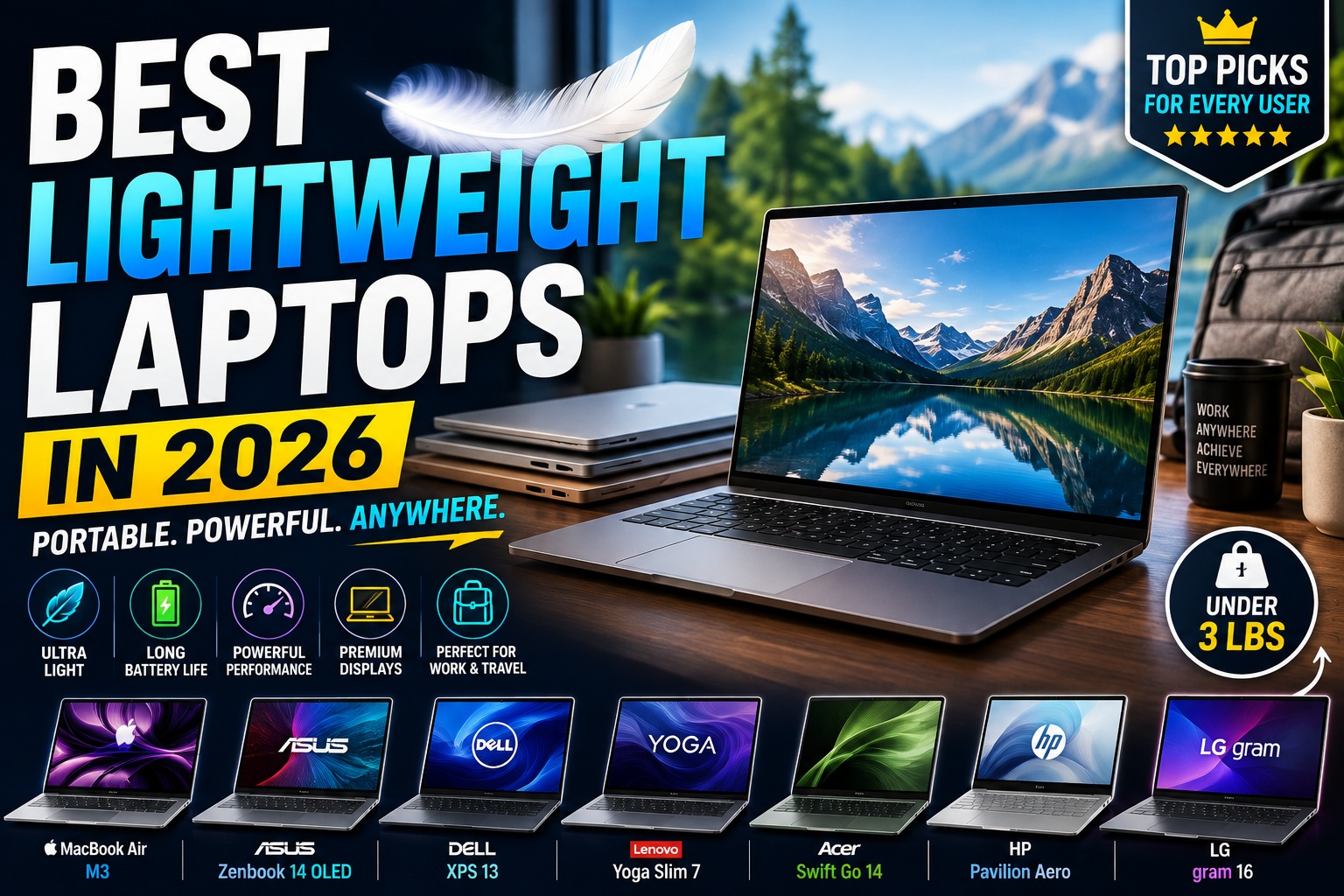

Best Lightweight Laptops in 2026: Portable, Powerful & Long-Lasting Picks
Finding the best lightweight laptops in 2026 doesn't mean sacrificing performance.
Modern laptops have become significantly thinner and lighter while still offering powerful processors, fast SSD storage, high-quality displays, and excellent battery life. For students, remote workers, business professionals, travelers, and programmers, a lightweight laptop can make everyday computing much more convenient.
The challenge is choosing a laptop that balances weight, performance, battery life, durability, display quality, and price.
A laptop that weighs less than three pounds may sound perfect, but if it has a poor keyboard, limited battery life, or insufficient performance, the lightweight design won't matter much.
In this guide, we'll explore the best lightweight laptops in 2026 and explain what you should look for before buying one.
Quick Picks: Best Lightweight Laptops
| Laptop | Best For | Main Advantage |
|---|---|---|
| MacBook Air | Best Overall | Excellent balance of weight and performance |
| ASUS Zenbook 14 OLED | Best Windows Option | OLED display and portability |
| Dell XPS 13 | Premium Portability | Compact premium design |
| Lenovo Yoga Slim Series | Productivity | Lightweight and versatile |
| Acer Swift Go 14 | Best Value | Strong features for the price |
| HP Pavilion Aero | Budget Portability | Very lightweight design |
| LG Gram | Large Screen | Large display with low weight |
| Microsoft Surface Laptop | Students & Professionals | Clean design and portability |
| Samsung Galaxy Book | Mobile Users | Thin design and ecosystem integration |
| Acer Swift Edge | Large OLED Display | Large screen in a lightweight body |
Price and specifications can vary depending on configuration, retailer, and region. Always check the exact model before purchasing.
Best Lightweight Laptops
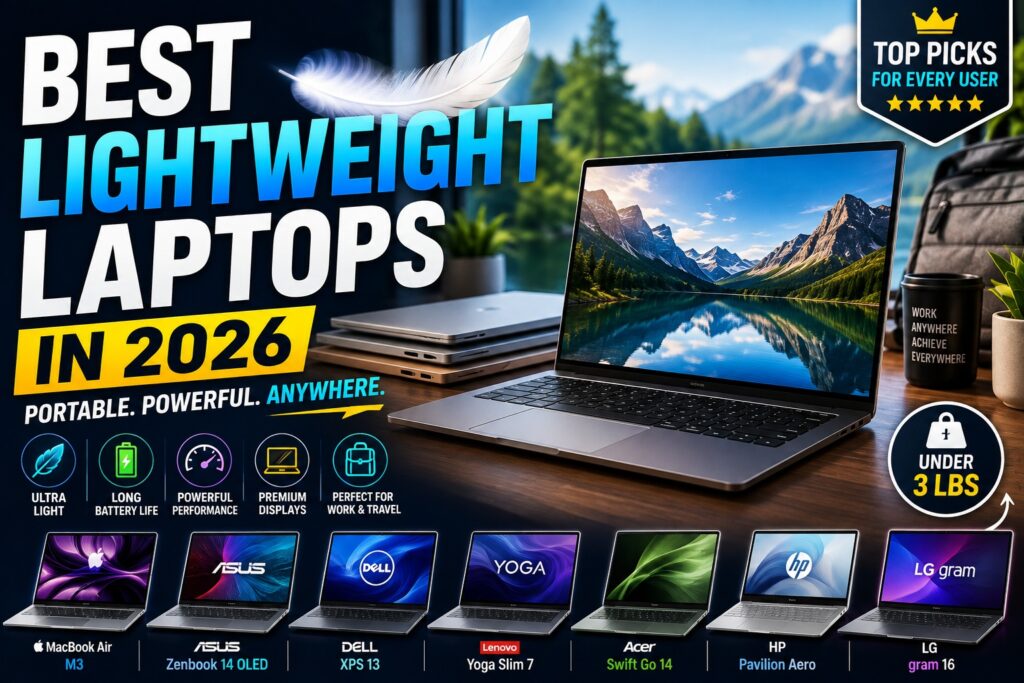
1. MacBook Air — Best Lightweight Laptop Overall
Check Price on Amazon
The MacBook Air remains one of the strongest choices for people who want a thin and lightweight laptop without giving up performance.
Apple's efficient silicon architecture allows the MacBook Air to deliver strong everyday performance while maintaining excellent battery efficiency.
The fanless design on applicable models also means the laptop can operate quietly during normal workloads.
Why We Recommend It
- Extremely portable
- Excellent battery efficiency
- Strong everyday performance
- High-quality display
- Excellent trackpad
- Premium build quality
- Quiet operation
The MacBook Air is suitable for:
- Students
- Writers
- Programmers
- Remote workers
- Business users
- Content creators
- Travelers
For users who don't require Windows-specific applications, the MacBook Air is one of the easiest lightweight laptops to recommend.
Rating: 9.7/10
Best Lightweight Laptops
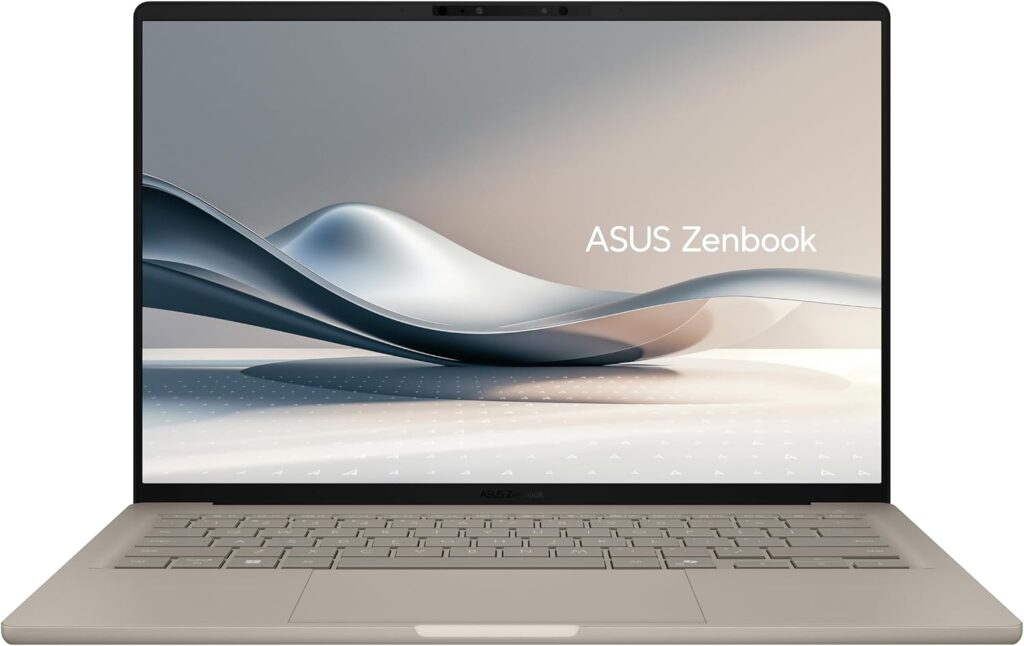
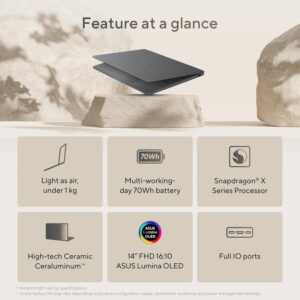
2. ASUS Zenbook 14 OLED — Best Lightweight Windows Laptop
Check Price on Amazon
The ASUS Zenbook 14 OLED is one of the most attractive Windows laptops for users who want portability and premium features.
Its compact design makes it easy to carry while its OLED display provides excellent contrast and vibrant colors.
The Zenbook series is also a strong option for productivity users who want more flexibility than macOS provides.
Key Features
- Lightweight chassis
- OLED display
- Modern processors
- Comfortable keyboard
- Fast SSD
- Good battery efficiency
- USB-C connectivity
It is particularly well suited to professionals and students who frequently move between home, office, and school.
Rating: 9.5/10
Check Price on Amazon
Best Lightweight Laptops
3. Dell XPS 13 — Best Premium Portable Laptop
Check Price on Amazon
The Dell XPS 13 has long been associated with compact premium Windows laptops.
Its relatively small footprint makes it particularly convenient for travelers and professionals who want a laptop that takes up minimal space.
Despite its compact size, the XPS 13 can provide enough performance for everyday productivity, programming, communication, and general creative work.
Best For
- Business travelers
- Students
- Remote workers
- Programmers
- Writers
- Frequent travelers
Its compact design is one of its biggest advantages.
Rating: 9.4/10
Best Lightweight Laptops
4. Lenovo Yoga Slim Series — Best for Productivity
Check Price on Amazon
Lenovo's lightweight Yoga Slim models are designed for people who want a portable computer that can handle everyday productivity.
Depending on the specific configuration, these laptops can include modern processors, high-resolution displays, and large batteries.
They are particularly attractive for users who frequently work with:
- Microsoft Office
- Web applications
- Video conferencing
- Programming tools
- Cloud services
- Research applications
The slim design also makes these laptops comfortable to carry throughout the day.
Rating: 9.3/10
Best Lightweight Laptops
5. Acer Swift Go 14 — Best Value Lightweight Laptop
Check Price on Amazon
The Acer Swift Go 14 offers an excellent combination of price, performance, and portability.
It is especially attractive for buyers who want a premium-looking laptop without spending flagship-level money.
Depending on the configuration, you can find features such as:
- Modern Intel or AMD processors
- OLED display options
- 16GB RAM
- Fast SSD storage
- USB-C connectivity
- Compact design
For students and general productivity users, this can be an excellent value.
Rating: 9.2/10
Best Lightweight Laptops
6. HP Pavilion Aero — Best Budget Lightweight Laptop
Check Price on Amazon
The HP Pavilion Aero is worth considering if keeping weight as low as possible is one of your priorities.
Its lightweight design makes it particularly convenient for students and people who travel frequently.
Despite its compact size, it can provide enough performance for typical productivity tasks.
Suitable For
- Students
- Office work
- Web browsing
- Remote work
- Video conferencing
- Writing
- Light programming
The Pavilion Aero is a good example of how lightweight laptops don't necessarily have to be expensive.
Rating: 9.0/10
Best Lightweight Laptops
7. LG Gram — Best Lightweight Large-Screen Laptop
Check Price on Amazon
The LG Gram is an interesting option for people who want a large display without carrying a heavy laptop.
Many large-screen laptops can become difficult to transport, but the Gram series focuses heavily on minimizing weight.
This makes it particularly attractive to:
- Professionals
- Researchers
- Writers
- Programmers
- Students
- Frequent travelers
A larger screen provides more workspace for multitasking while the lightweight chassis makes transportation easier.
Rating: 9.3/10
Best Lightweight Laptops
8. Microsoft Surface Laptop — Best for Students and Professionals
Check Price on Amazon
The Microsoft Surface Laptop offers a clean, minimalist design and a highly portable form factor.
Its comfortable keyboard, responsive trackpad, and compact chassis make it suitable for productivity-focused users.
It works particularly well for:
- Microsoft Office
- Web browsing
- Online classes
- Video meetings
- Writing
- Research
If you prefer a simple Windows laptop without the aggressive styling of gaming machines, the Surface Laptop is worth considering.
Rating: 9.1/10
Best Lightweight Laptops
9. Samsung Galaxy Book — Best for Mobile Users
Check Price on Amazon
Samsung's Galaxy Book lineup provides thin and lightweight designs with a strong focus on portability and connectivity.
For users already invested in the Samsung ecosystem, integration with compatible smartphones and tablets can be an additional benefit.
Best For
- Students
- Travelers
- Mobile professionals
- Samsung ecosystem users
- General productivity
The thin design makes it easy to carry between meetings, classes, and home.
Rating: 9.0/10
Best Lightweight Laptops
10. Acer Swift Edge — Best Large OLED Display
Check Price on Amazon
The Acer Swift Edge is designed for users who want a large screen without the weight normally associated with larger laptops.
Its OLED display can be particularly attractive for users who care about:
- Color quality
- Contrast
- Media consumption
- Productivity
- Photo editing
This makes it a compelling alternative to traditional 15- or 16-inch laptops.
Rating: 9.1/10
Best Lightweight Laptops
What Makes a Laptop Lightweight?
There isn't a universal definition of "lightweight laptop."
However, most ultraportable laptops fall into a range where carrying them throughout the day isn't a major burden.
Generally:
Under 2.5 pounds
Extremely lightweight
Ideal for frequent travelers and students.
2.5–3 pounds
Very lightweight
Excellent balance between portability and performance.
3–3.5 pounds
Lightweight
Still easy to carry for most users.
Above 4 pounds
Usually considered less portable, although gaming and workstation laptops can be heavier because of their hardware.
Remember that weight isn't the only factor.
A laptop's charger can add significant weight to your bag.
Best Lightweight Laptops
Why Buy a Lightweight Laptop?
A lightweight laptop offers several advantages.
Easier to Carry
This is the biggest benefit.
If you travel frequently, carrying a lightweight laptop can make your backpack noticeably more comfortable.
Better for Students
Students often move between classrooms, libraries, dormitories, and homes.
A lighter laptop is much easier to transport throughout the day.
Great for Remote Workers
Remote workers may regularly move between different rooms or work locations.
A portable laptop provides more flexibility.
Less Desk Space
Compact laptops can work well in smaller environments.
This is useful for people who work from:
- Small apartments
- Coffee shops
- Libraries
- Shared offices
Lightweight vs Performance: What's the Trade-Off?
The biggest challenge with lightweight laptops is cooling.
A thin chassis provides less physical space for:
- Fans
- Heat pipes
- Larger batteries
- Dedicated GPUs
This means manufacturers often have to balance performance, thermals, and battery life.
A lightweight laptop is excellent for:
- Office work
- Browsing
- Programming
- Writing
- Research
- Video conferencing
- Light photo editing
However, if you regularly perform heavy workloads such as:
- 4K video editing
- 3D rendering
- AAA gaming
- Large simulations
- Professional 3D modeling
a larger performance-oriented laptop may be a better choice.
Best Lightweight Laptops
What Specifications Should You Look For?
When shopping for the best lightweight laptop, don't focus only on weight.
Consider the following specifications.
Processor
Look for a modern processor from:
- Intel Core Ultra
- AMD Ryzen
- Apple Silicon
- Qualcomm Snapdragon on compatible Windows systems
Modern processors can provide excellent performance while maintaining good power efficiency.
RAM
For a new laptop in 2026, we recommend:
16GB RAM for most users.
8GB can work for basic tasks, but 16GB provides a much better experience for multitasking and future software requirements.
If you regularly use virtual machines, development environments, or creative applications, 32GB can be worthwhile.
Best Lightweight Laptops
Storage
A lightweight laptop should ideally have:
512GB SSD minimum
A 1TB SSD is even better if you store large files locally.
SSD storage provides faster boot times and application loading while also keeping the laptop responsive.
Best Lightweight Laptops
Display
Because you'll likely use a lightweight laptop away from a traditional desk, display quality becomes particularly important.
Look for:
- Full HD or higher resolution
- Good brightness
- IPS or OLED
- Anti-reflective coating where possible
- Good viewing angles
OLED is particularly attractive for users who value contrast and color quality.
Best Lightweight Laptops
Battery Life
Battery life is one of the biggest reasons people buy lightweight laptops.
A good ultraportable should ideally provide enough battery life for several hours of real-world productivity.
However, battery estimates vary based on:
- Screen brightness
- Processor workload
- Browser usage
- Wi-Fi
- Video playback
- Background applications
Always treat manufacturer battery claims as estimates rather than guaranteed real-world results.
Best Lightweight Laptops
Ports and Connectivity
Thin laptops often sacrifice ports to reduce thickness.
Before buying, check whether the laptop includes the connections you actually need.
Useful ports include:
- USB-C
- USB-A
- HDMI
- Headphone jack
- microSD or SD card reader
If the laptop has limited ports, a USB-C hub can solve many connectivity problems.
This also creates a natural internal link opportunity to your existing article:
Best USB-C Hubs and Docking Stations
Best Lightweight Laptops
Lightweight Laptop for Students
Students should prioritize:
- Low weight
- Battery life
- Comfortable keyboard
- Durable construction
- 16GB RAM
- 512GB SSD
- Good webcam
You don't necessarily need a powerful dedicated GPU.
A lightweight laptop with an efficient processor can provide everything required for:
- Research
- Writing
- Presentations
- Online classes
- Programming
- Video meetings
Lightweight Laptop for Programming
Programming can be performed on many lightweight laptops.
However, developers should pay particular attention to RAM and processor performance.
A good programming configuration would include:
- Modern multi-core processor
- 16GB RAM minimum
- 512GB SSD
- Comfortable keyboard
- High-resolution display
- Good battery life
Developers who use Docker, virtual machines, Android Studio, or large development environments may benefit from 32GB RAM.
Our existing Best Laptops for Programming article can be linked here as a supporting article.
Best Lightweight Laptops
Lightweight Laptop for Travel
Travelers should consider more than just laptop weight.
A good travel laptop should have:
- Long battery life
- Durable chassis
- Compact charger
- Bright display
- Reliable Wi-Fi
- Comfortable keyboard
- USB-C charging
A lightweight laptop that requires a large power brick may not provide as much portability as expected.
Best Lightweight Laptops
Lightweight Laptop vs 2-in-1
A 2-in-1 laptop can provide additional flexibility.
You can use it as:
- Traditional laptop
- Tablet
- Presentation device
- Touchscreen workstation
However, the hinge and touchscreen hardware can add complexity and sometimes weight.
If you rarely use tablet mode, a traditional lightweight laptop may provide better value.
Best Lightweight Laptops
How Much Should You Spend?
Lightweight laptops are available at several price points.
Under $600
Good for:
- Basic schoolwork
- Browsing
- Office applications
$600–$900
Excellent value range.
You can often find:
- 16GB RAM
- 512GB SSD
- Modern processors
- High-quality displays
$900–$1,300
Premium ultraportable territory.
You may find:
- OLED displays
- Premium materials
- Better processors
- Larger batteries
- Higher-quality keyboards
$1,300+
Premium models often provide better build quality, displays, performance, and battery life.
Best Lightweight Laptops
Final Verdict
The best lightweight laptop should combine portability with the performance and battery life you actually need.
For most users, the MacBook Air remains an excellent overall option if you're comfortable with macOS.
For Windows users, the ASUS Zenbook 14 OLED offers an excellent balance of display quality, performance, and portability.
The Dell XPS 13 is a strong premium choice, while the Acer Swift Go 14 offers excellent value for buyers who don't want to spend too much.
If you want a large display without carrying a heavy laptop, the LG Gram and Acer Swift Edge are particularly interesting.
Ultimately, don't choose a laptop based on weight alone. Look at battery life, processor efficiency, RAM, storage, display quality, keyboard comfort, and charger size as part of the overall portability equation.
A truly great lightweight laptop should disappear into your daily routine—easy to carry, comfortable to use, and powerful enough to handle your work wherever you go.
Best Lightweight Laptops
FAQ: Best Lightweight Laptops
What is the best lightweight laptop in 2026?
The MacBook Air is one of the strongest overall lightweight laptops because of its combination of performance, battery efficiency, portability, and build quality. For Windows users, the ASUS Zenbook 14 OLED is an excellent alternative.
How much should a lightweight laptop weigh?
There is no strict standard, but laptops weighing around 3 pounds or less are generally considered very portable. Models under 2.5 pounds are particularly convenient for frequent travelers.
Are lightweight laptops powerful enough for programming?
Yes. Modern lightweight laptops can handle web development, Python, JavaScript, software development, and many other programming workloads. Developers using virtual machines or large projects should consider 16GB or 32GB RAM.
Is 8GB RAM enough for an ultraportable laptop?
8GB can handle basic tasks, but 16GB is recommended for a new laptop. It provides better multitasking performance and more headroom for future applications.
Are lightweight laptops good for gaming?
Some can handle casual gaming, but most ultraportables prioritize portability and battery efficiency rather than dedicated graphics performance. If gaming is your priority, consider a performance-oriented laptop instead.
Are OLED displays worth it on lightweight laptops?
Yes, especially if you watch videos, edit photos, or value excellent contrast and colors. OLED displays can make an ultraportable feel considerably more premium.
Can a lightweight laptop replace a desktop?
For many productivity users, yes. Modern ultraportables are powerful enough for office work, programming, browsing, and creative applications. Heavy gaming and professional workstation workloads may still benefit from a desktop.
What is the ideal RAM for a lightweight laptop?
For most users, 16GB is the sweet spot. If you're a developer, content creator, or heavy multitasker, 32GB may be a better long-term choice.
Are lightweight laptops durable?
Many premium lightweight laptops use aluminum or other strong materials. However, thin designs can still be more susceptible to physical damage than rugged business laptops, so a protective sleeve is recommended for frequent travelers.
Should I choose a 13-inch or 14-inch lightweight laptop?
A 13-inch model generally provides maximum portability, while a 14-inch laptop offers a better balance between screen space and portability. For most users, 14 inches is an excellent compromise.