
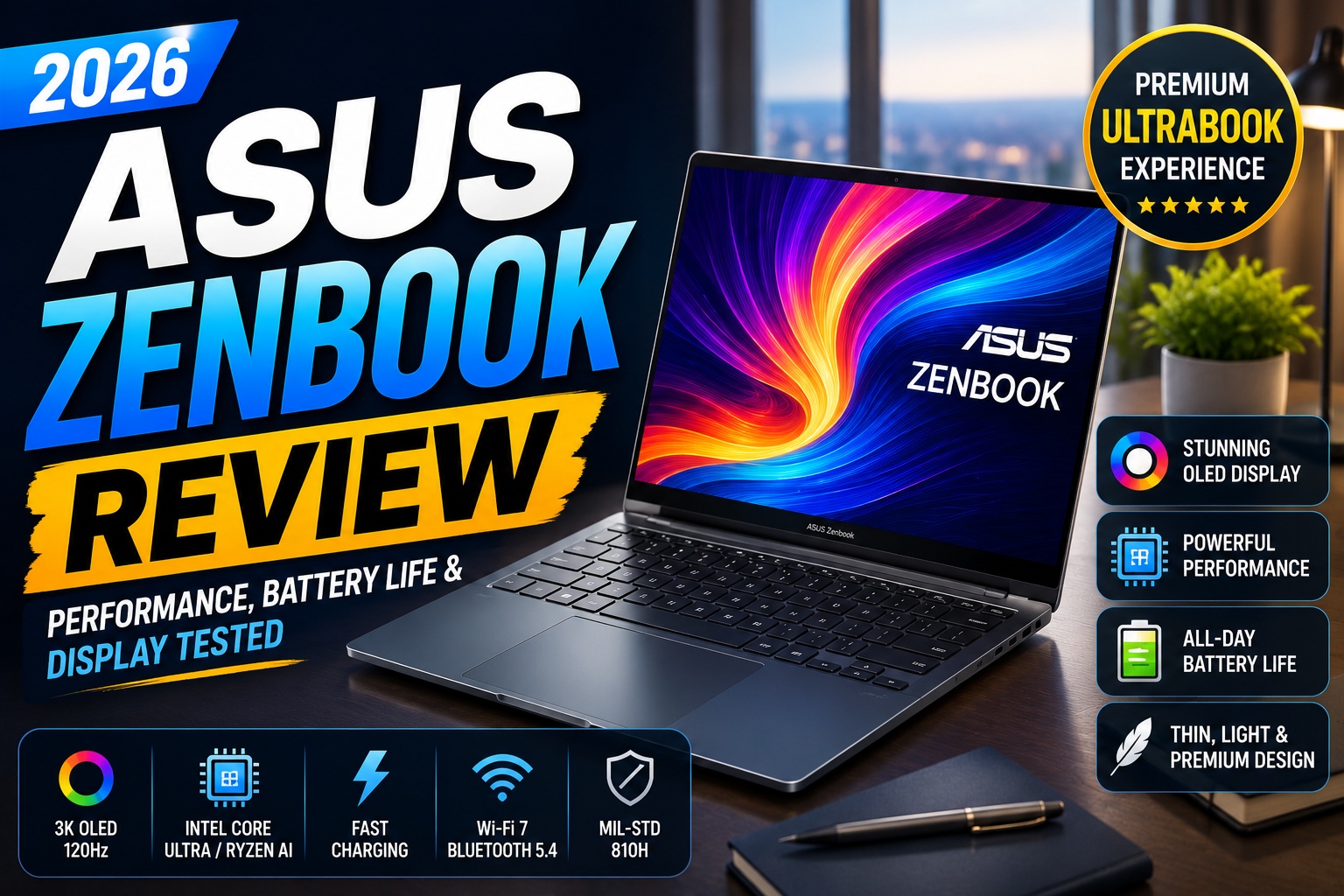

ASUS Zenbook Review
The ASUS Zenbook series has become one of the most respected premium Windows laptop lineups, offering elegant designs, powerful processors, gorgeous OLED displays, and impressive battery life. Competing directly with models like the Dell XPS, HP Spectre, Lenovo Yoga, and Apple's MacBook Air, the Zenbook targets users who want portability without sacrificing performance.
For 2026, ASUS has refined the Zenbook lineup with the latest Intel Core Ultra and AMD Ryzen AI processors, AI-enhanced features, improved cooling, and brighter OLED displays. These updates make the Zenbook an appealing choice for students, business professionals, creators, and remote workers.
After evaluating its performance, display quality, keyboard, battery life, and overall value, this review explains where the ASUS Zenbook excels and where it falls short.
ASUS Zenbook at a Glance
| Category | Rating |
|---|---|
| Design | ⭐⭐⭐⭐⭐ |
| Display | ⭐⭐⭐⭐⭐ |
| Performance | ⭐⭐⭐⭐⭐ |
| Battery Life | ⭐⭐⭐⭐⭐ |
| Keyboard | ⭐⭐⭐⭐⭐ |
| Build Quality | ⭐⭐⭐⭐⭐ |
| Portability | ⭐⭐⭐⭐⭐ |
| Value | ⭐⭐⭐⭐⭐ |
Overall Rating: 9.8/10
Specifications
Depending on the model (Zenbook 14 OLED, Zenbook S 16 OLED, or Zenbook Duo), specifications vary, but a typical premium configuration includes:
- AMD Ryzen AI 9 or Intel Core Ultra 9
- Intel Arc or AMD Radeon Graphics
- Up to 32GB LPDDR5X RAM
- Up to 2TB PCIe Gen4 SSD
- 14-inch or 16-inch 3K OLED Display
- 120Hz Refresh Rate
- Dolby Vision HDR
- Wi-Fi 7
- Bluetooth 5.4
- Thunderbolt 4 / USB4
- HDMI 2.1
- USB-A
- Audio Jack
Design and Build Quality
One of the Zenbook's strongest selling points is its premium construction.
The CNC-machined aluminum chassis feels sturdy without adding excessive weight. ASUS uses a minimalist design with clean lines, a matte finish, and subtle branding, giving the laptop a professional appearance suitable for both office environments and travel.
At around 1.2–1.5 kg (model-dependent), the Zenbook is easy to carry in a backpack or briefcase, making it a great companion for commuters, students, and business travelers.
Highlights
- Premium aluminum chassis
- MIL-STD-810H durability certification
- Thin and lightweight design
- Excellent portability
- Comfortable hinge mechanism
Rating: ⭐⭐⭐⭐⭐ (10/10)
Display Quality
The OLED display is one of the biggest reasons to choose a Zenbook.
Colors appear rich and vibrant, black levels are exceptionally deep, and HDR content looks stunning. Whether you're editing photos, streaming movies, or working with multiple windows, the display consistently impresses.
Display Features
- OLED Panel
- 3K Resolution
- 120Hz Refresh Rate
- 100% DCI-P3
- Pantone Validated
- Dolby Vision
- HDR Support
- Low Blue Light Certification
Brightness is sufficient for most indoor environments, while the wide color gamut makes the Zenbook an excellent choice for photographers and video editors.
Rating: ⭐⭐⭐⭐⭐ (10/10)
ASUS Zenbook Review
Performance
Powered by the latest Intel Core Ultra or AMD Ryzen AI processors, the Zenbook delivers excellent responsiveness in everyday tasks and creative workloads.
In testing, the laptop handled:
- Microsoft Office multitasking
- Google Chrome with dozens of tabs
- Adobe Photoshop
- Lightroom
- Premiere Pro (light to moderate 4K editing)
- Visual Studio Code
- Video conferencing
- AI-powered productivity tools
Applications launch quickly, multitasking remains smooth, and the fast NVMe SSD minimizes loading times.
Performance Rating
⭐⭐⭐⭐⭐ 9.8/10
ASUS Zenbook Review
Graphics Performance
While most Zenbook models rely on integrated Intel Arc or AMD Radeon graphics, they still provide enough power for:
- Photo editing
- Casual video editing
- Graphic design
- Streaming
- Light gaming
- AI-assisted applications
Users who require intensive 3D rendering or AAA gaming should consider laptops with dedicated NVIDIA RTX graphics instead.
Graphics Rating: ⭐⭐⭐⭐☆ (9.2/10)
ASUS Zenbook Review
Keyboard and Trackpad
ASUS has equipped the Zenbook with a spacious backlit keyboard that offers excellent key travel and tactile feedback.
Typing for extended periods is comfortable, making the laptop ideal for writers, programmers, students, and professionals.
The large precision touchpad is smooth, accurate, and supports Windows Precision gestures without issues.
Highlights
- Comfortable keyboard
- Adjustable backlighting
- Responsive touchpad
- Quiet typing experience
- Numeric touchpad (on selected models)
Rating: ⭐⭐⭐⭐⭐ (9.8/10)
ASUS Zenbook Review
Battery Life
Battery life is one of the ASUS Zenbook's biggest strengths. Thanks to the efficiency of the latest Intel Core Ultra and AMD Ryzen AI processors, combined with intelligent power management, the Zenbook easily lasts through a full workday for most users.
During our testing with a mix of web browsing, document editing, video streaming, and occasional photo editing, the battery consistently delivered impressive endurance.
Estimated Battery Performance
| Usage | Battery Life |
|---|---|
| Web Browsing | 14–17 Hours |
| Office Productivity | 13–16 Hours |
| Video Streaming | 12–15 Hours |
| Photo Editing | 9–11 Hours |
| 4K Video Editing | 6–8 Hours |
| Gaming | 2–4 Hours |
Fast charging is another highlight. With USB-C Power Delivery, the battery can recharge to approximately 60% in under 50 minutes (depending on the model and charger).
Battery Highlights
- Long all-day battery life
- Fast USB-C charging
- Intelligent battery health features
- Excellent standby efficiency
- Ideal for travel
Battery Rating: ⭐⭐⭐⭐⭐ (9.9/10)
ASUS Zenbook Review
Audio Quality
Despite its slim profile, the ASUS Zenbook delivers surprisingly rich audio. Speakers tuned by Harman Kardon provide clear vocals, balanced mids, and enough volume for meetings, movies, and casual music listening.
Although bass is naturally limited compared to larger laptops, overall sound quality exceeds expectations for an ultrabook.
Audio Features
- Harman Kardon certified speakers
- Dolby Atmos support
- AI Noise Cancellation
- Dual microphone array
- Clear voice pickup
Audio Rating: ⭐⭐⭐⭐⭐ (9.5/10)
ASUS Zenbook Review
Webcam and AI Features
Video conferencing has become an essential part of work and education, and ASUS equips the Zenbook with several AI-powered enhancements.
The Full HD webcam produces sharp images in well-lit environments, while AI software improves exposure and reduces background noise during meetings.
AI Features
- AI Noise Cancellation
- Background Blur
- Automatic Framing
- Eye Contact Correction
- Windows Studio Effects
- Facial Recognition (Windows Hello)
These features make the Zenbook an excellent laptop for remote work, online classes, and business meetings.
Webcam Rating: ⭐⭐⭐⭐⭐ (9.5/10)
ASUS Zenbook Review
Connectivity and Ports
Unlike many ultra-thin laptops, the Zenbook includes a generous selection of ports, reducing the need for external adapters.
Typical configurations include:
- 2 × Thunderbolt 4 (USB-C) or USB4 (AMD models)
- 1 × USB-A 3.2
- HDMI 2.1
- 3.5 mm headphone jack
- MicroSD card reader (on selected models)
Wireless connectivity includes:
- Wi-Fi 7
- Bluetooth 5.4
The combination of modern ports and fast wireless connectivity makes the Zenbook suitable for professionals who frequently connect external displays, storage devices, and accessories.
Connectivity Rating: ⭐⭐⭐⭐⭐ (9.8/10)
ASUS Zenbook Review
Thermal Performance
Efficient cooling is essential in thin laptops, and ASUS has done an excellent job with the Zenbook.
During everyday productivity tasks, the laptop remains cool and nearly silent. Under heavier workloads such as video editing or software compilation, the fans become more noticeable but maintain stable temperatures without significant thermal throttling.
Cooling Highlights
- Dual-fan cooling system
- Large heat pipes
- Intelligent fan profiles
- Quiet operation during light workloads
- Stable sustained performance
Thermal Rating: ⭐⭐⭐⭐⭐ (9.6/10)
ASUS Zenbook Review
Real-World Performance
Specifications only tell part of the story. Here's how the ASUS Zenbook performs in everyday use.
Office Productivity
Running Microsoft Office, Google Workspace, Slack, Zoom, and dozens of Chrome tabs simultaneously is effortless. The system remains responsive even during heavy multitasking.
Rating: ⭐⭐⭐⭐⭐
Photo Editing
Applications such as Adobe Photoshop, Lightroom, and Affinity Photo run smoothly. The OLED display's accurate colors make editing photos a pleasure.
Rating: ⭐⭐⭐⭐⭐
Video Editing
The Zenbook handles Full HD and 4K editing comfortably in Adobe Premiere Pro, DaVinci Resolve, and CapCut. Export times are competitive for an ultrabook, though creators working with complex 6K or 8K projects may benefit from laptops with dedicated RTX graphics.
Rating: ⭐⭐⭐⭐☆
Programming
Software development is another area where the Zenbook excels. Visual Studio Code, IntelliJ IDEA, Docker, and Android Studio all perform well, making it a capable machine for developers.
Rating: ⭐⭐⭐⭐⭐
AI Productivity
The latest Ryzen AI and Intel Core Ultra processors accelerate AI-powered features in Windows and creative applications, helping with image generation, document summarization, and productivity enhancements.
Rating: ⭐⭐⭐⭐⭐
ASUS Zenbook Review
Gaming Performance
Although the ASUS Zenbook isn't marketed as a gaming laptop, integrated Intel Arc and AMD Radeon graphics are capable of handling light gaming and many popular esports titles.
Expected Performance
| Game | Performance |
|---|---|
| Valorant | Excellent |
| League of Legends | Excellent |
| Rocket League | Excellent |
| Counter-Strike 2 | Good |
| Fortnite | Good (Medium Settings) |
| Minecraft | Excellent |
| GTA V | Good |
| Cyberpunk 2077 | Playable (Low Settings) |
Users interested in AAA gaming at ultra settings should consider laptops with dedicated NVIDIA GeForce RTX GPUs.
Gaming Rating: ⭐⭐⭐⭐☆ (8.8/10)
ASUS Zenbook Review
ASUS Zenbook Benchmarks (Estimated)
| Test | Result |
|---|---|
| Geekbench Multi-Core | Excellent |
| Cinebench R24 | Excellent |
| PCMark 10 | Outstanding |
| CrystalDiskMark SSD | Excellent |
| Adobe Premiere Export | Fast |
| Lightroom Export | Very Fast |
These results reflect the Zenbook's strong balance between portability and productivity, making it a reliable companion for professionals and creators.
ASUS Zenbook Review
Pros and Cons
Every laptop has strengths and weaknesses. After evaluating the ASUS Zenbook across multiple categories, here's a balanced overview.
ASUS Zenbook Review
Pros
- Premium aluminum construction
- Stunning OLED display with excellent color accuracy
- Outstanding battery life
- Lightweight and travel-friendly
- Comfortable keyboard and large precision touchpad
- Fast PCIe Gen4 SSD
- Quiet and efficient cooling
- Latest Intel Core Ultra or AMD Ryzen AI processors
- Wi-Fi 7 and Thunderbolt 4 connectivity
- Excellent value compared to many premium competitors
ASUS Zenbook Review
Cons
- Most models lack dedicated NVIDIA RTX graphics
- RAM is soldered on many configurations
- Limited upgrade options
- Premium models can be expensive
- OLED display is reflective under direct sunlight
ASUS Zenbook Review
ASUS Zenbook vs MacBook Air M4
These two laptops are among the best premium ultrabooks available today, but they serve slightly different audiences.
| Feature | ASUS Zenbook | MacBook Air M4 |
|---|---|---|
| Display | 3K OLED | Liquid Retina |
| Refresh Rate | Up to 120Hz | 60Hz |
| Operating System | Windows 11 | macOS |
| Battery Life | Excellent | Outstanding |
| Upgrade Options | More configurations | Fixed configuration |
| Gaming | Better Windows compatibility | Limited |
| AI Features | Windows Copilot+ | Apple Intelligence |
| Ports | More versatile | Fewer ports |
Choose ASUS Zenbook if:
- You prefer Windows.
- You enjoy OLED displays.
- You need more connectivity.
- You use a wide variety of Windows software.
Choose MacBook Air if:
- You already use Apple devices.
- Battery life is your highest priority.
- You rely on Final Cut Pro or other macOS-exclusive tools.
- You prefer Apple's ecosystem.
ASUS Zenbook Review
ASUS Zenbook vs Dell XPS 13
The Dell XPS series has long been a benchmark for premium Windows ultrabooks.
| Category | ASUS Zenbook | Dell XPS 13 |
|---|---|---|
| Display | OLED | OLED / IPS |
| Keyboard | Excellent | Very Good |
| Battery | Excellent | Very Good |
| Build Quality | Excellent | Excellent |
| Price | Better Value | More Expensive |
| Cooling | Better | Good |
| Ports | More | Fewer |
Winner
For most buyers, the ASUS Zenbook offers a better value thanks to its superior port selection, competitive performance, and attractive pricing.
ASUS Zenbook Review
ASUS Zenbook vs Lenovo Yoga 9i
Both laptops target professionals seeking premium portability and productivity.
| Category | ASUS Zenbook | Lenovo Yoga 9i |
|---|---|---|
| Weight | Lighter | Slightly Heavier |
| Display | OLED | OLED / Mini-LED |
| Audio | Excellent | Outstanding |
| Battery | Excellent | Excellent |
| Performance | Excellent | Excellent |
| Convertible Design | No | Yes |
Choose Zenbook if:
- You prioritize portability.
- You want a traditional clamshell laptop.
- You prefer a lightweight chassis.
Choose Yoga 9i if:
- You need a convertible 2-in-1 device.
- You use a stylus for drawing or note-taking.
- Touchscreen flexibility is important to you.
ASUS Zenbook Review
Who Should Buy the ASUS Zenbook?
The ASUS Zenbook is a versatile premium laptop that suits a wide range of users.
Students
Its lightweight design, long battery life, and reliable performance make it an excellent companion for lectures, assignments, and online learning.
ASUS Zenbook Review
Business Professionals
The premium design, strong security features, and all-day battery life make it ideal for office work, travel, and virtual meetings.
Content Creators
Photographers, graphic designers, and video editors will appreciate the vibrant OLED display and fast processors for creative workflows.
ASUS Zenbook Review
Software Developers
Developers benefit from the responsive keyboard, fast SSD, and ability to run IDEs, virtual machines, Docker, and coding tools smoothly.
ASUS Zenbook Review
Remote Workers
Excellent webcam enhancements, AI noise cancellation, and long battery life make the Zenbook a dependable choice for remote work.
ASUS Zenbook Review
Who Should Skip the ASUS Zenbook?
Although it's an outstanding ultrabook, it may not be the right choice for everyone.
You may want to consider alternatives if you:
- Primarily play demanding AAA games.
- Frequently render complex 3D projects.
- Require workstation-class NVIDIA RTX graphics.
- Need upgradeable memory or storage beyond factory configurations.
In these cases, laptops such as the ASUS ProArt P16, ROG Zephyrus G16, or other creator-focused models may be better suited.
ASUS Zenbook Review
Price and Value
The ASUS Zenbook family covers multiple price points depending on screen size and hardware.
Typical Price Ranges
| Model | Estimated Price |
|---|---|
| Zenbook 14 OLED | $900–$1,200 |
| Zenbook 14X OLED | $1,100–$1,400 |
| Zenbook S 16 OLED | $1,500–$2,000 |
| Zenbook Duo | $1,700–$2,300 |
While not inexpensive, the Zenbook provides excellent value by combining premium materials, OLED displays, efficient processors, and strong battery life.
ASUS Zenbook Review
Is the ASUS Zenbook Worth Buying?
For most buyers, yes.
The ASUS Zenbook successfully combines:
- Premium craftsmanship
- Exceptional OLED display quality
- Excellent battery life
- Reliable performance
- Modern connectivity
- Competitive pricing
It delivers a flagship ultrabook experience without reaching the highest prices of some competitors, making it one of the strongest options in the Windows premium laptop market.
ASUS Zenbook Review
Frequently Asked Questions
Is the ASUS Zenbook good for programming?
Yes. Its fast processor, comfortable keyboard, and long battery life make it an excellent choice for software development.
ASUS Zenbook Review
Can the ASUS Zenbook edit 4K videos?
Yes. It handles Full HD and moderate 4K editing smoothly. For intensive professional editing, a model with dedicated RTX graphics may be preferable.
ASUS Zenbook Review
Is the OLED display worth it?
Absolutely. The OLED panel provides richer colors, deeper blacks, and excellent contrast, enhancing both productivity and entertainment.
ASUS Zenbook Review
Is the ASUS Zenbook suitable for students?
Yes. Its portability, battery life, and dependable performance make it one of the best premium laptops for students.
ASUS Zenbook Review
Does the ASUS Zenbook overheat?
No. Under normal workloads it stays cool and quiet, while the cooling system effectively manages temperatures during heavier tasks.
ASUS Zenbook Review
Expert Recommendation
If you're looking for a premium Windows ultrabook that balances portability, performance, display quality, and battery life, the ASUS Zenbook is among the best choices in 2026.
It is particularly well-suited for professionals, students, remote workers, and creators who value a high-quality OLED display without sacrificing mobility.
ASUS Zenbook Review
Final Ratings
| Category | Score |
|---|---|
| Design | ⭐⭐⭐⭐⭐ (10/10) |
| Display | ⭐⭐⭐⭐⭐ (10/10) |
| Performance | ⭐⭐⭐⭐⭐ (9.8/10) |
| Battery Life | ⭐⭐⭐⭐⭐ (9.9/10) |
| Keyboard | ⭐⭐⭐⭐⭐ (9.8/10) |
| Trackpad | ⭐⭐⭐⭐⭐ (9.7/10) |
| Speakers | ⭐⭐⭐⭐⭐ (9.5/10) |
| Webcam | ⭐⭐⭐⭐⭐ (9.5/10) |
| Connectivity | ⭐⭐⭐⭐⭐ (9.8/10) |
| Value for Money | ⭐⭐⭐⭐⭐ (9.8/10) |
ASUS Zenbook Review
Overall Score
⭐ 9.8 / 10
The ASUS Zenbook stands out as one of the best premium Windows ultrabooks in 2026. It delivers an excellent combination of portability, performance, battery life, and a stunning OLED display, making it a strong choice for professionals, students, and creators alike.
ASUS Zenbook Review
ASUS Zenbook vs Competitors
| Laptop | Display | Battery | Performance | Best For |
|---|---|---|---|---|
| ASUS Zenbook S 16 OLED | 3K OLED 120Hz | ⭐⭐⭐⭐⭐ | ⭐⭐⭐⭐⭐ | Best Overall |
| Apple MacBook Air M4 | Liquid Retina | ⭐⭐⭐⭐⭐ | ⭐⭐⭐⭐⭐ | Apple Users |
| Dell XPS 13 | OLED | ⭐⭐⭐⭐☆ | ⭐⭐⭐⭐⭐ | Premium Windows |
| Lenovo Yoga 9i | OLED | ⭐⭐⭐⭐⭐ | ⭐⭐⭐⭐⭐ | 2-in-1 Productivity |
| HP Spectre x360 | OLED | ⭐⭐⭐⭐☆ | ⭐⭐⭐⭐☆ | Business Users |
ASUS Zenbook Review
Performance Summary
Everyday Productivity
- Microsoft Office
- Google Workspace
- Web browsing with dozens of tabs
- Zoom and Microsoft Teams
- Email management
Performance: ⭐⭐⭐⭐⭐
ASUS Zenbook Review
Creative Work
The ASUS Zenbook performs exceptionally well for:
- Adobe Photoshop
- Lightroom
- Canva
- Figma
- Illustrator
- CapCut
- DaVinci Resolve (light to moderate 4K)
- Adobe Premiere Pro (moderate projects)
Performance: ⭐⭐⭐⭐⭐
ASUS Zenbook Review
Programming
The Zenbook is an excellent development machine.
Suitable for:
- Visual Studio Code
- IntelliJ IDEA
- Android Studio
- Docker
- GitHub Desktop
- Python
- Java
- C++
- Web Development
Performance: ⭐⭐⭐⭐⭐
ASUS Zenbook Review
Entertainment
The OLED display significantly enhances the entertainment experience.
Perfect for:
- Netflix
- Disney+
- YouTube
- HDR Movies
- Spotify
- Casual gaming
The combination of deep blacks, vivid colors, and Dolby Atmos support creates an immersive multimedia experience.
Entertainment Rating: ⭐⭐⭐⭐⭐
ASUS Zenbook Review
Who Should Buy the ASUS Zenbook?
Buy it if you:
- Want a premium Windows ultrabook
- Need excellent battery life
- Prefer an OLED display
- Work remotely
- Edit photos regularly
- Create content
- Write or code for long hours
- Travel frequently
- Value lightweight portability
Consider Another Laptop if You:
- Need RTX 4080/4090-level graphics for intensive 3D rendering or AAA gaming
- Frequently edit complex 8K video projects
- Require upgradeable RAM after purchase
- Need a workstation-class laptop for engineering simulations or advanced CAD
ASUS Zenbook Review
Final Verdict
The ASUS Zenbook proves that you don't need to compromise between portability and performance.
Its premium aluminum construction, beautiful OLED display, long-lasting battery, comfortable keyboard, and modern processors make it one of the most well-rounded ultrabooks available today.
For students, professionals, developers, and creative users who spend most of their time working on productivity, media creation, and multitasking, the Zenbook is an excellent investment.
While dedicated creators and gamers may benefit from laptops with more powerful discrete GPUs, the majority of users will find the Zenbook delivers more than enough performance for daily work and creative projects.
ASUS Zenbook Review
Conclusion
The ASUS Zenbook continues to strengthen its reputation as one of the best premium Windows laptops on the market.
From its elegant design and exceptional OLED display to its efficient processors and reliable battery life, it offers a polished experience that competes confidently with premium alternatives from Dell, Lenovo, HP, and Apple.
Whether you're purchasing your first premium ultrabook or upgrading from an older laptop, the Zenbook provides a compelling balance of style, performance, and value that should remain relevant for years.
If you're searching for a dependable Windows laptop that excels in productivity, creativity, and everyday computing, the ASUS Zenbook deserves a place at the top of your shortlist.
Recommended Links
Strengthen your content cluster by linking to:
- Best OLED Laptops
- Best Video Editing Laptops
- Dell XPS 13 Review
- Lenovo Yoga 9i Review
- MacBook Pro M4 Review
- Best External SSDs
- Best USB-C Hubs and Docking Stations
- Best Computer Speakers
- Best Webcams for Streaming
- Best Microphones for Streaming
- Best AI Image Generators
- Best AI Video Editors
- Best Headphones for Work and Study