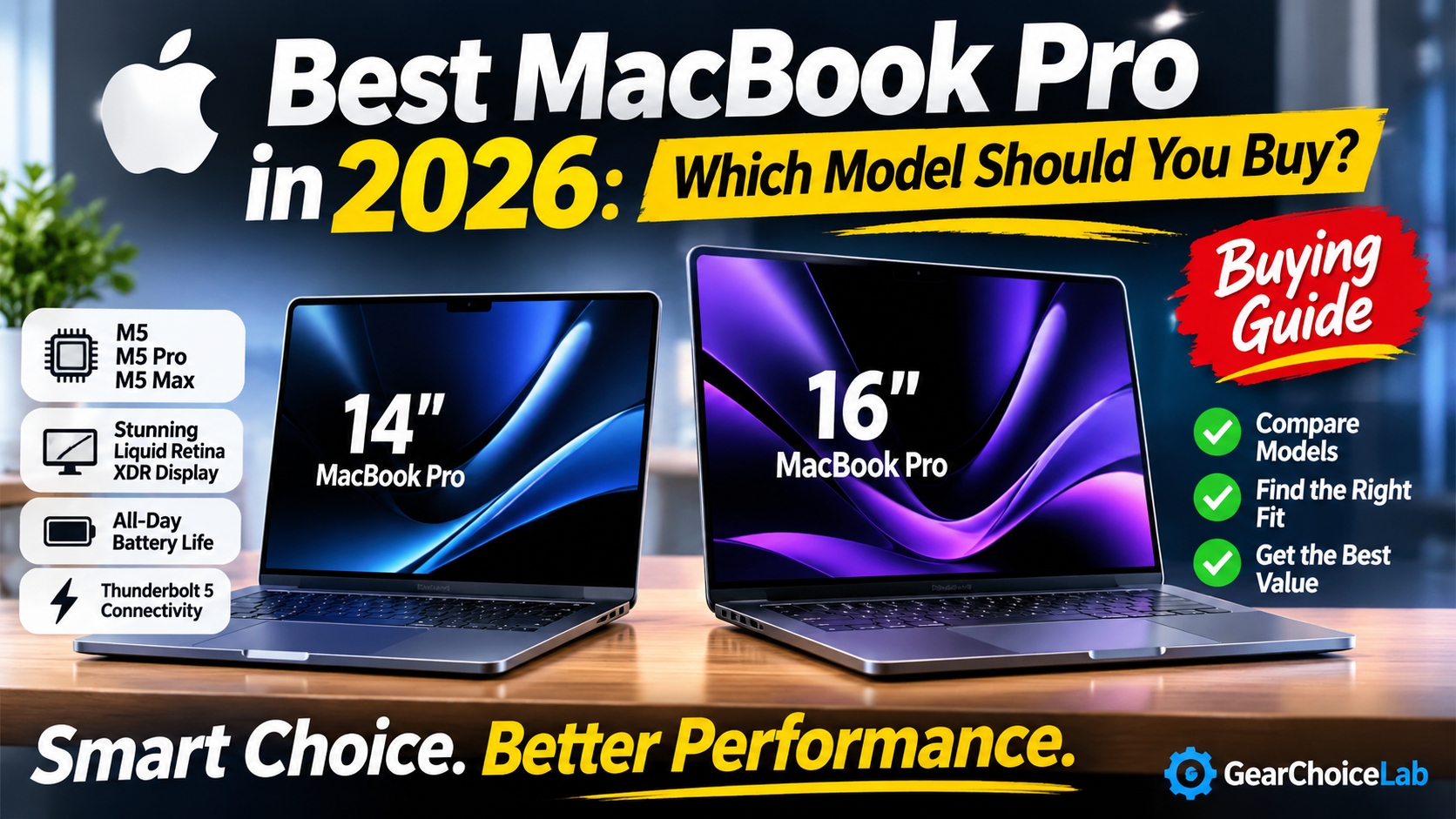
Best MacBook Pro in 2026: Which Model Should You Buy?
Choosing the best MacBook Pro in 2026 is not as simple as picking the most powerful configuration. Apple's latest lineup includes several options powered by the M5, M5 Pro, and M5 Max chips, with different performance levels, display sizes, storage capacities, and prices.
Best MacBook Pro 2026
For everyday productivity, the standard 14-inch MacBook Pro with M5 already offers impressive performance. However, professionals working with demanding video projects, software development, 3D applications, and local AI workloads may benefit from the additional power of the M5 Pro or M5 Max.
The challenge is finding the right balance between performance and price.
In this guide, we compare the best MacBook Pro models available in 2026, explain their differences, and help you choose the configuration that makes the most sense for your workflow. Whether you are a student, programmer, photographer, video editor, or business professional, this guide will help you make a more informed decision.
Best MacBook Pro 2026
Best MacBook Pro in 2026: Quick Picks
Here are our recommended MacBook Pro configurations based on their hardware, intended users, and starting prices in the United States.
Prices are Apple's US starting prices announced for the 2026 lineup. Actual prices vary depending on memory, storage, retailer, promotions, and configuration.
For most professionals, the 14-inch MacBook Pro with M5 Pro is a sensible starting point. It offers a strong combination of processing power, portability, connectivity, and professional features without requiring the expense of an M5 Max configuration.
Best MacBook Pro 2026
1. 14-inch MacBook Pro with M5 — Best for Everyday Productivity
The 14-inch MacBook Pro with the standard M5 chip is a good choice for users who want a premium laptop without paying for performance they may never need.
It is designed for everyday productivity, office applications, web development, studying, photo editing, and moderate creative workloads.
Key Specifications
- Processor: Apple M5 with a 10-core CPU
- Graphics: 10-core GPU
- Memory: 16GB, 24GB, or 32GB unified memory configurations
- Storage: 1TB SSD standard, with higher-capacity options
- Display: 14.2-inch Liquid Retina XDR
- Resolution: 3024 × 1964
- Refresh rate: Up to 120Hz ProMotion
- Connectivity: Thunderbolt 4, HDMI, SDXC, MagSafe 3
- Wireless: Wi-Fi 6E and Bluetooth 5.3
- Battery: Up to 24 hours of video streaming, according to Apple
- Starting price: $1,699
Best MacBook Pro 2026
Why Choose the M5 Model?
The standard M5 chip provides more than enough performance for common computing tasks.
Students can use it for research, writing, presentations, and multitasking. Business professionals can work with spreadsheets, browser-based applications, video calls, and productivity software without needing a higher-end processor.
It also has a high-quality display that makes everyday work and entertainment more enjoyable.
Another advantage is its connectivity. Unlike many thin laptops that rely heavily on USB-C adapters, the MacBook Pro includes HDMI, an SDXC card slot, and MagSafe charging.
However, the standard M5 model uses Thunderbolt 4 rather than Thunderbolt 5. It also has less memory bandwidth than the M5 Pro and M5 Max configurations.
Best MacBook Pro 2026
Who Should Buy It?
Choose the 14-inch MacBook Pro M5 if you:
- Need a powerful laptop for everyday productivity.
- Work with documents, spreadsheets, and multiple browser tabs.
- Edit photos occasionally.
- Develop websites or applications with moderate requirements.
- Want a premium MacBook Pro at a lower starting price.
For users who do not regularly work with demanding professional applications, spending more on an M5 Pro or M5 Max may not provide enough practical value.
Best MacBook Pro 2026
2. 14-inch MacBook Pro with M5 Pro — Best Overall for Most Professionals
The 14-inch MacBook Pro with M5 Pro is our leading recommendation for professionals who need more performance without moving to a larger laptop.
The M5 Pro introduces a more powerful CPU and GPU architecture, greater memory bandwidth, Neural Accelerators, and Thunderbolt 5 connectivity.
It is particularly attractive for developers, designers, photographers, and professionals who regularly switch between demanding applications.
Key Specifications
- Processor: Apple M5 Pro
- CPU: 15-core or configurable 18-core
- GPU: 16-core or configurable 20-core
- Memory: Starts at 24GB unified memory
- Storage: Starts at 1TB SSD
- Display: 14.2-inch Liquid Retina XDR
- Resolution: 3024 × 1964
- Refresh rate: Up to 120Hz ProMotion
- Connectivity: Three Thunderbolt 5 ports, HDMI, SDXC, MagSafe 3
- Wireless: Wi-Fi 7 and Bluetooth 6
- Battery: Up to 22 hours of video streaming for the M5 Pro configuration, according to Apple
- Starting price: $2,199
What Makes the M5 Pro Different?
The biggest advantage is its additional processing capability.
The M5 Pro is designed for more demanding workloads, including compiling code, processing large photo libraries, working with complex creative projects, and handling advanced multitasking.
It also includes Neural Accelerators in the GPU, which help accelerate supported AI workloads.
For developers, the additional performance can be useful when running multiple development tools, virtual environments, simulators, and local AI applications.
Another important upgrade is Thunderbolt 5. It provides significantly higher potential bandwidth than Thunderbolt 4, making it attractive for professionals who use fast external storage and compatible high-performance peripherals.
Best MacBook Pro 2026
Is It Worth Paying More Than the Standard M5?
That depends on your workload.
If your daily activities mainly involve web browsing, office applications, and light editing, the standard M5 is likely sufficient.
However, if you regularly compile large software projects, edit high-resolution media, or use demanding professional applications, the M5 Pro offers a more suitable performance level.
For many professionals, this is the most balanced MacBook Pro configuration in Apple's 2026 lineup.
Best MacBook Pro 2026
3. 16-inch MacBook Pro with M5 Pro — Best for Multitasking and Creative Work
The 16-inch MacBook Pro with M5 Pro is an excellent choice for users who prefer a larger display and frequently work with several applications simultaneously.
It offers the same M5 Pro family of processing capabilities in a larger chassis, with additional screen space and a larger battery.
Key Specifications
- Processor: Apple M5 Pro
- CPU: 18-core
- GPU: 20-core
- Memory: Starts at 24GB unified memory
- Storage: Starts at 1TB SSD
- Display: 16.2-inch Liquid Retina XDR
- Resolution: 3456 × 2234
- Refresh rate: Up to 120Hz ProMotion
- Connectivity: Three Thunderbolt 5 ports, HDMI, SDXC, MagSafe 3
- Wireless: Wi-Fi 7 and Bluetooth 6
- Battery: Up to 24 hours of video streaming, according to Apple
- Starting price: $2,699
Why Choose the 16-inch Display?
A larger display can make a meaningful difference when working with complicated projects.
Video editors get more room for timelines and editing panels. Programmers can keep code editors, documentation, and browser windows visible at the same time.
Photographers and designers also benefit from the larger workspace when working with detailed images and creative applications.
The larger battery is another advantage. Apple rates the 16-inch M5 Pro model for up to 24 hours of video streaming under its testing conditions.
The trade-off is portability.
At approximately 4.7 pounds, the 16-inch model is considerably heavier than the 14-inch versions. It is better suited to people who prioritize screen space over carrying weight.
Best MacBook Pro 2026
Who Should Buy It?
The 16-inch M5 Pro is particularly suitable for:
- Video editors working with complex timelines.
- Software developers who need more screen space.
- Photographers managing large image libraries.
- Designers working with multiple creative applications.
- Professionals who want a powerful desktop replacement.
If you frequently travel and prefer a smaller laptop, the 14-inch version is easier to carry.
Best MacBook Pro 2026
4. 14-inch MacBook Pro with M5 Max — Best for Portable High-End Performance
The 14-inch MacBook Pro with M5 Max is designed for professionals who need considerably more graphics and AI processing capability.
It combines the portability of the smaller MacBook Pro with Apple's highest-performance chip family.
Depending on the selected configuration, M5 Max offers a 32-core or 40-core GPU and significantly higher memory bandwidth than the standard M5 and M5 Pro.
Key Specifications
- Processor: Apple M5 Max
- CPU: 18-core
- GPU: 32-core or 40-core
- Memory: Starts at 36GB unified memory, depending on configuration
- Storage: Starts at 2TB SSD
- Display: 14.2-inch Liquid Retina XDR
- Refresh rate: Up to 120Hz ProMotion
- Connectivity: Thunderbolt 5, HDMI, SDXC, MagSafe 3
- Wireless: Wi-Fi 7 and Bluetooth 6
- Starting price: $3,599
Best MacBook Pro 2026
Who Benefits from M5 Max?
The M5 Max is intended for demanding professional workflows.
Creative professionals working with complex visual effects, advanced 3D rendering, large video projects, and graphics-intensive applications can benefit from its additional GPU resources.
It is also relevant for AI developers and researchers who need more unified memory and GPU capacity for supported local workloads.
However, not everyone needs this level of performance.
For general office work, web development, and moderate creative applications, the M5 Pro is likely a more sensible investment.
The M5 Max makes the most sense when your work can actually take advantage of its additional processing resources.
Best MacBook Pro 2026
5. 16-inch MacBook Pro with M5 Max — Best for Demanding Professional Workloads
The 16-inch MacBook Pro with M5 Max is the most powerful option in this buying guide.
It combines the M5 Max processor with a large Liquid Retina XDR display, high memory capacity, and extensive connectivity.
For professionals who regularly work with resource-intensive applications, it offers a high-end mobile workstation experience.
Key Specifications
- Processor: Apple M5 Max
- CPU: 18-core
- GPU: 32-core or 40-core
- Memory: Starts at 36GB, configurable up to 128GB
- Storage: Starts at 2TB SSD
- Display: 16.2-inch Liquid Retina XDR
- Resolution: 3456 × 2234
- Refresh rate: Up to 120Hz ProMotion
- Connectivity: Three Thunderbolt 5 ports, HDMI, SDXC, MagSafe 3
- Wireless: Wi-Fi 7 and Bluetooth 6
- Battery: Up to 22 hours of video streaming, according to Apple
- Starting price: $3,899
Why Is This Model So Expensive?
The price reflects its high-end processing hardware and professional configuration options.
The M5 Max supports up to 128GB of unified memory in supported configurations, making it suitable for workflows that require substantial memory capacity.
Its GPU options are also designed for demanding graphics workloads.
The large display provides additional working space, while the 100-watt-hour battery supports long working sessions.
However, this model is not intended for ordinary users.
If you mainly use office software, browse the web, or edit occasional videos, a less expensive MacBook Pro will probably offer better value.
Best MacBook Pro 2026
MacBook Pro M5 vs M5 Pro vs M5 Max: What's the Difference?
Understanding the differences between Apple's M5 chip families is essential before making a purchase.
| Feature |
M5 |
M5 Pro |
M5 Max |
| Main purpose |
Everyday productivity |
Professional workloads |
Advanced creative and AI workloads |
| CPU |
10-core |
Up to 18-core |
18-core |
| GPU |
10-core |
Up to 20-core |
Up to 40-core |
| Memory bandwidth |
153GB/s |
307GB/s |
Up to 614GB/s |
| Starting memory |
16GB |
24GB |
36GB |
| Starting storage |
1TB |
1TB |
2TB |
| Thunderbolt |
Thunderbolt 4 |
Thunderbolt 5 |
Thunderbolt 5 |
Best MacBook Pro 2026
The M5 is designed for users who need strong everyday performance.
The M5 Pro offers more processing resources for demanding professional applications.
The M5 Max is intended for users who need the highest available graphics performance and larger memory configurations.
One important point: more powerful hardware does not automatically mean a better purchase. Your software, workload, and budget should determine which chip makes sense.
Best MacBook Pro 2026
14-inch vs 16-inch MacBook Pro: Which Size Should You Choose?
Choosing between the 14-inch and 16-inch MacBook Pro is largely a question of portability and workspace.
Choose the 14-inch MacBook Pro if:
- You travel frequently.
- You work in different locations.
- You prefer a lighter laptop.
- You use an external monitor at your desk.
- You want a more compact professional workstation.
Best MacBook Pro 2026
Choose the 16-inch MacBook Pro if:
- You prefer a larger built-in display.
- You work with complex video timelines.
- You multitask across several applications.
- You rarely carry your laptop long distances.
- You want a larger battery capacity.
Best MacBook Pro 2026
Both sizes offer high-quality Liquid Retina XDR displays with ProMotion technology.
The best choice depends on how you work rather than simply choosing the larger or more expensive model.
Best MacBook Pro 2026
How Much RAM and Storage Should You Get?
Memory and storage are two important decisions when buying a MacBook Pro.
Unlike many traditional laptops, Apple's unified memory is integrated into the system architecture and cannot be upgraded later.
That makes choosing the right configuration especially important.
Best MacBook Pro 2026
Recommended Memory
16GB to 24GB: Suitable for everyday productivity, browsing, office work, and moderate multitasking.
24GB to 36GB: A practical starting range for many developers, designers, and professionals working with demanding applications.
48GB to 64GB: Worth considering for advanced video editing, large creative projects, and heavier multitasking.
128GB: Intended for specialized professional workflows, including supported large AI models and memory-intensive applications.
These are general recommendations, not strict requirements. Actual memory needs depend on the software you use.
Recommended Storage
1TB SSD: A good starting point for most professionals.
2TB SSD: Better for video editors, photographers, and users with large project libraries.
4TB or 8TB SSD: Useful for specialized workflows that require substantial local storage.
If you work with large video files, external SSDs can also provide additional capacity without paying Apple's internal storage upgrade prices.
Best MacBook Pro 2026
Is the MacBook Pro Good for Programming, Video Editing, and AI?
The MacBook Pro is a versatile professional laptop, but its suitability depends on the applications and workloads involved.
Programming and Software Development
The M5 Pro is a particularly attractive option for developers.
Best MacBook Pro 2026
It offers more CPU performance and memory bandwidth than the standard M5, which can help with demanding development environments.
It is suitable for web development, mobile application development, software engineering, and many data-related workloads.
However, developers who depend on Windows-only software, specialized GPU frameworks, or particular virtualization environments should check compatibility before buying.
Best MacBook Pro 2026
Video Editing
The MacBook Pro includes dedicated media engines for supported video formats, including ProRes.
The M5 Pro is a strong option for many professional editing workflows.
For complex visual effects, advanced 3D work, or demanding high-resolution projects, the M5 Max offers more GPU resources.
The 16-inch display can also provide a more comfortable editing workspace.
Best MacBook Pro 2026
AI and Machine Learning
Apple's M5 Pro and M5 Max include Neural Accelerators in their GPUs.
These are designed to accelerate supported AI workloads, including certain local inference and image-generation tasks.
The M5 Max's higher memory bandwidth and larger unified memory configurations can be particularly useful for supported large models.
However, compatibility matters. Not every AI framework or training workflow performs equally well on Apple Silicon.
Users who depend on CUDA-specific software should carefully evaluate their requirements before choosing a MacBook Pro.
Best MacBook Pro 2026
Pros and Cons of the MacBook Pro in 2026
Pros
- Excellent Liquid Retina XDR display quality.
- Powerful M5, M5 Pro, and M5 Max chip options.
- Long battery life according to Apple's testing.
- Strong performance for professional creative applications.
- Thunderbolt 5 connectivity on M5 Pro and M5 Max models.
- Excellent keyboard, trackpad, speakers, and build quality.
- Multiple memory and storage configurations.
Cons
- Higher starting prices than many Windows laptops.
- Memory cannot be upgraded after purchase.
- Internal storage upgrades can be expensive.
- The 16-inch models are relatively heavy.
- Some professional applications are better supported on Windows or NVIDIA hardware.
- The M5 Max is unnecessary for most everyday users.
Best MacBook Pro 2026
Frequently Asked Questions
1. What is the best MacBook Pro to buy in 2026?
For most professionals, the 14-inch MacBook Pro with M5 Pro is a balanced choice. It combines strong processing performance, professional connectivity, and portability. The standard M5 is more affordable for everyday users, while M5 Max is intended for demanding creative and AI workloads.
Best MacBook Pro 2026
2. Is the MacBook Pro M5 worth buying?
Yes, if you need a premium laptop with a high-quality display, strong performance, and long battery life. The standard M5 model is suitable for everyday productivity, students, and moderate creative work.
Best MacBook Pro 2026
3. Is M5 Pro better than M5?
Yes. M5 Pro offers a more powerful CPU and GPU configuration, higher memory bandwidth, and Thunderbolt 5 connectivity. It is better suited to demanding professional workloads, although many everyday users will not need the additional performance.
Best MacBook Pro 2026
4. Should I buy the 14-inch or 16-inch MacBook Pro?
Choose the 14-inch version if portability matters most. Choose the 16-inch model if you prefer more screen space and frequently work with complex applications.
Best MacBook Pro 2026
5. Is the MacBook Pro M5 Max worth the extra money?
It can be worth the investment for professionals who regularly use demanding graphics, video, 3D, and supported AI workloads. For general productivity and most programming tasks, the M5 Pro is likely a better value.
Best MacBook Pro 2026
6. How much RAM do I need for a MacBook Pro?
For everyday productivity, 16GB to 24GB can be sufficient. Many professionals should consider 24GB to 36GB or more, depending on their applications. Specialized workflows may benefit from 48GB, 64GB, or even 128GB.
Best MacBook Pro 2026
7. Is the MacBook Pro good for video editing?
Yes. The MacBook Pro offers dedicated media engines, high-quality displays, and powerful Apple Silicon processors. The M5 Pro is suitable for many editing workflows, while M5 Max is better suited to more demanding graphics-intensive projects.
Best MacBook Pro 2026
Final Verdict: Which MacBook Pro Should You Buy?
The best MacBook Pro in 2026 depends on your workload, budget, and preferred screen size.
The standard 14-inch MacBook Pro with M5 is a sensible choice for students, office workers, and users who want a premium laptop for everyday productivity.
The 14-inch MacBook Pro with M5 Pro is our recommended starting point for most professionals because it offers a strong balance of performance, portability, and connectivity.
If you need more screen space, the 16-inch M5 Pro is an excellent alternative.
For advanced creative applications, intensive graphics workloads, and supported AI tasks, the M5 Max configurations provide additional performance and memory capacity.
Best MacBook Pro 2026
Our recommendation is simple: buy the MacBook Pro that matches your actual workload rather than automatically choosing the most expensive configuration.
A well-configured M5 Pro can be a better investment than an M5 Max if you do not need the latter's additional GPU and memory capabilities.
The best MacBook Pro is not necessarily the most powerful one. It is the one that helps you work efficiently without spending more than necessary.
Best MacBook Pro 2026
Recommended Links