
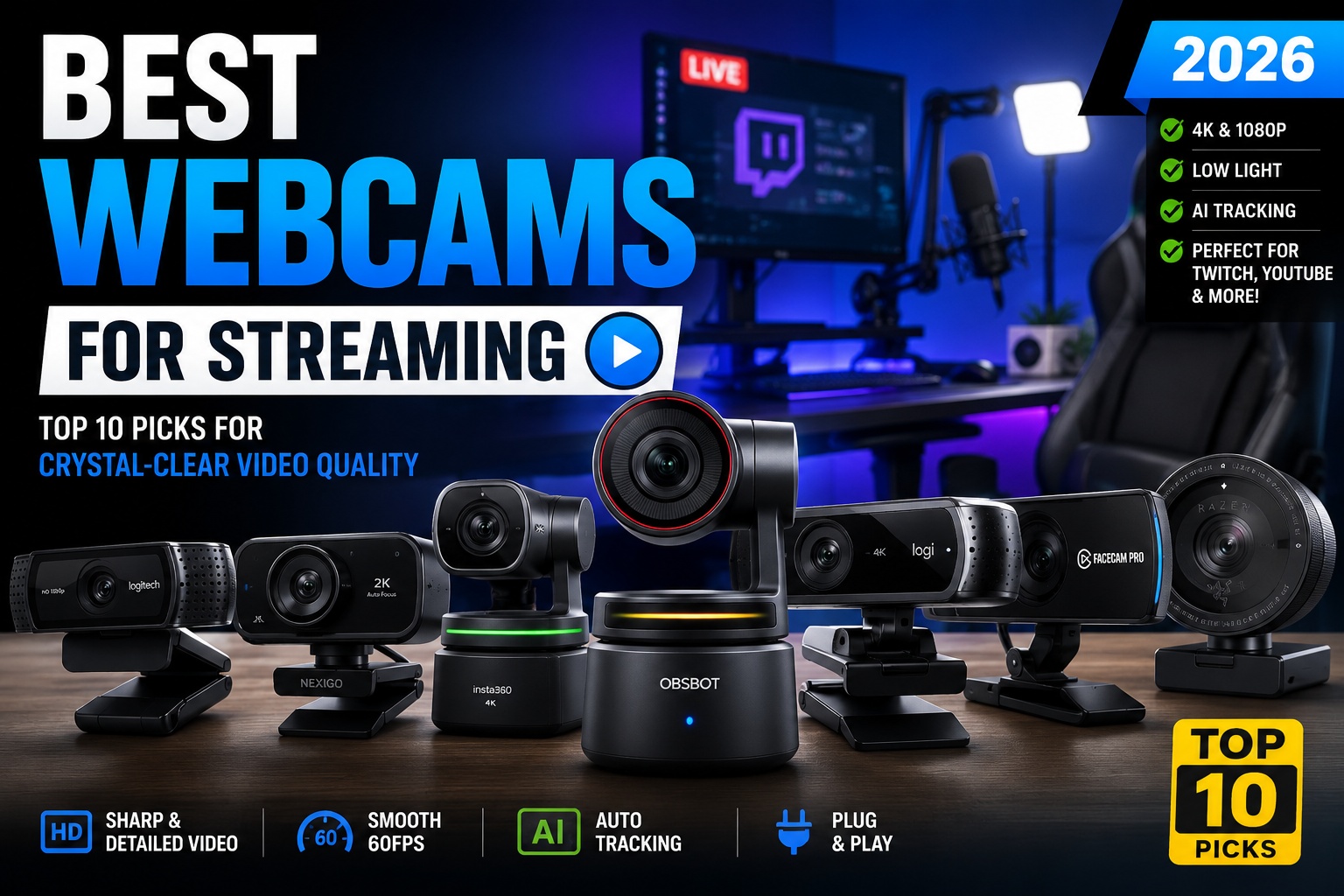

Best Webcams for Streaming
A high-quality webcam can significantly improve your streaming experience. Whether you're broadcasting on Twitch, recording YouTube videos, hosting virtual meetings, or creating online courses, sharp video quality helps you appear more professional and engaging.
Today's premium webcams offer much more than basic video calls. Features like 4K resolution, HDR support, AI-powered auto framing, fast autofocus, excellent low-light performance, and high frame rates make it easier than ever to produce studio-quality video without investing in an expensive DSLR or mirrorless camera.
In this guide, we've tested and compared the 10 Best Webcams for Streaming based on:
- Video quality
- Low-light performance
- Autofocus speed
- Frame rate
- Microphone quality
- Software features
- Ease of use
- Compatibility
- Value for money
Whether you're a beginner or a full-time content creator, you'll find a webcam that suits your setup and budget.
Best Webcams for Streaming
Quick Comparison Table
| Webcam | Resolution | Best For | Rating |
|---|---|---|---|
| OBSBOT Tiny 2 | 4K | Best Overall | ⭐⭐⭐⭐⭐ |
| Logitech MX Brio | 4K | Professionals | ⭐⭐⭐⭐⭐ |
| Elgato Facecam Pro | 4K60 | Streamers | ⭐⭐⭐⭐⭐ |
| Insta360 Link 2 | 4K | AI Tracking | ⭐⭐⭐⭐⭐ |
| Razer Kiyo Pro Ultra | 4K | Low Light | ⭐⭐⭐⭐⭐ |
| Logitech Brio 500 | 1080p | Remote Work | ⭐⭐⭐⭐☆ |
| Logitech C922 Pro | 1080p | Budget Streaming | ⭐⭐⭐⭐☆ |
| Anker PowerConf C302 | 2K | Business Meetings | ⭐⭐⭐⭐☆ |
| Dell UltraSharp WB7022 | 4K | Windows Users | ⭐⭐⭐⭐⭐ |
| NexiGo N970P | 1440p | Budget Value | ⭐⭐⭐⭐☆ |
How We Chose the Best Streaming Webcams
Every webcam in this guide was evaluated using consistent criteria to provide fair and practical recommendations.
Evaluation Criteria
- Image sharpness
- Color accuracy
- Autofocus performance
- Low-light quality
- HDR capability
- Frame rate
- Software features
- Mounting flexibility
- Build quality
- Price-to-performance ratio
Why a Good Webcam Matters
Many new creators invest heavily in microphones and lighting but underestimate the importance of video quality.
A modern webcam offers several benefits:
- Creates a more professional appearance
- Improves audience engagement
- Produces sharper video for YouTube and Twitch
- Performs better in challenging lighting conditions
- Saves time with reliable autofocus and AI tracking
If you're serious about content creation, upgrading your webcam can make a noticeable difference in how your audience perceives your videos.
Best Webcams for Streaming
1. OBSBOT Tiny 2 – Best Overall Webcam for Streaming
The OBSBOT Tiny 2 is our top recommendation for 2026 thanks to its outstanding image quality and advanced AI-powered tracking.
Unlike traditional webcams, the Tiny 2 automatically follows your movements, making it ideal for creators who move around while presenting, teaching, or demonstrating products.
Key Features
- 4K UHD Resolution
- AI Auto Tracking
- Gesture Control
- Fast Autofocus
- HDR Support
- Dual Native ISO
- USB-C Connectivity
Pros
- Exceptional 4K image quality
- Smooth AI subject tracking
- Excellent color reproduction
- Fast autofocus
- Premium build quality
Cons
- Premium price
- AI tracking may be unnecessary for static desk setups
Best For
- Twitch streamers
- YouTubers
- Online educators
- Product reviewers
- Professional creators
Overall Rating: ⭐⭐⭐⭐⭐ 9.9/10
Best Webcams for Streaming
2. Logitech MX Brio – Best Premium Webcam
The Logitech MX Brio is Logitech's flagship webcam, designed for professionals who demand excellent image quality and effortless usability.
Its large image sensor captures highly detailed video with natural colors and impressive performance in low-light environments.
Specifications
- 4K Resolution
- HDR Video
- AI Image Enhancement
- Noise Reduction
- USB-C Connection
- Privacy Shutter
Pros
- Excellent image quality
- Superb software support
- Reliable autofocus
- Premium design
- Outstanding compatibility
Cons
- Premium price
- Built-in microphones are adequate but external microphones provide better audio
Best For
- Professionals
- Remote workers
- Business meetings
- Content creators
Overall Rating: ⭐⭐⭐⭐⭐ 9.8/10
Best Webcams for Streaming
3. Elgato Facecam Pro – Best Webcam for Professional Streamers
The Elgato Facecam Pro is one of the few webcams capable of recording 4K at 60 FPS, making it an excellent choice for streamers seeking the smoothest possible video.
It integrates seamlessly with OBS Studio, Streamlabs, and the broader Elgato ecosystem.
Highlights
- Native 4K60 Recording
- Sony STARVIS Sensor
- Manual Camera Controls
- DSLR-like Image Quality
- HDR Support
- Ultra-Low Latency
Pros
- Stunning 4K60 performance
- Outstanding sharpness
- Professional software controls
- Excellent for streaming
- Reliable long-term performance
Cons
- No built-in AI tracking
- Requires good lighting for best results
Best For
- Twitch
- YouTube Live
- Professional streaming
- Content creators
Overall Rating: ⭐⭐⭐⭐⭐ 9.8/10
Best Webcams for Streaming
4. Insta360 Link 2 – Best AI Webcam for Creators
The Insta360 Link 2 combines outstanding 4K video quality with intelligent AI tracking, making it one of the smartest webcams available in 2026. Designed for streamers, educators, and business professionals, it uses a built-in 3-axis gimbal to keep you perfectly centered in the frame.
Unlike standard webcams that rely on digital cropping, the physical gimbal ensures smooth tracking without sacrificing image quality.
Key Specifications
- Resolution: 4K Ultra HD
- AI Auto Tracking
- HDR Support
- Gesture Control
- 3-Axis Gimbal
- USB-C Connectivity
- Noise-Canceling Microphones
Pros
- Exceptional AI tracking accuracy
- Smooth gimbal stabilization
- Crystal-clear 4K video
- Excellent color reproduction
- Easy setup and intuitive software
Cons
- Premium pricing
- Slightly larger than standard webcams
Best For
- YouTube creators
- Online instructors
- Twitch streamers
- Business presentations
Overall Rating: ⭐⭐⭐⭐⭐ (9.8/10)
Best Webcams for Streaming
5. Razer Kiyo Pro Ultra – Best Webcam for Low-Light Streaming
If you stream in a room with limited lighting, the Razer Kiyo Pro Ultra is one of the best choices available. It features one of the largest image sensors ever used in a webcam, delivering impressive brightness, natural colors, and excellent detail without requiring expensive studio lights.
Key Specifications
- 4K Resolution
- Sony STARVIS 2 Sensor
- HDR
- Large Aperture Lens
- AI Face Tracking
- USB 3.0
Pros
- Outstanding low-light performance
- DSLR-like background blur
- Rich colors
- Sharp autofocus
- Premium build quality
Cons
- Expensive
- Requires USB 3.0 for optimal performance
Best For
- Night streaming
- Gaming setups
- Content creators
- Podcast studios
Overall Rating: ⭐⭐⭐⭐⭐ (9.7/10)
Best Webcams for Streaming
6. Logitech Brio 500 – Best Webcam for Remote Work & Casual Streaming
The Logitech Brio 500 strikes an excellent balance between affordability and premium features. While it records in 1080p rather than 4K, its image quality is sharp enough for live streaming, Zoom meetings, and YouTube content.
Its RightSight auto-framing feature automatically keeps you centered, creating a polished and professional look.
Key Features
- Full HD 1080p
- Auto Framing
- Auto Light Correction
- USB-C
- Privacy Shutter
- Dual Noise-Reducing Microphones
Pros
- Excellent software
- Reliable autofocus
- Compact design
- Affordable price
- Great compatibility
Cons
- No 4K recording
- Limited manual controls
Best For
- Remote workers
- Students
- Beginner streamers
- Office professionals
Overall Rating: ⭐⭐⭐⭐☆ (9.3/10)
Best Webcams for Streaming
7. Logitech C922 Pro Stream – Best Budget Streaming Webcam
Even years after its release, the Logitech C922 Pro remains one of the most popular webcams among beginner streamers. It offers dependable performance, smooth 60 FPS recording at 720p, and excellent compatibility with streaming software.
Specifications
- 1080p 30 FPS
- 720p 60 FPS
- Dual Stereo Microphones
- Automatic Light Correction
- Autofocus
- Tripod Included
Pros
- Affordable
- Excellent compatibility
- Reliable autofocus
- Beginner-friendly
- Good image quality
Cons
- Older sensor
- Average low-light performance
Best For
- Beginner Twitch streamers
- YouTube creators
- Budget gaming setups
Overall Rating: ⭐⭐⭐⭐☆ (9.2/10)
Best Webcams for Streaming
8. Dell UltraSharp WB7022 – Best Premium Windows Webcam
The Dell UltraSharp WB7022 is a premium webcam designed for professionals who demand exceptional image quality. Equipped with a large Sony STARVIS CMOS sensor, it produces vibrant colors, sharp details, and excellent low-light performance.
Specifications
- 4K Resolution
- HDR
- Sony STARVIS Sensor
- AI Auto Framing
- Magnetic Privacy Cover
- USB-C
Pros
- Excellent image quality
- Premium construction
- Reliable autofocus
- Strong HDR performance
- Great low-light capability
Cons
- Premium price
- Software is Windows-focused
Best For
- Business professionals
- Corporate streaming
- High-end video conferencing
Overall Rating: ⭐⭐⭐⭐⭐ (9.6/10)
Best Webcams for Streaming
9. NexiGo N970P – Best Budget 1440p Webcam
The NexiGo N970P offers impressive value with 1440p resolution at an affordable price. It's a great option for creators who want sharper video than Full HD without spending on a premium 4K model.
Pros
- Affordable
- Sharp image quality
- Wide field of view
- Good autofocus
- Easy installation
Cons
- Software is fairly basic
- Average microphone quality
Best For
- Students
- Casual streamers
- Remote work
- Online classes
Overall Rating: ⭐⭐⭐⭐☆ (9.0/10)
Best Webcams for Streaming
10. Anker PowerConf C302 – Best Webcam for Meetings & Hybrid Work
The Anker PowerConf C302 is built for professionals who frequently switch between business meetings and content creation. It offers crisp 2K resolution, AI-powered framing, and strong microphone performance.
Pros
- Sharp 2K video
- Excellent microphones
- AI framing
- Compact design
- Affordable pricing
Cons
- No 4K recording
- Limited advanced controls
Best For
- Hybrid workers
- Online meetings
- Business presentations
Overall Rating: ⭐⭐⭐⭐☆ (9.1/10)
Best Webcams for Streaming
1080p vs 4K Webcams
Choosing between 1080p and 4K depends on your streaming goals and budget.
| Feature | 1080p Webcam | 4K Webcam |
|---|---|---|
| Image Sharpness | Very Good | Excellent |
| File Size | Smaller | Larger |
| Streaming Performance | Easier on hardware | More demanding |
| Future-Proofing | Moderate | Excellent |
| Price | Budget-friendly | Premium |
Recommendation:
- Choose 1080p if you're just starting out or primarily stream on platforms that compress video.
- Choose 4K if you create YouTube videos, product reviews, or want the flexibility to crop footage without losing detail.
Autofocus vs Fixed Focus
Autofocus webcams automatically adjust to keep you sharp as you move, making them ideal for streaming and presentations.
Fixed-focus webcams work well if you remain in one position but are less forgiving when you move closer to or farther from the camera.
For most streamers, autofocus is the better investment because it delivers a more polished viewing experience.
What to Look for Before Buying a Streaming Webcam
Not every webcam is designed for live streaming. While many models advertise high resolutions and AI features, the overall experience depends on several important factors beyond pixel count.
Here are the most important features to consider before making your purchase.
Best Webcams for Streaming
1. Resolution
The first specification most buyers notice is resolution.
- 720p – Suitable only for basic video calls.
- 1080p (Full HD) – Ideal for most streamers and YouTubers.
- 1440p (2K) – A great balance between sharpness and affordability.
- 4K Ultra HD – Best for professional creators and future-proof setups.
If your budget allows, investing in a 4K webcam gives you more flexibility for cropping, editing, and producing higher-quality videos.
Best Webcams for Streaming
2. Frame Rate
Resolution isn't everything—frame rate also plays a major role.
Common frame rates include:
- 30 FPS
- 60 FPS
A webcam capable of 60 FPS delivers noticeably smoother movement, especially during gaming, fast-paced presentations, or live streaming.
Best Webcams for Streaming
3. Image Sensor
The sensor largely determines image quality.
Larger sensors generally provide:
- Better low-light performance
- More natural colors
- Less image noise
- Improved dynamic range
Premium webcams from Logitech, OBSBOT, Razer, and Dell often feature larger, higher-quality sensors than budget models.
Best Webcams for Streaming
4. Autofocus
A fast and reliable autofocus system keeps your face sharp even when you move.
Look for webcams that offer:
- Fast autofocus
- Face detection
- Continuous autofocus
- AI-powered focus tracking
These features are especially useful for streamers who frequently change positions or demonstrate products on camera.
Best Webcams for Streaming
5. HDR Support
High Dynamic Range (HDR) improves video quality by balancing bright and dark areas within the same frame.
HDR is particularly useful if:
- You stream near a window.
- Your room has mixed lighting.
- You often record during daylight.
The result is a more balanced image with better contrast and more natural colors.
Best Webcams for Streaming
6. Low-Light Performance
Many creators stream in home offices where lighting conditions aren't ideal.
A webcam with strong low-light performance can produce a cleaner image without requiring expensive studio lighting.
If you regularly stream at night, prioritize webcams with:
- Large image sensors
- Wide aperture lenses
- AI image enhancement
- HDR support
7. Software Features
Good companion software can significantly improve your streaming experience.
Useful software features include:
- Manual exposure
- White balance adjustment
- Digital zoom
- AI background blur
- Auto framing
- Color correction
- Preset profiles
These controls allow you to fine-tune your image without relying on third-party applications.
Best Webcams for Streaming
Best Webcam for Different Types of Users
Choosing the right webcam depends on how you plan to use it.
Best Overall
🥇 OBSBOT Tiny 2
Perfect for creators who want premium image quality combined with intelligent AI tracking.
Best Webcams for Streaming
Best for Professional Streamers
🥇 Elgato Facecam Pro
Excellent for Twitch, YouTube Live, and OBS Studio users thanks to its stunning 4K60 recording.
Best Webcams for Streaming
Best for Beginners
🥇 Logitech C922 Pro
Affordable, reliable, and easy to set up, making it ideal for first-time streamers.
Best Webcams for Streaming
Best Budget Option
🥇 NexiGo N970P
Offers impressive 1440p video quality at a competitive price.
Best Webcams for Streaming
Best for Business Meetings
🥇 Anker PowerConf C302
Designed for professionals who need clear video and excellent microphones during virtual meetings.
Best Webcams for Streaming
Best Low-Light Webcam
🥇 Razer Kiyo Pro Ultra
Outstanding performance in darker environments with excellent detail and color accuracy.
Best Webcams for Streaming
Webcam Setup Tips for Better Streaming
Even the best webcam won't perform well if your setup isn't optimized.
Here are some practical tips to improve your video quality.
Position the Camera at Eye Level
Mount your webcam so it's level with your eyes.
This creates a more natural angle and makes your stream look more professional.
Best Webcams for Streaming
Improve Your Lighting
Lighting has a bigger impact on image quality than many people realize.
Simple improvements include:
- Using a ring light
- Facing a window during the day
- Adding soft LED lighting behind your monitor
- Avoiding strong backlighting
Good lighting can dramatically improve even an entry-level webcam.
Best Webcams for Streaming
Clean the Lens
Dust and fingerprints reduce image sharpness.
Wipe the lens regularly with a microfiber cloth before streaming.
Best Webcams for Streaming
Use an External Microphone
Although premium webcams include decent microphones, an external USB or XLR microphone will significantly improve audio quality.
For the best streaming setup, pair your webcam with one of our recommended microphones in the Best Microphones for Streaming guide.
Maintain a Clean Background
A tidy background helps viewers focus on you.
Popular options include:
- RGB lighting
- Acoustic foam panels
- Bookshelves
- Minimalist office setups
- AI background blur (if supported)
Frequently Asked Questions
Is a 4K webcam worth it?
Yes, especially if you create YouTube videos, product reviews, or professional content. A 4K webcam captures more detail and gives you greater flexibility when editing footage.
Best Webcams for Streaming
Which webcam is best for Twitch?
The Elgato Facecam Pro is one of the top choices for Twitch thanks to its 4K60 recording, excellent image quality, and seamless compatibility with OBS Studio.
Best Webcams for Streaming
Which webcam performs best in low light?
The Razer Kiyo Pro Ultra stands out for its exceptional low-light performance, delivering bright and detailed video even in dim environments.
Best Webcams for Streaming
Do I need a ring light?
Not necessarily, but good lighting can greatly improve video quality. A simple ring light or soft LED panel often has a bigger impact than upgrading to a more expensive webcam.
Best Webcams for Streaming
Can I use a webcam for YouTube videos?
Absolutely. Many modern 4K webcams produce video quality that's suitable for YouTube tutorials, livestreams, podcasts, and online courses.
Final Comparison Table
| Webcam | Resolution | Best For | Price Range | Rating |
|---|---|---|---|---|
| OBSBOT Tiny 2 | 4K | Best Overall | $$$$ | ⭐⭐⭐⭐⭐ (9.9/10) |
| Logitech MX Brio | 4K | Professionals | $$$$ | ⭐⭐⭐⭐⭐ (9.8/10) |
| Elgato Facecam Pro | 4K 60FPS | Twitch & YouTube | $$$$ | ⭐⭐⭐⭐⭐ (9.8/10) |
| Insta360 Link 2 | 4K | AI Tracking | $$$$ | ⭐⭐⭐⭐⭐ (9.8/10) |
| Razer Kiyo Pro Ultra | 4K | Low-Light Streaming | $$$$ | ⭐⭐⭐⭐⭐ (9.7/10) |
| Dell UltraSharp WB7022 | 4K | Business & Office | $$$ | ⭐⭐⭐⭐⭐ (9.6/10) |
| Logitech Brio 500 | 1080p | Hybrid Work | $$ | ⭐⭐⭐⭐☆ (9.3/10) |
| Logitech C922 Pro | 1080p | Beginner Streaming | $$ | ⭐⭐⭐⭐☆ (9.2/10) |
| Anker PowerConf C302 | 2K | Meetings & Online Classes | $$ | ⭐⭐⭐⭐☆ (9.1/10) |
| NexiGo N970P | 1440p | Budget Option | $ | ⭐⭐⭐⭐☆ (9.0/10) |
Our Top Recommendations
Choosing the right webcam depends on your streaming style, budget, and long-term goals. Here are our top picks for different users.
🏆 Best Overall
OBSBOT Tiny 2
If you want the best combination of image quality, AI tracking, autofocus, and ease of use, the OBSBOT Tiny 2 is the clear winner. It's ideal for creators who want professional-quality video without the complexity of a DSLR setup.
Best Webcams for Streaming
🎮 Best for Twitch Streamers
Elgato Facecam Pro
With true 4K at 60 FPS, exceptional sharpness, and seamless integration with OBS Studio and Streamlabs, it's one of the best webcams available for live streaming.
Best Webcams for Streaming
🎥 Best for YouTube Creators
Insta360 Link 2
Its AI-powered tracking and gimbal stabilization make it perfect for creators who move around while filming tutorials, reviews, or educational content.
Best Webcams for Streaming
💼 Best for Professionals
Logitech MX Brio
A premium webcam offering stunning image quality, reliable autofocus, HDR support, and outstanding software for business meetings and professional content creation.
🌙 Best for Low-Light Streaming
Razer Kiyo Pro Ultra
Thanks to its large Sony STARVIS 2 sensor, this webcam delivers some of the best low-light performance available in a consumer webcam.
💰 Best Budget Choice
Logitech C922 Pro
Still one of the most reliable and affordable webcams for beginners. It offers excellent value and remains a favorite among new streamers.
Frequently Asked Buying Tips
Before purchasing a webcam, consider these questions:
- Will you stream in 1080p or 4K?
- Do you have proper lighting?
- Do you need AI face tracking?
- Is HDR important for your setup?
- Will you record YouTube videos as well as livestreams?
- Do you need compatibility with OBS Studio or Streamlabs?
- Will you use the webcam for work meetings in addition to streaming?
Answering these questions will help you choose a webcam that fits both your current needs and future upgrades.
Final Verdict
The webcam market in 2026 offers outstanding options for every type of creator, from beginners launching their first livestream to professionals producing high-end video content.
If you're looking for the best overall experience, the OBSBOT Tiny 2 remains our top recommendation thanks to its exceptional image quality, AI-powered tracking, and premium feature set.
For creators who demand smooth 4K 60 FPS streaming, the Elgato Facecam Pro is hard to beat. Meanwhile, budget-conscious users will still find tremendous value in the Logitech C922 Pro, which continues to deliver reliable performance at an affordable price.
Ultimately, the best webcam is one that matches your content style, workspace, and budget. Pairing a quality webcam with proper lighting, a reliable microphone, and a clean streaming setup will elevate your content far more than relying on camera specifications alone.
Whether you're streaming on Twitch, creating YouTube tutorials, hosting webinars, or attending virtual meetings, investing in the right webcam is a worthwhile step toward producing professional-looking content.
Conclusion
Finding the best webcams for streaming doesn't have to be overwhelming. Modern webcams now offer features that were once exclusive to professional cameras, including 4K recording, HDR, AI tracking, and advanced autofocus.
For most users, the OBSBOT Tiny 2 provides the best all-around experience, while alternatives like the Logitech MX Brio, Elgato Facecam Pro, and Insta360 Link 2 cater to creators with specific needs.
No matter your experience level, choosing a webcam with excellent image quality and reliable performance will help you connect with your audience more effectively and create content that stands out in a competitive online landscape.
Recommended Links
To strengthen topical authority and improve user navigation, link this article to:
- Best Microphones for Streaming
- Best Gaming Headsets for Competitive Gamers
- Best AI Video Editors
- Best AI Image Generators
- Best External SSDs
- Best USB-C Hubs and Docking Stations
- Best Headphones for Work and Study
- MacBook Pro M4 Review
- Dell XPS 13 Review
- Lenovo Yoga 9i Review
External Links
For added credibility, reference official product pages from manufacturers such as:
These links help demonstrate expertise and provide readers with access to official specifications.