
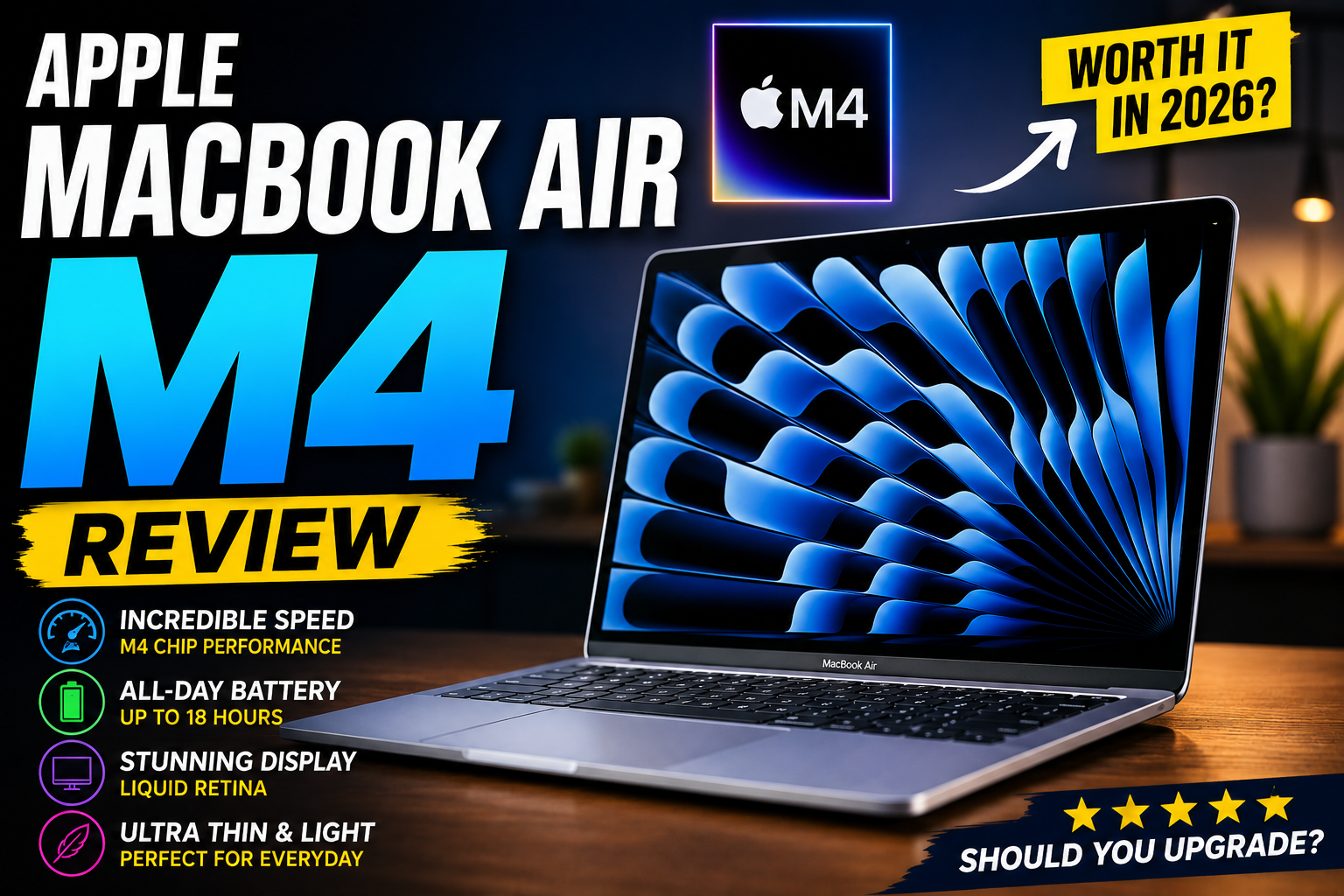

MacBook Air M4 Review (2026): Is Apple's Fanless Laptop Still Worth Buying?
The MacBook Air M4 remains one of Apple's most popular ultraportable laptops, combining Apple's M4 chip with a thin fanless design, excellent battery efficiency, a sharp Liquid Retina display, and macOS.
Unlike Apple's MacBook Pro lineup, the MacBook Air is designed primarily for portability and everyday productivity rather than sustained professional workloads.
That makes it particularly interesting for:
- Students
- Professionals
- Bloggers
- Remote workers
- Programmers
- Content creators
- Business users
- Travelers
The bigger question in 2026 is no longer simply whether the MacBook Air M4 is a good laptop.
It is:
Is the MacBook Air M4 still worth buying in 2026, especially with newer MacBook generations and increasingly competitive Windows laptops?
In this review, we'll look at its design, M4 performance, battery life, display, keyboard, ports, macOS experience, AI capabilities, programming performance, creative workloads, gaming, and overall value.
MacBook Air M4 Review
MacBook Air M4: Quick Verdict
The MacBook Air M4 is a thin-and-light laptop that prioritizes efficiency, portability, battery life, and silent operation.
Its fanless design means there are no traditional cooling fans producing noise during normal use.
At the same time, Apple's M4 chip provides enough performance for considerably more than basic web browsing and office work.
Pros
- Excellent M4 performance
- Completely fanless and silent
- Excellent battery efficiency
- Premium aluminum construction
- Sharp Liquid Retina display
- Excellent keyboard and trackpad
- Lightweight design
- macOS is well optimized
- Excellent for students and professionals
- Strong programming performance
- Good photo and video editing capability
- Supports multiple external displays depending on configuration/use
- Strong ecosystem integration
Cons
- Limited port selection
- No touchscreen
- RAM and storage are not user-upgradeable
- Base storage can feel restrictive
- Not designed for sustained workstation workloads
- Gaming support remains more limited than Windows
- Higher configurations become expensive
MacBook Air M4 Specifications
| Specification | MacBook Air M4 |
|---|---|
| Processor | Apple M4 |
| CPU | Up to 10-core CPU |
| GPU | Up to 10-core GPU |
| Display | Liquid Retina |
| Display Size | 13.6-inch / 15.3-inch |
| Resolution | 2560 × 1664 / 2880 × 1864 |
| Memory | 16GB and higher configurations |
| Storage | SSD |
| Cooling | Fanless |
| Webcam | 12MP Center Stage |
| Wireless | Wi-Fi 6E |
| Ports | Thunderbolt / USB 4, MagSafe 3, headphone |
| Operating System | macOS |
| Form Factor | Traditional laptop |
| Touchscreen | No |
The major attraction is the combination of M4 performance and fanless operation.
That combination makes the MacBook Air particularly interesting for people who spend most of their day writing, browsing, researching, coding, creating content, or working with cloud applications.
1. MacBook Air M4 Design
Apple has kept the MacBook Air's minimalist design philosophy.
The aluminum body gives the machine a premium appearance while keeping the overall design relatively thin and portable.
The wedge-shaped design used by older MacBook Air generations is gone, replaced by the flatter modern MacBook design.
That gives the Air a more consistent visual relationship with Apple's MacBook Pro lineup.
The design is particularly attractive for people who want a laptop that looks professional without being overly flashy.
MacBook Air M4 Review
2. 13-Inch vs 15-Inch MacBook Air M4
One of the most important decisions is choosing the screen size.
MacBook Air 13-inch
The 13.6-inch model is better if portability is your priority.
It's ideal for:
- Students
- Travelers
- Writers
- Bloggers
- Remote workers
- Frequent commuters
It's easier to fit into a small backpack and generally more convenient when working from cafés or airplanes.
MacBook Air M4 Review
MacBook Air 15-inch
The 15.3-inch version provides significantly more workspace.
It's better suited to:
- Content creators
- Developers
- Business users
- Multitaskers
- Spreadsheet-heavy workflows
- Video editing
- Desktop-style productivity
The larger display also makes side-by-side applications more comfortable.
For example:
WordPress + research
or
Code editor + browser
can be easier to manage on the 15-inch model.
MacBook Air M4 Review
3. Liquid Retina Display
The MacBook Air M4 uses Apple's Liquid Retina display.
The 13-inch model provides a 2560 × 1664 resolution, while the 15-inch version uses 2880 × 1864.
The display offers:
- Excellent sharpness
- Wide color support
- Strong contrast
- 500-nit brightness
- True Tone
- P3 wide color
For everyday work, the screen is excellent.
It's particularly good for:
- Writing
- Photo editing
- Web design
- YouTube
- Netflix
- Browsing
- Programming
However, one important difference separates the MacBook Air from some premium Windows OLED laptops:
the MacBook Air does not use an OLED panel.
MacBook Air M4 Review
4. MacBook Air M4 vs OLED Laptops
This is important when comparing the MacBook Air with machines such as the Lenovo Yoga 9i.
OLED laptops generally offer:
- Deeper blacks
- Higher perceived contrast
- More dramatic HDR
- Faster refresh rates on some models
The MacBook Air instead focuses on:
- Color accuracy
- Sharpness
- Battery efficiency
- Consistent image quality
The MacBook Air's display is still excellent.
But if your priority is an immersive OLED experience, premium Windows laptops can offer a different visual experience.
MacBook Air M4 Review
5. M4 Performance
The biggest reason to buy the MacBook Air M4 is the M4 chip.
Apple designed the M4 architecture around a combination of:
CPU performance + GPU performance + power efficiency + Neural Engine acceleration.
This allows the MacBook Air to remain extremely responsive while consuming relatively little power.
For everyday tasks, the M4 is more than enough.
You can comfortably work with:
- Dozens of browser tabs
- WordPress
- Google Docs
- Microsoft Office
- Slack
- Zoom
- Canva
- Photoshop
- Coding tools
- AI applications
- Video editing
The fanless design makes this even more impressive because the laptop remains silent during normal workloads.
MacBook Air M4 Review
6. The Fanless Design Is a Major Advantage
Unlike MacBook Pro models with active cooling, the MacBook Air M4 doesn't use a traditional fan.
That means:
No fan noise during normal operation.
For people who work in quiet environments, this is an underrated advantage.
Imagine writing in:
- A library
- A meeting room
- A bedroom
- A café
- A recording environment
You don't have to listen to cooling fans spinning up every time you open a demanding application.
However, fanless operation has a trade-off.
When the machine is under sustained heavy load, thermal limits can eventually affect performance.
This is less important for short workloads and more relevant for long:
- Video renders
- Code compilation
- 3D workloads
- Large exports
- Extended benchmarks
For those workloads, the MacBook Pro is better positioned.
MacBook Air M4 Review
7. MacBook Air M4 for Students
The MacBook Air M4 is particularly well suited to students.
It's lightweight, quiet, and powerful enough for most academic workloads.
You can use it for:
- Research
- Microsoft Word
- PowerPoint
- Excel
- Notion
- Google Docs
- Programming
- Online classes
- Video calls
- Presentations
- Entertainment
The 13-inch version is especially convenient for carrying between classrooms.
The main limitation is price.
Students working with a tight budget may find Windows laptops with similar RAM and storage for less money.
But if you already use Apple's ecosystem, the MacBook Air can be very convenient.
MacBook Air M4 Review
8. MacBook Air M4 for Bloggers
For blogging, the MacBook Air M4 is an excellent productivity machine.
A typical blogging workflow might include:
Research → ChatGPT → Google Docs → WordPress → Canva → image optimization → SEO → publishing
The M4 handles this workflow comfortably.
The keyboard is also one of the most important features for writers.
The combination of:
- Comfortable keyboard
- Large Force Touch trackpad
- Sharp display
- Silent operation
- Long battery life
makes the MacBook Air particularly pleasant for long writing sessions.
For a blogger who spends several hours per day writing, these characteristics can matter more than raw benchmark scores.
MacBook Air M4 Review
9. MacBook Air M4 for Programming
The MacBook Air M4 is also a strong development machine.
It can handle:
- Visual Studio Code
- Xcode
- Python
- JavaScript
- TypeScript
- Swift
- Java
- C++
- Git
- Docker
- Web development
- Backend development
Apple's silicon architecture also provides excellent performance per watt.
However, developers should pay attention to memory.
16GB
Good for:
- Web development
- General programming
- VS Code
- Lightweight development environments
24GB+
Better for:
- Docker
- Large projects
- Multiple IDEs
- Local databases
- Virtualized environments
- Local AI workloads
Because MacBook Air memory is not user-upgradeable, choose carefully when ordering.
MacBook Air M4 Review
10. MacBook Air M4 for Content Creation
The M4's integrated GPU and media engines make the MacBook Air surprisingly capable for creative work.
It's suitable for:
- Photoshop
- Lightroom
- Final Cut Pro
- Premiere Pro
- Canva
- Affinity Photo
- Short-form video
- YouTube content
- Thumbnail design
For creators who primarily produce:
- 1080p videos
- Short videos
- YouTube content
- Social media graphics
- Photos
the Air can be more than sufficient.
For professional editors working with long 4K/8K projects, heavy effects, or sustained rendering, the MacBook Pro is a more appropriate class of machine.
MacBook Air M4 Review
11. MacBook Air M4 for AI
The M4 includes Apple's Neural Engine for machine-learning workloads.
This is useful for applications that can take advantage of Apple's on-device acceleration.
Potential workloads include:
- AI-assisted image editing
- Voice processing
- Video effects
- Local machine-learning applications
- Apple Intelligence features
But there's an important distinction.
Using ChatGPT or other cloud AI services doesn't necessarily mean your MacBook Air is doing all the AI processing locally.
The server does most of the heavy computation.
The M4 becomes more relevant when software specifically uses the Mac's local CPU, GPU, or Neural Engine.
MacBook Air M4 Review
12. MacBook Air M4 Battery Life
Battery life has always been one of the MacBook Air's strongest characteristics.
The combination of Apple silicon and macOS allows the system to deliver strong endurance without requiring a large battery.
Apple rates the M4 MacBook Air for up to 18 hours of video streaming or up to 15 hours of wireless web browsing, although actual battery life varies depending on workload and configuration.
In practical use, activities such as:
- Web browsing
- Writing
- WordPress
- Documents
- Streaming
generally consume less power than:
- Video rendering
- Gaming
- 3D applications
- Heavy compilation
This makes the MacBook Air particularly attractive for mobile professionals.
MacBook Air M4 Review
13. MacBook Air M4 Keyboard
Apple's Magic Keyboard is one of the MacBook Air's strongest usability features.
The keys provide:
- Good travel
- Consistent feedback
- Backlighting
- Comfortable spacing
For writers and bloggers, this matters.
A laptop can have the fastest processor in the world, but if the keyboard isn't comfortable, long writing sessions become frustrating.
The MacBook Air gets the fundamentals right.
MacBook Air M4 Review
14. Force Touch Trackpad
The Force Touch trackpad remains one of Apple's strongest laptop input devices.
It's large, responsive, and supports a wide range of gestures.
You can use it for:
- Scrolling
- Switching desktops
- Zooming
- Navigating webpages
- Selecting text
- Mission Control
- Multi-touch gestures
The large trackpad also reduces the need to carry a mouse when traveling.
MacBook Air M4 Review
15. Ports: The Biggest Weakness
The MacBook Air is extremely portable, but Apple keeps the port selection relatively limited.
You get:
- MagSafe 3
- Thunderbolt / USB 4 ports
- 3.5mm headphone jack
This is enough for many users.
But if you regularly connect:
- HDMI
- USB-A
- SD cards
- Ethernet
- Multiple external drives
you'll probably want a USB-C hub or docking station.
This is especially relevant for photographers, creators, and office users.
MacBook Air M4 Review
16. External Monitor Support
External-display support has improved compared with older MacBook Air generations.
This is particularly useful for a home-office setup.
You can combine the MacBook Air with:
- External monitor
- Keyboard
- Mouse
- USB-C dock
- External SSD
- Speakers
and turn it into a compact desktop workstation.
For a mobile-first user, this is one of the biggest advantages of Apple's laptop ecosystem.
MacBook Air M4 Review
17. Is the MacBook Air M4 Good for Gaming?
Gaming is still one of the MacBook Air's weaker areas.
The M4 GPU is capable, and the hardware is powerful enough for many games.
However, macOS doesn't have the same game library and compatibility as Windows.
The Air is better suited to:
- Apple Arcade
- Indie games
- Strategy games
- Older compatible games
- Casual gaming
It isn't the laptop I'd recommend specifically for a large AAA gaming library.
Windows gaming laptops remain much more flexible in this category.
MacBook Air M4 Review
18. MacBook Air M4: Who Should Buy It?
The MacBook Air M4 is a strong match for:
Students
Portable and quiet.
Bloggers
Excellent keyboard and battery life.
Programmers
Strong CPU performance and excellent battery efficiency.
Remote workers
Silent operation and long battery life.
Business users
Premium construction and productivity performance.
Creators
Strong media engine and excellent display.
Travelers
Lightweight and efficient.
19. Who Should Consider Something Else?
Consider another laptop if you need:
- A touchscreen
- Tablet functionality
- Extensive ports
- Dedicated GPU
- Heavy sustained rendering
- High-end gaming
- Easy hardware upgrades
- Windows-only applications
The Lenovo Yoga 9i, for example, offers a touchscreen OLED display and 360-degree convertible design, while the Dell XPS 14 provides a larger performance-oriented Windows platform.
MacBook Air M4 Review
20. MacBook Air M4 vs Lenovo Yoga 9i
This is one of the most interesting comparisons for premium laptop buyers.
| Feature | MacBook Air M4 | Lenovo Yoga 9i |
|---|---|---|
| OS | macOS | Windows 11 |
| Display | Liquid Retina | 2.8K OLED |
| Touchscreen | No | Yes |
| 2-in-1 | No | Yes |
| CPU | Apple M4 | Core Ultra 7 |
| Graphics | M4 GPU | Intel Arc 140V |
| Webcam | 12MP Center Stage | 5MP IR |
| Battery | Excellent | Excellent |
| Cooling | Fanless | Active cooling |
| Best for | Silent productivity | Flexible premium Windows use |
The decision comes down largely to ecosystem and form factor.
If you want macOS + silent operation, the MacBook Air is extremely attractive.
If you want Windows + OLED + touchscreen + tablet mode, the Yoga 9i is more versatile.
MacBook Air M4 Review
21. MacBook Air M4 vs Dell XPS 13
The Dell XPS 13 is another close competitor.
The XPS 13 is particularly attractive for users who want:
- Windows
- Very low weight
- Premium design
- Compact dimensions
- High-resolution display
The MacBook Air counters with:
- Apple silicon
- macOS
- Fanless operation
- Excellent battery efficiency
- Apple ecosystem integration
Both are strong ultraportables, but their operating systems and ecosystems are very different.
MacBook Air M4 Review
22. MacBook Air M4 vs Dell XPS 14
The XPS 14 belongs to a more performance-oriented category.
It can provide:
- Larger chassis
- Higher-end CPU configurations
- More sustained cooling
- Strong integrated graphics
- OLED display options
The MacBook Air is considerably more focused on:
efficiency + portability + silence.
If you regularly perform sustained heavy workloads, the larger XPS 14 or MacBook Pro class is worth considering.
For mobile productivity, the Air is easier to carry.
MacBook Air M4 Review
23. Which MacBook Air M4 Configuration Should You Buy?
This is where the purchase decision becomes important.
Best Budget Configuration
16GB RAM + 256GB SSD
Suitable for:
- Students
- Browsing
- Office work
- Blogging
- Cloud storage users
The problem is storage.
256GB can become restrictive surprisingly quickly.
MacBook Air M4 Review
Recommended Configuration
16GB RAM + 512GB SSD
This is the configuration I'd target for most users.
It's a much better balance of:
- Performance
- Storage
- Longevity
- Price
Best for Professionals
24GB RAM + 512GB or 1TB SSD
This is more appropriate for:
- Developers
- Creators
- Heavy multitaskers
- Professional users
Best Long-Term Configuration
24GB+ RAM + 1TB SSD
If budget isn't the primary concern, additional memory and storage provide more flexibility over several years.
MacBook Air M4 Review
24. Is 16GB RAM Enough?
For most users:
Yes.
16GB is sufficient for:
- Browsing
- Blogging
- Office
- Programming
- Research
- Streaming
- General productivity
But users working with large projects or heavy multitasking may benefit from more memory.
Since MacBook Air memory isn't user-upgradeable, consider your future workload rather than just today's requirements.
MacBook Air M4 Review
25. Is 256GB Storage Enough?
This is more difficult.
For someone who stores everything in:
- iCloud
- Google Drive
- OneDrive
- Dropbox
256GB may be workable.
But local storage fills quickly when you install:
- Adobe applications
- Xcode
- Games
- Video projects
- Photos
- Large development environments
For most buyers, 512GB is a more comfortable target.
MacBook Air M4 Review
26. MacBook Air M4: Final Pros and Cons
Pros
- Excellent M4 performance
- Silent fanless design
- Strong battery life
- Premium aluminum construction
- Excellent keyboard
- Excellent trackpad
- Sharp Liquid Retina display
- Lightweight
- Strong macOS optimization
- Excellent for programming
- Good content-creation performance
- Excellent portability
Cons
- Limited ports
- No touchscreen
- No 360-degree hinge
- No user-upgradeable RAM
- No user-upgradeable SSD
- Gaming remains limited compared with Windows
- Sustained workloads can favor MacBook Pro
- Higher memory/storage configurations become expensive
27. MacBook Air M4: Final Verdict
The MacBook Air M4 is still a compelling premium ultraportable because it gets the fundamentals right.
It doesn't try to be everything.
Instead, it focuses on:
performance + efficiency + silence + portability.
The M4 chip provides plenty of performance for productivity, programming, blogging, and many creative workloads.
The fanless design makes the laptop particularly pleasant for quiet environments.
The battery life makes it useful for people who spend much of their day away from a power outlet.
And the overall macOS experience remains one of its biggest strengths.
Its biggest limitations are equally clear:
no touchscreen, limited ports, non-upgradeable memory/storage, and weaker gaming compatibility.
For most users, I'd target:
16GB RAM + 512GB SSD
For developers and creators:
24GB RAM + 512GB/1TB SSD
And if you need sustained professional workloads, a MacBook Pro is the more appropriate step up.
MacBook Air M4 Review
MacBook Air M4 Performance
The biggest reason to consider the MacBook Air M4 is its performance.
Apple's M4 uses a 10-core CPU and can be configured with either an 8-core or 10-core GPU depending on the 13-inch configuration, while the 15-inch version uses a 10-core GPU. It also includes a 16-core Neural Engine and hardware acceleration for modern video codecs.
For normal laptop workloads, the M4 provides significantly more performance than most users actually need.
You can comfortably run:
- Safari with many tabs
- Google Chrome
- Microsoft Office
- Slack
- Discord
- Spotify
- Photoshop
- Lightroom
- Xcode
- Visual Studio Code
- Docker
- Figma
- Notion
- Final Cut Pro
- iMovie
- AI-powered applications
at the same time.
In testing by Tom's Guide, the MacBook Air M4 scored 3,751 in Geekbench single-core and 14,947 in multi-core, compared with 3,082 and 12,087 respectively for the MacBook Air M3 in the same testing.
That gives the M4 Air considerably more headroom for demanding productivity work.
MacBook Air M4 Review
Multitasking Performance
One of the strongest characteristics of the M4 MacBook Air is how responsive it feels during everyday multitasking.
For example, a typical workflow might involve:
- 20+ browser tabs
- Google Docs
- YouTube
- Spotify
- Slack
- Photoshop
- file management
- AI tools
The M4 handles this type of workload very well.
Tom's Guide reported using Slack, more than two dozen Chrome tabs, Photos, and Spotify simultaneously without noticeable slowdown during normal app switching.
This makes the MacBook Air M4 particularly interesting for:
Bloggers
You can research articles, write in WordPress, use AI tools, edit images, and manage affiliate dashboards without needing a high-end MacBook Pro.
Students
Multiple browser tabs, presentations, PDFs, video calls, notes, and productivity applications are well within the Air's capabilities.
Business users
Office applications, spreadsheets, communication tools, browser-based platforms, and video conferencing run comfortably.
Developers
The M4 has enough CPU performance for many development environments, although memory capacity becomes increasingly important for larger projects.
MacBook Air M4 Review
MacBook Air M4 for Programming
The MacBook Air M4 is a particularly interesting option for programmers.
macOS provides access to development tools such as:
- Xcode
- Visual Studio Code
- Android Studio
- Docker
- Git
- Homebrew
- Python
- Node.js
- Java
- Swift
- C++
- Rust
For web development, the MacBook Air M4 is more than capable.
A developer can comfortably run:
VS Code
+
Chrome
+
Terminal
+
Local development server
+
Database
+
Docker
at the same time.
However, there is an important consideration: unified memory.
The MacBook Air M4 starts at 16GB of unified memory and can be configured to 24GB or 32GB. Memory is integrated rather than user-upgradable.
Therefore, if you're purchasing the laptop specifically for programming, I would strongly consider 24GB or 32GB if your budget allows.
Recommended configurations for developers
| Developer Type | Recommended Memory | Storage |
|---|---|---|
| Student / beginner | 16GB | 256GB–512GB |
| Web developer | 16GB–24GB | 512GB |
| Full-stack developer | 24GB | 512GB–1TB |
| Mobile developer | 24GB | 1TB |
| AI / development workloads | 32GB | 1TB–2TB |
The important point is that you cannot simply upgrade the RAM later.
MacBook Air M4 Review
MacBook Air M4 for AI Work
AI applications are becoming increasingly common in everyday workflows, and the M4 is designed with this in mind.
The M4 includes a 16-core Neural Engine, while Apple's software ecosystem supports Apple Intelligence features.
For bloggers and content creators, AI can be useful for:
- brainstorming article ideas
- summarizing information
- rewriting drafts
- generating outlines
- analyzing documents
- proofreading
- creating images
- organizing notes
- automating repetitive tasks
The MacBook Air M4 is also capable of running some AI applications locally, although the experience depends heavily on the application, model size, memory capacity, and optimization.
For serious local AI workloads involving large models, however, a MacBook Air isn't necessarily the ideal machine.
A 32GB configuration makes much more sense if local AI experimentation is an important part of your workflow.
MacBook Air M4 Review
MacBook Air M4 for Photo Editing
Photo editing is another area where the M4 Air performs well.
Applications such as:
- Adobe Photoshop
- Lightroom
- Pixelmator
- Affinity Photo
- Apple Photos
run smoothly for typical workloads.
The display also makes the Air attractive for photographers.
The Liquid Retina panel supports P3 wide color, up to 1 billion colors, and 500 nits of brightness.
That makes it suitable for:
- photography
- web graphics
- social media graphics
- thumbnails
- blog images
- UI design
- general creative work
For professional color-critical workflows, however, an external calibrated display can still be preferable.
MacBook Air M4 Review
MacBook Air M4 for Video Editing
The M4 MacBook Air is surprisingly capable as a video editing laptop.
Apple includes hardware acceleration for:
- H.264
- HEVC
- ProRes
- ProRes RAW
along with dedicated video encode/decode engines.
This benefits applications such as:
- Final Cut Pro
- Adobe Premiere Pro
- DaVinci Resolve
- CapCut
- iMovie
For 1080p and many 4K projects, the Air can be a very capable machine.
However, there is an important distinction between short editing sessions and long rendering workloads.
Because the MacBook Air is fanless, sustained workloads can cause thermal throttling. RTINGS also notes that the fanless design can limit sustained performance during intensive workloads.
For example:
Short video project
Import footage → edit → color correction → export
MacBook Air M4: Excellent
Occasional 4K YouTube videos
MacBook Air M4: Very capable
Daily professional video production
MacBook Air M4: Possible, but MacBook Pro is more appropriate
Long 3D rendering sessions
MacBook Air M4: Not the ideal choice
This distinction is important when deciding between the Air and Pro.
MacBook Air M4 Review
Fanless Design: Silent but With a Trade-Off
One of the most enjoyable things about the MacBook Air M4 is that it has no cooling fan.
That means the laptop can remain extremely quiet even during demanding everyday work.
This is especially useful when working in:
- libraries
- classrooms
- offices
- bedrooms
- recording studios
- meetings
There is no fan noise suddenly becoming audible during a video call.
The downside is thermal headroom.
A MacBook Pro with active cooling can maintain high performance for longer periods because its cooling system can remove heat more aggressively.
The MacBook Air prioritizes:
silence + thinness + efficiency
rather than:
maximum sustained performance.
For most users, this is a reasonable trade-off.
MacBook Air M4 Review
MacBook Air M4 Battery Life
Battery life remains one of the strongest reasons to buy a MacBook Air.
Apple rates the M4 MacBook Air for up to 18 hours of video streaming and up to 15 hours of wireless web browsing, although actual runtime varies depending on workload and configuration.
In Tom's Guide's testing, the 13-inch M4 MacBook Air lasted 14 hours and 51 minutes in its Wi-Fi web-browsing battery test.
That's excellent for a thin laptop.
In real-world usage, battery life depends heavily on what you're doing.
Approximate workload behavior
| Workload | Battery Expectation |
|---|---|
| Web browsing | Excellent |
| Word/Google Docs | Excellent |
| Video streaming | Excellent |
| Email & messaging | Excellent |
| Programming | Very good |
| Photoshop | Good |
| Lightroom | Good |
| Video editing | Moderate |
| Gaming | Significantly lower |
If you're mostly writing, browsing, researching, and managing a website, the M4 Air can easily function as a full-day productivity machine.
MacBook Air M4 Review
13-Inch vs 15-Inch MacBook Air M4
The 13-inch and 15-inch models use the same general M4 architecture, but they target different users.
The 13-inch model has a 13.6-inch 2560 × 1664 display, while the 15-inch model has a 15.3-inch 2880 × 1864 display. Both are rated at 500 nits.
Choose the 13-inch if:
- portability matters
- you travel frequently
- you work from cafes
- you are a student
- you prefer a compact laptop
- you often use an external monitor
Choose the 15-inch if:
- you want more screen space
- you work with large spreadsheets
- you edit photos or videos
- you write long articles
- you multitask with multiple windows
- you don't travel frequently
For a blogger or affiliate website owner, the 15-inch model can be particularly comfortable because WordPress, research pages, analytics, image editing, and AI tools can occupy more screen space.
MacBook Air M4 Review
External Monitor Support
The M4 MacBook Air significantly improves its external-display capability compared with earlier Air models.
Apple officially supports the built-in display alongside up to two external displays at up to 6K resolution at 60Hz.
This can transform the Air into a compact desktop workstation.
For example:
Display 1: WordPress editor
Display 2: Google Search Console
Display 3: Research / AI tools
This is an excellent setup for content creators and affiliate website owners.
The main limitation is that the Air only has two Thunderbolt 4 / USB-C ports, plus MagSafe and a 3.5mm headphone jack.
So if you connect multiple accessories, a USB-C/Thunderbolt dock may become useful.
MacBook Air M4 Review
Ports and Connectivity
The port selection is one of the weaker areas of the MacBook Air M4.
You get:
- 2 × Thunderbolt 4 / USB-C
- MagSafe 3
- 3.5mm headphone jack
The USB-C ports support Thunderbolt 4 and USB 4 at up to 40Gb/s, as well as DisplayPort.
Wireless connectivity includes:
- Wi-Fi 6E
- Bluetooth 5.3
The limited port selection isn't necessarily a problem for a minimalist setup.
But if you frequently use:
- SD cards
- USB-A accessories
- external SSDs
- Ethernet
- HDMI
- multiple peripherals
you'll probably want a USB-C hub or Thunderbolt dock.
This is one area where a Windows laptop such as the Dell XPS 14 or Lenovo Yoga 9i may offer a more convenient port selection depending on configuration.
MacBook Air M4 Review
MacBook Air M4 for Gaming
Gaming is not the primary reason to buy the MacBook Air.
The M4's GPU is capable, and Apple supports hardware-accelerated ray tracing, but macOS still has a smaller gaming library than Windows.
RTINGS also notes that the 13-inch M4 Air isn't ideal for gaming because of game compatibility, its 60Hz display, and response-time limitations.
Casual gaming is perfectly reasonable.
However, if your primary goal is:
- competitive gaming
- AAA Windows games
- high-refresh gaming
- esports
- GPU-heavy gaming
a Windows gaming laptop is generally the more appropriate category.
The MacBook Air M4 is primarily a productivity and creative laptop, not a gaming laptop.
MacBook Air M4 Review
MacBook Air M4 vs Windows Ultrabooks
The MacBook Air M4 competes with premium Windows ultraportables such as:
- Dell XPS 13
- Lenovo Yoga 9i
- ASUS Zenbook
- Acer Swift Go
- HP Spectre x360
The biggest differences aren't simply processor speed.
They include:
macOS advantages
- excellent app optimization
- strong battery efficiency
- silent operation
- excellent trackpad
- strong integration with Apple devices
- high-quality speakers
- excellent build quality
Windows advantages
- wider software compatibility
- more hardware choices
- more ports on many models
- easier gaming
- more upgradeable configurations on some laptops
- greater flexibility for certain professional applications
So choosing between the Air and Windows isn't only about benchmark numbers.
It's also about your ecosystem and workflow.
MacBook Air M4 Review
Is 16GB Enough?
For most people, 16GB is enough.
A 16GB M4 MacBook Air is suitable for:
- students
- office workers
- bloggers
- writers
- researchers
- web developers
- casual creators
- everyday users
But if you plan to keep the laptop for many years, buying more memory can make sense.
16GB
Best for normal productivity.
24GB
A strong middle ground for developers and creators.
32GB
Better for demanding professional workloads, large projects, virtualization, and heavier multitasking.
Because the memory is integrated, you should choose carefully at purchase time. Apple's official specifications list 16GB as the starting configuration and 24GB or 32GB as upgrade options.
MacBook Air M4 Review
Best MacBook Air M4 Configuration
For most buyers, I would structure the configurations this way:
Best Budget Configuration
M4 + 16GB RAM + 256GB SSD
Suitable for:
- students
- writing
- browsing
- office work
- light content creation
The main limitation is storage.
Best Overall Configuration
M4 + 16GB/24GB RAM + 512GB SSD
This is the configuration that makes the most sense for many serious users.
It's a better long-term balance between memory and storage.
Best for Developers
M4 + 24GB RAM + 512GB/1TB SSD
The extra memory provides more breathing room for development environments, containers, browsers, and local services.
Best for Creators
M4 + 24GB/32GB RAM + 1TB SSD
This makes more sense for photographers, video editors, designers, and heavy multitaskers.
MacBook Air M4 Review
Who Should Buy the MacBook Air M4?
The M4 MacBook Air makes sense for users who prioritize:
- portability
- battery life
- silent operation
- performance
- premium build quality
- macOS
- productivity
- programming
- content creation
- long-term everyday use
It's particularly compelling for students, bloggers, developers, professionals, remote workers, and content creators.
MacBook Air M4 Review
Who Should Skip the MacBook Air M4?
You may want to consider another laptop if your main priority is:
- AAA gaming
- sustained professional rendering
- extensive 3D work
- maximum GPU performance
- many built-in ports
- touchscreen functionality
- high-refresh display
- easy hardware upgrades
In those cases, a Windows laptop or MacBook Pro may better match the workload.
MacBook Air M4 Review
MacBook Air M4 vs MacBook Air M3
If you're upgrading from an older MacBook, the M4 is a meaningful step forward.
In Geekbench 6 testing, the 13-inch M4 Air reached 3,751 single-core and 14,947 multi-core, compared with 3,082 and 12,087 for the M3 Air in the same testing.
That's approximately a 21% multi-core improvement in that particular test.
The difference is noticeable in workloads such as:
- video encoding
- compiling code
- photo processing
- multitasking
- AI-assisted workflows
- large spreadsheets
- application switching
The M4 also brings improved external-display support, with the ability to run the built-in display together with up to two external displays at up to 6K/60Hz.
Should M3 owners upgrade?
Not necessarily.
If your M3 MacBook Air already handles your work comfortably, there may be little practical reason to upgrade solely for everyday browsing and office applications.
The upgrade becomes more compelling if you need:
- more processing performance
- better multitasking
- Apple Intelligence capabilities
- improved external-display flexibility
- a newer 12MP Center Stage camera
- more memory
MacBook Air M4 vs MacBook Pro M4
This is one of the most important comparisons.
Both machines can use the M4 family of chips, but they are designed for somewhat different workloads.
The MacBook Air prioritizes:
thinness + silence + efficiency + portability
The MacBook Pro prioritizes:
sustained performance + display quality + connectivity + professional workloads
In Tom's Guide's testing, the MacBook Air M4 scored 14,947 in Geekbench multi-core, while the M4 MacBook Pro scored 15,114. The difference in short benchmark workloads is relatively small.
The larger distinction appears during sustained workloads.
The Air is fanless.
The MacBook Pro has active cooling.
That means the Pro can maintain high performance for longer periods.
For example, in Tom's Guide's HandBrake test, the M4 Air completed a 4K-to-1080p video conversion in 5:34, while the M4 MacBook Pro completed it in 4:27.
That difference matters more to professional video editors than to someone writing articles or browsing the web.
MacBook Air M4 Review
Why Choose MacBook Air Instead of MacBook Pro?
The Air makes more sense when your workload is mostly:
- writing
- web browsing
- programming
- office work
- blogging
- research
- photo editing
- occasional video editing
- AI applications
- schoolwork
- remote work
You don't necessarily need the additional cooling and professional hardware of a MacBook Pro.
For a blogger, for example, the Air can handle a workflow like:
Chrome → WordPress → Google Search Console → Photoshop → ChatGPT → Canva → Google Docs → YouTube
without requiring a MacBook Pro.
MacBook Air M4 Review
Why Choose MacBook Pro Instead?
The Pro becomes more appropriate when your workflow regularly involves:
- long video exports
- professional 3D applications
- sustained CPU workloads
- demanding graphics workloads
- large professional projects
- multiple high-resolution external displays
- high-end audio production
- advanced video production
The Pro also offers a more advanced display and additional connectivity options depending on the specific configuration.
So the difference isn't simply:
Air = slow
and
Pro = fast.
It's more accurately:
Air = extremely capable everyday machine
versus
Pro = machine designed for sustained professional workloads.
MacBook Air M4 Review
MacBook Air M4 for Bloggers and Affiliate Website Owners
For a website owner, the MacBook Air M4 is an especially interesting laptop.
Imagine a typical workflow:
Research
You have:
- Google Search
- Google Search Console
- competitor websites
- documentation
- product pages
- AI research tools
open simultaneously.
Writing
You then switch to:
Images
Then:
Website management
Finally:
- WordPress dashboard
- Google Analytics
- affiliate dashboards
- social media
The M4 Air has enough performance for this entire workflow.
And because it is fanless, your workspace remains quiet.
For content creators who spend hours researching and writing, this combination can be more valuable than raw benchmark performance.
MacBook Air M4 Review
MacBook Air M4 for WordPress
The MacBook Air M4 is also a very good WordPress machine.
You can comfortably use:
- WordPress
- Elementor or other page builders
- browser-based SEO tools
- Rank Math
- Google Search Console
- Google Analytics
- Canva
- image editors
- affiliate dashboards
- FTP/SFTP tools
The main limitation isn't processing power.
It's screen real estate.
That's where the 15-inch model becomes attractive.
A 15-inch Air provides more space for:
WordPress editor + preview + research
without requiring an external monitor.
MacBook Air M4 Review
13-Inch vs 15-Inch for Content Creators
For content creators, the decision can be surprisingly important.
13-inch MacBook Air
Better for:
- travel
- portability
- students
- working from cafes
- small desks
- frequent commuting
15-inch MacBook Air
Better for:
- blogging
- WordPress
- spreadsheets
- photo editing
- video editing
- multitasking
- working from home
The 15-inch model has a 15.3-inch 2880 × 1864 display and a larger 66.5Wh battery, while the 13-inch model has a 13.6-inch 2560 × 1664 display and a 53.8Wh battery.
Both are rated for up to 18 hours of video streaming and up to 15 hours of wireless web use under Apple's test conditions.
MacBook Air M4 Review
Is the MacBook Air M4 Good for Long-Term Ownership?
This is where configuration matters.
The processor itself should remain capable for years for ordinary productivity.
The bigger concern is memory and storage.
The MacBook Air's unified memory is integrated and cannot simply be replaced later.
Apple offers:
- 16GB
- 24GB
- 32GB
on the M4 model.
Storage options include:
- 256GB
- 512GB
- 1TB
- 2TB
depending on configuration.
Therefore, buying the cheapest configuration isn't always the best long-term strategy.
MacBook Air M4 Review
256GB vs 512GB Storage
This is one of the most important purchasing decisions.
256GB
Suitable if you:
- mostly use cloud storage
- stream media
- don't store large video files
- primarily browse and write
- use external SSDs
512GB
Better for:
- developers
- photographers
- bloggers with large media libraries
- students
- content creators
- people keeping the laptop for several years
1TB
Better for:
- video editors
- photographers
- developers with multiple environments
- large local media libraries
- professional users
If you're planning to keep the MacBook Air for several years, 512GB is a much more comfortable starting point for many users.
MacBook Air M4 Review
Should You Buy More RAM or More Storage?
If your budget is limited, this can be difficult.
For many users:
16GB + 512GB
is a better balanced configuration than:
24GB + 256GB
because storage can become a daily limitation.
However, developers and professionals who use memory-intensive applications may benefit more from additional unified memory.
A practical approach is:
Normal user
16GB + 512GB
Blogger / content creator
24GB + 512GB
Developer
24GB + 512GB or 1TB
Professional creator
32GB + 1TB
Heavy local AI / development
32GB + 1TB or 2TB
MacBook Air M4 Review
MacBook Air M4 and External SSDs
One way to save money is to use external storage.
The Air includes Thunderbolt 4 / USB-C ports capable of up to 40Gbps.
That means an external SSD can be useful for:
- video footage
- Photoshop projects
- photo libraries
- backups
- archived documents
- website assets
This can make a 512GB internal SSD considerably more practical.
For a creator, a good setup could be:
MacBook Air M4 24GB + 512GB
plus
1TB or 2TB external SSD
rather than spending heavily on a huge internal SSD.
MacBook Air M4 Review
MacBook Air M4 and Apple Intelligence
The M4 MacBook Air supports Apple Intelligence, Apple's suite of AI features integrated into macOS. Apple lists Apple Intelligence as part of the M4 Air experience, although feature and language availability can vary by region and software version.
For everyday users, AI features can assist with:
- writing
- proofreading
- summarization
- notifications
- image-related tasks
- Siri interactions
- system-level productivity
However, Apple Intelligence shouldn't be the only reason to purchase the M4 Air.
The more important advantage is that the M4 provides a strong combination of CPU, GPU, Neural Engine, and media-processing capabilities.
MacBook Air M4 Review
MacBook Air M4 vs Dell XPS 13
The Dell XPS 13 is one of the most interesting Windows alternatives.
The two laptops appeal to similar audiences:
- professionals
- students
- developers
- travelers
- writers
- business users
The MacBook Air generally emphasizes:
macOS + battery efficiency + silent operation + Apple ecosystem
while the XPS 13 emphasizes:
Windows + compact design + broader PC software compatibility.
For someone already invested in an iPhone, iPad, AirPods, and other Apple products, the MacBook Air can fit naturally into that ecosystem.
For someone who needs Windows-specific software, the XPS 13 can make more sense.
MacBook Air M4 Review
MacBook Air M4 vs Lenovo Yoga 9i
The Lenovo Yoga 9i approaches the premium laptop category differently.
Its key characteristics include:
- 2-in-1 design
- OLED touchscreen
- 360-degree hinge
- pen support
- Windows
- strong multimedia capabilities
The MacBook Air counters with:
- fanless operation
- macOS
- excellent battery efficiency
- traditional clamshell design
- strong M4 performance
- Apple ecosystem integration
This is an important distinction.
If you want a tablet-like convertible laptop with a touchscreen, the Yoga 9i is the type of machine to consider.
If you want a traditional premium laptop with macOS and maximum portability, the MacBook Air is a different proposition.
MacBook Air M4 Review
MacBook Air M4 vs OLED Windows Laptops
One of the MacBook Air's biggest disadvantages in 2026 is the display technology.
The Liquid Retina IPS display is very good, but many premium Windows laptops now offer OLED panels.
OLED can provide:
- deeper blacks
- higher perceived contrast
- more vivid colors
- better HDR impact
- faster pixel response
The MacBook Air instead focuses on:
- color accuracy
- high pixel density
- 500-nit brightness
- P3 wide color
- excellent text clarity
Tom's Guide measured the M4 Air at approximately 470 nits in HDR testing, while noting that the display lacks the nano-texture option available on certain MacBook Pro configurations.
So if display technology is your highest priority, an OLED Windows laptop may be worth considering.
MacBook Air M4 Review
MacBook Air M4 for Students
The MacBook Air M4 is well suited to students.
Its combination of:
- relatively low weight
- long battery life
- silent operation
- strong performance
- excellent keyboard and trackpad
- webcam improvements
- long software support
makes it a practical academic laptop.
Students studying:
- computer science
- business
- design
- communications
- engineering
- media
- writing
can all find useful applications for it.
The main exception is software compatibility.
Some engineering, architecture, or specialized academic applications are designed primarily for Windows.
Always check your university's required software before buying a Mac.
MacBook Air M4 Review
MacBook Air M4 for Remote Work
For remote workers, the Air's quiet operation is a major advantage.
You can use it during:
- Zoom meetings
- Google Meet
- Microsoft Teams
- Slack calls
- presentations
- screen sharing
without dealing with fan noise during normal workloads.
The 12MP Center Stage camera is another useful improvement. Apple says the camera supports Center Stage and Desk View, with 1080p video recording.
For people working from home, the combination of camera, microphones, speakers, and battery life makes the Air a strong all-purpose machine.
MacBook Air M4 Review
MacBook Air M4: Pros and Cons
Pros
- Excellent M4 performance
- Very good battery life
- Completely fanless design
- Silent operation
- Lightweight and portable
- Excellent trackpad
- Strong keyboard
- High-quality speakers
- 12MP Center Stage camera
- Up to 32GB unified memory
- Supports up to two external 6K displays
- Strong video-processing hardware
- Excellent macOS ecosystem
- Good choice for programming and productivity
Cons
- No built-in USB-A
- Only two Thunderbolt/USB-C ports
- No HDMI
- No SD card slot
- 60Hz display
- No touchscreen
- Memory isn't upgradeable
- Storage isn't upgradeable
- Fanless cooling limits sustained performance
- 256GB base storage can feel restrictive
- Some professional Windows applications aren't available natively
- MacBook Air M4 Review
Is the MacBook Air M4 Still Worth Buying in 2026?
This question requires looking at the price rather than simply the processor.
The M4 MacBook Air originally launched with a lower starting price than the previous M3 model, with the 13-inch model starting at $999 in the U.S. at launch.
But by 2026, actual street prices, retailer discounts, regional pricing, and newer MacBook generations can change the value equation.
Therefore, the M4 Air shouldn't automatically be considered the right choice simply because it has an M4 chip.
Instead, compare:
M4 Air price
vs.
newer-generation Air price
vs.
MacBook Pro price
vs.
comparable Windows OLED laptops
That comparison is particularly important if the M4 is being sold at a relatively small discount.
MacBook Air M4 Review
My Recommended M4 Configurations by User
For Students
13-inch M4 / 16GB / 512GB
A balanced setup for schoolwork, browsing, documents, programming, and entertainment.
For Bloggers
13-inch or 15-inch M4 / 16GB–24GB / 512GB
The 15-inch model is especially attractive if you spend hours working in WordPress and browser tabs.
For Affiliate Website Owners
15-inch M4 / 24GB / 512GB
This provides comfortable screen space and additional memory for heavy multitasking.
For Programmers
13-inch M4 / 24GB / 512GB or 1TB
A good balance for coding, browsers, terminals, development environments, and containers.
For Video Creators
15-inch M4 / 24GB–32GB / 1TB
For frequent professional rendering, however, I'd move toward a MacBook Pro.
MacBook Air M4 Review
Final Buying Perspective
The MacBook Air M4 doesn't need to beat every laptop in every category.
Its appeal comes from how few major compromises it makes.
You get:
high performance
- excellent efficiency
- silent operation
- long battery life
- excellent portability
- strong software support
in a relatively compact package.
The major compromises are the display refresh rate, limited ports, non-upgradable memory/storage, and reduced sustained performance compared with actively cooled professional laptops.
For everyday productivity, blogging, programming, research, office work, and moderate creative workloads, those compromises may be relatively minor.
For professional video production, advanced 3D workloads, or users who need Windows-specific software, the calculation is different.
MacBook Air M4 Review
MacBook Air M4 Part 3 Summary
| Category | MacBook Air M4 |
|---|---|
| Everyday productivity | Excellent |
| Web browsing | Excellent |
| Blogging | Excellent |
| Programming | Excellent |
| Battery life | Excellent |
| Portability | Excellent |
| Photo editing | Very good |
| Video editing | Very good |
| Professional rendering | Good |
| Gaming | Moderate |
| Display | Very good |
| Speakers | Very good |
| Webcam | Very good |
| Port selection | Average |
| Upgradeability | Limited |
| Long-term value | Depends on configuration and 2026 pricing |
The most important thing to remember is that 16GB/512GB is the balanced configuration for many users, while 24GB or 32GB becomes more attractive for developers and heavier creators.
MacBook Air M4 Review
MacBook Air M4: Quick Verdict
The MacBook Air M4 is a premium ultraportable laptop designed for users who want strong performance without carrying a heavy workstation.
The M4 chip provides enough performance for demanding everyday multitasking, programming, photo editing, and moderate video production.
Its fanless design also makes the laptop completely silent during normal operation.
The biggest compromises are the 60Hz display, limited ports, lack of touchscreen, and non-upgradable memory and storage.
Our overall assessment
MacBook Air M4: 4.5/5
| Category | Score |
|---|---|
| Performance | 4.5/5 |
| Battery Life | 5/5 |
| Design | 5/5 |
| Portability | 5/5 |
| Display | 4/5 |
| Keyboard & Trackpad | 5/5 |
| Speakers | 4.5/5 |
| Webcam | 4.5/5 |
| Connectivity | 3.5/5 |
| Upgradeability | 2.5/5 |
| Value | 4/5 |
The score is best understood as a summary of the laptop's characteristics rather than a universal recommendation. Your priorities may make some of these categories more or less important.
MacBook Air M4 Review
What Makes the MacBook Air M4 Special?
There are plenty of fast laptops available in 2026.
The MacBook Air M4 stands out because it combines several characteristics in one machine.
1. Strong Performance
The M4 gives the Air enough processing power for most productivity workloads.
You don't need a MacBook Pro simply because you want to:
- code
- edit photos
- write articles
- run many browser tabs
- use AI tools
- edit occasional videos
- work with large documents
The Air is already powerful enough for these tasks.
MacBook Air M4 Review
2. Completely Silent Operation
The fanless design is one of the Air's most distinctive characteristics.
During everyday workloads, there is no cooling-fan noise.
This can make a surprisingly large difference if you work:
- in a quiet office
- at home
- in a library
- during meetings
- in a recording environment
The trade-off is that sustained heavy workloads can reduce performance as heat accumulates.
MacBook Air M4 Review
3. Excellent Battery Efficiency
Apple's M-series architecture is designed around performance per watt.
Apple rates the M4 MacBook Air for up to 18 hours of video streaming and 15 hours of wireless web browsing, although real-world results vary by workload and configuration.
That makes it particularly suitable for people who travel or work away from a power outlet.
MacBook Air M4 Review
What Could Be Better?
The MacBook Air M4 isn't perfect.
Several limitations should be considered before buying.
MacBook Air M4 Review
60Hz Display
The display is sharp, bright, and color-accurate, but it doesn't provide the high refresh rates found on many premium Windows laptops.
For normal productivity, 60Hz is perfectly usable.
However, if you've become accustomed to 120Hz OLED displays, the Air can feel less fluid.
This matters particularly when scrolling through long websites or documents.
MacBook Air M4 Review
Limited Ports
You get:
- 2 × Thunderbolt 4 / USB-C
- MagSafe 3
- 3.5mm headphone jack
There is no:
- HDMI
- USB-A
- SD card reader
- Ethernet port
For a minimalist setup, that's fine.
For photographers, creators, and professionals with many peripherals, a USB-C hub or Thunderbolt dock is likely to become part of the setup.
MacBook Air M4 Review
MacBook Air M4 Buying Checklist
Before purchasing, consider these questions.
1. Do you need macOS?
If your work depends on Windows-only applications, check compatibility first.
2. Do you need a touchscreen?
The MacBook Air isn't a touchscreen laptop.
If touchscreen and 2-in-1 functionality are important, Windows alternatives such as the Lenovo Yoga line may be more appropriate.
3. Do you need many ports?
If you regularly connect cameras, USB-A devices, HDMI displays, SD cards, and external drives, budget for a dock or hub.
4. Do you edit video professionally?
For occasional editing, the Air is capable.
For long, frequent rendering sessions, a MacBook Pro is better suited to sustained workloads.
5. How much memory do you need?
Choose carefully because the memory isn't user-upgradable.
MacBook Air M4 Review
Recommended MacBook Air M4 Configurations
Best for Students
13-inch MacBook Air M4
16GB unified memory
512GB SSD
This provides a good balance of portability, performance, and storage.
MacBook Air M4 Review
Best for Bloggers
13-inch or 15-inch MacBook Air M4
16GB–24GB unified memory
512GB SSD
If you spend most of your time working from a desk, the larger 15-inch display can be more comfortable.
MacBook Air M4 Review
Best for Programming
M4
24GB unified memory
512GB or 1TB SSD
The additional memory can help when using development environments, browsers, containers, databases, and local services simultaneously.
MacBook Air M4 Review
Best for Content Creators
15-inch MacBook Air M4
24GB or 32GB unified memory
1TB SSD
This configuration is more suitable for larger photo libraries and video projects.
If professional video editing is your primary workload, consider moving to the MacBook Pro range instead.
MacBook Air M4 Review
MacBook Air M4 Alternatives
The MacBook Air M4 isn't the only premium laptop worth considering.
Depending on your priorities, alternatives include the Dell XPS 13 Review, Dell XPS 14, Lenovo Yoga 9i, and Acer Swift Go.


Dell XPS 13
The Dell XPS 13 is a strong alternative if you prefer Windows and want a compact premium laptop.
It can be particularly interesting for users who need Windows-specific applications.
You can also compare it with our detailed Dell XPS 13 Review on GearChoiceLab.
Dell XPS 14
The Dell XPS 14 occupies a higher-performance segment.
It offers more powerful processor and graphics configurations and can be configured with a high-resolution OLED display.
It's better suited to users who need more sustained performance than the MacBook Air provides.
However, it is also larger and heavier.
MacBook Air M4 Review
Lenovo Yoga 9i
The Lenovo Yoga 9i is particularly interesting for users who want:
- OLED
- touchscreen
- 2-in-1 functionality
- 360-degree hinge
- Windows
- pen support
This makes it fundamentally different from the MacBook Air.
If you want a conventional premium laptop, the Air is simpler.
If you want a convertible device, the Yoga 9i offers a different approach.
MacBook Air M4 Review
Acer Swift Go
The Acer Swift Go is worth considering if price is more important.
Depending on the generation and configuration, Swift Go models can offer:
- OLED displays
- Intel processors
- USB-C
- HDMI
- microSD
- Windows
- relatively lightweight designs
The exact specifications vary significantly between generations, so check the specific model before purchasing.
MacBook Air M4 Review
MacBook Air M4 vs MacBook Pro: Who Should Buy Which?
A simple way to think about the two is:
Choose MacBook Air M4 if you prioritize:
- portability
- silence
- battery efficiency
- everyday performance
- programming
- blogging
- school
- office work
- moderate creative work
Consider MacBook Pro if you prioritize:
- sustained performance
- professional video editing
- demanding 3D workloads
- intensive rendering
- heavier professional workflows
- advanced display capabilities
- additional connectivity
The MacBook Air isn't intended to replace the MacBook Pro in every professional scenario.
Instead, it offers a lighter and quieter alternative for users who don't need maximum sustained performance.
MacBook Air M4 Review
Frequently Asked Questions
Is the MacBook Air M4 good for students?
Yes. Its combination of battery life, portability, performance, and silent operation makes it well suited to students.
The main consideration is whether your course requires Windows-only software.
MacBook Air M4 Review
Is the MacBook Air M4 good for programming?
Yes.
The M4 provides enough performance for web development, software development, Xcode, VS Code, Python, JavaScript, Git, and many development workflows.
For heavier development environments, consider 24GB or 32GB of unified memory.
MacBook Air M4 Review
Is 16GB enough for the MacBook Air M4?
For most everyday users, yes.
16GB is suitable for browsing, office work, studying, blogging, programming, and moderate creative work.
Users working with large development environments, virtual machines, heavy creative applications, or local AI models may benefit from 24GB or 32GB.
MacBook Air M4 Review
Is the MacBook Air M4 good for video editing?
Yes, particularly for 1080p and many 4K workflows.
The M4 includes hardware acceleration for modern video codecs, making it well suited to applications such as Final Cut Pro and other optimized editors.
For frequent professional rendering, a MacBook Pro is a better fit because its active cooling system is designed for sustained workloads.
MacBook Air M4 Review
Can the MacBook Air M4 run external monitors?
Yes.
Apple's specifications state that the M4 MacBook Air can support up to two external displays at up to 6K resolution at 60Hz while also using the built-in display.
This makes the Air considerably more flexible as a desktop workstation than older MacBook Air models.
MacBook Air M4 Review
Does the MacBook Air M4 have a touchscreen?
No.
The MacBook Air uses a conventional display with trackpad and keyboard input.
If touchscreen functionality is important, consider Windows 2-in-1 alternatives such as the Lenovo Yoga series.
MacBook Air M4 Review
Does the MacBook Air M4 have USB-A?
No.
It uses USB-C/Thunderbolt ports.
If you have older USB-A accessories, you'll need an adapter, hub, or dock.
MacBook Air M4 Review
Can you upgrade the MacBook Air M4 RAM?
No.
The unified memory is integrated into the system.
This is why choosing the correct memory configuration when buying is important.
MacBook Air M4 Review
Can you upgrade the SSD later?
No.
The internal storage isn't designed as a user-upgradable component.
If you need additional capacity later, external storage or cloud storage is the practical solution.
MacBook Air M4 Review
Is 256GB enough?
It can be.
It's suitable for users who primarily use cloud storage and don't keep large media libraries locally.
However, 512GB is a more comfortable option for long-term ownership, especially for developers and content creators.
MacBook Air M4 Review
Is the 15-inch MacBook Air M4 better than the 13-inch?
Neither is universally better.
The 13-inch version prioritizes portability.
The 15-inch version provides more workspace.
For students and frequent travelers, the smaller model can be more convenient.
For bloggers, designers, spreadsheet-heavy work, and content creators, the larger display can be more comfortable.
MacBook Air M4 Review
Is MacBook Air M4 good for gaming?
It's capable of running some games, but gaming isn't its primary strength.
The smaller game library on macOS and 60Hz display make Windows gaming laptops more attractive for serious gaming.
MacBook Air M4 Review
Is MacBook Air M4 good for AI?
Yes for many AI-assisted productivity workflows.
The M4 includes a Neural Engine and supports Apple Intelligence features.
It's also capable of running certain local AI applications, although larger models can require substantial memory.
For serious local AI experimentation, consider a higher-memory configuration or a workstation designed specifically for AI workloads.
MacBook Air M4 Review
MacBook Air M4: Final Pros and Cons
Pros
- Excellent M4 performance
- Excellent battery efficiency
- Silent fanless design
- Lightweight
- Premium build quality
- Excellent trackpad
- Strong keyboard
- Good speakers
- Improved webcam
- Up to 32GB unified memory
- Excellent macOS software ecosystem
- Strong programming performance
- Excellent everyday productivity
- Good photo and video editing capability
Cons
- 60Hz display
- No touchscreen
- Limited physical ports
- No USB-A
- No HDMI
- No SD card reader
- RAM isn't upgradeable
- SSD isn't upgradeable
- Sustained workloads can favor actively cooled laptops
- 256GB can feel restrictive
- Gaming support remains more limited than Windows
Final Verdict: MacBook Air M4 Review
The MacBook Air M4 remains a highly capable premium laptop for users who want a combination of performance, portability, efficiency, and silent operation.
Its biggest strength isn't any individual specification.
It's the overall experience.
The laptop is:
fast enough for demanding productivity,
efficient enough for long battery life,
quiet enough for silent environments,
and
portable enough to take almost anywhere.
For students, bloggers, programmers, professionals, remote workers, and content creators, the M4 MacBook Air can provide more than enough performance.
The limitations become more important for specialized users.
If you need:
- sustained professional rendering
- heavy 3D workloads
- extensive gaming
- many physical ports
- touchscreen functionality
- maximum graphics performance
then a MacBook Pro or Windows laptop may fit your requirements better.
For most productivity-focused users, however, the MacBook Air M4 demonstrates why Apple's Air lineup remains one of the strongest categories of ultraportable laptops.
MacBook Air M4 Review
Our recommended configuration
For most serious users:
MacBook Air M4 + 16GB/24GB unified memory + 512GB SSD
For developers and heavier creators:
24GB/32GB + 1TB SSD
And for users who spend most of their day working at a desk:
15-inch + 24GB + 512GB/1TB
is a particularly practical setup.
Suggested Internal Links
- Best Laptops for Students in 2026
- Best Wireless Keyboards for Productivity
- Apple MacBook Air M4 vs MacBook Pro M4
- Best OLED Laptops
- Best Laptops for Programming
- Best Laptops Under $1,000
- Best Computer Speakers
Ready to upgrade your laptop? Check today's latest MacBook Air M4 deals on Amazon and compare available configurations before prices change.
MacBook Air M4 Review
Very informative content! It would be interesting to see a comparison with competing products to help readers make better purchasing decisions.
Thanks for sharing this insightful review. It provides a balanced perspective and makes it much easier to understand the product’s strengths.
The review is comprehensive and well-organized. I hope to see more articles covering software updates and long-term user experiences.
Great work! Including more real-world usage examples or benchmark results would make this review even more valuable.
Great article! I really appreciate the detailed explanation of the product’s key features and how they can benefit users in real-world scenarios.
thanks