
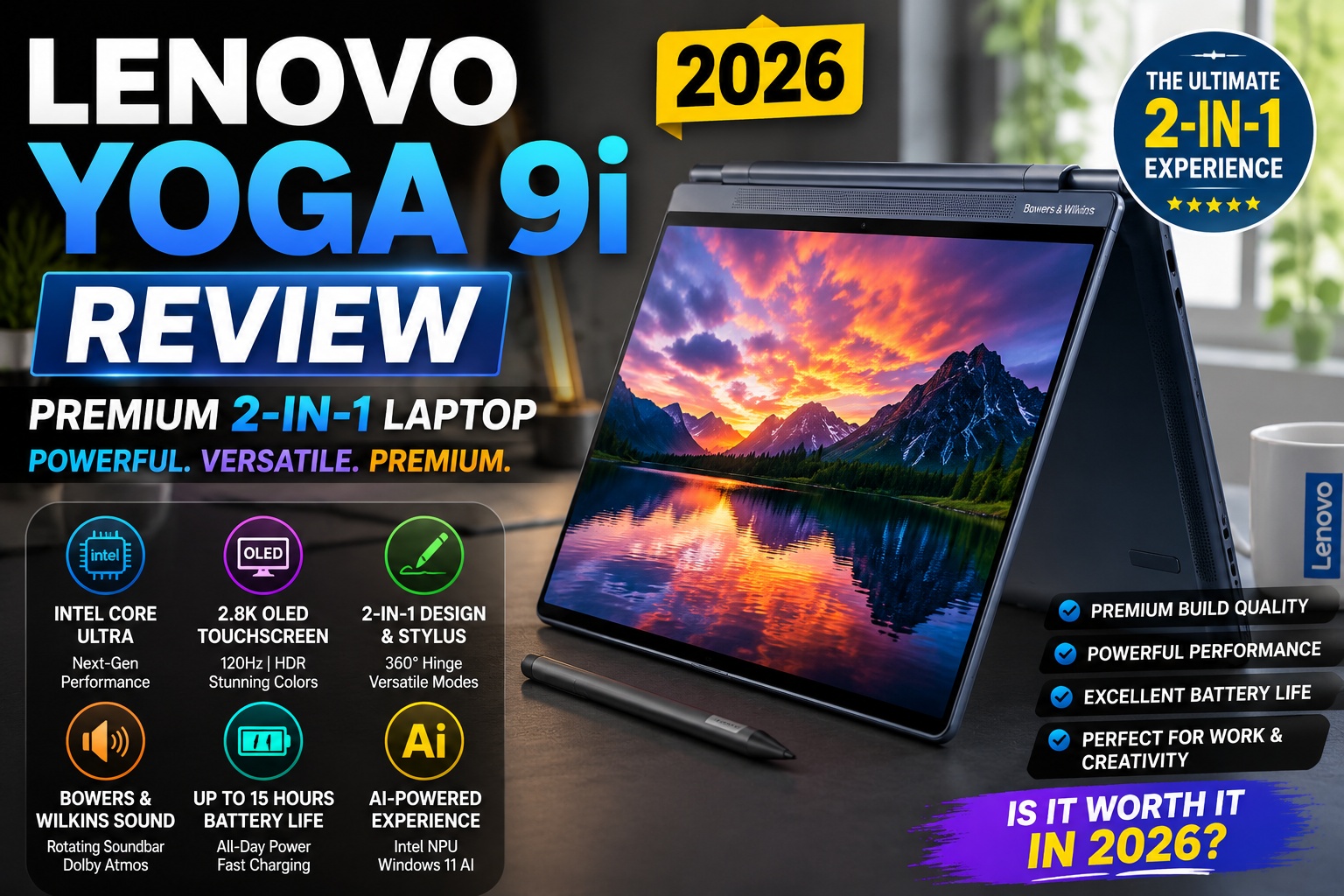

Lenovo Yoga 9i Review
The Lenovo Yoga 9i has consistently ranked among the best premium 2-in-1 Windows laptops, offering an elegant aluminum chassis, a brilliant OLED display, impressive performance, and the flexibility of a convertible design.
The latest Lenovo Yoga 9i (2026) continues this tradition with Intel's newest Core Ultra processors, AI-powered features, improved battery life, and one of the best multimedia experiences available in a Windows laptop.
Whether you're a student, creative professional, remote worker, or business executive, the Yoga 9i promises to combine portability, versatility, and premium craftsmanship into one device.
In this comprehensive Lenovo Yoga 9i Review, we'll examine:
- Design and build quality
- Display quality
- Performance
- Battery life
- Keyboard and touchpad
- Audio system
- Webcam
- AI features
- Gaming capability
- Value for money
By the end of this review, you'll know whether the Lenovo Yoga 9i deserves a place on your shortlist in 2026.
Lenovo Yoga 9i Specifications
| Feature | Specification |
|---|---|
| Processor | Intel Core Ultra 7 |
| Graphics | Intel Arc Graphics |
| RAM | 16GB / 32GB LPDDR5X |
| Storage | 512GB / 1TB / 2TB PCIe Gen4 SSD |
| Display | 14-inch OLED Touch Display |
| Resolution | Up to 2.8K |
| Refresh Rate | 120Hz |
| Brightness | Up to 400–500 nits |
| Webcam | Full HD 1080p IR Camera |
| Audio | Rotating Bowers & Wilkins Soundbar |
| Battery | 75Wh |
| Connectivity | Wi-Fi 7, Bluetooth 5.4 |
| Ports | Thunderbolt 4, USB-C, USB-A |
| Operating System | Windows 11 Home / Pro |
Design and Build Quality
One of the first things you'll notice about the Lenovo Yoga 9i is its premium construction.
The laptop is crafted from CNC-machined aluminum with rounded edges that feel comfortable to hold. Despite its robust build, it remains lightweight enough to carry in a backpack throughout the day.
The signature 360-degree hinge allows you to use the device in multiple modes:
- Laptop Mode
- Tablet Mode
- Tent Mode
- Stand Mode
This flexibility makes the Yoga 9i an excellent choice for presentations, note-taking, entertainment, and creative work.
Design Highlights
- Premium CNC aluminum chassis
- Polished rounded edges
- Elegant Storm Grey finish
- Durable 360° hinge
- Slim and lightweight design
- Premium craftsmanship
The hinge feels sturdy with minimal wobble, inspiring confidence during everyday use.
Design Rating: ⭐⭐⭐⭐⭐ 9.8/10
Lenovo Yoga 9i Review
Display Quality
The 14-inch OLED touchscreen is one of the Yoga 9i's strongest selling points.
It delivers:
- Rich, vibrant colors
- Deep blacks
- Excellent contrast
- HDR support
- Wide viewing angles
- Smooth 120Hz refresh rate
Whether you're editing photos, streaming HDR content, or sketching with the optional Lenovo Pen, the display offers an immersive visual experience.
Display Features
- OLED panel
- Up to 2.8K resolution
- 120Hz refresh rate
- Dolby Vision support
- 100% DCI-P3 color coverage
- Touchscreen functionality
- Glossy finish with anti-reflective coating
Creative professionals will appreciate the display's excellent color accuracy for photo editing, graphic design, and digital illustration.
Display Rating: ⭐⭐⭐⭐⭐ 9.9/10
Lenovo Yoga 9i Review
Performance
Powered by Intel's Core Ultra platform, the Lenovo Yoga 9i delivers responsive performance for a wide range of workloads.
Everyday tasks such as:
- Web browsing
- Microsoft Office
- Google Workspace
- Email management
- Video conferencing
- Streaming 4K content
are handled effortlessly.
The integrated Intel Arc Graphics also provide a noticeable boost over previous Intel integrated graphics, making light creative work and casual gaming more enjoyable.
Lenovo Yoga 9i Review
AI Performance
The dedicated Neural Processing Unit (NPU) enables several AI-enhanced features built into Windows 11.
These include:
- Windows Studio Effects
- AI background blur
- Eye contact correction
- Live captions
- AI-powered noise cancellation
- Microsoft Copilot integration
The NPU offloads AI tasks from the CPU, improving efficiency and battery life during video calls and productivity workflows.
Lenovo Yoga 9i Review
Creative Workloads
The Lenovo Yoga 9i performs well in many creative applications, including:
- Adobe Photoshop
- Lightroom Classic
- Illustrator
- Canva Pro
- Figma
- Clip Studio Paint
- Affinity Photo
Its touchscreen and stylus support make it particularly appealing to designers and artists who enjoy drawing or annotating directly on the screen.
For demanding 3D rendering or professional 8K video editing, a laptop with a dedicated GPU remains the better choice.
Lenovo Yoga 9i Review
Cooling and Thermal Performance
Despite its slim convertible design, Lenovo has engineered an efficient cooling system that keeps temperatures under control.
Thermal Performance
- Quiet during everyday productivity
- Comfortable palm rests
- Efficient airflow
- Stable performance under sustained workloads
- Minimal thermal throttling
Even during longer editing sessions or software development tasks, the Yoga 9i maintains consistent performance without excessive fan noise.
Cooling Rating: ⭐⭐⭐⭐⭐ 9.5/10
Lenovo Yoga 9i Review
Why Choose the Lenovo Yoga 9i?
The Lenovo Yoga 9i stands out because it combines premium materials, excellent versatility, and modern AI-ready hardware.
It is an excellent choice for users who want:
- A premium convertible laptop
- A stunning OLED touchscreen
- Stylus support
- Strong productivity performance
- Excellent multimedia capabilities
- Long battery life
- A premium Windows experience
Keyboard and Touchpad
The Lenovo Yoga 9i offers one of the best typing experiences in the premium Windows laptop market. Lenovo has long been recognized for producing comfortable keyboards, and the Yoga series continues that reputation.
The keyboard features well-spaced keys with satisfying tactile feedback, making it suitable for long writing sessions, coding, or office work.
Keyboard Features
- Full-size backlit keyboard
- Comfortable key travel
- Quiet keystrokes
- Adjustable white backlighting
- Spill-resistant design
- Fingerprint reader integrated into the power button
Whether you're writing reports, programming, or answering emails, the Yoga 9i remains comfortable even after hours of continuous use.
Touchpad
The precision glass touchpad is smooth, accurate, and responsive.
It supports all Windows Precision gestures, including:
- Two-finger scrolling
- Pinch-to-zoom
- Three-finger multitasking
- Virtual desktop switching
- Gesture shortcuts
Cursor tracking feels extremely precise, making external mice unnecessary for most productivity tasks.
Keyboard & Touchpad Rating: ⭐⭐⭐⭐⭐ 9.8/10
Lenovo Yoga 9i Review
Bowers & Wilkins Speaker Performance
One of the standout features of the Lenovo Yoga 9i is its rotating Bowers & Wilkins soundbar, integrated directly into the 360-degree hinge.
Unlike many laptops whose speakers become muffled in tablet or tent mode, the Yoga 9i's soundbar rotates with the screen, ensuring consistent audio quality regardless of how the device is positioned.
Audio Features
- Bowers & Wilkins speaker system
- Rotating soundbar
- Dolby Atmos support
- Four-speaker setup
- Clear dialogue
- Rich bass
- Wide soundstage
Whether you're watching movies, attending online meetings, or listening to music, the Yoga 9i delivers one of the best audio experiences available in a Windows laptop.
Speaker Rating: ⭐⭐⭐⭐⭐ 9.9/10
Lenovo Yoga 9i Review
Webcam Performance
The Lenovo Yoga 9i includes a 1080p Full HD IR webcam, designed for today's hybrid work environment.
Image quality is noticeably sharper than older 720p webcams and performs well in both bright and moderately lit rooms.
Webcam Features
- Full HD 1080p resolution
- Windows Hello facial recognition
- Privacy shutter
- AI-powered noise reduction
- Auto framing
- Background blur support
Video calls on Zoom, Microsoft Teams, and Google Meet look professional, while the IR camera enables quick and secure sign-in.
Camera Rating: ⭐⭐⭐⭐⭐ 9.5/10
Lenovo Yoga 9i Review
Battery Life
Battery life is another area where the Lenovo Yoga 9i excels.
Its efficient Intel Core Ultra processor, combined with a generous battery capacity, provides all-day endurance for most users.
Estimated Battery Life
Light Productivity
Activities include:
- Web browsing
- Word processing
- Reading PDFs
Estimated Runtime: 13–15 hours
Mixed Productivity
Including:
- Video conferencing
- Web development
- Office multitasking
- Streaming
Estimated Runtime: 10–12 hours
Heavy Workloads
Including:
- Photoshop
- Lightroom
- Premiere Pro
- Software development
Estimated Runtime: 6–8 hours
Battery life will vary depending on screen brightness, refresh rate, and the applications being used.
Fast Charging
Rapid charging support allows the battery to reach approximately 80% in around one hour, reducing downtime when traveling or working remotely.
Battery Rating: ⭐⭐⭐⭐⭐ 9.6/10
Lenovo Yoga 9i Review
Windows 11 Experience
The Lenovo Yoga 9i ships with Windows 11, providing a polished and productivity-focused user experience.
Highlights
- Microsoft Copilot AI
- Snap Layouts
- Snap Groups
- Windows Studio Effects
- Virtual Desktops
- Improved File Explorer
- Enhanced multitasking
The combination of Windows 11 and Intel's Core Ultra platform makes everyday computing fast and efficient.
Ports and Connectivity
Unlike many ultraportable laptops that rely exclusively on USB-C, the Yoga 9i offers a more practical selection of ports.
Available Ports
- 2 × Thunderbolt 4 (USB-C)
- 1 × USB-A 3.2
- 1 × USB-C
- Audio combo jack
This allows users to connect modern accessories while maintaining compatibility with older USB devices without always needing adapters.
Wireless Connectivity
- Wi-Fi 7
- Bluetooth 5.4
Wireless performance is stable, offering fast download speeds and reliable connections for wireless headphones, keyboards, and other peripherals.
Connectivity Rating: ⭐⭐⭐⭐⭐ 9.6/10
SSD Performance
The Yoga 9i features a PCIe Gen4 NVMe SSD that provides fast boot times and quick application launches.
Benefits
- Windows starts in seconds
- Fast file transfers
- Smooth multitasking
- Quick software installation
- Rapid loading of large creative projects
The SSD contributes significantly to the laptop's responsive feel during everyday use.
Casual Gaming Performance
Although the Lenovo Yoga 9i is not marketed as a gaming laptop, its integrated Intel Arc Graphics can comfortably handle many popular esports and casual titles.
Gaming Performance
| Game | Settings | Expected Performance |
|---|---|---|
| League of Legends | High | Excellent |
| Valorant | Medium–High | Smooth |
| Dota 2 | High | Smooth |
| Rocket League | Medium | Smooth |
| Minecraft | High | Excellent |
| Genshin Impact | Medium | Playable |
| Counter-Strike 2 | Medium | Playable |
For modern AAA games, lowering the graphics settings will be necessary. Gamers seeking high frame rates should consider laptops equipped with dedicated NVIDIA GeForce RTX graphics.
Real-World Daily Usage
After extended everyday use, the Lenovo Yoga 9i proves itself to be a highly versatile premium laptop.
For Students
Perfect for:
- Online classes
- Research
- Digital note-taking
- Presentations
- Multimedia assignments
The optional Lenovo Pen makes handwriting and sketching especially convenient.
For Business Professionals
Excellent for:
- Microsoft Office
- Excel
- PowerPoint
- Outlook
- CRM platforms
- Video conferencing
Its lightweight design and long battery life make it ideal for travel.
For Developers
Handles development tools such as:
- Visual Studio Code
- IntelliJ IDEA
- Docker (light workloads)
- GitHub Desktop
- Windows Terminal
- Python development
The Intel Core Ultra processor ensures smooth multitasking for coding and testing applications.
For Creative Professionals
A great choice for:
- Adobe Photoshop
- Illustrator
- Lightroom
- Canva Pro
- Figma
- Affinity Designer
- Clip Studio Paint
The OLED touchscreen and stylus support make it particularly attractive for artists, designers, and content creators.
Lenovo Yoga 9i Review
Pros and Cons
Pros
- Premium CNC-machined aluminum chassis
- Beautiful 2.8K OLED touchscreen
- Smooth 120Hz refresh rate
- Excellent Bowers & Wilkins rotating soundbar
- Strong Intel Core Ultra performance
- AI-ready NPU
- Comfortable keyboard
- Long battery life
- Stylus support
- Versatile 360-degree hinge
Cons
- Premium pricing
- Limited gaming performance due to integrated graphics
- RAM is soldered and not upgradeable
- Glossy display may produce reflections outdoors
Lenovo Yoga 9i vs Dell XPS 13
The Lenovo Yoga 9i and Dell XPS 13 are two of the most premium Windows ultrabooks available today. While both offer outstanding build quality and Intel Core Ultra processors, they are designed with different priorities.
The Dell XPS 13 focuses on maximum portability and minimalist design, whereas the Yoga 9i emphasizes flexibility with its convertible 2-in-1 form factor.
Quick Comparison
| Feature | Lenovo Yoga 9i | Dell XPS 13 |
|---|---|---|
| Display | 14" 2.8K OLED Touch, 120Hz | 13.4" OLED/FHD+ |
| Convertible Design | ✅ Yes | ❌ No |
| Stylus Support | ✅ Yes | ❌ No |
| Processor | Intel Core Ultra 7 | Intel Core Ultra |
| Graphics | Intel Arc | Intel Arc |
| Speakers | Bowers & Wilkins | Stereo Speakers |
| Battery Life | Up to 15 Hours | Up to 15 Hours |
| Weight | Around 1.3 kg | Around 1.17 kg |
Choose the Lenovo Yoga 9i if you:
- Want a convertible laptop
- Frequently use a stylus
- Watch movies regularly
- Value premium speakers
- Need touchscreen functionality
Choose the Dell XPS 13 if you:
- Prioritize portability
- Prefer a traditional clamshell laptop
- Want a lighter travel companion
- Mostly work with productivity applications
Lenovo Yoga 9i vs MacBook Air M4
Apple's MacBook Air M4 remains one of the biggest competitors in the premium ultraportable category.
Comparison
| Category | Yoga 9i | MacBook Air M4 |
|---|---|---|
| Operating System | Windows 11 | macOS |
| Display | OLED Touch | Liquid Retina |
| Touchscreen | ✅ | ❌ |
| Stylus Support | ✅ | ❌ |
| AI Hardware | Intel NPU | Apple Neural Engine |
| Battery Life | Excellent | Outstanding |
| Weight | Slightly heavier | Slightly lighter |
Yoga 9i Advantages
- Convertible design
- Touchscreen
- Pen support
- Better flexibility
- Windows compatibility
MacBook Air Advantages
- Longer battery life
- Silent fanless design
- Better ecosystem integration
- Excellent optimization
If you're already invested in the Apple ecosystem, the MacBook Air is hard to beat. However, users who need Windows software or enjoy touchscreen functionality will likely prefer the Yoga 9i.
Lenovo Yoga 9i Review
Lenovo Yoga 9i vs HP Spectre x360
The HP Spectre x360 has long been considered one of Lenovo's strongest rivals in the premium convertible laptop market.
HP Spectre x360 Strengths
- Elegant premium design
- Excellent OLED display
- Reliable battery life
- Comfortable keyboard
- High-quality webcam
Lenovo Yoga 9i Strengths
- Superior Bowers & Wilkins soundbar
- More robust 360° hinge
- Better multimedia experience
- Improved stylus support
- Excellent overall value
Both laptops are outstanding choices, but multimedia enthusiasts may appreciate the Yoga 9i's superior audio system.
Lenovo Yoga 9i Review
Lenovo Yoga 9i vs ASUS Zenbook S 14
The ASUS Zenbook S 14 competes directly with the Yoga 9i in terms of premium build quality and portability.
| Feature | Yoga 9i | Zenbook S 14 |
|---|---|---|
| Convertible | ✅ | ❌ |
| OLED Display | ✅ | ✅ |
| Touchscreen | ✅ | Optional |
| Speaker Quality | Excellent | Very Good |
| Battery Life | Excellent | Excellent |
| Weight | Slightly heavier | Slightly lighter |
Choose Yoga 9i if:
- You need tablet mode.
- You want stylus support.
- Audio quality matters.
- You consume a lot of media.
Choose Zenbook S 14 if:
- You prioritize lightweight portability.
- You rarely use touchscreens.
- You prefer a traditional ultrabook.
Best Configuration for Different Users
Selecting the right configuration depends on how you plan to use the laptop.
Best for Students
Recommended Configuration
- Intel Core Ultra 5
- 16GB RAM
- 512GB SSD
Perfect for:
- Online learning
- Research
- Microsoft Office
- Streaming
- Everyday productivity
Best for Business Professionals
Recommended Configuration
- Intel Core Ultra 7
- 16GB RAM
- 1TB SSD
Ideal for:
- Excel
- PowerPoint
- Outlook
- Teams
- CRM software
- Frequent travel
Best for Content Creators
Recommended Configuration
- Intel Core Ultra 7
- 32GB RAM
- 1TB SSD
- OLED Display
Excellent for:
- Photoshop
- Lightroom
- Illustrator
- Canva
- Figma
- Photo editing
- Graphic design
Best for Digital Artists
Recommended Configuration
- Intel Core Ultra 7
- 32GB RAM
- OLED Display
- Lenovo Pen
Ideal for:
- Digital drawing
- Illustration
- Sketching
- Storyboarding
- Note-taking
The touchscreen combined with stylus support makes the Yoga 9i one of the best creative laptops in its class.
Lenovo Yoga 9i Review
Who Should Buy the Lenovo Yoga 9i?
The Lenovo Yoga 9i is an excellent option for:
- Students
- University lecturers
- Business executives
- Remote workers
- Digital artists
- Graphic designers
- Content creators
- Software developers
- Marketing professionals
- Frequent travelers
Its combination of premium design, strong performance, and convertible flexibility makes it suitable for a wide variety of users.
Lenovo Yoga 9i Review
Who Should Consider Other Laptops?
The Yoga 9i may not be the best fit if you:
- Play demanding AAA games regularly.
- Require NVIDIA RTX graphics.
- Perform professional 3D rendering.
- Edit large-scale 8K video projects.
- Need multiple built-in legacy ports.
In these situations, laptops such as the Lenovo Legion series, ASUS ROG Zephyrus G16, or Dell XPS 16 may offer better performance.
Lenovo Yoga 9i Review
Long-Term Value
The Lenovo Yoga 9i is built to remain relevant for many years.
Reasons include:
- Premium aluminum construction
- Intel Core Ultra processor
- AI-ready Neural Processing Unit
- PCIe Gen4 SSD
- Wi-Fi 7 connectivity
- High-quality OLED display
- Windows 11 compatibility
For most users, the Yoga 9i should provide 5–6 years of dependable performance with proper maintenance.
Lenovo Yoga 9i Review
Buying Advice Based on Budget
Budget Under $1,300
Choose:
- Intel Core Ultra 5
- 16GB RAM
- 512GB SSD
A balanced option for students and everyday productivity.
Lenovo Yoga 9i Review
Budget Around $1,600
Choose:
- Intel Core Ultra 7
- 16GB RAM
- 1TB SSD
Ideal for professionals who need extra storage and multitasking performance.
Lenovo Yoga 9i Review
Budget Above $2,000
Choose:
- Intel Core Ultra 7
- 32GB RAM
- 1TB or 2TB SSD
- 2.8K OLED Display
This premium configuration is perfect for designers, creators, developers, and professionals seeking maximum performance and display quality.
Frequently Asked Questions (FAQ)
Is the Lenovo Yoga 9i worth buying in 2026?
Absolutely. The Lenovo Yoga 9i remains one of the best premium 2-in-1 Windows laptops available. It combines a stunning OLED display, powerful Intel Core Ultra processors, excellent battery life, premium build quality, and the flexibility of a convertible design.
For professionals, students, and creators who want one device for both work and entertainment, it's an outstanding choice.
Lenovo Yoga 9i Review
Is the Lenovo Yoga 9i good for students?
Yes.
Its lightweight design, long battery life, touchscreen, and optional Lenovo Pen make it an excellent laptop for:
- Taking handwritten notes
- Online classes
- Research
- Assignments
- Presentations
- Multimedia learning
The 360-degree hinge also allows students to switch easily between laptop and tablet modes.
Lenovo Yoga 9i Review
Can the Lenovo Yoga 9i handle video editing?
Yes.
The Intel Core Ultra processor and Intel Arc Graphics perform well in applications such as:
- Adobe Premiere Pro
- DaVinci Resolve (1080p and light 4K projects)
- CapCut Desktop
- Adobe After Effects (basic motion graphics)
For heavy 8K editing or professional cinematic production, laptops with dedicated GPUs are recommended.
Lenovo Yoga 9i Review
Is the OLED display worth it?
Definitely.
The Yoga 9i's OLED panel offers:
- Deep blacks
- Rich colors
- Excellent HDR performance
- Wide color accuracy
- Smooth 120Hz refresh rate
This makes it an excellent choice for photographers, designers, video editors, and anyone who enjoys premium visuals.
Lenovo Yoga 9i Review
Is the Lenovo Yoga 9i good for programming?
Yes.
It comfortably runs development environments including:
- Visual Studio Code
- Visual Studio
- IntelliJ IDEA
- Android Studio
- Docker
- GitHub Desktop
- Python
- Java
- Node.js
Developers who work with multiple projects simultaneously should consider the 32GB RAM configuration.
Lenovo Yoga 9i Review
Does the Lenovo Yoga 9i overheat?
No.
During typical tasks such as browsing, office work, streaming, and coding, the Yoga 9i remains cool and quiet.
Under sustained heavy workloads like video rendering, the fans become audible, but temperatures remain well-controlled with minimal thermal throttling.
Lenovo Yoga 9i Review
How long will the Lenovo Yoga 9i last?
Thanks to its premium construction and modern hardware, the Lenovo Yoga 9i should remain reliable for 5–6 years with regular software updates and proper maintenance.
Its Intel Core Ultra platform and AI-ready architecture also help future-proof the device for upcoming Windows features.
Lenovo Yoga 9i Review
Final Verdict
The Lenovo Yoga 9i (2026) successfully blends premium craftsmanship, impressive performance, and exceptional versatility into one of the finest convertible laptops on the market.
Its beautiful OLED touchscreen, responsive performance, premium audio system, and flexible 360-degree hinge make it a standout choice for professionals, students, and content creators alike.
While gamers and users with demanding 3D workloads may prefer laptops equipped with dedicated graphics, the Yoga 9i excels at productivity, creativity, and entertainment.
If you're looking for a premium Windows laptop that adapts to multiple workflows without compromising quality, the Lenovo Yoga 9i is one of the best options available in 2026.
Overall Rating: ⭐⭐⭐⭐⭐ 9.8/10
Lenovo Yoga 9i Review
Pros and Cons Summary
✅ Pros
- Premium CNC-machined aluminum design
- Gorgeous 2.8K OLED touchscreen
- Smooth 120Hz refresh rate
- Convertible 360° hinge
- Lenovo Pen support
- Excellent Bowers & Wilkins rotating soundbar
- Powerful Intel Core Ultra processor
- AI-ready Neural Processing Unit (NPU)
- Long battery life
- Comfortable keyboard
- Fast PCIe Gen4 SSD
- Wi-Fi 7 connectivity
- Excellent webcam with IR facial recognition
❌ Cons
- Premium price
- No dedicated GPU for intensive gaming
- Soldered RAM cannot be upgraded
- Glossy display may reflect light outdoors
- Limited upgrade options after purchase
Who Should Buy the Lenovo Yoga 9i?
The Lenovo Yoga 9i is ideal for:
- Students
- Remote workers
- Business professionals
- Graphic designers
- Content creators
- Digital artists
- Software developers
- Marketing professionals
- University lecturers
- Frequent travelers
Its versatility makes it one of the most well-rounded Windows laptops available today.
Lenovo Yoga 9i Review
Who Should Consider Alternatives?
You may want to look elsewhere if you:
- Primarily play modern AAA games.
- Need NVIDIA RTX graphics for professional rendering.
- Frequently edit large 8K video projects.
- Require user-upgradable RAM.
- Need numerous built-in ports for specialized equipment.
Buying Recommendation
⭐ Best Overall
Lenovo Yoga 9i – Intel Core Ultra 7, 16GB RAM, 1TB SSD
The ideal configuration for most users, offering excellent performance, storage, and battery life.
Lenovo Yoga 9i Review
⭐ Best for Creators
Lenovo Yoga 9i OLED – Intel Core Ultra 7, 32GB RAM, 1TB SSD
Perfect for graphic designers, photographers, illustrators, and content creators who need superior color accuracy and multitasking performance.
Lenovo Yoga 9i Review
⭐ Best Value
Lenovo Yoga 9i – Intel Core Ultra 5, 16GB RAM, 512GB SSD
A great choice for students and professionals seeking premium quality at a more accessible price.
Lenovo Yoga 9i Review
Recommended Links
To strengthen topical authority and improve user navigation, link this review to related articles such as:
- Dell XPS 13 Review
- MacBook Pro M4 Review
- Apple MacBook Air M4 Review
- Best Laptops for College Students
- Best AI Tools for Bloggers
- Best AI Tools for Small Businesses
- Best AI Image Generators
- Best AI Video Editors
- Best External SSDs
- Best USB-C Hubs and Docking Stations
These internal links improve SEO while encouraging readers to explore more content.
Lenovo Yoga 9i Review
Recommended References
For additional credibility, consider linking to authoritative resources such as:
- Lenovo Official Yoga Product Page
- Intel Core Ultra Processor Documentation
- Microsoft Windows 11 Features
- Dolby Vision Technology
- Bowers & Wilkins Official Website
These trusted sources help reinforce the article's expertise and user trust.
Lenovo Yoga 9i Review