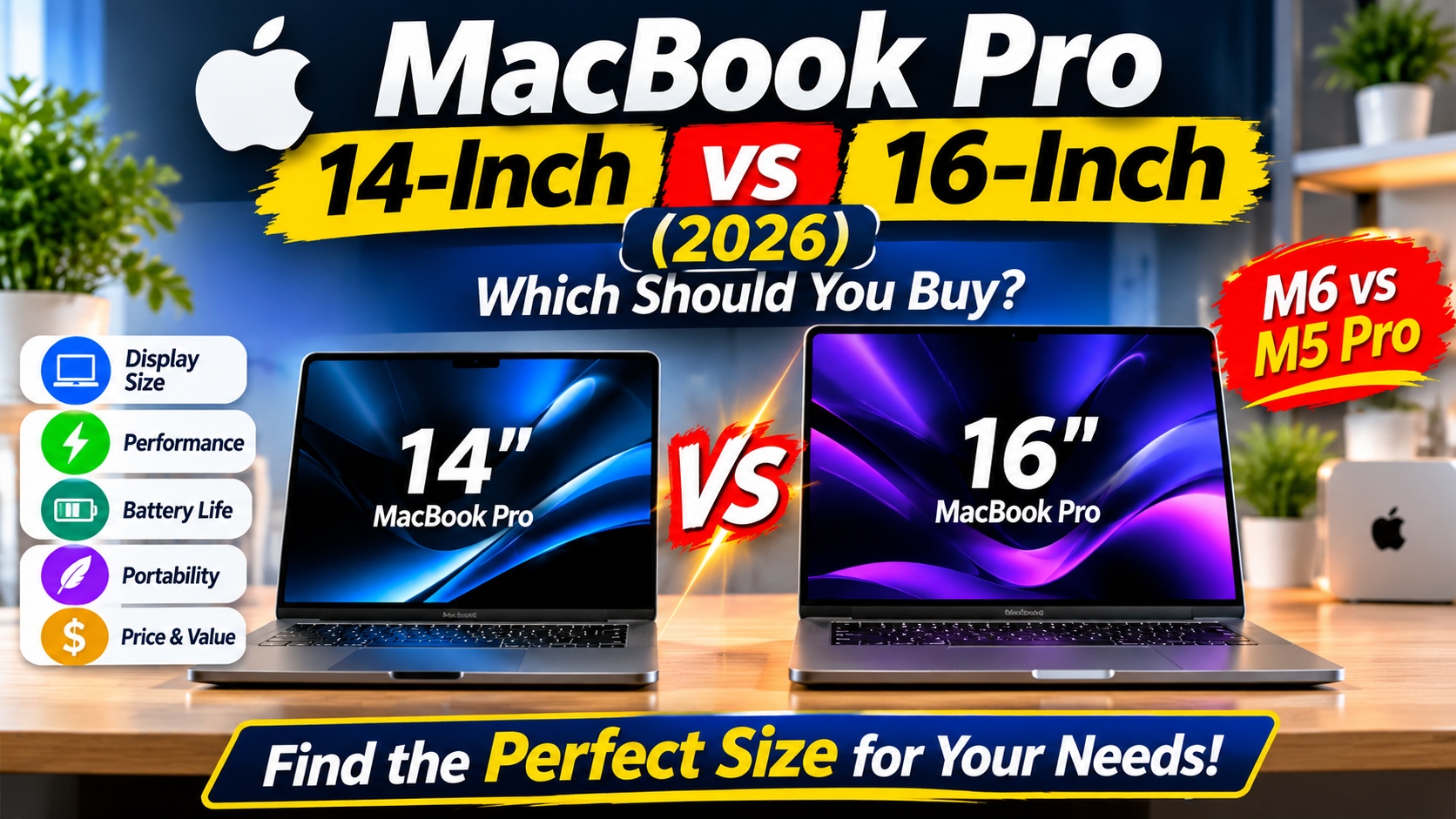
MacBook Pro 14-inch vs 16-inch (2026): Which Should You Buy?
Choosing between the
14-inch and 16-inch MacBook Pro in 2026 is not as simple as picking the larger screen. Both models are designed for demanding workloads, offer Apple's powerful silicon, and provide premium displays, impressive battery life, and professional connectivity.
However, they serve slightly different types of users.
The 14-inch MacBook Pro is easier to carry, takes up less desk space, and is available with Apple's newer M6 chip. Meanwhile, the 16-inch MacBook Pro offers a larger workspace and is available with M5 Pro and M5 Max configurations for professionals who need powerful hardware and more screen space.
The right choice depends on how you work, where you use your laptop, and how much performance you actually need.
In this guide, we'll compare the
MacBook Pro 14-inch vs 16-inch in 2026, covering display quality, performance, battery life, portability, pricing, and real-world use cases.
MacBook Pro 14 vs 16
MacBook Pro 14-inch vs 16-inch: Quick Comparison
Before looking at the details, here's a quick overview of the main differences.
| Feature |
14-inch MacBook Pro |
16-inch MacBook Pro |
| Display |
14.2-inch Liquid Retina XDR |
16.2-inch Liquid Retina XDR |
| Available chips |
M6, M5 Pro, M5 Max |
M5 Pro, M5 Max |
| Portability |
More compact |
Larger and heavier |
| Workspace |
Good for everyday professional work |
Better for multitasking and creative projects |
| Battery life |
Up to 24 hours, depending on configuration |
Up to 24 hours, depending on configuration |
| Best for |
Students, developers, mobile professionals |
Video editors, designers, power users |
| Starting price |
From $1,699 for M5 or $1,999 for M6 |
From $2,699 for M5 Pro |
Important: Apple's 2026 lineup includes the 14-inch MacBook Pro with M6, while the 16-inch models are available with M5 Pro and M5 Max. The M6 is not currently offered in a 16-inch MacBook Pro configuration.
1. Display: Is the 16-inch MacBook Pro Worth the Extra Screen Space?
The display is one of the biggest differences between these two laptops.
Both models use Apple's Liquid Retina XDR technology, which delivers excellent contrast, vibrant colors, deep blacks, and high brightness. This makes them suitable for professional photo editing, video production, graphic design, and everyday work.
However, their screen sizes create noticeably different working experiences.
14-inch MacBook Pro: Better for Portability
The 14.2-inch display provides a sharp and detailed workspace without making the laptop unnecessarily large.
For everyday productivity, the screen is more than sufficient. You can comfortably work with documents, spreadsheets, browser tabs, coding environments, and creative applications.
Its smaller display also makes the laptop easier to use in compact environments, such as airplane seats, coffee shops, classrooms, and shared workspaces.
The 14-inch model is particularly attractive if you frequently move between different locations.
MacBook Pro 14 vs 16
16-inch MacBook Pro: More Room for Professional Work
The 16.2-inch display provides considerably more screen space.
This difference becomes useful when working with multiple windows, editing long video timelines, managing large spreadsheets, or using professional design applications.
For example, video editors can benefit from having more room for editing timelines and preview windows. Developers may also find it easier to keep code editors, documentation, and browser previews visible at the same time.
The larger screen can reduce the need to constantly switch between windows.
Display Verdict
Choose the 14-inch model if portability matters more than screen size.
Choose the 16-inch model if you regularly work with multiple applications and want a larger built-in workspace.
Both displays are excellent. The decision is primarily about how much screen space you need.
MacBook Pro 14 vs 16
2. Performance: M6 vs M5 Pro and M5 Max
Performance is another important consideration, but it requires understanding Apple's 2026 MacBook Pro lineup.
The 14-inch and 16-inch models do not offer exactly the same chip options.
14-inch MacBook Pro with M6
The new 14-inch MacBook Pro with M6 is an important addition to Apple's 2026 lineup.
The M6 chip features a 12-core CPU, a 12-core GPU, and a Dual 16-core Neural Engine. Apple also highlights improvements in graphics performance and AI workloads compared with the previous M5 generation.
This makes the M6 model attractive for users who want a newer-generation processor in a compact professional laptop.
It is suitable for:
- Everyday productivity and multitasking
- Software development
- Photo editing and graphic design
- Video editing for many creator workflows
- AI-assisted applications and local AI tasks
For most users, the M6 configuration should provide more than enough performance.
MacBook Pro 14 vs 16
14-inch and 16-inch MacBook Pro with M5 Pro
The M5 Pro is designed for people who regularly work with demanding applications.
It offers more CPU and GPU resources than the standard M5 configuration and supports up to 64GB of unified memory, depending on the configuration.
Both 14-inch and 16-inch M5 Pro models are available.
This chip is a good choice for:
- Professional software development
- Advanced photo editing
- Multitrack video editing
- 3D design and rendering
- Large creative projects
- Heavy multitasking
The 14-inch version offers a more portable way to access M5 Pro performance, while the 16-inch version provides a larger display for extended working sessions.
MacBook Pro 14 vs 16
14-inch and 16-inch MacBook Pro with M5 Max
The M5 Max is Apple's more powerful option for professionals who need substantial graphics performance and memory capacity.
It supports up to 128GB of unified memory and up to 614GB/s of memory bandwidth, depending on the configuration.
This makes it particularly appealing for demanding professional workflows, including:
- Complex 3D rendering
- High-resolution video production
- Advanced visual effects
- Large creative projects
- Local AI model workloads
- Professional applications that benefit from additional GPU resources
Both 14-inch and 16-inch M5 Max configurations are available.
However, buying an M5 Max does not automatically make sense for everyone. If your daily work mainly involves browsing, writing, office applications, and moderate creative tasks, a less expensive configuration may be a better investment.
Performance Verdict
The M6 is an excellent option for users who want the latest standard-generation chip in a 14-inch laptop.
The M5 Pro is a strong middle ground for professional workloads, while the M5 Max is better suited to users who can genuinely take advantage of its additional GPU power and memory capacity.
For a broader look at Apple's laptop lineup, read our guide to the
best MacBook Pro models in 2026.
MacBook Pro 14 vs 16
3. Battery Life: Which MacBook Pro Lasts Longer?
Battery life is important when choosing a professional laptop, especially if you work outside your home or office.
Apple advertises up to 24 hours of battery life for its latest MacBook Pro configurations. However, actual results depend on the chip, display configuration, applications, brightness settings, and workload.
14-inch MacBook Pro
The 14-inch MacBook Pro is a practical option for people who need a powerful laptop that is easier to carry throughout the day.
It is suitable for:
- Students attending classes
- Professionals working remotely
- Developers moving between workspaces
- Business travelers
- Content creators who work on location
Its smaller physical footprint also makes it convenient when working in places with limited desk space.
16-inch MacBook Pro
The 16-inch model is designed for users who prefer a larger working environment.
It is particularly useful for people who spend several hours editing videos, working with large creative projects, or managing multiple applications.
Its larger chassis accommodates a different hardware and battery configuration, but you should not assume that the 16-inch model will always last longer.
Actual battery performance varies by configuration and workload.
Battery Verdict
Both sizes can provide excellent battery life.
Instead of choosing based only on advertised battery estimates, consider how you use your laptop. Heavy video rendering, gaming, and intensive applications can reduce battery life significantly on either model.
MacBook Pro 14 vs 16
4. Portability and Design: Which Is Easier to Carry?
If you travel frequently or work from different locations, portability should be a major consideration.
The difference between these two models becomes more noticeable when carrying them every day.
14-inch MacBook Pro: Designed for Mobility
The 14-inch MacBook Pro is easier to fit into most laptop bags and backpacks.
It also takes up less space on a desk, making it convenient for people who work in small offices or frequently use shared workspaces.
Despite its smaller size, it still provides professional-level performance and a comprehensive selection of connectivity options.
For many users, it offers a better balance between performance and portability.
MacBook Pro 14 vs 16
16-inch MacBook Pro: Better for a Fixed Workspace
The 16-inch MacBook Pro is larger and less convenient to carry around.
However, the extra size provides a more comfortable working environment when you spend most of your time at a desk.
It is particularly appealing for creative professionals who prefer working directly on their laptop display rather than connecting an external monitor.
If your laptop rarely leaves your desk, the additional size may be worth it.
MacBook Pro 14 vs 16
Portability Verdict
The 14-inch MacBook Pro is the better choice for frequent travelers, students, and mobile professionals.
The 16-inch model makes more sense if you prioritize screen space and usually work from one location.
MacBook Pro 14 vs 16
5. Price: Is the 16-inch MacBook Pro Worth the Extra Money?
Price is one of the most important factors when deciding between these models.
The 16-inch MacBook Pro generally costs more than its 14-inch equivalent, especially when comparing similar M5 Pro and M5 Max configurations.
Here are Apple's announced U.S. starting prices for the relevant 2026 configurations:
Prices are U.S. starting prices announced by Apple. Retailer discounts, regional pricing, taxes, and configuration upgrades can change the final amount.
MacBook Pro 14 vs 16
When the 14-inch Model Offers Better Value
The 14-inch MacBook Pro is a sensible purchase if you want professional performance without paying extra for a larger display.
It is particularly attractive if you:
- Travel frequently
- Work in different locations
- Already use an external monitor
- Prefer a compact laptop
- Want to spend less on a comparable M5 Pro or M5 Max configuration
The M6 version also gives buyers access to Apple's newer standard-generation chip.
MacBook Pro 14 vs 16
When the 16-inch Model Is Worth the Extra Cost
The 16-inch MacBook Pro makes more sense if the larger display will improve your daily productivity.
For video editors, designers, and professionals working with complex timelines or multiple windows, the additional screen space can be valuable.
However, avoid spending more simply because the 16-inch model looks more powerful.
Choose it when its larger display and available hardware configurations provide a practical benefit to your workflow.
MacBook Pro 14 vs 16
6. Which MacBook Pro Is Better for Different Users?
The best MacBook Pro depends on your profession, software requirements, and working habits.
Here are some practical recommendations.
MacBook Pro 14 vs 16
For Students
Recommended: 14-inch MacBook Pro
Students generally benefit more from portability than from having the largest possible display.
The 14-inch model is easier to carry between classrooms, libraries, and home.
It also provides enough performance for research, presentations, programming assignments, and creative projects.
A standard M6 configuration should be sufficient for many students, although memory and storage upgrades may be worthwhile depending on the applications they use.
MacBook Pro 14 vs 16
For Software Developers
Recommended: 14-inch or 16-inch MacBook Pro with M5 Pro
Developers who work with large projects, virtual machines, multiple development tools, or demanding build processes may benefit from M5 Pro.
The 14-inch model is a better option for developers who travel frequently or connect their laptop to an external monitor.
The 16-inch model is more comfortable if you prefer keeping your code editor, terminal, documentation, and browser visible on one screen.
MacBook Pro 14 vs 16
For Video Editors
Recommended: 16-inch MacBook Pro with M5 Pro or M5 Max
Video editors often benefit from a larger display because editing software uses multiple panels and long timelines.
The 16-inch model offers more room to manage footage, previews, effects, and editing controls.
For demanding professional workflows, M5 Max may be worth considering.
However, M5 Pro can already handle many professional editing tasks, so choose based on your actual workload.
MacBook Pro 14 vs 16
For Graphic Designers and Photographers
Recommended: 14-inch or 16-inch MacBook Pro
Both models offer excellent Liquid Retina XDR displays.
The 14-inch model is convenient for photographers and designers who work on location.
The 16-inch model is more comfortable for extended design sessions, especially when managing multiple layers, panels, and reference images.
MacBook Pro 14 vs 16
For Business Professionals
Recommended: 14-inch MacBook Pro
The 14-inch model offers a strong combination of performance, portability, and professional features.
It is suitable for presentations, business applications, multitasking, communication, and remote work.
Unless your daily workflow requires a larger display, the 14-inch version is likely the more practical choice.
MacBook Pro 14 vs 16
7. Pros and Cons: 14-inch vs 16-inch MacBook Pro
14-inch MacBook Pro
Pros
- More compact and easier to carry
- Excellent Liquid Retina XDR display
- Available with the newer M6 chip
- Offers M5 Pro and M5 Max configurations
- Suitable for mobile professionals
- Usually costs less than comparable 16-inch configurations
Cons
- Smaller working area
- Less comfortable for some extended editing workflows
- Can feel cramped when using several applications side by side
MacBook Pro 14 vs 16
16-inch MacBook Pro
Pros
- Larger 16.2-inch Liquid Retina XDR display
- More comfortable for multitasking
- Excellent for professional creative workflows
- Available with M5 Pro and M5 Max
- Better suited to users who prefer working without an external monitor
Cons
- Larger and heavier
- Less convenient for frequent travel
- Higher starting prices for comparable professional configurations
- No 16-inch M6 configuration in the current lineup
MacBook Pro 14 vs 16
8. Frequently Asked Questions
Is the 14-inch MacBook Pro better than the 16-inch model?
Neither model is universally better.
The 14-inch MacBook Pro is better for portability and mobile work. The 16-inch model is better for people who want a larger display and more comfortable workspace.
MacBook Pro 14 vs 16
Is the 16-inch MacBook Pro worth the extra money?
It can be worth the additional cost if you regularly edit videos, work with complex creative projects, or multitask across several applications.
For everyday productivity, programming, and general professional use, the 14-inch model may provide better value.
MacBook Pro 14 vs 16
Does the 14-inch MacBook Pro have an M6 chip in 2026?
Yes. Apple announced the 14-inch MacBook Pro with M6 in October 2026. It features a 12-core CPU and 12-core GPU.
The model starts at $1,999 in the United States, with customer availability beginning November 6, 2026.
MacBook Pro 14 vs 16
Is there a 16-inch MacBook Pro with M6?
As of November 2026, Apple's announced M6 MacBook Pro configuration is the 14-inch model.
The 16-inch lineup includes M5 Pro and M5 Max configurations..
MacBook Pro 14 vs 16
Which MacBook Pro is better for video editing?
The 16-inch MacBook Pro is generally more comfortable for video editing because of its larger display.
For demanding professional projects, consider an M5 Pro or M5 Max configuration. The best choice depends on video resolution, editing software, effects, and project complexity.
MacBook Pro 14 vs 16
Is 14-inch MacBook Pro enough for programming?
Yes. The 14-inch MacBook Pro is more than capable of handling many programming workflows.
Developers working with large codebases, virtual machines, or demanding build environments may benefit from an M5 Pro configuration and additional unified memory.
MacBook Pro 14 vs 16
Which MacBook Pro is better for travel?
The 14-inch MacBook Pro is the better option for travel because it is more compact and easier to carry.
It still provides strong performance for professional applications, making it a practical choice for people who work outside the office.
MacBook Pro 14 vs 16
Final Verdict: Should You Buy the 14-inch or 16-inch MacBook Pro?
The
14-inch and 16-inch MacBook Pro are both excellent professional laptops, but they are designed for slightly different priorities.
The 14-inch MacBook Pro is the better overall choice for most people who value portability, performance, and flexibility. Its M6 configuration also gives buyers access to Apple's newer standard-generation chip, while M5 Pro and M5 Max options remain available for more demanding workloads.
The 16-inch MacBook Pro is better for professionals who need a larger built-in display and spend long hours working with video timelines, design applications, spreadsheets, or multiple windows.
Our recommendation is simple:
- Choose the 14-inch MacBook Pro if you travel frequently, study, develop software, or want a powerful laptop that is easy to carry.
- Choose the 16-inch MacBook Pro if you prioritize screen space and regularly work with demanding creative applications.
- Choose M5 Pro or M5 Max if your professional workload requires more processing, graphics, or memory capacity.
Ultimately, the best MacBook Pro is not necessarily the largest or most expensive model. It is the one that matches your actual workflow without making you pay for performance or screen space you rarely use.
MacBook Pro 14 vs 16
Recommended Links