
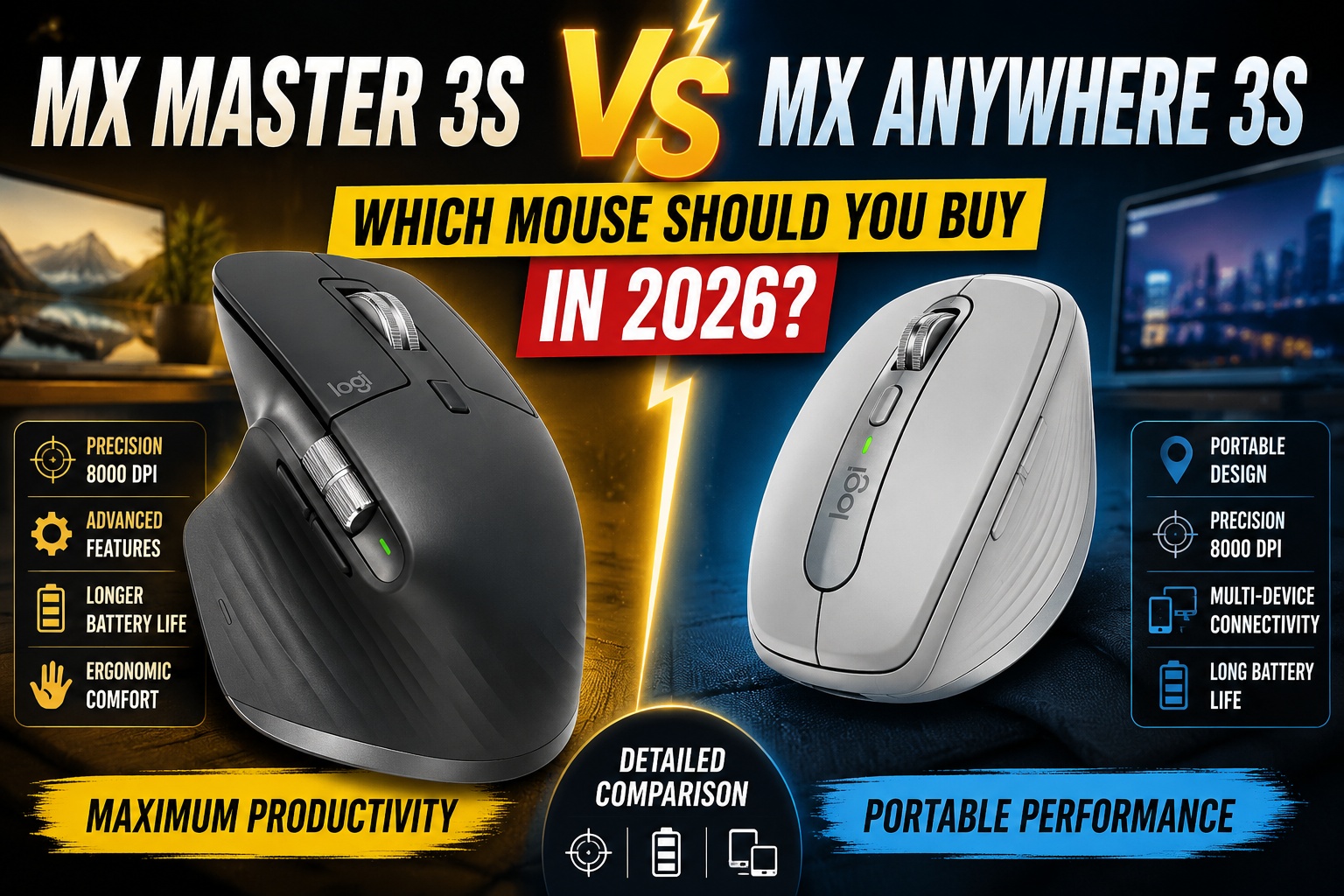

Logitech MX Master 3S vs MX Anywhere 3S: Which Productivity Mouse Should You Choose?
When it comes to productivity-focused wireless mice, Logitech continues to lead the market with two standout models: the MX Master 3S and the MX Anywhere 3S.
Both mice offer premium build quality, silent clicks, multi-device connectivity, and impressive battery life. However, they are designed for different types of users.
The MX Master 3S focuses on maximum comfort and advanced productivity, while the MX Anywhere 3S prioritizes portability and flexibility.
If you're trying to decide between these two popular Logitech mice, this comprehensive comparison will help you determine which model best suits your needs in 2026.
Quick Comparison: MX Master 3S vs MX Anywhere 3S
| Feature | MX Master 3S | MX Anywhere 3S |
|---|---|---|
| Design | Full-size ergonomic | Compact portable |
| Weight | Heavier | Lighter |
| Silent Clicks | Yes | Yes |
| Sensor | 8,000 DPI | 8,000 DPI |
| Multi-Device Support | Yes | Yes |
| Logitech Flow | Yes | Yes |
| Battery Life | Up to 70 Days | Up to 70 Days |
| Travel Friendly | Moderate | Excellent |
| Ergonomics | Outstanding | Good |
| Price | Higher | Lower |
At first glance, the specifications look remarkably similar. However, real-world usage reveals important differences.
Logitech MX Master 3S vs MX Anywhere 3S
Design and Build Quality
The most noticeable difference between these mice is their size.
The MX Master 3S features a full-sized ergonomic design built specifically for long hours of work. It fills the hand comfortably and includes a dedicated thumb rest that reduces strain during extended use.
Meanwhile, the MX Anywhere 3S is significantly smaller and more compact. It is designed for users who frequently travel or work from multiple locations.
MX Master 3S Design Advantages
- Full-size ergonomic shape
- Dedicated thumb support
- Larger side buttons
- Additional thumb wheel
- Designed for all-day comfort
MX Anywhere 3S Design Advantages
- Compact and lightweight
- Easy to carry in laptop bags
- Ideal for travel
- Fits smaller desks easily
If portability matters most, the MX Anywhere 3S has a clear advantage. If comfort is your priority, the MX Master 3S wins.
Logitech MX Master 3S vs MX Anywhere 3S
Ergonomics and Comfort
Comfort plays a major role in productivity, especially for users who spend eight or more hours at a computer.
The MX Master 3S is widely considered one of the most comfortable productivity mice ever created. Its sculpted shape naturally supports the hand and wrist, reducing fatigue during long work sessions.
The MX Anywhere 3S remains comfortable for a compact mouse, but its smaller size means less palm support.
Best for Comfort
Winner: MX Master 3S
Professionals who spend most of their day working at a desk will likely appreciate the ergonomic advantages of the larger model.
Sensor Performance
Surprisingly, both mice feature Logitech's advanced 8,000 DPI optical sensor.
This means users can enjoy:
- Precise cursor tracking
- Smooth movement on high-resolution displays
- Accurate performance on various surfaces
- Glass surface compatibility
Whether you're using a single laptop or multiple 4K monitors, both mice deliver excellent tracking performance.
Sensor Comparison
Winner: Tie
Most users will notice little to no difference in cursor accuracy between the two models.
Logitech MX Master 3S vs MX Anywhere 3S
Productivity Features
Both devices belong to Logitech's premium MX lineup, meaning they share several advanced productivity tools.
Shared Features
- Logitech Flow
- Multi-device pairing
- USB-C charging
- Customizable buttons
- Silent clicks
- Logi Options+ software support
However, the MX Master 3S includes additional controls that power users often appreciate.
Exclusive MX Master 3S Features
- MagSpeed scroll wheel
- Horizontal thumb wheel
- Additional programmable buttons
- Enhanced workflow customization
These extra controls can significantly improve efficiency for video editors, designers, spreadsheet users, and developers.
Best Productivity Features
Winner: MX Master 3S
The additional controls make it more versatile for demanding workflows.
Logitech MX Master 3S vs MX Anywhere 3S
Portability and Travel
This is where the MX Anywhere 3S truly shines.
The compact design easily fits into backpacks, laptop sleeves, and travel pouches. It is specifically designed for users who frequently work on the go.
Digital nomads, students, and remote workers will appreciate its portability.
Why Travelers Prefer the MX Anywhere 3S
- Smaller footprint
- Lightweight construction
- Easy transportation
- Works on almost any surface
For mobile professionals, carrying a smaller mouse can make a noticeable difference.
Best for Travel
Winner: MX Anywhere 3S
Logitech MX Master 3S vs MX Anywhere 3S
Battery Life
Battery performance is excellent on both models.
A single charge can last for weeks depending on usage patterns.
Both mice also support fast charging through USB-C, allowing users to quickly recharge when needed.
Battery Highlights
- Up to 70 days of battery life
- USB-C charging
- Fast charging support
- Reliable long-term performance
Battery Winner
Tie
Both models offer outstanding battery efficiency.
Logitech MX Master 3S vs MX Anywhere 3S
Multi-Device Connectivity
Modern professionals often work across multiple devices.
Fortunately, both mice support seamless switching between computers using Bluetooth or Logitech's wireless receiver.
Users can connect:
- Windows PCs
- MacBooks
- Linux systems
- Tablets
Switching between devices takes only seconds.
Connectivity Winner
Tie
Both mice provide the same premium connectivity experience.
Logitech MX Master 3S vs MX Anywhere 3S
Best Mouse for Different Users
Choose the MX Master 3S If You Are:
- A programmer
- A video editor
- A graphic designer
- A financial analyst
- A content creator
- A full-time office worker
The larger ergonomic design and advanced controls make it ideal for productivity-focused professionals.
Choose the MX Anywhere 3S If You Are:
- A frequent traveler
- A student
- A remote worker
- A digital nomad
- A consultant
- A hybrid worker
Its portability and flexibility make it the better companion for mobile workflows.
Logitech MX Master 3S vs MX Anywhere 3S
Value for Money
Both mice deliver excellent value, but the best choice depends on how you work.
The MX Anywhere 3S offers a more affordable entry into Logitech's premium ecosystem.
The MX Master 3S costs more but includes additional productivity features and superior ergonomics.
Best Budget-Friendly Option
MX Anywhere 3S
Best Long-Term Productivity Investment
MX Master 3S
Logitech MX Master 3S vs MX Anywhere 3S
Final Verdict
The decision between the Logitech MX Master 3S and MX Anywhere 3S ultimately comes down to one question:
Do you prioritize comfort or portability?
If you spend most of your day working at a desk and want the most comfortable productivity mouse available, the MX Master 3S is the clear winner.
If you frequently travel, work remotely, or need a compact mouse that fits easily into your bag, the MX Anywhere 3S is the smarter choice.
Our Recommendation
🏆 Best Overall Productivity Mouse: Logitech MX Master 3S
🏆 Best Portable Productivity Mouse: Logitech MX Anywhere 3S
Both models are excellent choices and remain among the best wireless productivity mice available in 2026.
Logitech MX Master 3S vs MX Anywhere 3S
Frequently Asked Questions
Is the MX Master 3S worth the extra money?
Yes. If comfort and productivity are priorities, the additional features and ergonomic design justify the higher price.
Is the MX Anywhere 3S good for long work sessions?
Yes, but users with larger hands may find the MX Master 3S more comfortable for all-day use.
Can both mice work on glass?
Yes. Both models feature Logitech's advanced tracking technology that supports glass surfaces.
Which mouse is better for MacBook users?
Both work exceptionally well with macOS, but the MX Anywhere 3S is often preferred by MacBook users who travel frequently.
Which mouse should I buy in 2026?
Choose the MX Master 3S for maximum comfort and productivity. Choose the MX Anywhere 3S for portability and flexibility.
Logitech MX Master 3S vs MX Anywhere 3S
Internal Link Suggestions
Strengthen your website's topical authority by linking this article to related content: